
How VR Arcade Operators Build a Balanced Attraction Mix
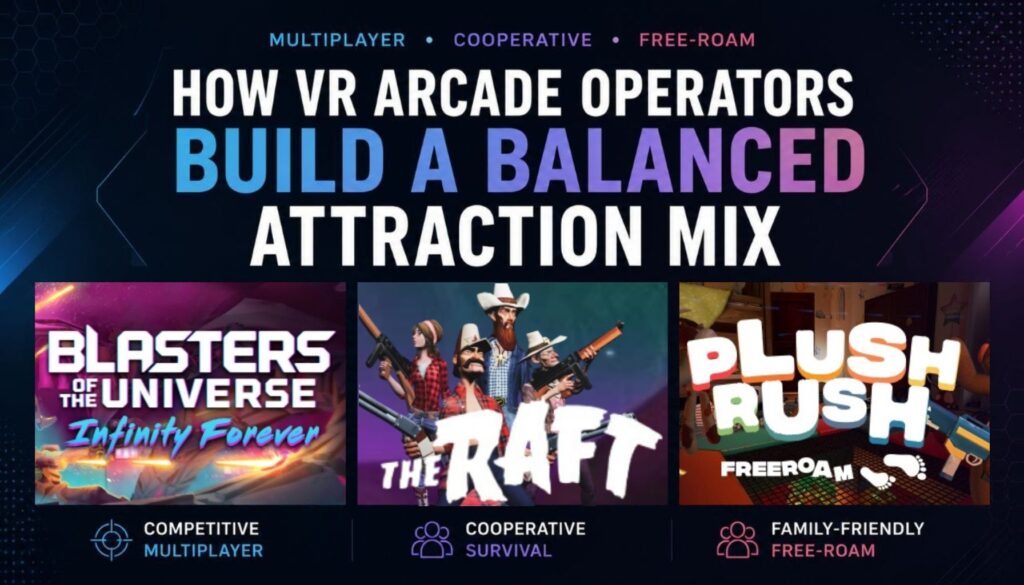
Many VR arcade operators begin with a single attraction category. Over time, most venues expand into multiple experience types to support repeat visits, attract broader audiences, and create more flexible booking opportunities across different customer groups. Across operator discussions, community polls, and venue feedback gathered through the SynthesisVR ecosystem, several attraction categories consistently appear in conversations around repeat visits, group bookings, and long-term replayability. Competitive multiplayer attractions often support repeat local traffic and score-chasing behavior. Cooperative adventures help venues broaden group appeal, while approachable free-roam experiences can make VR more accessible to first-time players and mixed-age groups. Many operators eventually discover that long-term venue growth depends less on finding a single “perfect” attraction and more on building a balanced mix of experiences that support different audiences, session types, and booking behaviors. This matters even more as location-based entertainment VR continues evolving across PCVR, standalone VR, multiplayer attractions, and free-roam deployments. Operators now evaluate VR attractions not only by visuals or genre, but also by onboarding time, throughput, replayability, spectator visibility, hardware requirements, and long-term operational value. Why Attraction Mix Is a Business Decision, Not Just a Content Choice Operators don’t build attraction mixes because they want more variety. They build them because each attraction type solves a different operational and commercial challenge. The strongest venues use a balanced lineup to: This approach closely mirrors how experienced IAAPA-focused operators evaluate attractions: through throughput, replayability, space efficiency, audience fit, and operational simplicity rather than visuals alone. Every attraction you add should answer at least one of these questions: A visually impressive attraction can still underperform commercially if it creates bottlenecks, requires difficult resets, or only appeals to a narrow audience segment. At the same time, a simpler competitive multiplayer attraction can outperform financially if it drives repeat play, quick turnover, and strong local traffic. A Practical Scorecard for Evaluating VR Attractions Many operators now evaluate attractions using a practical scoring framework before expanding their VR content lineup. When operators apply this framework across attraction categories, clear patterns begin to emerge. Accessible Multiplayer Attractions and Family-Friendly Free-Roam Plush Rush Free Roam Approachable multiplayer experiences play an important role inside many VR arcades and family entertainment centers. Not every booking comes from competitive players looking for tactical combat or high-intensity gameplay. Many venues also serve mixed-age groups, first-time VR users, birthday parties, and visitors who want a lighter social experience. Plush Rush Free Roam fits well into this category through cooperative gameplay, approachable visuals, and multiplayer free-roam interaction. The experience supports PCVR free-roam deployments and gives operators an attraction category that feels visually distinct from traditional combat-focused experiences. Why This Category Matters Family-friendly free-roam attractions typically score high in: These experiences can help venues broaden audience reach while reducing intimidation for guests who have never tried VR before. They also complement higher-intensity categories by giving operators more flexibility across different booking types and customer demographics. Hardware and Deployment Considerations Plush Rush Free Roam supports PCVR free-roam environments, making it more suitable for venues operating tracked multiplayer arenas or larger room-scale VR spaces. Operators evaluating free-roam attractions often consider: Competitive Multiplayer Attractions and Replay-Focused Sessions Blasters of the Universe Infinity Forever Competitive multiplayer attractions continue performing well inside many VR arcades because they naturally support replayability, repeat visits, and short-session engagement loops. Arcade-style experiences with score chasing, fast onboarding, and visually active gameplay often encourage “one more round” behavior among returning players and friend groups. These categories also work well in venues that rely on strong session turnover and repeat local traffic. Blasters of the Universe Infinity Forever represents this category through fast-paced multiplayer gameplay that fits naturally inside arcade-style VR environments. Why This Category Matters Replay-focused multiplayer attractions often score highly in: This category can help operators support: Competitive attractions also perform well from a spectator perspective. Walk-in visitors can quickly understand the gameplay flow, which often increases curiosity and generates additional bookings inside active entertainment venues. Hardware and Deployment Considerations Competitive arcade-style attractions can support both dedicated VR arcades and mixed entertainment venues looking to maintain faster session flow throughout the day. Operators evaluating these categories often focus on: Cooperative Survival and Exploration Experiences The Raft Cooperative survival and exploration experiences occupy a different role inside the LBVR ecosystem. Instead of focusing entirely on competition or high-intensity pacing, these attractions encourage communication, shared progression, exploration, and slower cooperative gameplay. The Raft fits into this category through teamwork-driven multiplayer sessions that emphasize survival mechanics and group coordination rather than direct player-versus-player competition. Why This Category Matters Cooperative survival experiences often score highly in: These categories help venues support: Different pacing structures also matter operationally. Some groups prefer fast replay loops, while others want more immersive progression and communication-heavy gameplay. Offering both categories helps venues support broader customer preferences without relying entirely on a single attraction style. Hardware and Deployment Considerations Cooperative survival experiences often work well inside PCVR multiplayer environments where immersion, environmental detail, and longer session structures play a larger role in the overall experience. Operators evaluating these categories frequently consider: Network Veteran Studios and Long-Term Operational Confidence All three highlighted titles come from Network Veteran studios within the Deploy Reality ecosystem. This designation reflects developers with an established history of commercial VR deployment and long-term operator support across LBVR venues. For commercial operators, long-term developer support matters alongside gameplay quality. Venues often prioritize: That becomes increasingly important as venues scale across multiplayer VR, free-roam attractions, PCVR environments, and mixed hardware ecosystems. Managing different attraction categories across PCVR, standalone VR, multiplayer sessions, and free-roam deployments also becomes more operationally complex as venues grow. Operators using SynthesisVR can organize commercial VR content, manage headset fleets, launch sessions, and support multiple attraction formats through a single VR management software ecosystem built for location-based entertainment VR environments. Looking to expand your VR arcade attraction mix with multiplayer, free-roam, and cooperative experiences designed for commercial LBVR venues? Explore the SynthesisVR VR content marketplace and discover attraction categories that support repeat visits, broader audience reach, and long-term
Unlock Weekday Revenue with Step into Webb on SynthesisVR: Free-Roam VR School Field Trips
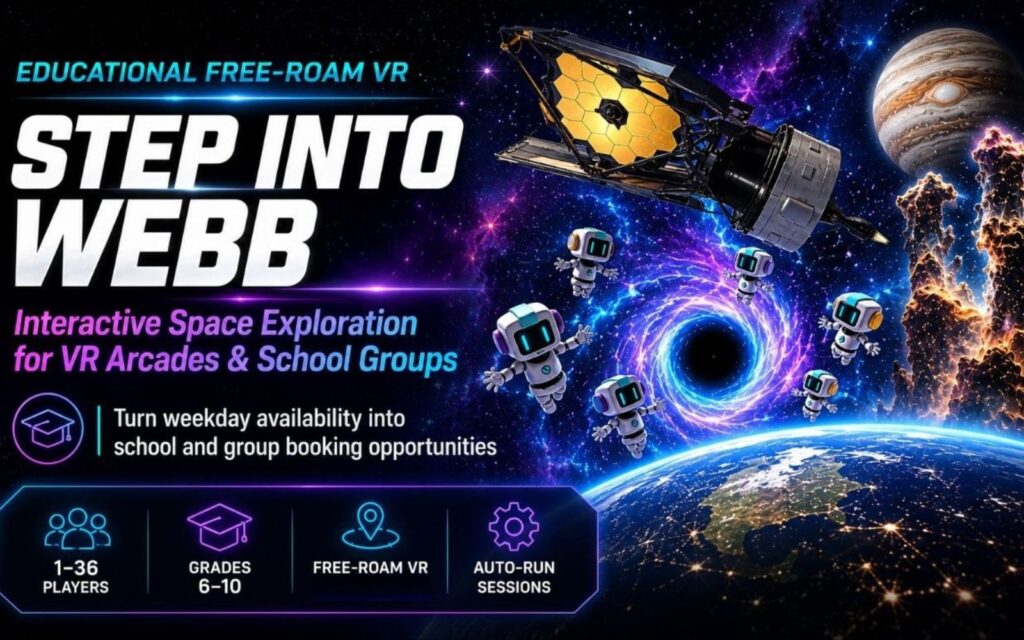
Weekday Schedules Often Look Different from Weekend Traffic Many VR arcades and family entertainment centers eventually run into the same pattern. Weekend sessions stay busy while weekday schedules often leave unused capacity between bookings. Operators usually try filling those gaps with discounts, shorter promotions, or social campaigns. School field trips and educational group bookings create another opportunity because they bring structured visits during periods that are often quieter. The challenge is operational. Educational experiences only work when venues can run them without creating additional complexity for staff. Step Into Webb joins SynthesisVR as an educational free-roam VR experience designed around interactive space exploration, multiplayer participation, and structured group experiences. Practical Ways Venues Can Introduce Educational VR Experiences Operators looking at educational programming usually evaluate a few practical areas before adding new content. Create booking packages around structured schedules Schools and educational groups often operate around fixed time windows. Step Into Webb supports approximately 15–20 minute VR sessions, while the broader activity flow can support experiences around 60 minutes, making it easier to structure larger group visits. Build offers around group participation Support for 1–36 players gives venues flexibility for school trips, STEM programs, camps, and educational events. Support educational outcomes alongside entertainment Teachers and organizers often need reasons beyond entertainment alone. Space exploration, teamwork, discovery, and collaborative objectives create stronger value for educational groups. Keep onboarding simple for staff Additional staffing requirements quickly create operational friction. Educational VR content works best when staff can run sessions consistently without extensive training. Step Into Webb: Interactive Space Exploration in Free-Roam VR Step Into Webb places players inside an interactive journey inspired by the James Webb Space Telescope. Built using authentic NASA-based assets and models, players physically move through space environments and explore locations including: The experience combines movement, multiplayer exploration, and collaborative discovery inside a free-roam VR environment. Mission Control Simplifies Session Flow Educational content frequently raises one operational question first: “How much staff involvement will this require?” Mission Control helps reduce coordination requirements by allowing operators to: Students rotate between VR exploration and supporting activities while virtual guides manage progression and pacing. The goal is straightforward operation without requiring staff members to become classroom instructors or dedicated game masters. Dedicated Game Community Resources for Operators Launching new content often creates practical questions that go beyond installing a title. Operators may need guidance around setup, troubleshooting, deployment, or ideas for structuring larger educational groups. Step Into Webb includes access to a dedicated Game Community directly within the platform where operators can access: For operators introducing educational VR into an existing attraction mix, these resources can reduce onboarding time and create a smoother path from installation to live operation. Technical Specifications Supported Platforms: Licensing Models: Supporting Educational Programming Across Different Venue Types Operators running location-based entertainment VR venues rarely rely on one attraction type alone. Educational VR can fit naturally alongside birthday parties, family activities, group bookings, and traditional entertainment content while helping venues create additional weekday opportunities. Within the SynthesisVR VR content marketplace, operators can manage educational content alongside broader free-roam VR and multiplayer experiences across standalone environments. Looking to expand your attraction mix with educational free-roam VR experiences designed for school groups and structured group bookings? Explore Step Into Webb on SynthesisVR.
The Ultimate Adrenaline Rush: Swarms on SynthesisVR Revolutionizes Free-Roam VR for Your PCVR Arcade!
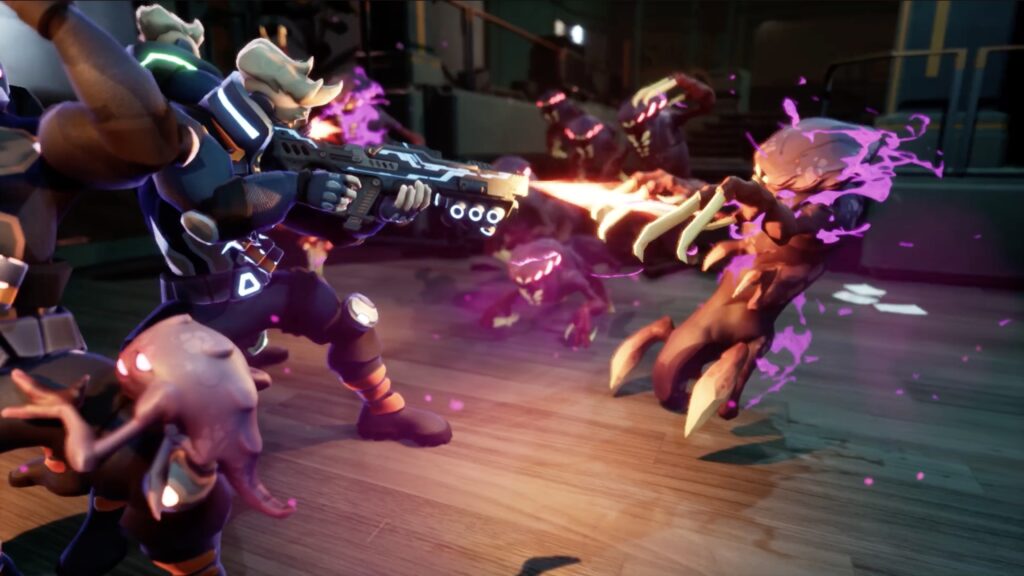
Forget passive entertainment! To dominate the multiplayer VR arcade market, you need high-octane, replayable experiences that generate buzz and loyalty. Swarms is the next-generation VR arena game built for peak adrenaline and player engagement. It’s fully integrated into SynthesisVR, the most powerful platform for managing PCVR venues with the largest library of top-tier free-roam VR experiences in this category. SWARMS: Hive Awakening – Cooperative Game Design at Its Finest Dive headfirst into Hive Awakening, a cooperative campaign masterwork that sets the standard for free roam VR. This isn’t just a simple shooter; it’s a meticulously designed progression experience where strategy, communication, and teamwork are paramount. You and your elite team are dropped onto Corigis-B12, battling relentless creatures and conquering massive alien encounters together. This dynamic experience is the premier choice for: Unleash the Power of the Striker Mavrik Pro Elevate the action with unparalleled immersion! Swarms: Hive Awakening is one of the elite free roam VR games offering dedicated support for the Striker Mavrik Pro gun. The realistic weight and incredible haptic feedback of the Mavrik Pro transform every shot, blast, and alien encounter into a visceral thrill. This seamless integration is essential for delivering a premium room scale VR arcade experience. Horde Mode: The Hunt for High Scores is ON! For competitive groups addicted to continuous action, Horde Mode offers pure survival intensity. This wave-based gauntlet is designed for maximum replayability, increasing the pressure with every wave as players chase higher scores. This mode is perfect for maximizing revenue from repeat visitors and quickly delivering high-energy replay sessions. SynthesisVR: Your Operational Command Center Swarms provides the operational flexibility needed for any customer profile, supporting arenas from 8x8m up to a massive 16x12m. Its seamless deployment is guaranteed thanks to the collaboration between Fishing Cactus and SynthesisVR. If you run a PCVR venue, SynthesisVR is the absolute go-to platform, offering unmatched free roam VR management and the largest game library in the category. Whether you’re running a room scale VR setup, managing a VR escape game with its included VR escape game management and VR escape room software, or even considering a standalone VR management transition, SynthesisVR is the most powerful solution to streamline your operations. Technical Specs: Join the Swarms Revolution! Stop settling for average—it’s time to bring your venue a truly amazing game that thrills players and drives your business! Explore the Swarms Universe: Try SynthesisVR now, no credit card necessary!
Holomia Now EXCLUSIVELY on SynthesisVR: Competitive Arenas and Escape Experiences Under One Ecosystem
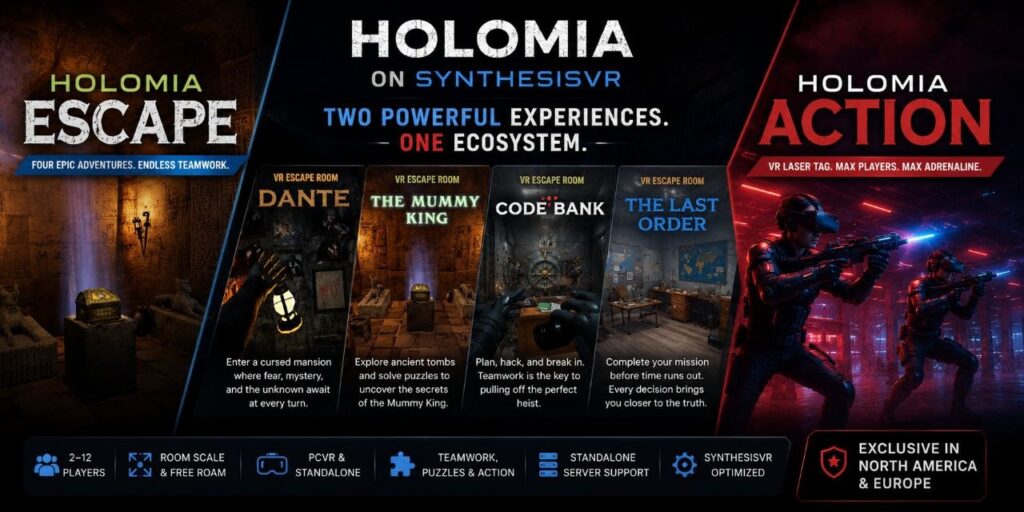
As VR venues grow, the challenge often changes. Operators rarely struggle because they need more content alone. The questions become more operational. Which experiences fit different customer groups? How often should attractions be rotated? How much complexity is added when introducing another content ecosystem? A birthday group, a family visit, and an esports-focused audience may all walk into the same venue during a single day. Some players want competition and repeat score chasing. Others look for teamwork, puzzles, and story-driven experiences. Building a content mix that serves these different audiences while remaining manageable operationally becomes increasingly important. Holomia formerly known as MissionX is now exclusive to SynthesisVR with a broader approach that combines competitive free-roam gameplay and cooperative escape room experiences within one ecosystem. The ecosystem currently includes two categories: Holomia Action and Holomia Escape, let´s dive in. Holomia Action (Previously known as MissionX) Holomia Action is a multiplayer free-roam FPS experience designed around competitive play and repeat sessions. It brings a VR laser-tag style format into LBVR environments and supports up to twelve players. Operators can rotate between maps, weapons, and game modes without relying on permanent physical arena layouts. This flexibility can make it easier to adapt the attraction for different customer groups, tournaments, and recurring events. Potential use cases include: Holomia Escape Holomia Escape takes a different direction and focuses on cooperative gameplay and story progression. Rather than delivering a single experience, Holomia Escape includes four separate adventures: 🏺 The Mummy King👻 Dante: Haunted House💰 Code Bank🔍 The Last Order Each experience introduces different themes and play styles, allowing operators to serve multiple audience preferences through a single package. Families may choose lighter adventure themes, while corporate groups may prefer teamwork and communication-based experiences. Horror-focused players may seek stronger atmosphere and tension. This type of variety can reduce the need for constant content replacement while increasing options available to guests. Built around operational flexibility Beyond gameplay itself, the implementation side matters for operators. Holomia supports multiple deployment models: Hardware support Movement support Arena flexibility Arena configurations can range from compact footprints to larger multiplayer spaces depending on venue requirements. The collaboration also included operational considerations beyond content delivery. Integration and testing work included areas such as standalone server support, player-name handling, offline functionality, and deployment optimization intended to improve venue workflows. For operators, the difference between content performing well on paper and content functioning smoothly in a live environment can be significant. Partnership and operator advantages The Holomia collaboration introduces additional benefits for operators in North America and Europe through SynthesisVR. The partnership includes: The objective extends beyond introducing new content into the marketplace. The goal is creating a stronger operational ecosystem around how venues deploy and manage these experiences. Final thoughts Most venues eventually build a mixture of attraction types. Competitive experiences can encourage repeat sessions and score chasing. Cooperative experiences can create stronger group interaction and broader audience appeal. Holomia introduces both directions into a shared ecosystem and gives operators more flexibility in how they build their attraction mix. Looking to expand your attraction mix? Explore Holomia on SynthesisVR and discover how competitive arenas and cooperative escape experiences can fit different venue sizes, customer groups, and operational models.
MetaExperiences Bundle on SynthesisVR: Free Roam Escape Adventures Designed for Modern LBVR Venues
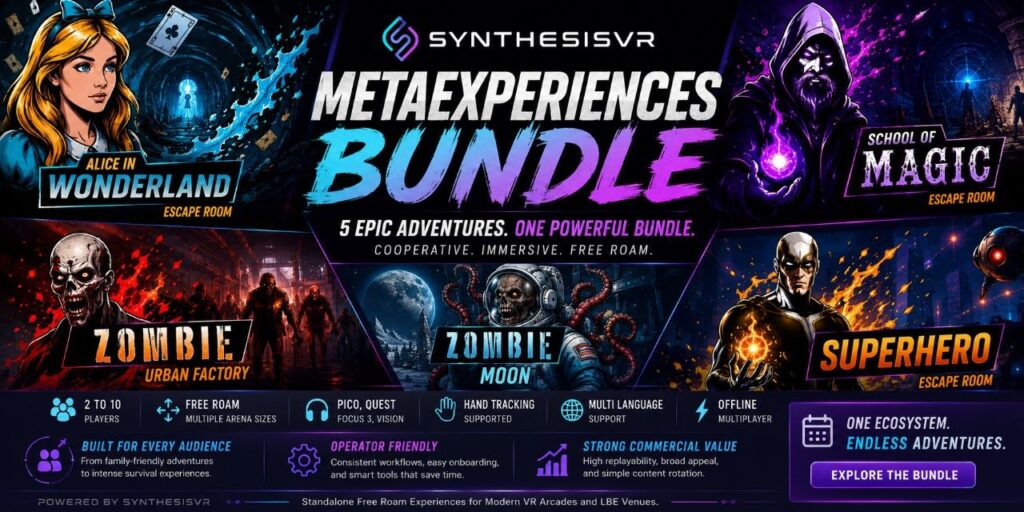
Free roam VR continues to evolve beyond simple tech demonstrations. The venues seeing the strongest repeat engagement are usually the ones offering experiences that groups can understand quickly, enjoy together, and talk about afterward. That is one of the reasons guided escape-room-style adventures continue to perform strongly in location-based VR. Families, birthday groups, corporate teams, first-time VR visitors, and casual audiences often respond better to cooperative progression than highly competitive gameplay. Instead of focusing purely on score chasing, guided adventures create shared objectives, group communication, puzzle solving, exploration, and narrative progression that naturally fit social entertainment environments. The MetaExperiences Bundle on SynthesisVR was built around that model. The collection combines multiple standalone free roam adventures into a single operational ecosystem, allowing venues to rotate between fantasy adventures, puzzle escape rooms, superhero experiences, and zombie survival gameplay while maintaining consistent onboarding flow and deployment structure across all titles. Supported Hardware and Free Roam Arena Sizes The MetaExperiences Bundle supports: Several experiences also support both Quest Hand Tracking and Pico Hand Tracking, allowing operators to choose between controller-based gameplay and more immersive gesture-driven interaction depending on the audience and headset deployment. The experiences support multiple free roam arena sizes ranging from compact 4x4m deployments for smaller groups up to 10x10m arenas supporting as many as 10 simultaneous players depending on the title. This flexibility allows the same content ecosystem to scale across: Operationally, all titles follow similar multiplayer flow and onboarding logic, reducing staff retraining and helping operators rotate themes without rebuilding workflows for each game. Why Escape-Room-Style VR Experiences Continue to Perform in LBVR Escape-room-style VR experiences solve several important commercial challenges for operators. First, they are easy to explain. Most players already understand the concept of exploring environments, solving puzzles, surviving encounters, or progressing through a shared story. Second, cooperative gameplay works particularly well for mixed-skill groups. Experienced players stay engaged while first-time VR users still feel included instead of overwhelmed. Third, guided progression creates stronger group memories. Players leave discussing moments from the adventure itself rather than simply comparing scores after a competitive round. That dynamic is particularly valuable for: For many LBVR venues, those audiences represent a large percentage of long-term repeat business. The Experiences Included in the Bundle Zombie Moon Zombie Moon is the newest addition to the MetaExperiences Bundle and introduces a large-scale cooperative zombie survival experience set inside a lunar research colony. Players are kidnapped, transported to Moon Base Alpha-13, and forced into survival experiments by a mad scientist who unleashes waves of infected creatures while observing the group’s behavior. The reduced-gravity setting changes movement pacing and gives the experience a distinct atmosphere compared to traditional zombie shooters. Gameplay focuses on cooperative survival, scalable combat difficulty, weapon progression, and wave-based action that works well for repeat group sessions. Internal DeployReality testing highlighted strong weapon balancing and smooth gameplay flow across different difficulty levels. Because the gameplay objective is immediately recognizable, onboarding remains relatively simple while still delivering enough progression to keep groups engaged throughout the session. The experience supports 2–10 players across multiple free roam arena sizes and includes broad language support including English, French, German, Italian, Polish, and Spanish. The latest update also integrated additional SynthesisVR controls and operational improvements requested through operator feedback. Urban Factory Urban Factory takes a more direct arcade-survival approach focused on immediate cooperative combat. Players are trapped inside an abandoned industrial facility while fighting through relentless zombie waves created by the same scientist behind the lunar experiments. Unlike puzzle-heavy escape adventures, Urban Factory focuses almost entirely on action pacing and survival pressure. The game’s positioning is commercially useful because it serves audiences looking for: The description itself summarizes the experience clearly:“No puzzles. Just pure survival.” For operators, that simplicity matters. Sessions are easier to explain at the front desk, throughput remains predictable, and casual visitors understand the gameplay objective almost immediately. Urban Factory also supports smaller free roam footprints starting at 4x4m deployments, making it accessible for venues that want free roam zombie content without requiring warehouse-scale arenas. The experience supports Pico, Quest, Focus 3, and Vision headsets along with offline multiplayer for groups of up to 10 players depending on arena configuration. Superhero Superhero shifts the bundle toward cinematic free roam adventure gameplay with stronger narrative pacing and guided progression. Players step into a cooperative superhero-themed experience that combines exploration, puzzle interaction, environmental storytelling, and action-driven sequences across a 45–55 minute session structure. The superhero theme gives the experience broad commercial appeal because it is easy for mixed-age audiences to understand and market around. One of the strongest operational features is support for both traditional controllers and hand tracking on Quest and Pico devices. Hand tracking helps create a more immersive experience for first-time users while reducing the intimidation factor that some casual visitors feel when learning controller layouts. The guided structure also helps reduce confusion during gameplay, making sessions easier for staff to manage even when hosting players with limited VR experience. Recent updates improved overall stability and resolved issues related to room markers and progression flow, helping operators maintain smoother session reliability. School of Magic School of Magic expands the fantasy-adventure side of the bundle with a cooperative wizard-themed escape experience focused on magical interaction, exploration, and guided progression. Players move through mystical environments, uncover secrets, solve puzzles, and interact with magical elements while progressing through a story-driven adventure designed around cooperative participation rather than competitive gameplay. The Quest and Pico hand tracking support aligns particularly well with the magic-casting mechanics, creating a more intuitive interaction system for players unfamiliar with VR controllers. Operationally, School of Magic benefits from the same deployment consistency as the rest of the MetaExperiences ecosystem. Venues can rotate between action, fantasy, puzzle, and survival themes while maintaining similar onboarding flow and free roam management structure. The experience runs across multiple arena sizes and supports groups ranging from small family sessions up to larger multiplayer deployments with 10 simultaneous players. Alice in Wonderland Alice in Wonderland is one of the strongest
Free Roaming with PICO: What 12 Weeks of Building a VR Arena Actually Teaches You
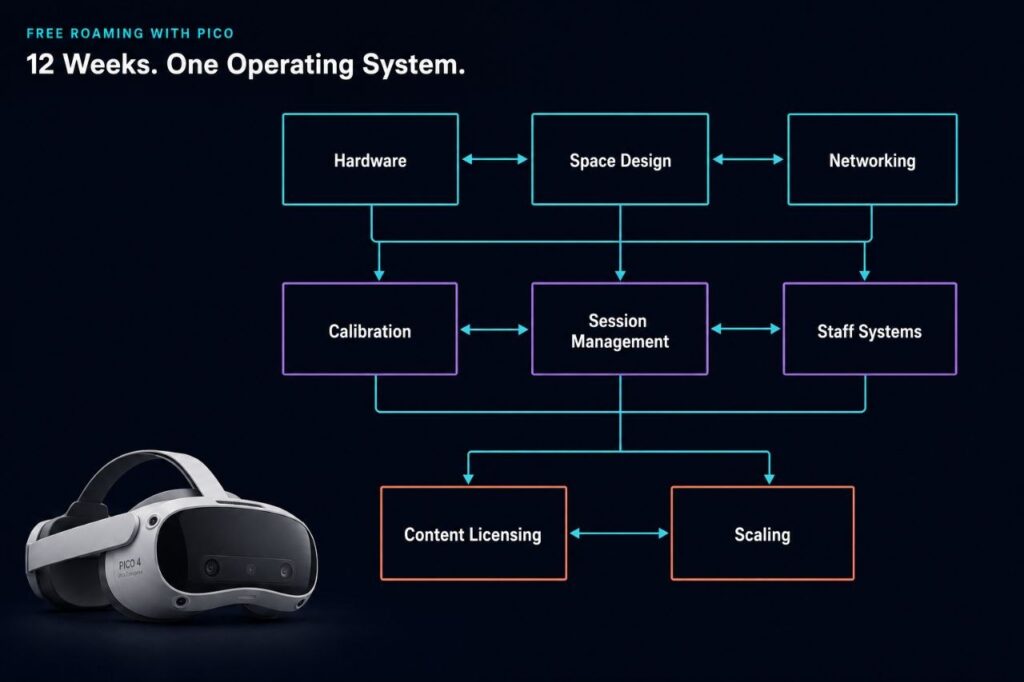
Twelve weeks of free roam content produced one finding that kept surfacing regardless of topic: the operators who struggle most are almost never fighting a hardware problem. This series started as a practical guide to running free roam VR with PICO hardware and ended as something more specific, a record of every place operators get stuck and why the fix rarely looks the way it did from the outside. If you are planning your first VR arena, or six months in and wondering why the gap between expectation and reality is wider than expected, what follows covers each of those gaps and links to the full article where the evidence lives. What Free Roam Actually Is, Before You Spend Anything Most operators arrive at free roam with room scale experience. The hardware looks familiar and the play area is larger, but what changes is the operating model underneath. Week 1 makes that distinction precise: free roam is not a floor size, it is a coordination problem. When six to eight players move simultaneously in a shared space, tracking alignment, session sync, safety boundaries, and staff response all become live constraints at once. The game almost never breaks first.That coordination demand is part of why the hardware choice matters earlier than most operators expect. Week 3 covers why PICO became the standard for free roam in location-based entertainment: the enterprise-first OS design, boundary sharing stable enough for multiplayer alignment, and separation from consumer firmware cycles that change device behaviour without notice. Standalone VR for LBE is built for a different primary user. The operator, not the player, is who the hardware has to serve. The Costs That Do Not Appear on a Spec Sheet Week 2 addresses the consumer trap, and the core argument is operational rather than legal. Consumer headsets in commercial environments require account management, cannot be controlled centrally, and are exposed to firmware updates that change the staff-facing UI overnight. Operators who started with consumer hardware to cut upfront costs consistently found the savings gone within the first year, absorbed into staff time and sessions that could not be recovered. The arithmetic behind that pattern is what Week 4 works through. Some of the least profitable free roam venues ran the newest hardware; the losses came from reset time between groups, staff intervention on sessions that should have launched automatically, and downtime that compounds across a full operating week. None of those costs appear in hardware comparisons, which is where most operators first build their business case. Space Design and Networking Are the Same Problem Operators treat arena design and networking as separate decisions because they happen at separate times, one at buildout and one closer to launch. Week 5 makes the case they should be planned together. Player movement patterns determine where congestion builds. Pillars and reflective surfaces affect tracking in ways that floor plans do not show. Dead zones, which most operators attribute to router placement or hardware range, are almost always design failures: places where actual movement patterns were not considered when the space was laid out. Network failures are the most misdiagnosed issue in free roam VR. Week 6 traces why: congestion, band steering, and roaming client behaviour produce symptoms that surface as tracking errors, so operators spend time on headsets when the problem is in the infrastructure. A session that breaks because of a network event the operator misread as a headset fault still ends as a refund conversation, regardless of where the fault actually was. Where Throughput Actually Gets Lost Locations that stopped re-mapping every morning consistently reported the same thing: they had not realised how much of their opening routine it consumed until the time came back. Week 7 covers what calibration drift is and why it happens, but the more operationally significant part is why operators were not using PICO boundary sharing across their fleet to maintain consistent environments, and what that gap cost them in daily throughput. Manual game launches are where sessions lose time in ways customers notice but cannot name. A 15-minute experience that takes 25 minutes because staff sync each headset individually does not produce a complaint about the wait; it produces a complaint about the confusion, which is harder to address and harder to stop from spreading. Week 8 covers how automation removes that failure mode and why one-click launch is a design principle about where error belongs in a session workflow, not a convenience feature. The staffing argument in Week 9 follows directly from that. Venues built around centralized dashboards can onboard new team members without rebuilding operational knowledge from scratch each time someone leaves, and in LBE, turnover is a structural constant rather than an exception. Throughput is the profit driver in free roam. Systems are what protect it when people change. The Legal Layer Most Operators Discover Too Late Week 10 documents what happens when operators assume a consumer game purchase covers commercial use: developers reach out directly, usually after the fact, and the resolution is rarely straightforward. The operators most exposed are those who built their content library early and never revisited the terms as the business scaled. Working with a platform that maintains direct licensing relationships with hundreds of developers removes the exposure that accumulates silently under a consumer-first content strategy. What 600 Locations Teach You That One Cannot Running patterns across hundreds of venues produces a different picture from what any single operator can observe. Week 11 covers which games hold repeat customers over time, why the most consistent locations refine a smaller catalog rather than chasing new releases, and which operational mistakes new operators repeat regardless of geography, hardware choice, or venue size. The conclusions are about content strategy under real operating conditions, not about ranking titles. Scaling is where every unresolved operational problem becomes expensive. Week 12 closes the series on that point. The barrier to expansion is almost never capital; it is the inability to reproduce the same setup reliably, a problem that does not
Standalone VR Arena Games Worth Adding to Your Lineup in 2026
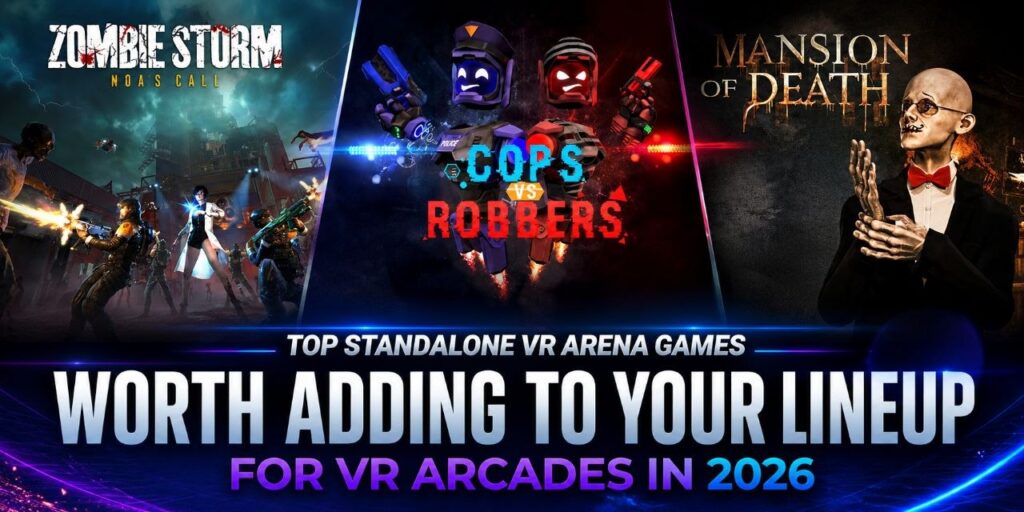
Action free roam titles tend to generate a particular kind of session energy. Groups get loud, they communicate, and they leave with a shared story rather than just a score. That dynamic is one of the most reliable drivers of rebooking and referral. This post covers three standalone free roam action titles available on the SynthesisVR content marketplace for Pico, Quest, and Focus 3 hardware. A PvP bank heist that has been one of the most consistently booked standalone titles across venues worldwide. A horror escape with active combat and a boss fight that received a major content update in February 2026. And a co-op zombie survival experience built around a narrative mission that gives teams a shared goal beyond just staying alive. All three run through the same interface as the rest of your library, with no additional platform switching or separate session management required. Game Highlight: Cops vs Robbers Cops vs Robbers is the kind of title that earns its place on the booking sheet week after week. The premise is simple enough to explain at the front desk in one sentence: pick a side, Cop or Robber, and fight it out inside a bank vault. Walk-in groups understand it immediately. Competitive groups love it. First-timers get into it fast. The V2 update in October 2024 added meaningful depth without complicating the experience. A new PvE story-driven mode gives groups that prefer co-op an entirely different way to play the same title, which means one license covers both competitive and cooperative bookings. A new networking solution reduced latency and improved stability for back-to-back sessions. Multiple gun options in PvE add replay value for returning guests. Arena configurations scale from 4.5×4.5m up to 10x10m with 2 to 10 players. Cross-play between PICO, Meta Quest, and HTC Focus 3/ Vision is supported, so venues running mixed hardware fleets can run it across their full headset inventory without workarounds. Learn more: Cops vs Robbers Cops vs Robbers Community Page Alongside the game, SynthesisVR is keen to build communities based on games using Community Pages, an initiative designed specifically for Location-Based Entertainment VR operators, developers, and industry professionals. Check our Cops vs Robbers: Community Page These pages are built to serve as living knowledge hubs, where operators can: Unlike traditional consumer-focused communities, SynthesisVR Community Pages are purpose-built for professionals, helping operators make informed decisions, improve uptime, and deliver better experiences to guests. This initiative reflects SynthesisVR’s long-standing commitment to not just distributing content, but supporting the businesses that run it. About SynthesisVR SynthesisVR is a VR management platform built for LBE operators, with 350+ experiences available through one content marketplace. Every title here runs through the same interface as the rest of your library, with no additional platform switching or separate session management required. SynthesisVR has been supporting commercial VR venues since 2016 and operates across 600+ venues worldwide. Browse the full standalone free roam catalog Try SynthesisVR, No credit card required!
Week 12: Scaling From One Arena to a Franchise
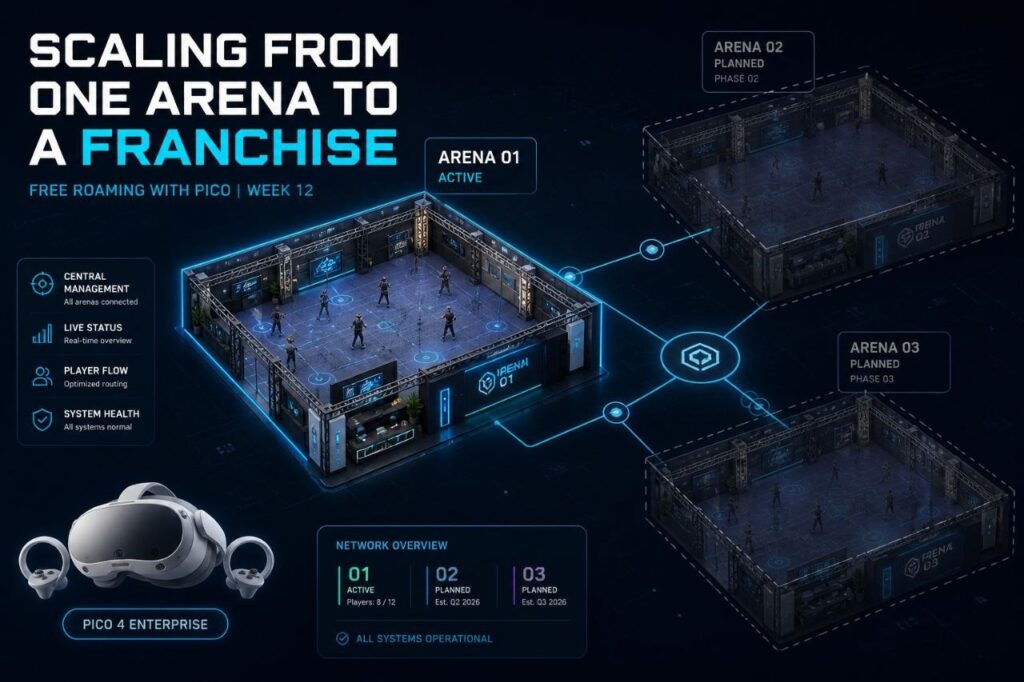
Why the biggest barrier to a second location is not money Twelve weeks ago, this series started with a single question: what does free roam actually mean? Not as a marketing concept, but as a live operating system with moving parts, competing demands, and very little margin for error once customers are in the space. Every week since has added another layer. Tracking. Networking. Calibration. Content licensing. Staff cycles. Session automation. Each topic, its own problem. Each solved problem, a prerequisite for the next. This final week asks the natural follow-on question: what happens when it works at one location, and you want to do it again somewhere else? The honest answer is that most operators who reach this point are not prepared for how different the question becomes. Replication Is Not the Same as Repetition Opening a second location feels like proof of success. Revenue is stable at the first site. Demand is real. The model works. Expansion seems like the logical next step. What changes at location two is the nature of the business entirely. A single-site operation can survive on proximity, informal communication, and the founder being present when something breaks. A two-site operation cannot share any of those things. What worked because you were there will not work because your manager is there instead, unless you have converted everything you know into something they can follow without you. Often scaling failures are caused by systems that were never designed to scale, not necessarily caused by a lack of ambition or capital. This is not a VR-specific problem. It is a universal truth about physical operations. The franchise industry has been running this experiment at scale for decades. The data is not encouraging: only 16% of franchisors ever reach the 100-location milestone. The median number of franchise locations is 38. The vast majority of operators who attempt multi-location expansion stall before they get there. The reason is consistent across industries: the operation was built for one location, optimized for one location, and was never designed to be replicated. It worked because of specific people in a specific place making specific daily decisions that existed nowhere except in their heads. What Actually Breaks at Location Two In a VR arena context, the failure points are predictable once you know what to look for. They are not dramatic. Nobody walks in one morning to find the business has collapsed. Instead, a series of small, reasonable decisions compound into a structural gap between how fast you are growing and how well your operations can keep up. Here is what typically breaks: Hardware control At one location, a fleet is manageable through familiarity. The manager knows each headset, knows which ones drift, knows which require an extra calibration step. At two locations, that knowledge does not transfer. Without centralized visibility across both sites, firmware changes, battery status, and device behavior become invisible problems. A consumer headset update that changes the operating environment overnight is a manageable inconvenience at one site. At three sites, it is an operational failure. Calibration and environment profiles Operators who solved calibration at location one by storing boundary data and space maps in a centralized system open a second location with a replicable asset. Operators who solved it by having one skilled staff member walk the space every morning have built something that cannot be reproduced. They have to rebuild it from zero, every time, at every new site. Content licensing compliance A single location can handle licensing informally when the operator knows the catalog and tracks usage personally. Add a second location, and the compliance surface doubles. Add a third, and the problem is no longer manageable without a platform that tracks usage across all sites and keeps every location within its licensing terms automatically. Operators who discovered this late have rarely found it cheap to fix. Staff dependency This one is the most common failure point and the hardest to diagnose in advance. A single location can survive on one expert employee who knows the system. That employee cannot be in two places at once. A second location staffed by people who are learning the operation through verbal instructions rather than documented systems will not run the same experience. It will run a rough approximation of it, degrading further with every staff turnover cycle. OPERATOR REALITY CHECK The biggest barrier to expansion is not money. It is inconsistency. A location that cannot reproduce the same setup twice will struggle to reproduce it ten times. The operators who scale successfully are almost never the ones with the most capital. They are the ones who treated their first location as a system to be documented, not a business to be managed by feel. The Difference Between a Venue and a System There is a version of a VR arcade that is a place. The owner knows it intimately. Staff figure things out. Sessions work because experienced people are present and paying attention. That version is not scalable. There is another version that is a system. Setup is documented. Staff follow a process, not a person. Hardware is monitored centrally. Content is licensed and tracked automatically. Session launch does not depend on which employee is working that shift. That version can be reproduced. The difference between them is not technology. It is whether the operational knowledge that lives in people has been extracted and built into processes that survive staff turnover, absent founders, and new locations that have never seen the original. Firms that scale smoothly have playbooks. The ones that don’t end up with multiple locations that each operate like independent businesses sharing a name. Operators who have watched franchise models attempt to take hold in this industry over the years will recognize the pattern. We have seen enough of these attempts to know that the limiting factor is rarely ambition or capital. It is almost always the absence of a replicable system. The first location is often strong. The jump to a second or third
Top PCVR Free Roam Adventure Games forVR Arcades in 2026
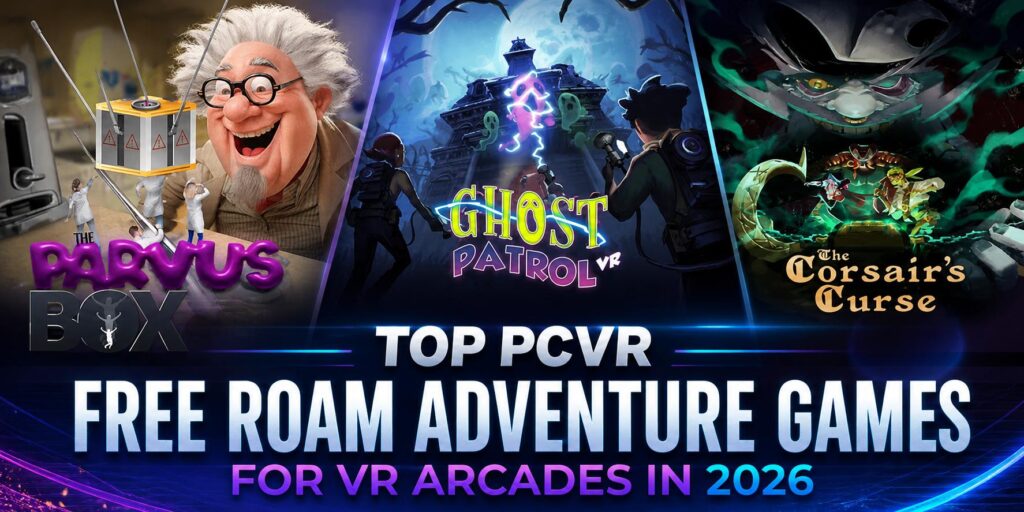
Family entertainment centres run on variety. A busy Saturday means birthday groups, families with kids of different ages, walk-ins, and returning guests who have already played your most-booked titles. The venues that hold those guests across all of those scenarios tend to have one thing in common: a content library with range. Puzzle and adventure free roam content is one of the most reliable ways to add that range. These experiences work across wide age gaps, onboard quickly for guests with no VR experience, and give groups a shared goal that drives natural communication and teamwork. They are also a strong fit for birthday party packages, where the group dynamic matters as much as the experience itself. This post covers three PCVR free roam titles available on the SynthesisVR content marketplace that deliver exactly that. A pirate galleon built around co-operative puzzle-solving. A microscopic escape room where teamwork is the only way out. A colour-coded ghost hunt in a shifting manor that plays well from age eight to eighty. All three run through the same interface as the rest of your library, with no additional platform switching or separate session management required. Game Highlight: The Corsair’s Curse The Corsair’s Curse is a PCVR free roam puzzle-adventure built around one of the most universally appealing themes in entertainment. Your crew boards an enchanted galleon, hunts for the wicked Corsair’s treasure, and works through puzzles, exploration, and the occasional sword fight to get there. The premise lands in one sentence at the front desk, which matters when you are turning over groups on a busy afternoon. For operators, the practical appeal is straightforward. The Corsair’s Curse fits naturally alongside escape room content in your programming mix. It gives you a family-appropriate answer to guests who want adventure without a combat focus, and the puzzle arc resets cleanly for each new group, so rebooking is a natural conversation at the end of the visit. The Corsair’s Curse is available on SynthesisVR with a Fixed Location Fee license, covering your entire venue up to the maximum number of stations the game supports. One flat period rate, no per-session tracking, and predictable billing regardless of how many groups run through it on a given day. Contact SynthesisVR to check current renewal rates and availability for your location. Space: 5x6m | Players: 2-4 | Platform: PCVR (SteamVR) | Licensing: Fixed Location Fee available Learn more: The Corsair’s Curse The Corsair’s Curse Community Page Alongside the game, SynthesisVR is keen to build communities based on games using Community Pages, an initiative designed specifically for Location-Based Entertainment VR operators, developers, and industry professionals. Check our The Corsair’s Curse — Community Page These pages are built to serve as living knowledge hubs, where operators can: Unlike traditional consumer-focused communities, SynthesisVR Community Pages are purpose-built for professionals, helping operators make informed decisions, improve uptime, and deliver better experiences to guests. This initiative reflects SynthesisVR’s long-standing commitment to not just distributing content, but supporting the businesses that run it. Enjoyed The Corsair’s Curse? These two belong in the same lineup. Both titles below share the same core strengths: cooperative mechanics, wide age range appeal, and a session structure that works for events and walk-in groups alike. They cover different settings and tones, which is what makes them useful complements rather than duplicates. The Parvus Box The Parvus Box takes a simple premise and executes it well. Your group volunteers for a scientific experiment, the apparatus malfunctions, and you are shrunk to microscopic size. Everyday surroundings become enormous puzzles. The only way back to normal is to work through the environment together. Sessions support 2 to 6 players in a 5x6m arena, with teamwork and communication driving puzzle progression throughout. The escape room structure gives the experience a clear arc and a satisfying resolution, which supports rebooking conversations at the end of the visit. Guests finish with a shared story rather than just a score. The Parvus Box is available on SynthesisVR with a Fixed Location Fee license. One flat period rate covers your venue up to the maximum supported stations, keeping billing simple on high-volume days. Contact SynthesisVR to confirm renewal rates and availability. Space: 5x5m | Players: 2-6 | Platform: PCVR (SteamVR) | Licensing: Fixed Location Fee available Learn more: The Parvus Box Ghost Patrol Ghost Patrol adds energy and movement to the puzzle category. Color Ghosts have taken over a shifting manor where hallways rearrange and furniture comes to life. Your team uses Hue Blasters to match ghost colors and clear the way, charges mysterious orbs to activate platforms and move sections of the environment, and works toward defeating the Ghost King at the end. Ghost Patrol supports 1 to 4 players in a 6x6m arena on PCVR via SteamVR. Full localization in English, French, and Spanish means multilingual groups and international guests can play in the language they are comfortable with, a practical detail worth noting at the time of booking. Ghost Patrol is available on SynthesisVR with a Fixed Location Fee license, with one flat period rate covering your location up to the game’s maximum station count. No per-session tracking, predictable costs on busy days. Contact SynthesisVR to check availability and whether a reduced renewal rate applies for this title. Space: 6x6m | Players: 1-4 | Platform: PCVR (SteamVR) | Languages: EN, FR, ES | Licensing: Fixed Location Fee available Learn more: Ghost Patrol A note on Fixed Location Fee licensing All three titles above are available on a Fixed Location Fee model through SynthesisVR. The Fixed Location Fee covers your entire venue under a single flat period rate, up to the maximum number of stations the game supports. If a game allows up to 4 players and your venue runs 4 stations, one license covers all of them. For family entertainment centres and busy walk-in venues, the practical benefit is predictable billing. No per-session tracking, no usage monitoring across a high-volume Saturday. You know what you are paying per period regardless of how many groups
Week 11: What 600+ Locations Teach You About Free Roam
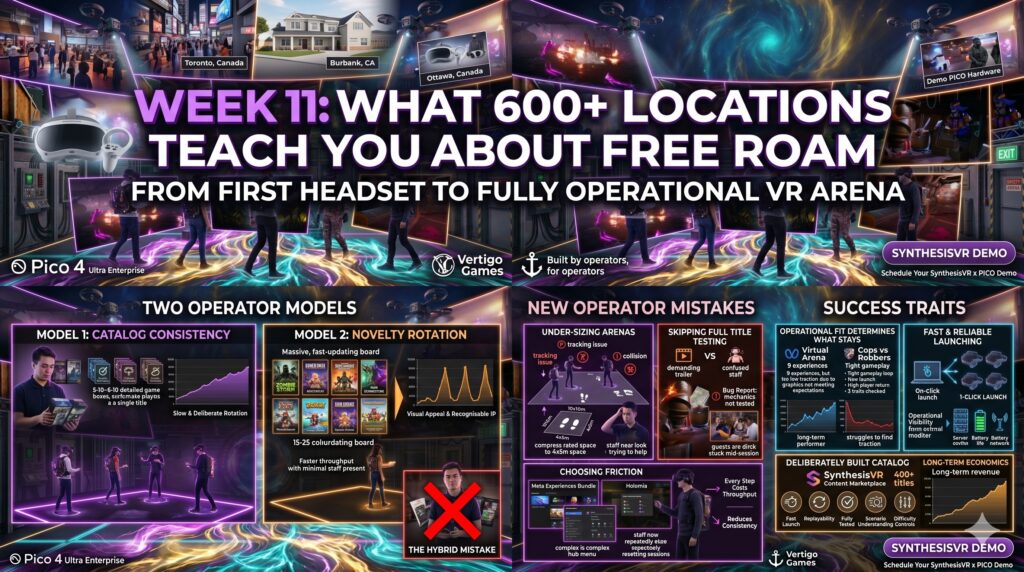
Part of the series: From First Headset to Fully Operational VR Arena A single venue gives operators one perspective on what works. Patterns only become visible when you can compare hundreds of free roam VR catalogs side by side, across markets, group sizes, staff models, and price points. After running 600+ locations on the SynthesisVR platform, the same observations keep appearing. The titles that succeed long-term are rarely the ones with the strongest launch trailers or the loudest marketing. They are the ones that fit how venues actually run. That gap between launch potential and operational fit is where most new operators lose money. The lessons below come from what our sales team hears every week from new venues, what our support team sees in the trial accounts and live operations they help troubleshoot, and the patterns visible across the global fleet. Two operator models, both valid Across the fleet, two distinct approaches to content strategy work. They are not better-or-worse versions of each other. They serve different business models, and the operators who succeed are the ones who pick a lane and commit. The first model is catalog consistency. These operators run 5 to 10 titles, know each game in detail, train staff on every scenario, and refine their lineup over months and years. Their content rotation is slow and deliberate. New titles get tested, evaluated against operational fit, and added only when they earn a permanent slot. The second model is novelty rotation. These operators offer 15 to 25 titles at any time, refresh their lineup regularly, and lean on visual appeal and recognisable IP to attract first-time visitors. Their guests come for the newest experience. Operations are designed around easy launching, minimal staff intervention, and titles simple enough to play without much guidance. Recent releases like Zombie Storm and Insiders fit this model, with strong graphics, fast onboarding, and gameplay that does not require staff to walk groups through complex scenarios. Both models generate revenue. The mistake is running a hybrid version of both without committing to either, which leaves operators with too many titles to operate well, not enough rotation to feel fresh, and staff who never quite master any of it. What actually makes a title perform long-term Visuals get a title in the door. They are not what keeps it in rotation. Our sales team works with new venues every week, and the same pattern comes up. Graphics drive the initial title selection. Operational fit determines what stays. A title can offer nine separate experiences and strong arena specs, like Virtual Arena, and still struggle to find traction because the visuals do not meet what guests now expect from a 2026 free roam VR experience. A simpler title like Holomia VR with less content on paper, holds rotations for years because the gameplay loop is tight, the launch is fast, and players return for it. The pattern across the fleet looks like this. Long-term performers tend to share three traits: fast and reliable launching, gameplay that staff can fully understand and support, and replayability that does not depend on novelty. They are also titles the operator has actually played through, scenario by scenario. That last point matters more than new operators tend to realise. When a guest gets stuck mid-session and the staff member running the venue cannot help them, the experience breaks. Our support team regularly receives bug reports for titles where the issue turns out to be a level mechanic the operator never tested. Some titles, like Corpus Animatum, include adjustable difficulty controls that let staff tune sessions to player skill, but those features only get used when the operator knows they exist. A small, well-understood catalog of commercial VR games supports that kind of operational fluency. A constantly rotating one does not. The mistakes new operators repeat most often Pattern recognition across 600+ locations gives a clear list of what new operators consistently get wrong. Three come up most often. Under-sizing arenas. A title rated for 6x6m and up to four players will not deliver a good experience in a 4x5m space. The arena specs developers publish are not aspirational targets. They reflect the minimum dimensions where the gameplay holds up. Compressing a recommended footprint to fit available space leads to player collisions, tracking issues, and reduced session quality. Both guests and staff feel it. Skipping full title testing. New operators routinely add games to their lineup based on a trailer and a launch demo. They do not play through the title at every difficulty level, every player count, every scenario. When guests get stuck or confused, staff have no answer. That gap shows up in reviews and rebooking rates faster than any other operational issue. Choosing titles with launch friction without recognising it. Some games require players to navigate hub menus or sub-launchers inside the headset before reaching gameplay. Meta Experiences Bundle and Holomia are two examples our support team flags often. The friction is not always obvious during evaluation, but it compounds across sessions. Every extra step costs throughput, increases the chance of staff intervention, and reduces the operational consistency that defines a profitable venue. Operators running these titles in commercial settings tend to either accept the trade-off knowingly, or move them out of the rotation after a few weeks of measuring reset times. Why catalog consistency tends to win for most venues For most operators, catalog consistency produces better long-term economics than novelty rotation. The reasons are operational, not philosophical. Reset cycles run faster when staff know the launch sequence cold. Guest satisfaction improves when staff can guide groups through any scenario. Repeat bookings increase when there is something familiar to come back to. Difficulty settings and scenario controls get used when operators know their catalog deeply enough to apply them. Arizona Sunshine earns its slot in long-term rotations precisely because operators who run it know how it performs at every player count and skill level. That knowledge compounds session by session. Novelty rotation can work, and