
Free Roaming with PICO: What 12 Weeks of Building a VR Arena Actually Teaches You
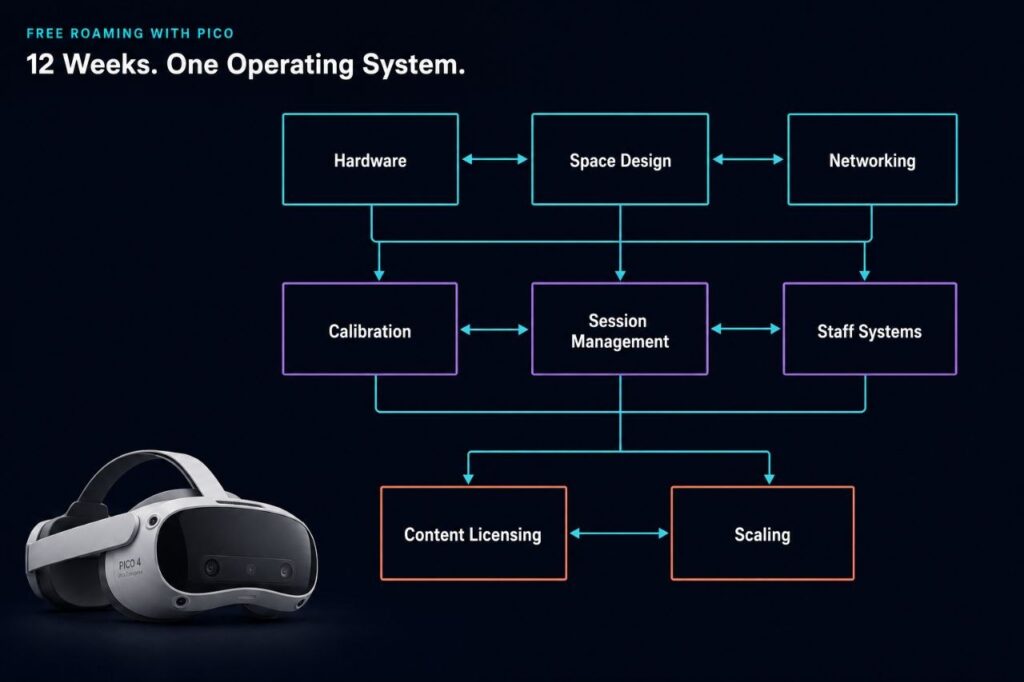
Twelve weeks of free roam content produced one finding that kept surfacing regardless of topic: the operators who struggle most are almost never fighting a hardware problem. This series started as a practical guide to running free roam VR with PICO hardware and ended as something more specific, a record of every place operators get stuck and why the fix rarely looks the way it did from the outside. If you are planning your first VR arena, or six months in and wondering why the gap between expectation and reality is wider than expected, what follows covers each of those gaps and links to the full article where the evidence lives. What Free Roam Actually Is, Before You Spend Anything Most operators arrive at free roam with room scale experience. The hardware looks familiar and the play area is larger, but what changes is the operating model underneath. Week 1 makes that distinction precise: free roam is not a floor size, it is a coordination problem. When six to eight players move simultaneously in a shared space, tracking alignment, session sync, safety boundaries, and staff response all become live constraints at once. The game almost never breaks first.That coordination demand is part of why the hardware choice matters earlier than most operators expect. Week 3 covers why PICO became the standard for free roam in location-based entertainment: the enterprise-first OS design, boundary sharing stable enough for multiplayer alignment, and separation from consumer firmware cycles that change device behaviour without notice. Standalone VR for LBE is built for a different primary user. The operator, not the player, is who the hardware has to serve. The Costs That Do Not Appear on a Spec Sheet Week 2 addresses the consumer trap, and the core argument is operational rather than legal. Consumer headsets in commercial environments require account management, cannot be controlled centrally, and are exposed to firmware updates that change the staff-facing UI overnight. Operators who started with consumer hardware to cut upfront costs consistently found the savings gone within the first year, absorbed into staff time and sessions that could not be recovered. The arithmetic behind that pattern is what Week 4 works through. Some of the least profitable free roam venues ran the newest hardware; the losses came from reset time between groups, staff intervention on sessions that should have launched automatically, and downtime that compounds across a full operating week. None of those costs appear in hardware comparisons, which is where most operators first build their business case. Space Design and Networking Are the Same Problem Operators treat arena design and networking as separate decisions because they happen at separate times, one at buildout and one closer to launch. Week 5 makes the case they should be planned together. Player movement patterns determine where congestion builds. Pillars and reflective surfaces affect tracking in ways that floor plans do not show. Dead zones, which most operators attribute to router placement or hardware range, are almost always design failures: places where actual movement patterns were not considered when the space was laid out. Network failures are the most misdiagnosed issue in free roam VR. Week 6 traces why: congestion, band steering, and roaming client behaviour produce symptoms that surface as tracking errors, so operators spend time on headsets when the problem is in the infrastructure. A session that breaks because of a network event the operator misread as a headset fault still ends as a refund conversation, regardless of where the fault actually was. Where Throughput Actually Gets Lost Locations that stopped re-mapping every morning consistently reported the same thing: they had not realised how much of their opening routine it consumed until the time came back. Week 7 covers what calibration drift is and why it happens, but the more operationally significant part is why operators were not using PICO boundary sharing across their fleet to maintain consistent environments, and what that gap cost them in daily throughput. Manual game launches are where sessions lose time in ways customers notice but cannot name. A 15-minute experience that takes 25 minutes because staff sync each headset individually does not produce a complaint about the wait; it produces a complaint about the confusion, which is harder to address and harder to stop from spreading. Week 8 covers how automation removes that failure mode and why one-click launch is a design principle about where error belongs in a session workflow, not a convenience feature. The staffing argument in Week 9 follows directly from that. Venues built around centralized dashboards can onboard new team members without rebuilding operational knowledge from scratch each time someone leaves, and in LBE, turnover is a structural constant rather than an exception. Throughput is the profit driver in free roam. Systems are what protect it when people change. The Legal Layer Most Operators Discover Too Late Week 10 documents what happens when operators assume a consumer game purchase covers commercial use: developers reach out directly, usually after the fact, and the resolution is rarely straightforward. The operators most exposed are those who built their content library early and never revisited the terms as the business scaled. Working with a platform that maintains direct licensing relationships with hundreds of developers removes the exposure that accumulates silently under a consumer-first content strategy. What 600 Locations Teach You That One Cannot Running patterns across hundreds of venues produces a different picture from what any single operator can observe. Week 11 covers which games hold repeat customers over time, why the most consistent locations refine a smaller catalog rather than chasing new releases, and which operational mistakes new operators repeat regardless of geography, hardware choice, or venue size. The conclusions are about content strategy under real operating conditions, not about ranking titles. Scaling is where every unresolved operational problem becomes expensive. Week 12 closes the series on that point. The barrier to expansion is almost never capital; it is the inability to reproduce the same setup reliably, a problem that does not
Week 12: Scaling From One Arena to a Franchise
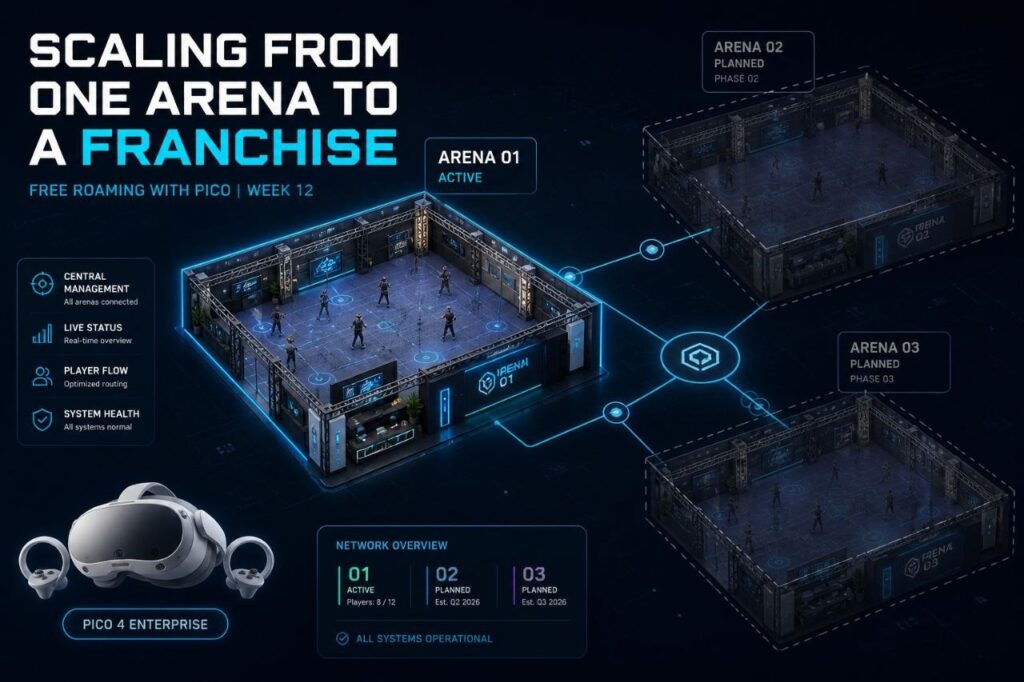
Why the biggest barrier to a second location is not money Twelve weeks ago, this series started with a single question: what does free roam actually mean? Not as a marketing concept, but as a live operating system with moving parts, competing demands, and very little margin for error once customers are in the space. Every week since has added another layer. Tracking. Networking. Calibration. Content licensing. Staff cycles. Session automation. Each topic, its own problem. Each solved problem, a prerequisite for the next. This final week asks the natural follow-on question: what happens when it works at one location, and you want to do it again somewhere else? The honest answer is that most operators who reach this point are not prepared for how different the question becomes. Replication Is Not the Same as Repetition Opening a second location feels like proof of success. Revenue is stable at the first site. Demand is real. The model works. Expansion seems like the logical next step. What changes at location two is the nature of the business entirely. A single-site operation can survive on proximity, informal communication, and the founder being present when something breaks. A two-site operation cannot share any of those things. What worked because you were there will not work because your manager is there instead, unless you have converted everything you know into something they can follow without you. Often scaling failures are caused by systems that were never designed to scale, not necessarily caused by a lack of ambition or capital. This is not a VR-specific problem. It is a universal truth about physical operations. The franchise industry has been running this experiment at scale for decades. The data is not encouraging: only 16% of franchisors ever reach the 100-location milestone. The median number of franchise locations is 38. The vast majority of operators who attempt multi-location expansion stall before they get there. The reason is consistent across industries: the operation was built for one location, optimized for one location, and was never designed to be replicated. It worked because of specific people in a specific place making specific daily decisions that existed nowhere except in their heads. What Actually Breaks at Location Two In a VR arena context, the failure points are predictable once you know what to look for. They are not dramatic. Nobody walks in one morning to find the business has collapsed. Instead, a series of small, reasonable decisions compound into a structural gap between how fast you are growing and how well your operations can keep up. Here is what typically breaks: Hardware control At one location, a fleet is manageable through familiarity. The manager knows each headset, knows which ones drift, knows which require an extra calibration step. At two locations, that knowledge does not transfer. Without centralized visibility across both sites, firmware changes, battery status, and device behavior become invisible problems. A consumer headset update that changes the operating environment overnight is a manageable inconvenience at one site. At three sites, it is an operational failure. Calibration and environment profiles Operators who solved calibration at location one by storing boundary data and space maps in a centralized system open a second location with a replicable asset. Operators who solved it by having one skilled staff member walk the space every morning have built something that cannot be reproduced. They have to rebuild it from zero, every time, at every new site. Content licensing compliance A single location can handle licensing informally when the operator knows the catalog and tracks usage personally. Add a second location, and the compliance surface doubles. Add a third, and the problem is no longer manageable without a platform that tracks usage across all sites and keeps every location within its licensing terms automatically. Operators who discovered this late have rarely found it cheap to fix. Staff dependency This one is the most common failure point and the hardest to diagnose in advance. A single location can survive on one expert employee who knows the system. That employee cannot be in two places at once. A second location staffed by people who are learning the operation through verbal instructions rather than documented systems will not run the same experience. It will run a rough approximation of it, degrading further with every staff turnover cycle. OPERATOR REALITY CHECK The biggest barrier to expansion is not money. It is inconsistency. A location that cannot reproduce the same setup twice will struggle to reproduce it ten times. The operators who scale successfully are almost never the ones with the most capital. They are the ones who treated their first location as a system to be documented, not a business to be managed by feel. The Difference Between a Venue and a System There is a version of a VR arcade that is a place. The owner knows it intimately. Staff figure things out. Sessions work because experienced people are present and paying attention. That version is not scalable. There is another version that is a system. Setup is documented. Staff follow a process, not a person. Hardware is monitored centrally. Content is licensed and tracked automatically. Session launch does not depend on which employee is working that shift. That version can be reproduced. The difference between them is not technology. It is whether the operational knowledge that lives in people has been extracted and built into processes that survive staff turnover, absent founders, and new locations that have never seen the original. Firms that scale smoothly have playbooks. The ones that don’t end up with multiple locations that each operate like independent businesses sharing a name. Operators who have watched franchise models attempt to take hold in this industry over the years will recognize the pattern. We have seen enough of these attempts to know that the limiting factor is rarely ambition or capital. It is almost always the absence of a replicable system. The first location is often strong. The jump to a second or third
Top PCVR Free Roam Adventure Games forVR Arcades in 2026
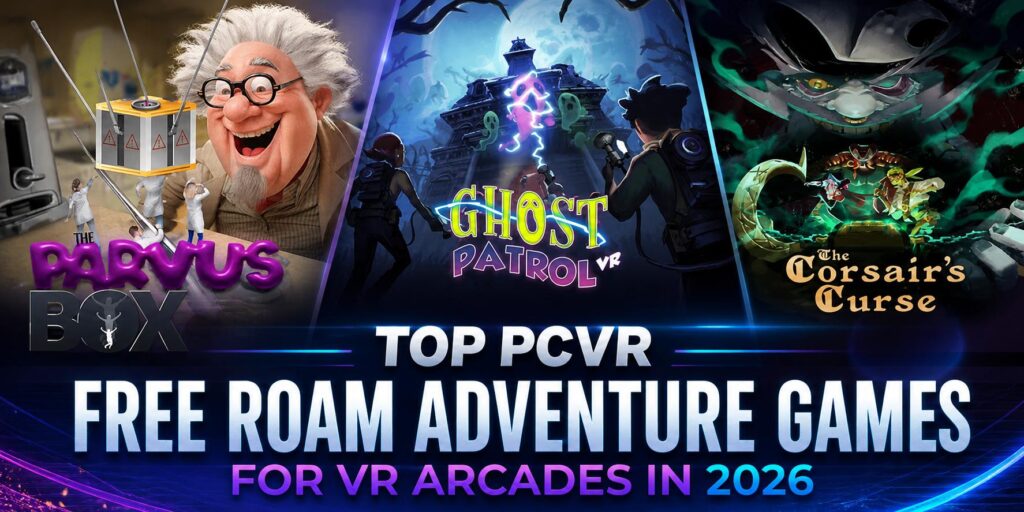
Family entertainment centres run on variety. A busy Saturday means birthday groups, families with kids of different ages, walk-ins, and returning guests who have already played your most-booked titles. The venues that hold those guests across all of those scenarios tend to have one thing in common: a content library with range. Puzzle and adventure free roam content is one of the most reliable ways to add that range. These experiences work across wide age gaps, onboard quickly for guests with no VR experience, and give groups a shared goal that drives natural communication and teamwork. They are also a strong fit for birthday party packages, where the group dynamic matters as much as the experience itself. This post covers three PCVR free roam titles available on the SynthesisVR content marketplace that deliver exactly that. A pirate galleon built around co-operative puzzle-solving. A microscopic escape room where teamwork is the only way out. A colour-coded ghost hunt in a shifting manor that plays well from age eight to eighty. All three run through the same interface as the rest of your library, with no additional platform switching or separate session management required. Game Highlight: The Corsair’s Curse The Corsair’s Curse is a PCVR free roam puzzle-adventure built around one of the most universally appealing themes in entertainment. Your crew boards an enchanted galleon, hunts for the wicked Corsair’s treasure, and works through puzzles, exploration, and the occasional sword fight to get there. The premise lands in one sentence at the front desk, which matters when you are turning over groups on a busy afternoon. For operators, the practical appeal is straightforward. The Corsair’s Curse fits naturally alongside escape room content in your programming mix. It gives you a family-appropriate answer to guests who want adventure without a combat focus, and the puzzle arc resets cleanly for each new group, so rebooking is a natural conversation at the end of the visit. The Corsair’s Curse is available on SynthesisVR with a Fixed Location Fee license, covering your entire venue up to the maximum number of stations the game supports. One flat period rate, no per-session tracking, and predictable billing regardless of how many groups run through it on a given day. Contact SynthesisVR to check current renewal rates and availability for your location. Space: 5x6m | Players: 2-4 | Platform: PCVR (SteamVR) | Licensing: Fixed Location Fee available Learn more: The Corsair’s Curse The Corsair’s Curse Community Page Alongside the game, SynthesisVR is keen to build communities based on games using Community Pages, an initiative designed specifically for Location-Based Entertainment VR operators, developers, and industry professionals. Check our The Corsair’s Curse — Community Page These pages are built to serve as living knowledge hubs, where operators can: Unlike traditional consumer-focused communities, SynthesisVR Community Pages are purpose-built for professionals, helping operators make informed decisions, improve uptime, and deliver better experiences to guests. This initiative reflects SynthesisVR’s long-standing commitment to not just distributing content, but supporting the businesses that run it. Enjoyed The Corsair’s Curse? These two belong in the same lineup. Both titles below share the same core strengths: cooperative mechanics, wide age range appeal, and a session structure that works for events and walk-in groups alike. They cover different settings and tones, which is what makes them useful complements rather than duplicates. The Parvus Box The Parvus Box takes a simple premise and executes it well. Your group volunteers for a scientific experiment, the apparatus malfunctions, and you are shrunk to microscopic size. Everyday surroundings become enormous puzzles. The only way back to normal is to work through the environment together. Sessions support 2 to 6 players in a 5x6m arena, with teamwork and communication driving puzzle progression throughout. The escape room structure gives the experience a clear arc and a satisfying resolution, which supports rebooking conversations at the end of the visit. Guests finish with a shared story rather than just a score. The Parvus Box is available on SynthesisVR with a Fixed Location Fee license. One flat period rate covers your venue up to the maximum supported stations, keeping billing simple on high-volume days. Contact SynthesisVR to confirm renewal rates and availability. Space: 5x5m | Players: 2-6 | Platform: PCVR (SteamVR) | Licensing: Fixed Location Fee available Learn more: The Parvus Box Ghost Patrol Ghost Patrol adds energy and movement to the puzzle category. Color Ghosts have taken over a shifting manor where hallways rearrange and furniture comes to life. Your team uses Hue Blasters to match ghost colors and clear the way, charges mysterious orbs to activate platforms and move sections of the environment, and works toward defeating the Ghost King at the end. Ghost Patrol supports 1 to 4 players in a 6x6m arena on PCVR via SteamVR. Full localization in English, French, and Spanish means multilingual groups and international guests can play in the language they are comfortable with, a practical detail worth noting at the time of booking. Ghost Patrol is available on SynthesisVR with a Fixed Location Fee license, with one flat period rate covering your location up to the game’s maximum station count. No per-session tracking, predictable costs on busy days. Contact SynthesisVR to check availability and whether a reduced renewal rate applies for this title. Space: 6x6m | Players: 1-4 | Platform: PCVR (SteamVR) | Languages: EN, FR, ES | Licensing: Fixed Location Fee available Learn more: Ghost Patrol A note on Fixed Location Fee licensing All three titles above are available on a Fixed Location Fee model through SynthesisVR. The Fixed Location Fee covers your entire venue under a single flat period rate, up to the maximum number of stations the game supports. If a game allows up to 4 players and your venue runs 4 stations, one license covers all of them. For family entertainment centres and busy walk-in venues, the practical benefit is predictable billing. No per-session tracking, no usage monitoring across a high-volume Saturday. You know what you are paying per period regardless of how many groups
Week 11: What 600+ Locations Teach You About Free Roam
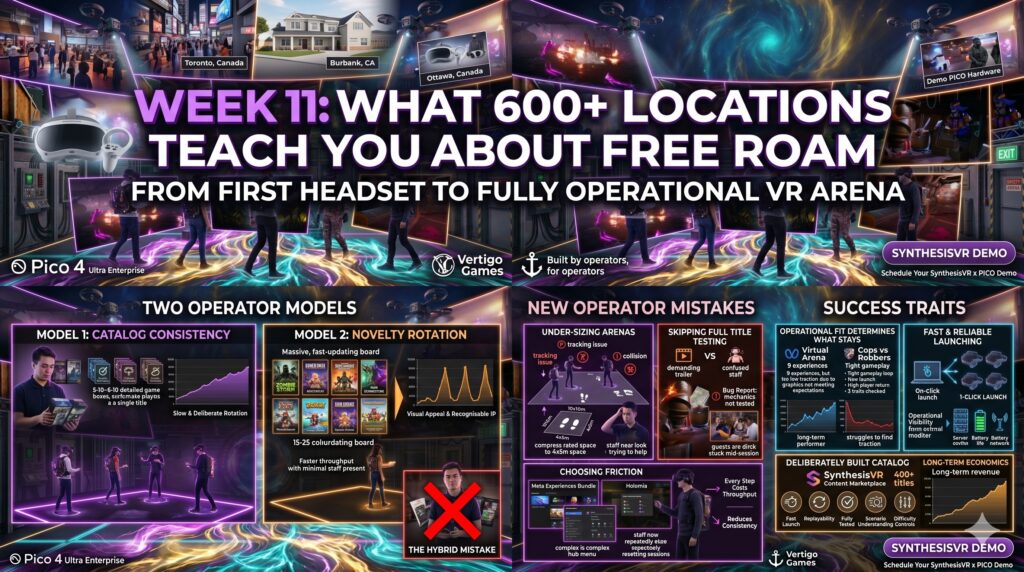
Part of the series: From First Headset to Fully Operational VR Arena A single venue gives operators one perspective on what works. Patterns only become visible when you can compare hundreds of free roam VR catalogs side by side, across markets, group sizes, staff models, and price points. After running 600+ locations on the SynthesisVR platform, the same observations keep appearing. The titles that succeed long-term are rarely the ones with the strongest launch trailers or the loudest marketing. They are the ones that fit how venues actually run. That gap between launch potential and operational fit is where most new operators lose money. The lessons below come from what our sales team hears every week from new venues, what our support team sees in the trial accounts and live operations they help troubleshoot, and the patterns visible across the global fleet. Two operator models, both valid Across the fleet, two distinct approaches to content strategy work. They are not better-or-worse versions of each other. They serve different business models, and the operators who succeed are the ones who pick a lane and commit. The first model is catalog consistency. These operators run 5 to 10 titles, know each game in detail, train staff on every scenario, and refine their lineup over months and years. Their content rotation is slow and deliberate. New titles get tested, evaluated against operational fit, and added only when they earn a permanent slot. The second model is novelty rotation. These operators offer 15 to 25 titles at any time, refresh their lineup regularly, and lean on visual appeal and recognisable IP to attract first-time visitors. Their guests come for the newest experience. Operations are designed around easy launching, minimal staff intervention, and titles simple enough to play without much guidance. Recent releases like Zombie Storm and Insiders fit this model, with strong graphics, fast onboarding, and gameplay that does not require staff to walk groups through complex scenarios. Both models generate revenue. The mistake is running a hybrid version of both without committing to either, which leaves operators with too many titles to operate well, not enough rotation to feel fresh, and staff who never quite master any of it. What actually makes a title perform long-term Visuals get a title in the door. They are not what keeps it in rotation. Our sales team works with new venues every week, and the same pattern comes up. Graphics drive the initial title selection. Operational fit determines what stays. A title can offer nine separate experiences and strong arena specs, like Virtual Arena, and still struggle to find traction because the visuals do not meet what guests now expect from a 2026 free roam VR experience. A simpler title like Holomia VR with less content on paper, holds rotations for years because the gameplay loop is tight, the launch is fast, and players return for it. The pattern across the fleet looks like this. Long-term performers tend to share three traits: fast and reliable launching, gameplay that staff can fully understand and support, and replayability that does not depend on novelty. They are also titles the operator has actually played through, scenario by scenario. That last point matters more than new operators tend to realise. When a guest gets stuck mid-session and the staff member running the venue cannot help them, the experience breaks. Our support team regularly receives bug reports for titles where the issue turns out to be a level mechanic the operator never tested. Some titles, like Corpus Animatum, include adjustable difficulty controls that let staff tune sessions to player skill, but those features only get used when the operator knows they exist. A small, well-understood catalog of commercial VR games supports that kind of operational fluency. A constantly rotating one does not. The mistakes new operators repeat most often Pattern recognition across 600+ locations gives a clear list of what new operators consistently get wrong. Three come up most often. Under-sizing arenas. A title rated for 6x6m and up to four players will not deliver a good experience in a 4x5m space. The arena specs developers publish are not aspirational targets. They reflect the minimum dimensions where the gameplay holds up. Compressing a recommended footprint to fit available space leads to player collisions, tracking issues, and reduced session quality. Both guests and staff feel it. Skipping full title testing. New operators routinely add games to their lineup based on a trailer and a launch demo. They do not play through the title at every difficulty level, every player count, every scenario. When guests get stuck or confused, staff have no answer. That gap shows up in reviews and rebooking rates faster than any other operational issue. Choosing titles with launch friction without recognising it. Some games require players to navigate hub menus or sub-launchers inside the headset before reaching gameplay. Meta Experiences Bundle and Holomia are two examples our support team flags often. The friction is not always obvious during evaluation, but it compounds across sessions. Every extra step costs throughput, increases the chance of staff intervention, and reduces the operational consistency that defines a profitable venue. Operators running these titles in commercial settings tend to either accept the trade-off knowingly, or move them out of the rotation after a few weeks of measuring reset times. Why catalog consistency tends to win for most venues For most operators, catalog consistency produces better long-term economics than novelty rotation. The reasons are operational, not philosophical. Reset cycles run faster when staff know the launch sequence cold. Guest satisfaction improves when staff can guide groups through any scenario. Repeat bookings increase when there is something familiar to come back to. Difficulty settings and scenario controls get used when operators know their catalog deeply enough to apply them. Arizona Sunshine earns its slot in long-term rotations precisely because operators who run it know how it performs at every player count and skill level. That knowledge compounds session by session. Novelty rotation can work, and
Standalone Free Roam Games Worth Adding to Your Lineup in 2026
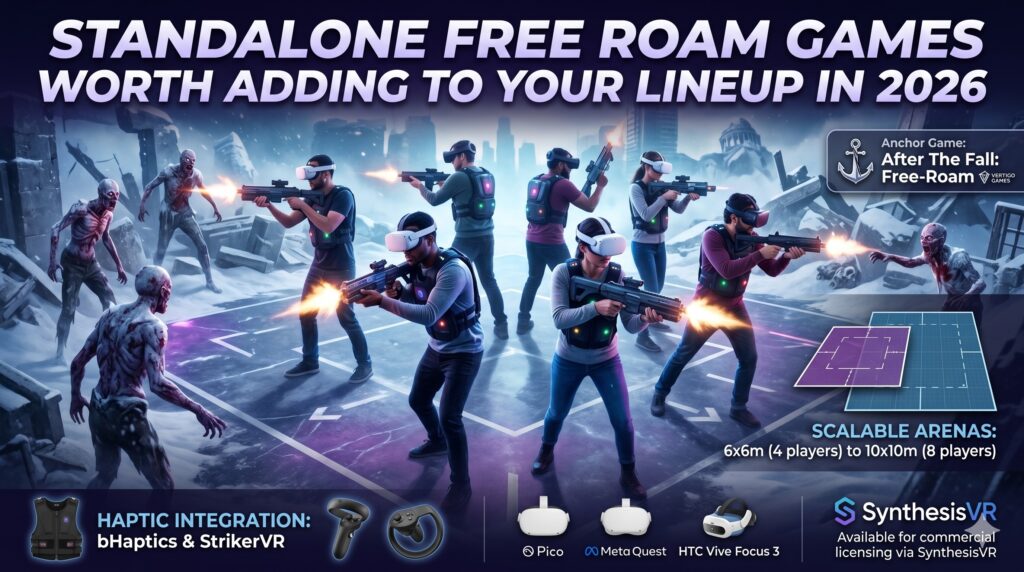
Most standalone VR free roam venues run on Pico, Meta Quest, or HTC Vive Focus 3 hardware, and the content question that matters is the same across all of them: which titles hold up under repeat play, and which go stale by month three. The operators who build stable rotations tend to do it the same way. They pick one AAA anchor guests recognise, one shorter session their staff can run fast during peak hours, and one title that no competing venue in the area can offer. This week covers a lineup built on that logic, starting with the anchor and following with two alternatives that expand what your library can do without expanding what your staff has to learn. Game Highlight: After The Fall: Free-Roam After The Fall: Free-Roam is a co-op VR shooter for up to 8 players from Vertigo Games, the studio behind Arizona Sunshine. Your guests walk into the booking already knowing the aesthetic and the genre because the IP carries weight outside the LBE market. That recognition matters for conversion at the counter, and it matters for repeat bookings when groups come back asking for “the zombie one” by name. The game itself scales across two arena footprints, 6x6m for up to 4 players and 10x10m for up to 8, so the same license covers smaller weekday groups and full weekend parties. Haptic integration with bHaptics and StrikerVR pushes the immersion past what most standalone titles deliver, which is the kind of detail regulars notice after their third or fourth session. The Snowbreed enemies, the post-apocalyptic Los Angeles setting, and the co-op objective-based structure give the session a clear arc that plays well with both first-timers and experienced VR players. Available on Pico, Meta Quest, and HTC Vive Focus 3 through SynthesisVR for commercial LBE licensing. Learn more: https://deployreality.com/synthesisvr/games/hmd-pico/after-the-fall-free-roam SynthesisVR Community Pages for Free Roam Games Alongside the game itself, SynthesisVR runs Community Pages built for Location-Based Entertainment VR operators, developers, and industry professionals. Check our After The Fall: Free-Roam: Community Page These pages work as living knowledge hubs, where operators can: Unlike traditional consumer-focused communities, SynthesisVR Community Pages are purpose-built for professionals, helping operators make informed decisions, improve uptime, and deliver better experiences to guests. This initiative reflects SynthesisVR’s long-standing commitment to not just distributing content, but supporting the businesses that run it. Annual License with Area Exclusivity Protect Your Market. Simplify Your Costs. After the Fall free roam free roam now offers a Fixed Location Annual License with built-in exclusivity within a 20 km (12.4 mile) radius. Nearby venues cannot offer the same title, helping you protect local demand and strengthen your competitive positioning. The Fixed Location model provides one flat fee that covers your entire venue up to the maximum supported player count, eliminating per-station tracking and simplifying budgeting. Why operators choose this model The Fixed Location license simplifies budgeting by offering a single flat fee per location, covering all supported stations without the need for per-minute tracking or variable billing. This allows operators to forecast costs more accurately, maintain stable margins, and reduce administrative overhead tied to usage monitoring. How to Evaluate Before You Commit The most reliable evaluation method is a staff session before a title enters your public rotation. It surfaces onboarding friction, space edge cases, and reset cycle times that spec sheets do not show. SynthesisVR offers free test access across the commercial VR games catalog, every title above available to trial before you license. SynthesisVR is a VR management platform built for LBE operators, with 350+ experiences available through one content marketplace. Every title here runs through the same interface as the rest of your library, with no additional platform switching or separate session management required. Browse the full standalone free roam catalog to see arena specs, player counts, and licensing options.Explore the full SynthesisVR content marketplace here!
Week 10: Content Licensing: The Legal Minefield Most Operators Ignore
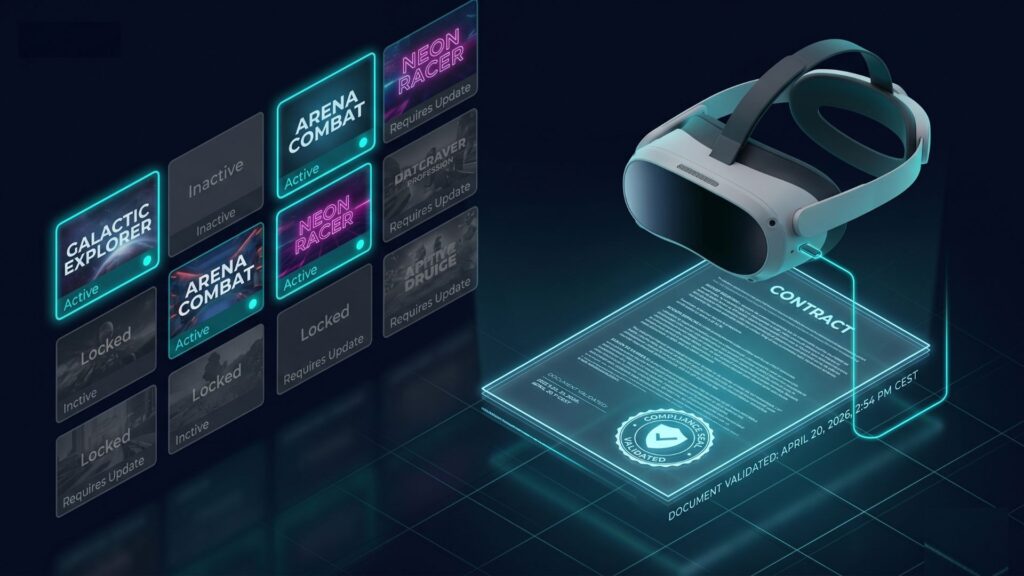
From First Headset to Fully Operational VR Arena Most operators figure out their content strategy by accident. They launch with a few titles, add games when players ask for something new, and build a library over time based on instinct and availability. It works well enough in the early months. The problems appear later, usually when the venue is busier, the library is larger, and making changes is harder. Licensing is the last thing operators think about and the first thing that can create problems at scale. Why commercial licensing is not optional When a developer publishes a VR game for home use, the consumer license covers one person playing on their own headset. A venue running that same title across multiple stations for paying customers, session after session, is operating under a completely different use case. Commercial use is a separate licensing category, and consumer licenses do not cover it. The value of a title changes in a commercial setting. In a venue, a game can generate thousands of hours of billable session time over its lifetime. Consumer pricing is built around personal use. Commercial licensing reflects the actual value the content delivers when it is running as part of a revenue-generating business. This is not a grey area. UploadVR’s guide on starting a VR arcade legally is direct on this: regular game purchases do not cover commercial arcade use. Developers or licensing programs must grant permission before a title runs commercially. The risks of buy once, play forever thinking The assumption behind most early content decisions is that a game purchase is a permanent unlock. Buy the title, install it, run it indefinitely. In a home context, that is accurate. In a commercial venue, it is not. Several operators have assumed a one-time purchase covered commercial use until developers reached out directly. Licensing problems usually surface late and they are rarely cheap to fix. By the time the issue appears, the venue may need retroactive licensing, a content cleanup across multiple stations, and a revised operating process. None of that is straightforward when the business is already running at volume. The venues that avoided that situation did not do anything complicated. They built a licensing framework before they needed one, chose a platform that handled the mechanics automatically, and made decisions based on usage data rather than instinct. How pay-per-minute aligns developers and operators Pay-per-minute works because it connects cost to actual usage. Operators pay for the value they consume, and developers get compensated in proportion to how often their content runs commercially. The logic is straightforward: flat purchases disconnect payment from use, which gives developers no signal about how their content performs in venue environments and no financial reason to maintain it there. That model also fits venue economics better than fixed purchases. Some titles drive high repeat play. Others work better as short-session or event content. Usage-based licensing gives operators more flexibility to test titles before committing, and gives developers a reason to maintain and expand content that is performing well in commercial environments. Why transparent usage tracking protects everyone If a venue can see which title runs, where it runs, and how often, the operator can choose the right licensing model with real data instead of guesswork. That visibility also changes how operators think about their content library. Venues that track usage start asking different questions before adding a title: does this fit our session lengths, our reset cycle, our throughput targets? That thinking compounds over time. Venues with deliberate libraries run fewer titles more effectively. They know which games their audience returns for, which titles justify a lifetime license, and which are worth testing on pay-per-minute before committing to a fixed fee. Transparent tracking also protects developers. When developers see consistent commercial usage, they can trust that the content is generating fair value, which supports ongoing updates and future releases. SynthesisVR’s dashboard gives operators exactly that visibility: usage tracked automatically by title and station, available in real time. The SynthesisVR knowledge base covers the operational flow for starting commercial licensing, managing balance, and keeping billing aligned with actual use. What licensed operators access that others do not The practical difference between licensed and unlicensed operation is not just legal exposure. It is access. Developers who see consistent, fairly compensated usage on a platform invest in maintaining and updating their titles. Operators inside the licensing ecosystem get those updates. They get early access to new releases. They get a content relationship with developers that simply does not exist for venues running consumer builds commercially. SynthesisVR’s marketplace covers 400+ titles built specifically for location-based entertainment use. Every title carries the commercial rights needed to run it legally. The library grows because developers see real commercial value in contributing to it. That value depends on operators participating in the system correctly. A full breakdown of how the licensing models work, including pay-per-minute, fixed station and location fees, lifetime licenses, and event access, is covered in the SynthesisVR commercial licensing overview. The standalone licensing blog on the SynthesisVR site covers how the licensing models work in practical detail, including pay-per-minute, fixed station and location fees, lifetime licenses, and event access. If you want the mechanical breakdown, that is the right place to start. What it does not cover is what happens to your content strategy when licensing is treated as an operational layer rather than an afterthought. Multi-location operators face a different version of this problem A single venue can manage content informally and stay on top of it. Multiple locations cannot. The inconsistency surfaces quickly: different titles at different sites, different billing arrangements, different staff making different decisions about what to install and remove. Franchises and multi-site operators who have not centralized content management discover that each location has effectively built its own library with its own licensing status, and none of it is visible from one place. Centralized content management is one of the clearest operational advantages SynthesisVR offers at scale. Operators managing multiple locations
PCVR Free Roam Games Worth Adding to Your Lineup in 2026
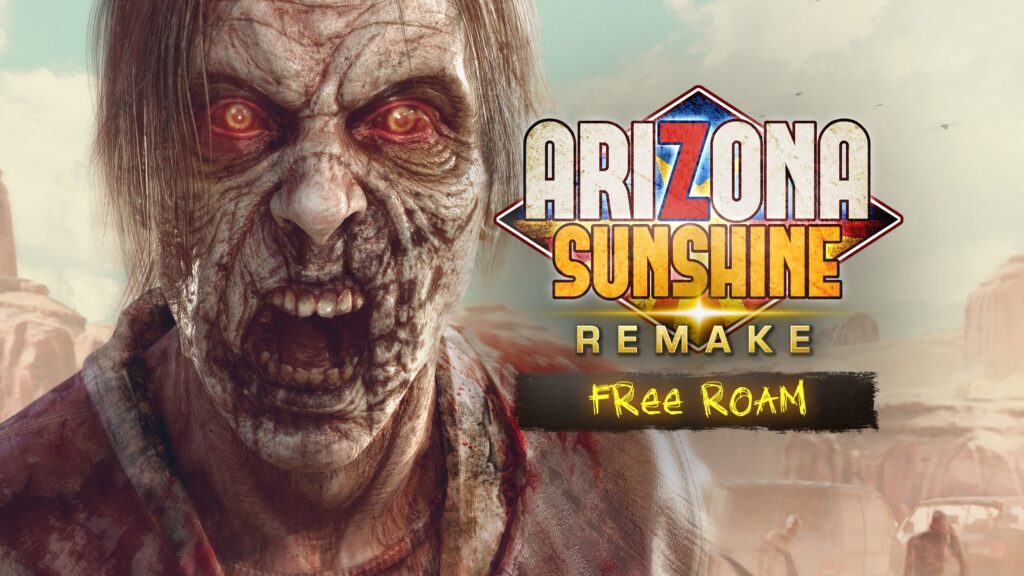
Most PCVR free roam venues build their library around one or two anchor titles and stop there. That works until your regulars have played those titles five times and your rebooking rate starts to slide. The operators who avoid that problem tend to do one thing differently: they map their content library around player intent rather than just game availability. Arizona Sunshine Remake: Free-Roam is one of the strongest PCVR free roam titles and arguably one of the most popular Free-Roam game in the world exclusive to SynthesisVR content marketplace. This also create a dependency risk if they are carrying the bulk of your sessions alone. This post maps the titles on the SynthesisVR PCVR free roam catalog that sit closest to each anchor in player intent, arena footprint, and group size, so you can expand your lineup without retraining your audience. Game Highlight: Arizona Sunshine Remake: Free-Roam Arizona Sunshine is one of the most recognized names in VR. The Remake brings that IP into the free roam arena with co-op zombie combat, next-generation visuals, and scalable configurations from 6×6m to 10×10m for up to eight players. Guests already know the franchise. The free roam format gives them a version of it they cannot get anywhere else, and cannot replicate at home. Available exclusively on SynthesisVR for commercial LBE licensing. Learn more: https://deployreality.com/synthesisvr/games/hmd-steamvr/arizona-sunshine-remake-free-roam Introducing SynthesisVR Community Pages for Free Roam Games Alongside the game, SynthesisVR is keen to build communities based on games using Community Pages, an initiative designed specifically for Location-Based Entertainment VR operators, developers, and industry professionals. Check our Arizona Sunshine Remake: Free Roam — Community Page These pages are built to serve as living knowledge hubs, where operators can: Unlike traditional consumer-focused communities, SynthesisVR Community Pages are purpose-built for professionals, helping operators make informed decisions, improve uptime, and deliver better experiences to guests. This initiative reflects SynthesisVR’s long-standing commitment to not just distributing content, but supporting the businesses that run it. If your guests enjoy Arizona Sunshine Remake: Free-Roam, these are worth adding: Corpus Animatum Corpus Animatum has a backstory no other title on the platform can claim. The studio behind it, CoreVR, originally set out to open their own LBE venue. When COVID made that impossible, they put that energy into building the games they wished existed, designed for venues from the very first session, not adapted from a home VR title. That origin shapes everything about how the game operates. It supports 1–8 players across 6×6m and 9×9m arenas. Session pacing runs six levels at roughly five minutes each. Controls are kept deliberately simple so any group gets into it fast regardless of VR experience. Players get dual pistols with one-handed reloading, melee combat, physical teammate revives, and full-body presence without full-body tracking hardware. Operator controls let you adjust spawn rates and difficulty in real time, drop in weapons, skip stages, and recover sessions with scores preserved if something goes wrong. bhaptics vest support is included. If The Hallow was part of your lineup, Corpus Animatum is a direct replacement and then some. Learn more with Corpus Animatum community page. Corpus Apocalypse The sequel is live on the marketplace. Corpus Apocalypse is the second chapter in the CoreVR series, same studio, same operator-first design logic, bigger environment. The doctor escaped Prospect Town. Now he is in the city, and the zombie hordes are larger, more varied, and armed. Boss encounters and a helicopter finale give the session a clear arc that players remember. Same specs as Corpus Animatum: 1–8 players, 6×6m to 9×9m arenas, full operator control panel, real-time difficulty adjustment, and bhaptics vest support. If your guests have already played Corpus Animatum, the sequel is a natural next booking rather than a content gap. If they have not played either, both titles are available on a one-week free trial, worth running back to back in a staff session to see how the arc plays across a longer visit. Learn more with Corpus Apocalypse community page. How to Evaluate Before You Commit The most reliable evaluation method is a staff session before a title enters your public rotation. It surfaces onboarding friction, space edge cases, and reset cycle times that spec sheets do not show. SynthesisVR offers free test access across the commercial VR games catalog, every title above is available to trial before you license. SynthesisVR is a VR management platform built for LBE operators, with 350+ experiences available through one content marketplace. Every title here runs through the same interface as the rest of your library, with no additional platform switching or separate session management required. Browse the full PCVR free roam catalog to see arena specs, player counts, and licensing options. Explore the full SynthesisVR content marketplace here!
Week 9: Staff Training and the 15-Minute Cycle
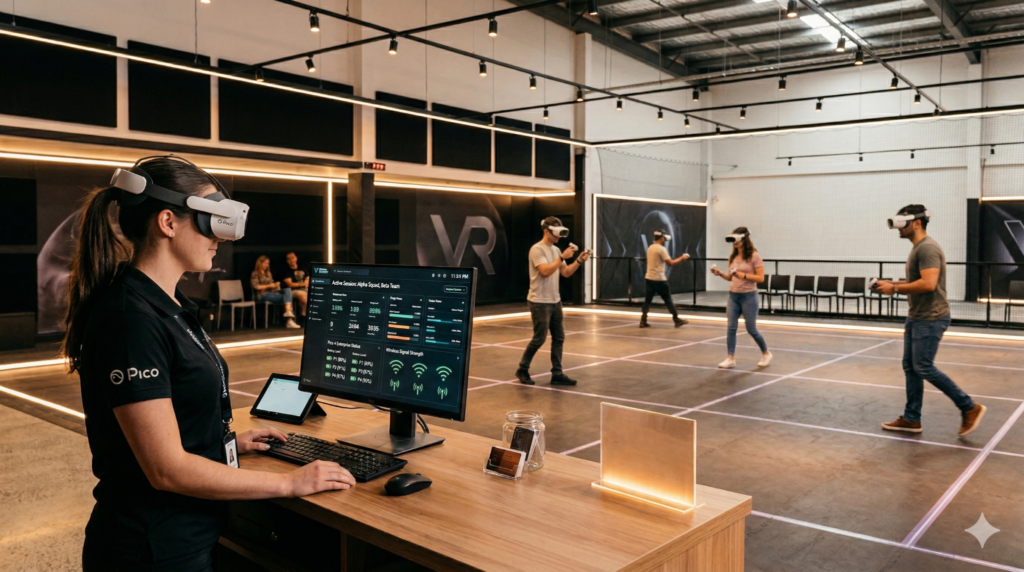
Part of the series: From First Headset to Fully Operational VR Arena Week 8 covered the launch sequence and why the gap between groups is where throughput is won or lost. Week 9 moves to the layer above that. A reliable launch sequence only holds if the person running it performs it the same way every time. Most free roam venues cannot guarantee that because they build operations that depend on individual knowledge rather than systems. The 15-minute cycle is the reset window between one group leaving and the next group entering an active experience. It covers headset collection, hardware checks, hygiene, space reset, and the full session launch sequence. In a venue running back-to-back bookings, that window defines how many groups you can serve in a day. Miss it consistently and the schedule slips. Miss it on a Saturday and you lose bookings. Throughput Is the Real Profit Driver Free roam VR sells time in a physical space. A venue running six to eight sessions a day in a single arena generates its revenue entirely through session volume and session quality. A session that starts late, runs short, or ends in confusion is not a recoverable situation. The guest has already paid. The time is already gone. The relationship between throughput and profitability is direct. Successful LBE operators focus on high throughput and repeat visitation, with the core business model relying on moving customers efficiently through premium experiences. In free roam VR specifically, where group sessions run sequentially throughout the day, the difference between a five-minute turnaround and a fifteen-minute one compounds across a full operating week into significant lost capacity. Every minute of that window that runs long is a minute the next group waits. Across six to eight sessions a day, a consistently slow 15-minute cycle does not just feel inefficient. It shows up in how many groups you can actually serve. The Problem with Depending on People The U.S. Bureau of Labor Statistics reports that the leisure and hospitality sector consistently sees annual turnover rates exceeding 70%. For a free roam VR venue, that figure carries a specific operational implication. Every time an experienced operator leaves, the institutional knowledge they built leaves with them: how to handle a headset that misses a launch signal, which session settings work best for a group of eight, how to reset the space efficiently between bookings. Venues that build operations around individuals rather than systems pay this cost repeatedly. Research from the Cornell Center for Hospitality Research puts the average cost of replacing a single hourly, non-management employee at over $2,300, covering recruiting, hiring, and training expenses. In a venue where staff turnover is common rather than exceptional, absorbing that cost on a recurring basis is not sustainable. The answer is not better staff. It is removing the dependency on individual knowledge. What a System Actually Is A system, in operational terms, is any process a new team member can follow without relying on memory or prior experience. It is a script, not a skill set. Instead of training staff to know everything, a well-designed VR venue management system trains staff to follow a defined sequence. In a well-run free roam VR operation, every customer-facing moment follows a documented workflow. A staff member arriving for their first shift follows the same steps as someone who has worked there for six months. The guest experience does not change depending on who happens to be working that day. A complete operator workflow might look like this: When each of these steps is documented and consistently followed, any staff member can run a shift to the same standard. That is what system-led LBE venue operations look like in practice. Reset Time as a Venue KPI Not all free roam venues formally track reset time between groups, and that gap is worth addressing. Reset time is a direct measure of VR venue operational efficiency. It surfaces information that session counts alone do not reveal. A venue running at apparent full capacity but losing significant time per turnaround may not see the problem in its daily numbers until it starts comparing across shifts. When reset time varies substantially depending on which staff member is running the floor, the gap usually reflects a training issue rather than a staffing one. Tracking it gives operators the data to distinguish between the two and act accordingly. Why Dashboards Change the Training Equation Training staff to navigate individual headsets produces knowledge that is device-specific, update-dependent, and tied to whoever learned it. When firmware updates change a menu, the training becomes outdated. When the person who learned it leaves, the training goes with them. This is not a reason to skip hardware knowledge entirely. Staff still need the physical basics covered in the briefing section above. What a centralized VR session management dashboard removes is the need for staff to troubleshoot software issues, navigate device menus under pressure, or launch content manually from inside each headset. That layer belongs in the system, not in a staff member’s memory. Dashboard-driven VR arcade operations work differently. Staff interact with a central interface showing every device in the fleet simultaneously: session status, battery level, connection state, and any exceptions requiring attention. What matters most for entertainment venues running multiple attractions is fast staff training, integrated management across experiences, and unified reporting. SynthesisVR’s Local Manager gives operators a live view of every connected station across their free roam VR setup. Session launches, fleet monitoring, device recovery, and reset preparation all happen from one place. A new team member following a dashboard-driven workflow reaches operational competence significantly faster than one navigating individual devices. When that team member eventually leaves, the next person follows the same workflow without a handover. What a Mature Free Roam Operation Looks Like The VR venues that run consistently tend to share the same operational foundations. Here is a practical checkpoint framework operators can adapt for their own shifts: Pre-shift Guest arrival Session Reset End of shift The goal is
Adding VR to Your Existing Venue: What Works in 2026
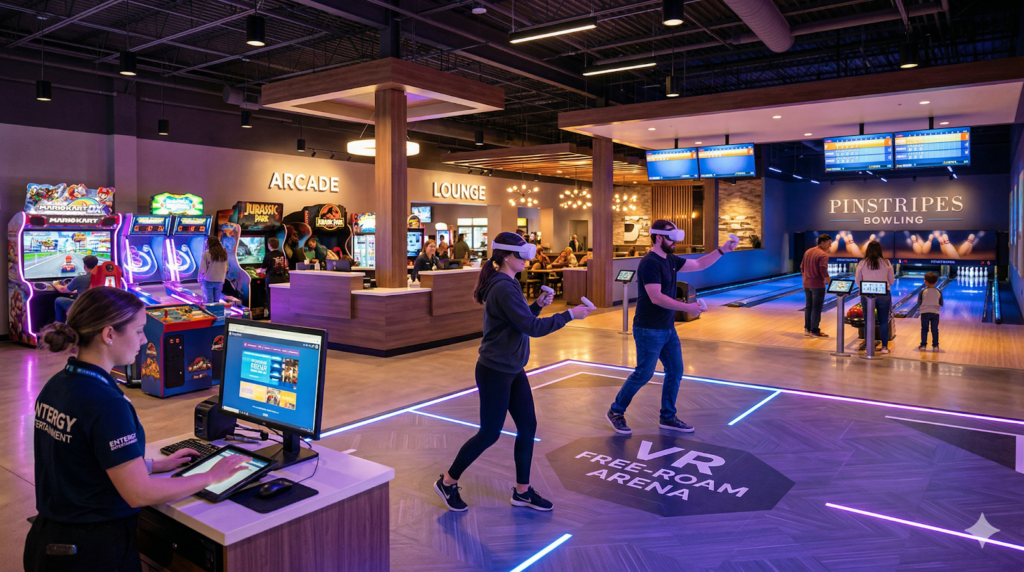
If you already run an FEC, escape room, bowling alley, laser tag venue, trampoline park, or other entertainment business, adding VR is less about starting a new business and more about expanding a venue you already know how to operate. The real question in 2026 is not whether VR is exciting; it is which VR format fits your floor, your audience, and your operating model. Existing venues are well positioned to add VR because they already have one of the hardest parts solved: footfall. The strongest opportunities usually come from operators who want a premium add-on attraction, a group booking product, or a new way to use underutilized space without rebuilding the entire venue. Why existing venues add VR in 2026 Location-based entertainment continues to expand, and the category remains attractive because people still pay for social, immersive, and repeatable experiences outside the home. For operators, that matters more than headset specs or consumer VR trends. The venues that win are the ones that turn VR into a product people can book, share, and repeat. That is why VR is showing up inside FECs, escape rooms, and multi-attraction venues rather than only in standalone arcades. In 2026, VR is best treated as part of a broader attraction mix, not as a separate business model. Who buys out-of-home VR Out-of-home VR is usually bought by people who want a shared experience, not by someone looking to replace their home headset. The clearest audience is teens, young adults, Millennials, and Gen Z guests who are already spending on social entertainment, birthday outings, or competitive group activities. For operators, that means VR should be positioned as a destination attraction, a premium booking, or a repeatable group product. It performs best when it feels social, easy to understand, and different from what guests can already do at home. Best VR formats Room-scale VR is the easiest entry point for many venues because it works in a smaller footprint and supports short sessions with simple operations. It is a strong fit for FECs, escape rooms, and venues that want to test demand before committing to a larger build. Free-roam VR is growing because it cannot be easily replicated at home. Unlike consumer VR, it is designed for shared, out-of-home group play and is often supported by commercial-only content, making it a strong fit for venues that want a premium attraction. Seated or simulation VR works best when space is tight and you want a smaller-footprint attraction that can still generate incremental revenue. It is often the simplest way to introduce VR without major operational changes. Where VR fits best FECs are often the most natural fit because they already combine multiple attractions and can use VR as another revenue stream or underused-space solution. VR also fits well when the venue wants to attract older kids, teens, and adults without changing its core business. Escape room operators are another strong fit because the audience already understands timed, immersive, group-based play. VR escape rooms are especially effective when you want to add new themes, more replayability, or an experience that does not require physical room resets. Bowling alleys, laser tag venues, and trampoline parks tend to do well when they add VR as a premium booking or a low-footprint attraction rather than trying to make it the only reason to visit. In these venues, VR works best when it adds variety and increases dwell time. What to decide first Before buying hardware, operators should decide how much space they can dedicate, what kind of group they want to attract, and whether the attraction needs to run as walk-up traffic or bookable sessions. That decision usually determines whether room-scale, free-roam, or seated VR is the right model. The next question is content, because commercial VR is not just about devices; it is about having a licensed library that fits your audience and your throughput needs. A good operator platform should make session management, fleet control, and content access simple rather than adding more complexity to the floor. How SynthesisVR fits SynthesisVR is built for venue operators that need VR management software, commercial content licensing, and support for PCVR, standalone, room-scale, and free-roam formats in one system. For an existing venue, that matters because the goal is not just to install headsets; it is to manage sessions, content, and fleet operations in a way that fits the rest of the business. If you are adding VR to an existing venue in 2026, the winning approach is the one that integrates cleanly into your operation, creates a clear guest experience, and gives you a repeatable reason for customers to come back. Practical takeaway for operators The best VR additions are usually not the most complicated ones. They are the ones that match the venue’s current audience, fit the available space, and create an obvious reason to book. If your venue already sells group entertainment, VR can become one of the most efficient ways to increase dwell time, expand your attraction mix, and add a premium experience without changing the core identity of the business.
VR Commercial Licensing Explained: What Every New Operator Needs to Know
We have spent years watching venues discover commercial licensing later than they should, sometimes after scaling to multiple locations, sometimes after a developer reaches out, sometimes never. Most venues running consumer game builds commercially never face direct consequences. Enforcement in this industry is sparse, and small development studios rarely have the resources to track down unlicensed venues. The reason to license properly is not the threat of getting caught. The content you run your business on was built by developers who depend on fair compensation to keep building. Venues that license correctly get updates, new releases, and a content relationship that unlicensed venues simply do not have access to. The ecosystem only works if the people benefiting from it choose to participate in it. Why Commercial Licensing Exists When a developer publishes a VR game for home use, the consumer license covers one person playing on their own headset. It does not cover a business running that game across multiple stations for paying customers, day after day. Location-based entertainment venues occupy a different commercial category. A single title might generate thousands of hours of revenue for a venue over its lifetime. Consumer licenses are priced on the assumption of personal use, commercial use requires a separate agreement that reflects the actual value the content delivers in a venue context. Running consumer builds commercially leaves developers uncompensated for how their work is actually being used. The commercial licensing system exists to make the relationship between operators and developers sustainable for both sides. This is not a grey area. Running consumer game builds commercially puts a venue at legal risk and leaves developers uncompensated for commercial use of their work. The commercial licensing system exists to make the relationship between operators and developers sustainable for both sides. SynthesisVR was built inside a VR arcade in 2016, at a time when no commercial licensing infrastructure existed for the industry. The platform was created specifically to solve this, connecting operators to developers through a transparent, scalable licensing system that handles rights, tracking, and billing automatically. How It Works on SynthesisVR Every operator starts with Essential Access: our free tier that gives you full access to the platform so you can run the system, vet workflows, and test games before you spend a cent. New Essential Access accounts also include $250 in software credit, which you can use toward platform add-ons and features, a fast way to try premium tools without upfront cost. Try a game instantly. From the dashboard you can select a Free Test, subscribe, install, and run the title with your players, it’s that easy. Test game performance, session length, throughput, and guest feedback under real conditions; if it doesn’t fit your floor you can stop the test with zero cost and no obligation. When you’re ready to go live, SynthesisVR supports flexible commercial licensing to match your business model: from pay-per-minute, pay-per-session, credits, and fixed concurrent-seat licenses. Your usage is tracked automatically and shown in your dashboard, and you can quickly choose the billing option that fits your venue. After testing, simply enable the license or add credit in the dashboard and start operating without friction: no complicated setup, no surprise fees. The Licensing Models SynthesisVR offers flexible licensing across pre-paid and post-paid structures. Most operators use a combination rather than a single model. Pay Per Minute is the default starting point for most venues. Billing runs automatically based on actual game time, the session starts when the game launches and stops when it ends. No upfront commitment, no fixed monthly cost. Ideal for venues with variable session lengths or operators still building out their content library. PPM fees are billed monthly based on the previous month’s usage. For venues with more predictable operations, the pre-paid modes offer greater cost control: Fixed Station Fee covers a single station at a flat monthly rate, regardless of how many titles you run on it or how long sessions last. Best for dedicated setups where hardware runs consistently. Fixed Location Fee covers your entire venue at one flat rate, up to the maximum number of stations a game supports. Simpler billing for multi-station venues running high volume. Location licenses can include exclusivity options so your venue stands out in a crowded market. Lifetime License is a one-time purchase granting permanent access to a title on a per-station basis. A strong option for proven titles with lasting appeal that form the core of your content lineup. Event License covers short-term activations, useful for expos, trade shows, or pop-up venues where you need commercial access for a defined window. Game Credits let you preload a balance and draw from it as you license new titles, giving you flexible, on-demand access without committing to a specific model upfront. Most successful venues combine models. PPM works well alongside Fixed Station or Fixed Location, covering your core titles on a fixed basis while keeping flexibility for newer or seasonal content. Choosing the Right Model New operators starting out: PPM is the lowest-risk entry point. No upfront commitment, automatic billing, and full access to the content library once you add your initial $100 Game Licenses balance. Established venues with consistent throughput: Fixed Station or Fixed Location fees give you predictable monthly costs and remove per-minute tracking from your operational overhead. Venues with proven cornerstone titles: Lifetime licensing locks in permanent access with no recurring cost. Worth evaluating once you have clear data on which titles your audience returns for. Events and short-term activations: Event License covers the window you need without a long-term commitment. For a full breakdown of how the balance and billing system works, the SynthesisVR knowledge base covers it step by step: https://deployreality.com/community/synthesisvr/main/knowledge-base/content-licensing The Bigger Picture Commercial licensing is the foundation of a content library your venue can build on. Developers who see consistent, fairly compensated usage on a platform invest in maintaining and expanding their titles. Operators who work within the licensing system get access to updates, new releases, and developer relationships that unlicensed venues