
The Operational System Behind Reliable VR Attractions
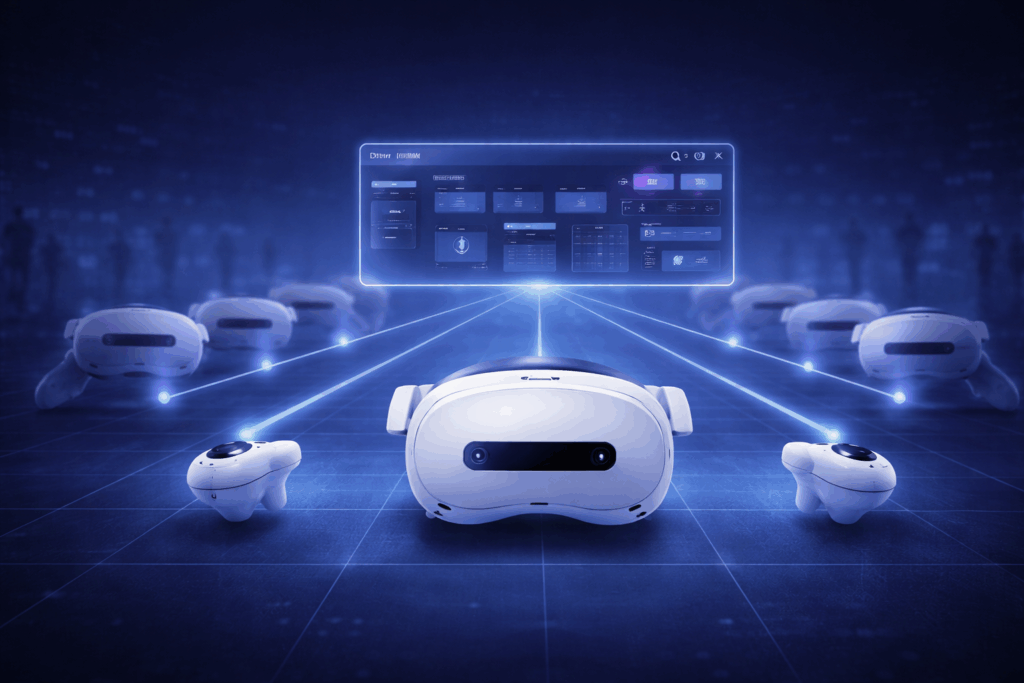
SynthesisVR was originally born from one of the very first VR arcades in the world by operators who experienced firsthand the complexity of running daily sessions, staffing, and hardware coordination once the venue opened to the public in 2016 under VR Territory in Los Angeles. The objective was to coordinate hardware and VR devices, simplify commercial content licensing, and reduce the amount of staff intervention required to manage sessions. Since then, SynthesisVR has evolved into a complete VR management software and VR location management platform, capable of managing different types of VR attractions, from PCVR arcade installations to standalone and free roam VR environments. Local Manager is a desktop application installed on the operator computer that connects all stations and headsets into a single controlled system. As part of the broader Synthesis VR ecosystem, it functions as a core VR arcade management system and VR operator platform. Staff can confirm station readiness, launch or stop sessions, and view what is running on each device without physically interacting with equipment. The goal is simple: keep sessions starting on time and running smoothly even during peak hours. Managing PCVR and Standalone Together Many VR venues operate both PC-powered and standalone experiences. In practice this often requires more than one management platform, different preparation steps, different update processes, and different recovery procedures when something goes wrong. Staff training becomes more complex, and during busy periods mistakes happen. A wrong launch, an incomplete reset, or a missed update can delay the next group and slowly shift the schedule. Local Manager removes that separation. From the same interface, operators can launch sessions on one or multiple stations, monitor activity, update or install content, and prepare devices regardless of hardware type. The workflow remains consistent whether the attraction uses a PCVR arcade setup or a standalone VR arcade configuration. For staff this reduces training time and decision-making during operation. For the venue it keeps the schedule predictable and avoids small delays accumulating into lost sessions. These mixed environments became common as the VR industry moved from only PC installations to standalone VR management and free roam VR software formats, increasing flexibility while adding operational complexity. SynthesisVR was designed specifically to unify those environments under one LBVR management software platform. Central Control for VR Attractions During operating hours, staff repeat the same preparation cycle before every group: confirm stations are ready, launch the experience, monitor playtime, and reset devices for the next session. Local Manager provides a live operational panel showing every station in real time. As part of a complete VR attraction management system, operators can immediately see whether a station is ready, running a game, or offline, what application is active, and whether devices are properly connected. Readiness is confirmed from the desk before players enter the play area. From the same screen, staff can control the attraction remotely. They can launch a game on one or multiple stations simultaneously, start synchronized multiplayer sessions, stop running applications, restart PCs or headsets, and recover disconnected devices. Games can be prepared in advance so players enter directly into gameplay without navigating menus. This is especially important for VR escape room software, room scale VR arcade environments, and location-based entertainment VR experiences where throughput and time management directly impact revenue. Consistent transitions between groups allow operators to maintain planned session frequency throughout the day, directly affecting daily capacity, a key factor in any VR arcade business plan. Free-Roam Operation and LBE Mode Free roam VR experiences introduce additional operational requirements. Every headset must share the same physical alignment, boundaries must remain consistent between groups, and system behavior must stay predictable while players move in the arena. In many setups this preparation is repeated on each headset. When a boundary shifts, a device restarts, or a different staff member prepares the next group, the play space may no longer match perfectly. Operators then pause sessions and recalibrate before the next group enters. SynthesisVR LBE Mode centralizes this configuration. Through Local Manager, operators define the play area once and distribute the calibrated map and environment settings to all connected headsets. Identical commands can be applied to multiple devices at the same time, ensuring the arena behaves consistently across sessions. If a headset is restarted or replaced, it can rejoin the attraction using the same configuration instead of repeating setup. Consistent boundaries also reduce the need for staff correction inside the arena, especially with new players. The free roam VR attraction operates as one coordinated system across all devices, transforming what would otherwise require manual intervention into a structured free roam VR management workflow. For operators running room scale VR or large-scale LBE entertainment software environments, this level of control becomes essential. Business Management Beyond the Play Area While Local Manager handles live operation inside the venue, SynthesisVR also provides a web-based administration layer for owners and managers who need visibility beyond individual stations. The Admin Web Console brings together sessions, customers, reservations, and station activity into one interface accessible remotely through a browser. As part of a full VR venue management software and VR content licensing platform, it connects operational control with business oversight. From here operators configure how the business operates day to day, including experience types, pricing structure, availability, and booking workflows. The operational Web Console features are part of the advanced management layer of SynthesisVR, available through paid add-ons or subscription plans. These tools extend beyond launching sessions and focus on automation and structured workflows as the venue grows. Operators can run timed sessions monitored automatically by the system, adjust or extend gameplay during play, move players to another station if needed, and keep a complete session history for reference. Bookings, customer records, and usage activity remain organized under the same account rather than across separate systems. This separation follows how venues typically operate in practice. Local Manager runs the attraction on site. The Web Console manages planning, automation, and long-term business oversight, all within a unified LBE VR platform. As locations expand into more stations,
Week 2: The Consumer Trap: When Wrong Assumptions Costs Money!
Free roam experiences are shaped by hardware, LBE VR compatible platform with device management, and whether the content is designed for commercial operation. In Week 1 we showed how free roam exposes system weaknesses that room-scale setups can hide. This article looks at a related issue: what happens when a venue is built on consumer assumptions about hardware (headsets), accounts, device behavior, and testing environments. The result is not noticeable immediately and doesn’t lead to catastrophic failure, rather it is about an accumulation of mismatches resulting in lost time, higher operating cost with higher number of employees, and avoidable operational risks as bookings grow. Why Consumer Thinking Enter into Commercial Venues When many operators first look at VR, the path seems obvious: buy a few Meta Quest headsets, use personal accounts to get started quickly, and install the same versions of games people play at home. It feels like a low‑risk way to “test” demand before investing in more professional infrastructure. But what works for a single or even multiple headsets in a quiet living room rarely works well on a busy Saturday, for a birthday group, and a free roam arena where six to eight players move simultaneously. In Week 1, we looked at how free roam exposes weaknesses that never appear in room‑scale testing. The same principle applies to consumer hardware and software assumptions. Problems that stay invisible in small demos, account issues, UI changes, and license constraints, suddenly become operational and financial risks once VR becomes a core attraction instead of an experiment. Assumption 1: Personal Accounts Are Fine if It Works A common pattern in new venues is to treat headsets a bit like phones: log in with whatever Meta account is available, install games, and let staff “just make it work.” In the short term, this feels fast and flexible. Over time, it creates a fragile foundation for a commercial operation. Meta’s own supplemental terms specify that commercial or business use of their products is subject to separate commercial terms, and that organizations must agree to those terms when using devices beyond personal purposes. When staff rely on personal or ad‑hoc accounts, several risks emerge at once. Accounts can be locked, disabled, or changed without reference to the venue’s needs if policies change or credentials are lost. Content libraries may technically belong to individuals rather than the business, complicating control when staff leave or roles change and when access must be managed consistently across multiple devices. Consumer headsets also require preparatory steps such as enabling developer mode, managing organization accounts, and maintaining login state across devices. These steps are minor during setup but become recurring maintenance tasks over time, especially when devices reset, update, or change ownership. Assumption 2: Testing Commercial VR In A Consumer Environment Another common trap appears during evaluation. Many operators correctly reach out to licensing platforms such as SynthesisVR to test commercial titles, but the testing setup itself still mirrors a consumer environment. A single headset, manual calibration, and staff-guided interaction can appear stable during short demos. At low volume the system works. Once multiple players run simultaneously throughout the day, differences emerge. Free roam depends on repeatable behavior across every headset. When preparation steps rely on consumer workflows, staff must handle per-device setup, alignment, and interface interaction between sessions. The content may be licensed correctly, but the operating conditions have not yet been tested. Because of this, a setup that feels reliable during evaluation can require constant intervention during real operation. The issue is not the game version alone, but whether the environment used for testing reflects continuous public use. Assumption 3: Updates and UI Changes Are Inconvenient, Not Catastrophic Consumer devices are designed to evolve quickly. Firmware updates, interface redesigns, and new features are part of the normal lifecycle for home users. In a living room, a changed menu or unexpected update is a minor annoyance. In a venue with back-to-back bookings, it can disrupt an entire peak period. Operators sometimes expect that standalone device management tools or business account configurations will stabilize the experience. These tools help deploy applications and manage devices remotely, but they do not change how the headset behaves during a live session. Interaction flows, recenter actions, boundary prompts, and other user-level controls still follow consumer logic. In small room-scale demos this difference is easy to overlook. In free roam and high-throughput environments it becomes operational friction. Staff must guide players through menus, correct unintended inputs, or re-establish alignment between sessions. A system can function correctly and still interrupt venue flow. The problem is not a single update. It is that the operational behavior of the device remains designed for an individual user rather than a continuous public attraction. Legal, Warranty, and Liability Risks of Consumer‑First Devices Beyond day‑to‑day operations, there is a structural issue: consumer hardware and content are not written with arcades and free roam arenas as the default use case. Meta’s supplemental terms specify that commercial or business use is subject to additional commercial terms for each product, and that any organization using devices for non‑personal purposes must have the authority to bind itself to those terms. This is a clear signal that consumer purchase alone does not automatically grant the right to run public, paid experiences. When consumer terms are used in public paid environments, support expectations and liability boundaries become less clear. For a business built around scheduled sessions, unclear responsibility introduces unnecessary operational risk. These operational differences are often underestimated because the initial hardware price is visible immediately, while the operational impact appears gradually. Why “Saving a Few Hundred Dollars” Increases Your Operating Costs Operational cost differences often appear as staff time rather than hardware price. In large-area experiences, manual calibration, drift correction, and interface handling accumulate across the day. Industry comparisons show consumer-oriented setups can require roughly three times more daily staff interaction per headset, about 60 minutes versus 20 minutes on LBE-focused systems. The hardware price difference is visible on day one, but the labor difference
Automating the Most Repeated Task in Your VR Venue
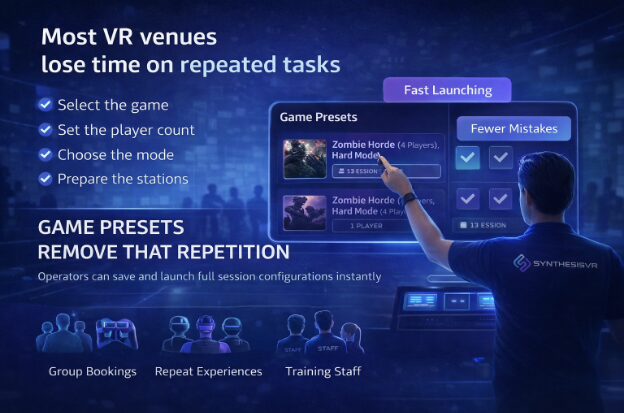
Every venue running VR attractions has tasks that repeat throughout the day.Whether it is a VR arcade, family entertainment center, or a restaurant offering VR experiences, staff regularly prepare the same session configurations for different guests. Each step takes only a moment, but across dozens of sessions it becomes part of the operational workload. During busy hours, even small preparation steps slow down turnover and increase the chance of mistakes. Game Presets were created to remove this repetition. Preparing a Session Once Instead of Every Time Game Presets allow operators to save a full launch configuration and reuse it instantly. A preset can include any parameters supported by the title, such as player count, game mode, difficulty, session settings, and operator-defined details like prepared player names. Instead of configuring the experience before every group, staff select the preset and launch the session with the intended setup already applied. The action is simple, but the effect is operational.The session becomes prepared in advance rather than assembled at the counter. For configuration instructions, operators can follow the guide:How to Create Game Presets Designed for LBE Venue Workflows In practice, many sessions repeat throughout the day. A venue may run the same cooperative mode, tournament setup, or group experience dozens of times. Presets allow staff to focus on guests instead of remembering configuration details. This is especially useful for group visits, parties, and standalone headset events where preparation time is limited and sessions must start on schedule. Consistency Customers Can Feel Beyond speed, presets improve reliability. The experience sold to the customer matches the experience deliveredGroups receive identical gameplay across visitsMulti-station launches remain synchronized Small configuration differences are often unnoticed by staff but obvious to players. Standardized launches prevent these inconsistencies and reduce support interruptions during operation. A Foundation for Automated Operations Presets also function as predefined launch instructions inside the Local Manager. Because the configuration is already defined, external workflows can trigger the correct experience automatically. A booking or scheduling system can prepare the session at the start time without manual interaction. For venues scaling to higher throughput, this removes repeated staff actions from the launch process and turns session preparation into a predictable step within the overall operation. Available in Essential Access Game Presets are included in the Essential Access plan. Essential Access provides access to the SynthesisVR platform without a monthly commitment, allowing venues to operate real sessions while evaluating workflows in their own environment. The included $250 software credit can be applied toward additional features as needed, making it possible to test operational tools before deciding how the system should be configured long term. This approach is useful both for new venues validating VR as an attraction and for existing operators comparing operational workflows during a potential migration. Many operators initially focus on installing stations and content, and only later realize presets can simplify daily operation. Try It in Your Venue Operators interested in simplifying session preparation can activate Essential Access and build their own preset-based workflow. Contact SynthesisVR to request a trial and test it in your venue.
Week 1: Free Roaming with PICO
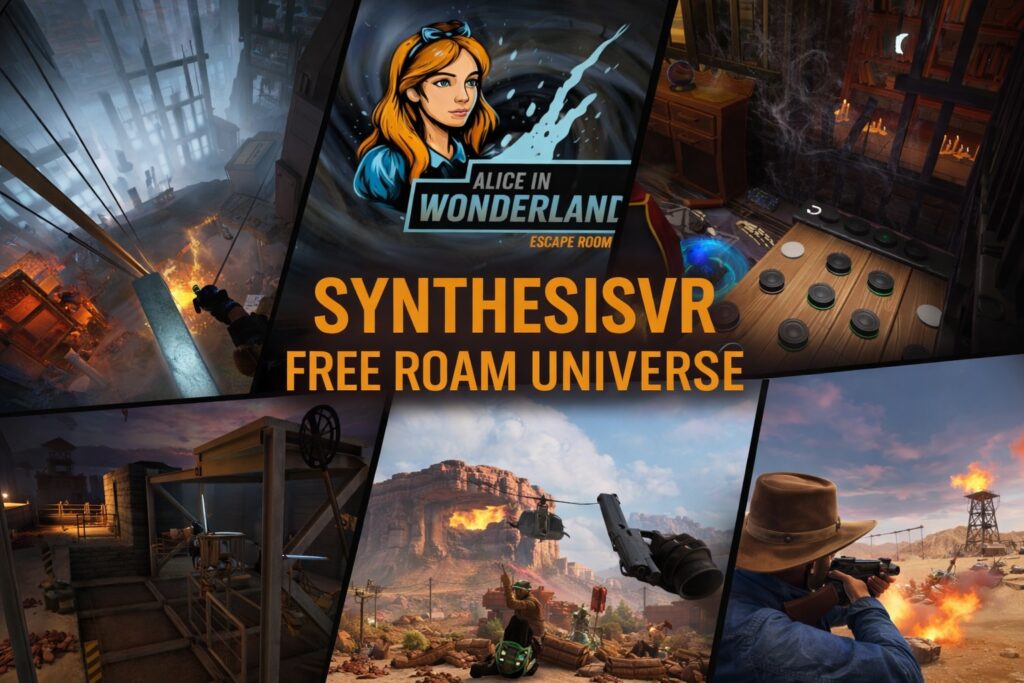
Week 1 – What Free Roam Actually Means (And Why It Breaks So Often) The 10-Year Journey: Why This Series Exists In 2016, we opened VR Territory in Los Angeles to solve a problem: making high-end VR accessible. What we didn’t realize then was that we were building a laboratory for the next decade of Location-Based Entertainment (LBE). That experience became the foundation of SynthesisVR, and following our acquisition of SpringboardVR in early 2025, we now support over 700 locations globally. We aren’t writing this series to reminisce about the early days of cables, base stations and tracking issues. We are writing it because we are seeing a specific trend now moving into the 2026 market. Too many platform providers are pushing “short-term profit” models, bundling a few games with consumer-grade headsets like the Meta Quest and selling them as “turnkey free roam.” They focus on the low entry cost but fail to educate operators on the operational traps that follow: account restrictions, tracking drift, inconsistent resets and the hidden labor costs of keeping everything running smoothly. We have managed millions of minutes of gameplay, we’ve seen what makes money and, more importantly, what causes a business to struggle within its first year. This 12-part series is our effort to pull back the curtain. Our goal is to help you skip the “experimental” phase and move straight to a high-throughput, reliable arena by choosing the right hardware: such as the PICO 4 Ultra Enterprise, and the right operational systems from day one. A Quick Introduction to Free Roam (Arena) and How It´s Different From Room scale (POD) VR Free roam VR allows multiple players to move freely within a shared physical space while interacting with each other in real time. This has become one of the most attractive formats in LBE VR because it enables experiences that are typically only accessible in commercial environments, requires physical space most consumers do not have at home, and creates a strong social dynamic that cannot be replicated in private settings. Room scale VR places each player in a separate, defined play area with limited movement. Players may participate in single-player or multiplayer experiences, but each station operates independently. Operators typically sell time based sessions, and if a technical issue occurs, it usually affects only one player or station. This model powered the first wave of VR arcades starting around 2016, when venues rapidly expanded worldwide. How The Industry Is Shifting to Free Roam And The Role Of Inside-out Tracking The industry´s shift toward free roam has been accelerated by improvements in inside-out tracking, lighter headsets, and untethered hardware. What once required external trackers and complex installations can now be set up more flexibly in a much wider range of venues. We see this shift every day in our conversations with operators. When venue owners contact SynthesisVR, whether they are just starting out or looking to upgrade an existing business, most inquiries are now about standalone VR. That is not a coincidence. In our experience, this preference is closely tied to cost. New businesses are attracted by lower startup investment, while existing venues see clearer, more affordable paths to scaling and expansion. Standalone systems make adding more players, arenas, or locations feel far less intimidating than it used to. This evolution has made it much easier for operators to offer free roam, and it has made it accessible at a lower overall cost. More venues are also seeing higher demand for free roam compared to traditional room-scale stations. For many operators, free roam has become a way to stand out, attract groups, and increase engagement. At the same time, easier hardware does not automatically mean easier operations. For sessions to run smoothly, venues still need to get the setup right from the very beginning. Once multiple players start moving freely together, small inconsistencies become very visible, very fast. We have seen this play out repeatedly. Tracking alignment drift, boundary mismatches, delayed session starts, and inconsistent reset times all create a weaker experience for players and more stress for staff. That is why success in free roam ultimately depends on three things. Consistent setup. Reliable mapping. And repeatable workflows that work the same way every session, even during peak hours. Two Main Free Roam Experiences and their Differences Traditional PCVR free roam often relies on backpack PCs or tethered systems, external networking infrastructure, and extensive cabling. While this approach can deliver strong graphical performance, it introduces significant operational overhead. There is more hardware to maintain, longer reset times, more potential points of failure, and higher staff complexity as player counts increase. Thankfully, with the recent advancements in inside-out tracking and headsets like the PICO 4 Ultra Enterprise, PCVR free roam has become significantly easier. The primary distinction lies in the fact that each headset is wirelessly connected to a PC, and the game rendering is processed on the PC before being streamed wirelessly to the headset. In essence, the headset functions as a monitor for the user. Standalone VR integrated processing, tracking, and rendering directly into the headset, eliminating the need for high-end PCs and external tracking systems. This streamlined installation and daily operations. Inside-out tracking provided reliable six-degree-of-freedom movement without external sensors, making true free-roaming layouts more accessible to diverse venues. Essentially, with a single PC, operators can manage multiple headsets. In a typical setup, operators would run one PC with eight headsets in a single free-roaming arena. Wireless operation also removed physical constraints on movement, improved player comfort, and reduced safety risks related to cables and wear. Faster setup times and simplified device handling lowered staff training requirements and allowed venues to turn sessions more efficiently. Portability further enabled temporary activations, mobile events, and flexible floor layouts without major infrastructure investment. As standalone hardware matured, enterprise-focused manufacturers such as PICO began optimizing devices specifically for commercial environments. Beyond hardware improvements, PICO has also signaled its intent to engage more directly with the location-based entertainment sector, including joining an industry LBE association as
LBVR Exclusivity Content Deals Opposes the Supportive Nature Of A Young Industry.
The LBVR operator community is unique in the way we built this industry together and shared information with one another. Are we are going to support exclusive content deals.