
How to Build an Educational VR Program for Schools and Groups
Building an educational VR program for schools takes more than adding educational content to a headset fleet. Teachers need to understand what students will learn, which ages the activity suits, how a full class will move through the experience, how long the visit will take, and what the school will pay. Libraries, museums, science centers, and other institutions face many of the same questions when adding VR to their educational programming. For VR arcades and location-based entertainment venues, school groups can also create a new use for weekday capacity. Operators already have much of the infrastructure in place: headsets, staff, commercial VR content, and experience managing groups. The next step is turning those resources into a program that a teacher or institution can confidently book. Building a program a teacher can approve Established field trip providers make practical information easy to find. Teachers usually need the age or grade range, learning focus, program duration, group capacity, supervision requirements, accessibility information, arrival instructions, and price before they can move a trip forward. An educational VR offer needs the same clarity. A page that simply says “Educational VR available for school groups” still leaves most of the planning with the teacher. A stronger offer explains what students will explore, how the experience connects to a subject, how many students can attend, how the class moves through the available headsets, and what happens during the rest of the visit. A simple way to plan the offer is to work backward from the questions the school needs answered: This also changes how an operator chooses educational VR content. Instead of starting with a list of available experiences, start with the school use case. A biology experience might support a science visit. A virtual field trip could connect with geography or history. Engineering content may fit a STEM program. The content has a clearer role once there is a program around it. A short VR experience can support a full school visit The VR portion does not need to fill the entire booking. During our recent Step Into Webb education webinar, Adventure Portal demonstrated how a relatively short immersive experience can sit inside a longer structured lesson. Step Into Webb itself runs for around 15 minutes and targets students in grades 6 through 10. The wider program can combine that VR session with supporting tasks and teacher-led activities. For a venue, that creates the possibility of a 45- or 60-minute school visit without keeping every student inside VR for the full hour. A class might begin together with an introduction to the subject. Smaller groups then move through the VR experience while other students work on related activities. The groups rotate until everyone has completed the immersive portion, then come together again for a discussion or recap. Supporting activities give the visit more structure and help connect what students see inside VR with the wider learning objective. This becomes especially useful when the immersive experience itself lasts 10 or 15 minutes. The venue can build a much richer educational program around that time rather than stretching the VR session simply to fill an hour. Class capacity is bigger than headset count One of the first questions operators often ask is how a venue with six or eight headsets can host a full class. The answer is in the program design. During the Step Into Webb webinar, one example used a class of 30 students and eight available headsets. The class could split into smaller groups. One group enters VR while the other students complete related activities, then the groups rotate. The exact numbers will differ from one location to another. Available space, staff, student age, experience length, and headset capacity all influence the final setup. Still, the example highlights an important distinction: Educational capacity does not have to equal headset capacity. An operator should calculate how many students can complete the entire program during the available booking window, rather than using the number of headsets as the maximum class size. This can make educational VR practical for venues that would never consider buying enough hardware for an entire school class to enter VR simultaneously. Using existing weekday capacity For an established VR arcade, school visits can fit into a very different part of the weekly schedule from regular entertainment bookings. A class arriving on Tuesday morning does not compete directly with the birthday parties, friend groups, or free-roam sessions that drive weekend and evening demand. The venue also already has much of the infrastructure required to deliver the program. Staff understand headset setup and cleaning. The venue has group onboarding procedures, commercial VR hardware, content, physical space, and a VR management system supporting the headset fleet. Education gives those existing resources another commercial use. During our education webinar, one operator described running regular field trips and having hosted several school groups within a single day. Their existing program combines educational activities with VR and uses different areas of the venue to move students through the visit. That example shows why the operational design matters as much as the content. Staff need to know when each rotation starts, where students wait, which headsets are ready, how long each activity lasts, and who supervises each part of the group. Once the venue establishes that workflow, the next school visit becomes much easier to run. Educational VR inside schools Schools and universities can also operate VR directly. A school with its own headset fleet has a different set of priorities from an entertainment venue. The institution may want one set of hardware to serve several classes, teachers, and subjects throughout the academic year. A biology class might use the headsets for anatomy or natural science. Another teacher could use the same fleet for engineering, Earth science, history, or a virtual field trip later in the term. The educational value of the hardware grows when the institution can reuse it across different subjects and age groups. Content breadth therefore becomes an important planning question. A school investing in
How VR Education Bundles Work for Arcades and Entertainment Venues
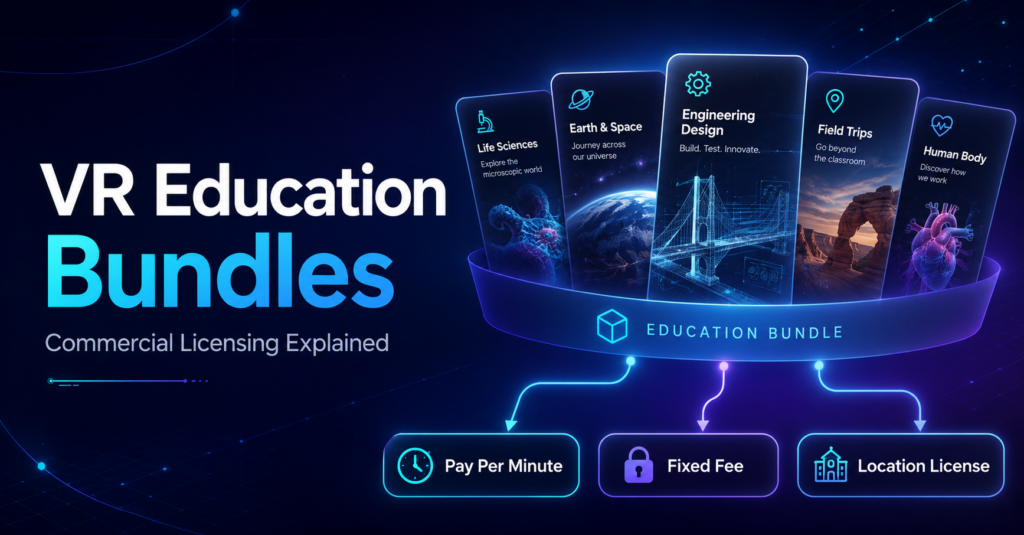
Adding educational VR to a commercial venue raises a practical question: do you license individual experiences as you need them, or choose a broader collection of educational content? Both approaches can make sense. The SynthesisVR marketplace includes individual educational experiences alongside commercial content bundles and curriculum packages. Operators can therefore choose licensing based on the type of program they want to offer, how many stations they need, and how regularly they expect to use the content. What is a VR content bundle? A commercial VR bundle groups related content into a licensing offer. The exact structure varies. Some bundles bring together games from the same developer. Others organize content around a particular use case, such as education. Licensing periods and billing models can also differ between packages. The SynthesisVR Commercial License Bundles marketplace currently includes developer collections such as the Resolution Games Bundle and Survios Bundle, alongside education-focused options including an Education Bundle, Middle School Curriculum, High School Curriculum, Dissection Curriculum, and VR Field Trips. That variety matters because an operator looking for entertainment content has a different objective from a venue building a program for school visits. Education bundles give operators another way to build a school offering Educational VR can involve much more content than a typical entertainment session. VictoryXR’s educational catalog, for example, includes science experiences covering subjects such as Earth and space science, engineering, life science, and physical science. An operator may only need one particular experience, or they may want a wider curriculum that can support several lessons, subjects, or repeat school visits. The SynthesisVR marketplace currently lists several education-focused packages for up to 25 stations, including: This gives venues a way to evaluate educational content at the program level instead of approaching every school visit as a completely separate content decision. Do you have to license the whole bundle? Individual titles can still have their own licensing options. For example, the VictoryXR experience Engineering Design: Delimiting – Wright and Ferris currently shows three licensing choices in the SynthesisVR marketplace: Pay Per Minute: 6¢ per minute. Fixed Fee: $5 per station every month. Location License: access to the Middle School Curriculum, listed for up to 25 stations. This is a useful example of how an operator can approach the same content in different ways. A venue that wants to test or occasionally use a particular experience may prefer usage-based licensing. A venue expecting regular use of one specific title can evaluate a fixed station license. An operator building a broader educational program can explore the curriculum-level option. The exact licensing choices depend on the individual content, so operators should check the options shown for the experience or bundle they plan to use. Fixed Station Fee vs. Fixed Location Fee Understanding the difference between these two licensing models helps when comparing individual titles with larger content packages. Fixed Station Fee With a Fixed Station Fee, operators pay a flat monthly fee for each VR station they license. Usage on that station does not change the fee during the licensing period. SynthesisVR describes this model as particularly useful for dedicated setups where hardware sees consistent use and operators want predictable licensing costs. For example, if an individual educational title costs $5 per station per month, an operator can choose how many stations they want to license for that title. Learn how Fixed Station Fee licensing works Fixed Location Fee A Fixed Location Fee uses one flat period rate for the venue, up to the maximum number of stations supported by the content. Instead of calculating the license separately for every station or tracking usage minute by minute, the operator pays the applicable location fee for the licensing period. SynthesisVR identifies this model as useful for multi-station locations that want predictable costs and unlimited access to the licensed content within the terms of that license. Learn how Fixed Location Fee licensing works Neither licensing model applies to every title. The available options depend on the content and publisher. Which licensing option makes sense for your venue? There is no single licensing structure that fits every VR attraction. The better question is how you expect the content to be used. Occasional or uncertain use: Pay Per Minute can reduce the commitment required to make a title available while you evaluate demand. Regular use of selected experiences: A Fixed Station Fee can give the venue a predictable monthly cost for the stations running those titles. A broader program across multiple stations: A location or curriculum-based option may make more sense when the venue wants access to a larger collection and expects to use it regularly. Educational programming makes this especially relevant. A school may visit for an engineering lesson one week and return for Earth science or life science later in the term. A broader curriculum gives the operator more material to build those programs around. The licensing decision should therefore start with the offering you want to build, rather than simply choosing the lowest individual content price. Bundles also extend beyond education The same idea applies to entertainment content. The SynthesisVR marketplace currently includes packages such as the Resolution Games Bundle and Survios Bundle, both listed with monthly fixed-fee licensing. Other bundles use different periods or licensing structures, including multi-month fixed plans and Pay Per Minute offers. For operators, the useful part of the Bundles section is the ability to explore content as a collection. A venue can compare a developer catalog, an educational curriculum, or another grouped content offer against licensing individual experiences separately. What to check before choosing a VR content bundle Before subscribing, look beyond the word “bundle.” These questions help determine whether licensing individual titles or selecting a wider bundle better matches the way the venue plans to use the content. Explore commercial VR bundles on SynthesisVR Education is one example of where bundled content can simplify the process of building a broader VR offering. Operators can also find entertainment, developer, free-roam, and other commercial licensing packages in the SynthesisVR marketplace. Because the content
Can Consumer VR Headsets Be Used Commercially?
You can use consumer VR headsets commercially. But whether the warranty, the software license, and the fleet management tools remain valid depends on the headset and the vendor’s terms. HTC and Meta both exclude commercial use from their standard consumer warranty outright. PICO and HTC’s enterprise lines exist specifically to restore that coverage. Meta discontinued its dedicated commercial Quest hardware in February 2026, and that made the distinction more relevant, not less. Operators buying Quest now are buying consumer units by default, with the same warranty exclusion attached. The honest answer splits into four separate questions. Does the manufacturer allow it? Does the warranty survive it? Does the software license cover it? Can an operator manage the headset like a fleet asset instead of a personal device? A venue can clear one of those questions and still get caught out on the other three. What the Warranty Actually Says HTC draws the line directly. Its own support documentation says using a consumer VIVE system commercially voids the warranty. It also breaks the terms and conditions. Running a VR arcade on consumer VIVE hardware means running it uninsured the moment something breaks. HTC’s Business Edition and its Business Warranty & Services program exist specifically to restore that coverage. Together they add a commercial-use license plus a two- or three-year warranty built for continuous operation. Meta’s standard limited warranty explicitly excludes commercial use, and any use connected to a trade, business, or profession. A separate Commercial Terms document covers commercial, business, or non-personal use of Meta hardware instead. A Quest bought at retail carries that consumer warranty at home. Put it on an arcade floor and the coverage doesn’t follow, no matter what game is running on it. Two of the largest headset makers treat commercial use as a warranty exclusion, not a gray area. That’s the actual rule. The device turning on is not evidence that it’s covered. Meta Discontinuing Quest for Business Makes This Rule Harder to Avoid As of February 20, 2026, Meta stopped selling commercial Quest SKUs and stopped onboarding new customers to Horizon Managed Services, its device management subscription. Existing HMS customers keep the tool at no monthly cost. It now runs as a standalone product that pairs with consumer Quest 3 and 3S hardware rather than a dedicated business bundle. Meta has set a full shutdown of the program, HMS included, for January 2030. For operators, this doesn’t loosen the commercial-use rule. It removes the hardware SKU that used to sit between the operator and that rule. Anyone deploying Quest headsets going forward is buying consumer units by default, because that’s the only thing Meta sells now. Those units still carry a warranty that excludes commercial use. Managed deployment through HMS is still technically possible on consumer hardware. Warranty protection under commercial conditions is not, unless the operator is working under Meta’s separate Commercial Terms with eyes open. PICO and HTC have gone the other direction. Both still sell dedicated enterprise SKUs: the PICO 4 Enterprise line, and HTC’s VIVE Focus and Business Edition hardware. Both ship built specifically for continuous commercial deployment, with the license and support to match. Owning the Headset Legally Is a Different Question From Owning the Right to Run the Games on It Hardware terms and content licenses are separate agreements with separate rights holders. A consumer game purchase, on any headset, licenses one person playing on their own device. Running that same title across multiple arcade stations for paying customers, session after session, is a different use case. Consumer purchase terms do not extend to it. This holds whether the headset itself carries full commercial licensing and warranty coverage or not. We’ve covered the content side of this in detail separately, including why pay-per-minute licensing exists. That piece also covers what happens to a venue’s content strategy once it’s running at scale. The short version that matters here: clearing the hardware license does not clear the software license. Both have to hold up independently. A developer audit or a warranty claim checks each one separately if either comes knocking. The Cost Shows Up in Running Headsets Day to Day A headset tied to a personal consumer account behaves like a personal device. It comes with individual sign-in, an individual app library, and individual settings that reset or drift between sessions. That’s manageable for one unit. It becomes a staffing problem across six or eight stations running back-to-back groups on a Saturday. Enterprise-tier hardware exists to avoid exactly that. PICO’s Business Suite and LBE-grade operating environment support account-free deployment and kiosk configuration that defines what launches at power-on. They also give operators centralized control across an entire fleet from one console. HTC’s enterprise stack offers comparable fleet and kiosk tooling through VIVE Business+. Consumer-tier Quest hardware, now the only Quest hardware Meta sells, depends on HMS for anything close to that level of control. HMS itself is winding down toward its 2030 end date. The commercial-use question and the fleet-management cost are separate. A headset can clear the license and warranty checks and still cost an operator staff time every session. Someone still has to reset, troubleshoot, and manually manage devices that no one designed to run as a fleet. When It’s Fine to Run Consumer Hardware A consumer headset can be the right trade for a single-station pilot or a short-term activation. It also works for early testing, before committing capital to a full lineup. The warranty exposure and lack of fleet tools matter less when the deployment is small, temporary, or low-throughput. The savings can justify the risk while an operator is still validating demand. But one consumer VR device answers a narrower question than most operators think it does. It tells you whether VR itself is fun, whether guests respond to it, and whether the concept has legs. Call it the “hey, this is fun for a business” test. It does not tell you whether the management platform, the content library, and player access controls hold up
How VR Arcades Transition From Summer Traffic to Local Repeat Visitors
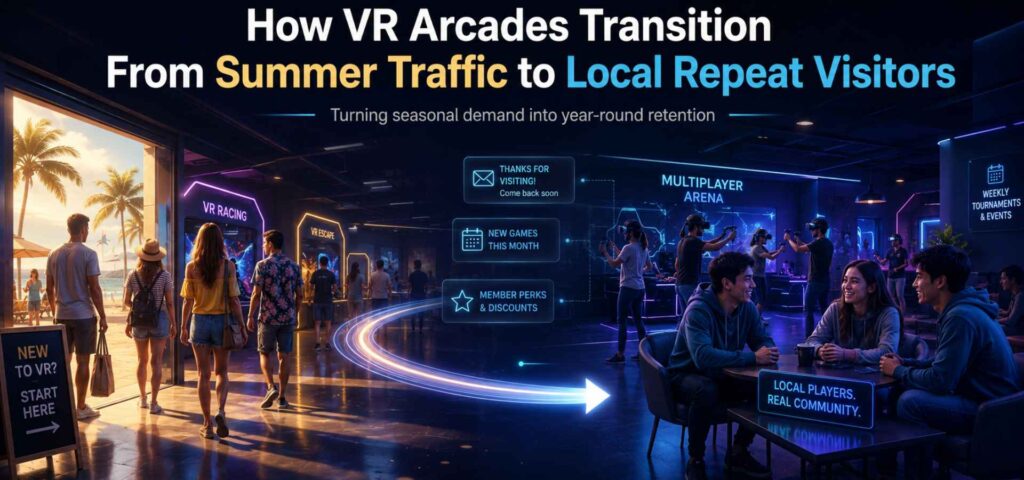
Summer walk-in traffic has an expiry date. Tourists go home in September, schools reopen, and the spontaneous bookings that filled your July calendar start to thin out. If your plan for autumn is to advertise harder and discount deeper, you’re paying to replace customers you already had. The venues that stay busy year-round measure summer differently. Alongside door count and revenue, they track how many future customers the season produced. Every first visit is a chance to create a second one, and summer hands you more first visits than any other point in the year. This applies well beyond VR. Family entertainment centers, trampoline parks, and museums all face the same seasonal cliff. What separates a busy summer from a sustainable business is the system built behind every booking. Loyalty is built during the first visit It’s tempting to start thinking about repeat business once the season winds down. By then the moment has passed. A guest walking through your door in July is already deciding whether they’ll return. Was booking easy? Was the staff welcoming? Did the experience beat expectations? Is there an obvious reason to come back? Will they remember this in three months? If that last answer is “probably not”, you earned a transaction, and it ends there. Operators who keep their summer crowd build retention into the guest experience from the first booking screen onwards. Step 1: find out who your summer visitors are Treating every guest the same is the easiest mistake to make in August, precisely because there are so many of them. A tourist from another country is unlikely to become a monthly regular. A family fifteen minutes away might. A student group could return several times during the academic year, and a local company that booked a team outing could turn into an annual corporate client. These groups have wildly different future value, and a follow-up campaign that treats them identically will land with none of them. A postcode field at booking or a quick “are you local?” at check-in sorts this out with almost no friction. Instead of one mailing list, you finish the summer with distinct audiences: locals, families, students, nearby businesses. Every campaign you run afterwards gets sharper because of it. Step 2: sell the second visit while they’re still in the building The biggest drop-off in the attractions business happens between visit one and visit two. Operators spend real money convincing someone to come once, then leave the return visit to chance. Better to start the next visit at checkout. The most effective tool here is the Bounce-Back Offer, a highly lucrative, time-sensitive promotion given only to paying customers as they leave. If a group finishes a VR escape room today, hand them a physical card or send an instant text offering 30% off their next visit, provided they book within the next 14 days. Families get an automatic school-holiday upgrade offer. Students hear about weekly league nights. Each follow-up has to answer one question: why should I come back when I can already say I’ve done this? If your message answers that, the second booking follows. If it just says “come back soon,” it won’t. Step 3: Automate the post-visit sequence You cannot rely on staff to manually follow up with every summer guest. A proven LBE strategy is setting up an automated email or SMS sequence that triggers exactly 24 hours after a guest’s visit. A high-converting sequence typically follows a three-step structure: Timing Email Objective The Message Day 1 The “Thank You” Thank them, ask for a quick review, and deliver a photo or digital scorecard from their visit. Day 4 The “Did You Know?” Introduce them to something they didn’t do (e.g., “You played VR zombies, but did you see our laser tag arena?”). Day 10 The “Reason to Return” Send a limited-time offer or invite them to a specific upcoming local event. By automating this, your summer traffic is constantly being pushed back toward your booking page without adding daily tasks to your management team. Step 4: Convert players into members The ultimate defense against the autumn drop-off is recurring revenue. Summer is the easiest time to upsell a one-off ticket into a monthly membership or a “Winter Pass.” When a local family visits in August and has a great time, the friction to spend another $30 next month is high. But if you offer them a $15/month membership that includes one free monthly session, discounted food and beverage, and priority booking, you instantly lock in their autumn and winter attendance. Even if they don’t visit for one month, your revenue floor remains stable. Step 5: give locals a reason to visit every month Marketing one event at a time keeps you improvising. A yearly calendar answers the harder question in advance: what reason do locals have to visit next month? Once this calendar exists, every month already has a purpose. The weekly “what should we promote?” scramble disappears, and your summer database has somewhere to go. Fresh content beats new equipment A concern that comes up whenever retention is discussed: doesn’t this mean constantly buying new attractions? Rarely. Guests return when the visit will feel different, and in VR that’s achievable without touching your hardware. Rotate multiplayer titles. Run a monthly featured experience. Change the game combinations in your packages. Add score competitions and community tournaments around content you already license. For a commercial VR venue, content rotation is one of the cheapest retention tools available. Someone who “did VR” in July has a reason to return in October if what’s running has changed. Increase dwell time to build habit People return to places where they feel comfortable lingering. If a family comes for a 45-minute VR session, plays, and immediately leaves because there is nowhere to sit, you are a purely transactional business. FECs with high retention rates invest heavily in the “spaces between.” Comfortable lounge seating, a robust food and beverage offering, and secondary passive games (like arcades or
3 VR Education Experiences Worth Adding to Your Arcade Lineup in 2026
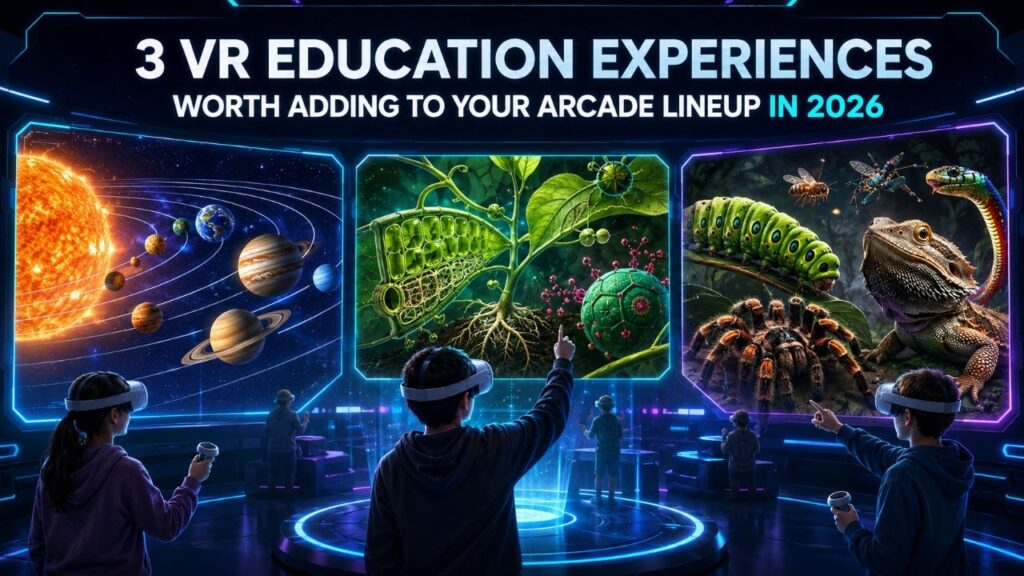
A VR attraction venue already owns the hard part. The fleet is bought, the booking system runs, and staff can start a session on their own. Maybe your weekday hours run lighter than your weekends. VR education content is one way to fill them, and it uses the setup you already have. The demand is there to meet. Curriculum VR runs in well over 200,000 schools now, and a 2025 Museums Association survey found 79 percent of the public interested in using digital tools to reach things they cannot otherwise see. The results back the interest up: Stanford research found students who learned in VR retained about 30 percent more than students taught the same material the usual way. What most schools, camps, and small museums do not want is to buy the gear, manage it, and train staff to run it. That is the exact part an operator has already solved. So the opportunity runs two ways. Package a school outing at your venue, or load a few headsets into a case and run a session in a classroom. Camp organizers and event planners will pay for a rainy-day activity with real substance. A museum or library can offer a pop-up VR station without owning the hardware. All three titles below run on the Pico, Quest, or Focus 3 headsets most fleets already carry. Each one anchors a different kind of booking. VictoryXR Science Curricula: Anatomy & Physiology – Body Awesome VictoryXR built the first VR science curriculum aligned to the Next Generation Science Standards. Body Awesome maps to NGSS standards HS-LS2-3 and HS-LS4-1, plus the matching Texas (TEKS) and Florida (CPALMS) standards. That alignment does the selling for you before a buyer asks. Inside the lesson, students pull organs out to full size and rotate them. Open the heart, kidney, or brain and you see how each structure drives its system. A nationally recognized science teacher narrates each organ as students double-tap to trigger it. Every organ carries two activity prompts that push past looking: predicting, sketching, comparing, answering. The lab manual ships with a glossary and pronunciation guide. The Teacher’s Edition includes 60 assessment questions with answers, so a teacher can run it graded rather than as a demo. Where it fits: Body Awesome is one lesson inside a catalog of 48 units and 240 VR experiences. Those span Earth and space science, engineering, life science, and physical science. That scale turns a one-off school visit into a repeat booking across subjects and terms. It runs on PCVR room-scale and standalone Quest. That suits a high school biology block, a homeschool co-op, or a university department testing a shared lab. Sell it with a standards checklist, and the catalog answers “what’s next” for you. View VictoryXR Science Curricula on SynthesisVR VR Plant Journey VR Plant Journey turns a biology lesson into a throwing and archery game. Players shrink inside a canola plant and move through three chapters: root, leaf, and seed. Each one is built on a real process. The leaf level has you throwing carbon dioxide and water to run photosynthesis. Down in the root, you assemble ammonium and nitrate, the nutrients the plant feeds on. The seed level asks you to hit oil bodies with a bow and arrow so they grow. Get the balance right and the plant develops. Get it wrong and it stalls. The content came out of a collaboration with plant researchers at the Leibniz Institute of Plant Genetics and Crop Plant Research, and the design has picked up nominations at the VR Awards, the Auggie Awards, Laval Virtual, and the VRnow Awards for education and training. Where it fits: the throwing and archery mechanics give this one more energy than a lab-style title. That matters with younger visitors, who lose interest fast in passive content. Its three short levels fit a walk-in group’s attention span. It slots into a summer camp afternoon, a library’s family hour, or a museum’s school-group rotation as easily as a classroom. It runs on PCVR room-scale and standalone Quest. Lead with this one when the group is mixed ages or the booking is more field-day than field trip. View VR Plant Journey on SynthesisVR Creepy Crawly Zoo 2.0 Creepy Crawly Zoo 2.0 shrinks players to about two inches tall and drops them inside a macro-scale insect and reptile exhibit. It is built on a real collection: creator Antonio Gustin shot it with an 8K macro VR camera alongside Dan Capps, whose private insect collection was once the largest in the world and appeared at Disney’s Epcot. The experience carries 100 display cases and more than 30 macro encounters, including scorpions, tarantulas, lizards, snakes, and a freshwater pond, with Capps appearing on video to guide guests through the specimens himself. Where it fits: this is the least game-like of the three, closer to a walkable exhibit than a title with a win state. Gustin describes it as a place to explore rather than a game, made to raise questions and hold attention. That reads as a natural fit for a science center, a nature center, or a school running a biology or ecology unit, and it gives a VR arcade something visually distinct to round out an education slot. It is standalone Quest only, so it drops straight into any venue already running a Quest fleet with nothing extra to buy. View Creepy Crawly Zoo 2.0 on SynthesisVR How Operators Turn This Into Bookings Adding the content is the easy half. The revenue comes from who you put in front of it. Package a school outing at your venue and sell it on the schedule that already suits you: a class-length 45 to 60 minute session, students rotating through the arena in small teams while the rest work with a teacher. Full-venue exclusivity is far easier to promise on a Wednesday afternoon than a Saturday night, and that midweek slot is the one you are trying to fill anyway. If the school cannot travel, bring
What Information Should a VR Arcade Website Include to Convert More Visitors?
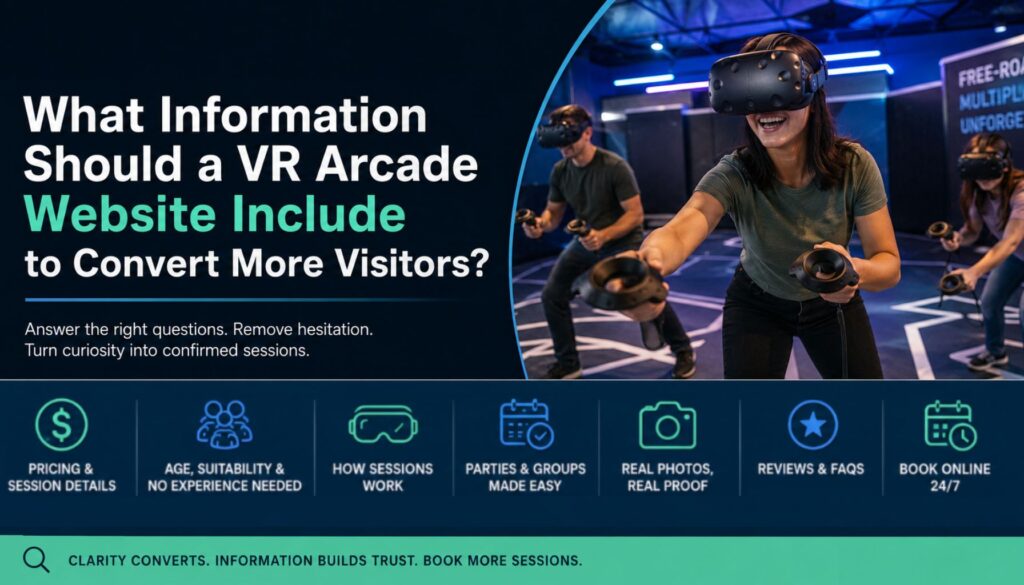
A guest does not need a prettier website. They need the answers that let them book with confidence, in the ten seconds before they decide to look elsewhere. Most VR arcade websites are built to impress: cinematic hero video, a wall of game logos, a “Book Now” link tucked in the corner. What actually converts a first-time visitor is plainer than that. They land on the page with a short list of unanswered questions, and the site that answers those questions fastest gets the booking. For a VR attraction, that list runs longer than it does for a restaurant or a movie theater, because most first-time guests do not fully understand what they are buying. They do not know how long a session runs, whether their kid is old enough, whether they need experience, or what actually happens once they walk in. Every one of those unknowns slows the guest down, and in Party Center Software’s 2025 study of family entertainment center bookings, nearly 80% of online reservations were completed on mobile, where a confused visitor is one thumb-swipe from gone. The fix t is making sure the right information exists on the page, in plain language, where the guest can find it without hunting. The information that actually convert a succesfful VR booking These are the details a first-time guest is checking for, in roughly the order they matter: Where this information needs to live Having the right information somewhere on the site is not the same as having it where the guest can find it. Pricing, session length, and age suitability need to sit above the fold or within one tap, not three pages deep. The booking button itself should be visible above the fold and repeated as the guest scrolls, reachable in two or three taps from any page. The better attraction and FEC platforms now advertise a path from browsing to booked in under a minute, and that sets the baseline expectation for every visitor who lands on your page. Add a detour anywhere in that path and the guest reconsiders the whole visit, which is usually where the booking slips away. Make the same information readable by search engines and AI tools The clear, specific information that convinces a guest also makes a venue easier for search engines and AI tools to read when they decide what to show. When someone asks their phone “VR arcade near me open tonight,” you want your venue to be the answer that comes back, and that depends on the same details being labeled in a way machines can read without guessing. That labeling is called structured data. Google’s own documentation states that LocalBusiness structured data can make pages eligible for richer search results and helps Google present details like hours, location, and reviews across Search and Maps. A few schema types are worth setting up for a VR venue: One rule matters more than the rest: keep everything consistent. Business name, address, and hours have to match across the website, Google Business Profile, and booking platform. Google’s guidelines are clear that structured data should reflect the content people actually see on the page, and when the details conflict, Google can discount or ignore the markup. Structured data does not replace clarity on the page; it just helps the right people find the page in the first place. Google also added a reporting layer to Search Console in July 2026 called platform properties, which shows how existing Instagram, TikTok, X, and YouTube posts perform in Google Search and Discover, even for accounts with no website attached. It does not replace the site: none of those platforms can take a booking, hold a price, or carry LocalBusiness schema. What it does is show whether the walkthrough clips and free-roam footage covered above are actually earning search visibility on their own, and whether the same plain-language answers (price, age, session length) belong in the caption too, not just the video. The VR operator’s website information checklist Run your own site against this list. Every “no” is information a guest is currently guessing at, and a guess is usually a lost booking: The takeaway A guest does not leave a VR arcade site because the design is dated. They leave because the page never told them what they needed to know, and they were not willing to keep hunting for it. The venues pulling ahead are the ones that put price, age limits, session details, real photos, and a straight FAQ where the guest can see them immediately, then back it with structured data so the same information reaches search and AI tools too. Answer the guest’s questions before they have to ask, and curiosity turns into a confirmed session. SynthesisVR helps VR arcades and family entertainment centers run booking, waivers, content, and management from one platform, with an online reservation system built in and integrations for venues already booking through Checkfront or FareHarbor. Reach out to our team to schedule a product demo. Related Reading How to Market VR Arcade Birthday Parties for Summer BookingsWhy Multiplayer VR Attractions Drive Repeat Visits and Higher UtilizationHow VR Arcades Fill Empty Weekday Sessions Without Discounting
How to Market VR Arcade Birthday Parties for Summer Bookings
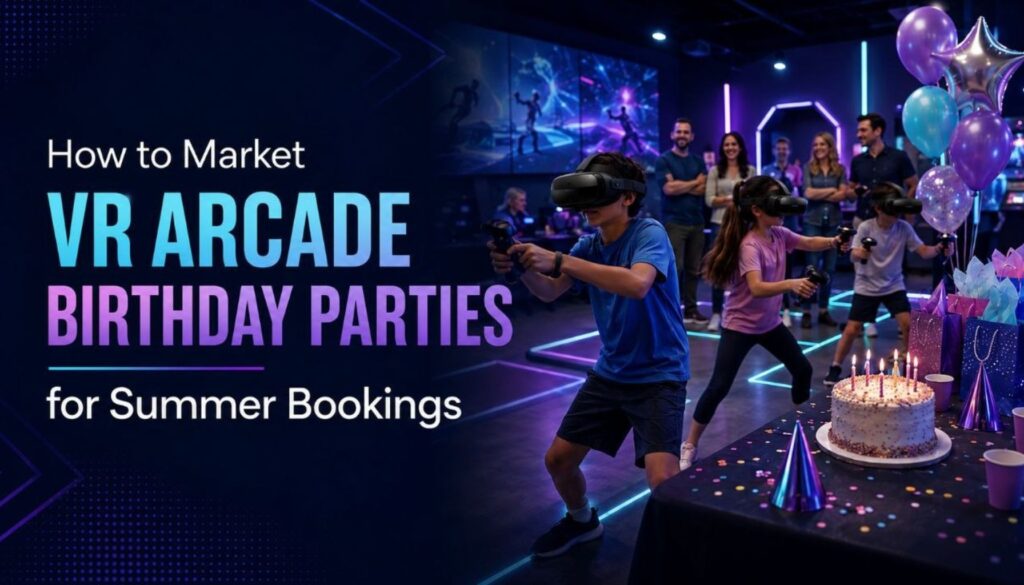
Birthday parties remain one of the clearest packaged revenue opportunities in family entertainment. IAAPA’s 2025 Entertainment Center Benchmark Report tracks revenue generation, attraction mix, guest behavior, staffing, and operational performance across entertainment centers, while IAAPA’s birthday party manual frames party programs as a practical revenue and efficiency opportunity for FEC operators. The same packaging model shows up across family entertainment categories: trampoline parks, bowling centers, and kids’ entertainment chains usually build parties around a reserved space, a fixed guest count, a clear price, food or drink options, and a defined block of time. Parents choosing where to hold a party are buying clarity and convenience first. VR arcade birthday parties can use the same structure, with the real operator challenge being how to fit the headset portion inside a larger party flow without creating delays, confusion, or extra work for staff. What proven birthday party pages already do Strong birthday pages make the decision easy for parents by showing the package name, the guest count, the time included, what the venue handles, and what happens if extra children arrive. Across family entertainment, the pattern is consistent: party packages include activity time, a reserved table or room, a host or staff support, food and drinks, and a clear add-on price for extra guests. Public party pages from major entertainment brands show this clearly, from trampoline party packages with jump time, party room time, food, and drinks to family entertainment packages with fixed guest counts and two-hour gameplay windows. That structure matters because parents compare quickly. A parent planning a birthday party rarely wants to calculate headset capacity, session timing, cleanup time, food rules, and add-on pricing from scratch. They want to know what the party includes, how many children can attend, how long the visit lasts, and what they need to do next. For VR arcades, this means the party page should sell the full visit, not only the headset session. Where VR arcades need a different operating model VR parties work differently from bowling lanes or trampoline floors because the whole group may not play at once: a party of 10 to 12 children does not need 10 to 12 headsets running simultaneously, and many venues run a stronger flow with 4 to 6 stations, short rotations, and a spectator screen while the rest of the group eats, watches, and socializes. VR arcade birthday parties need more structure than a standard booking. The operator has to manage headset count, content choice, session timing, rotation order, spectator display, safety briefing, and room turnover, and parents feel it when that flow changes depending on who works the Saturday shift. The birthday package should make the VR portion feel planned from the moment the group walks in, starting with a clear room-and-rotation model. Build the package around the room, not only the headsets Start with the party room or reserved area, booking it for a fixed block of time, seating the group for arrival, food, cake, and gifts, then running the VR session as one scheduled segment inside that block. For larger groups, short rotations work better than seating every child in a headset at once. A 10 to 15 minute rotation keeps the party moving while guests who are not currently playing watch on a screen, eat, or get ready for their turn. State the total visit length up front, so a parent booking a 90-minute or 120-minute party knows when to arrive, when the VR session starts, when food or cake happens, and when the room turns over. Price the package per participant or by tier, with a minimum group size, and add a fixed extra-child price so staff already know what to say when a family arrives with two additional guests. Keep the base tier simple and use the mid and upper tiers for higher-margin additions. Food should be easy to handle around VR equipment: wrapped snacks, pizza slices served away from controllers, veggie cups, sliders, or simple drink packages work better than messy options that slow cleanup or leave residue on headsets and controllers. Example VR birthday package structure A clear package structure helps parents compare options and helps staff run the same flow every time. The exact numbers will change by venue size, headset fleet, and staffing model. What matters is the structure: parents see a clear offer, and staff have a repeatable plan. Make the package easy to find and easy to trust Give the birthday offer its own landing page, separate from general group bookings. Parents comparing venues in one evening will scan quickly, and a dedicated birthday page signals that parties are a normal part of the business. Use simple package names a parent can repeat on the phone, such as Arena Party, Squad Party, or Birthday Battle, and add the guest count, time block, price, what is included, and what parents can bring. Real photos of past birthday sessions answer questions stock images cannot: where children wait, where parents sit, what the room looks like, and whether the venue has actually hosted this type of event before. Add a short host guide or FAQ covering arrival time, food rules, cake timing, waivers, age limits, what guests should wear, how rotations work, and what happens if the group size changes. Move routine changes online Birthday bookings create small changes: parents update the guest count, ask about food, confirm arrival time, add siblings, or ask whether they can bring cake. A short online form can handle many of these updates before party day, saving staff from repeated phone calls and giving the venue a written record before the group arrives. Send a confirmation message a few days before the party with the final headcount, arrival window, package tier, food choice, and any waiver instructions, then give staff a one-page checklist for the visit covering room setup, headset count, content selection, rotation schedule, food timing, cake timing, cleanup, and follow-up. That is group VR experience management in practice: the booking details, headset setup, content choice, and
Why Multiplayer VR Attractions Drive Repeat Visits and Higher Utilization
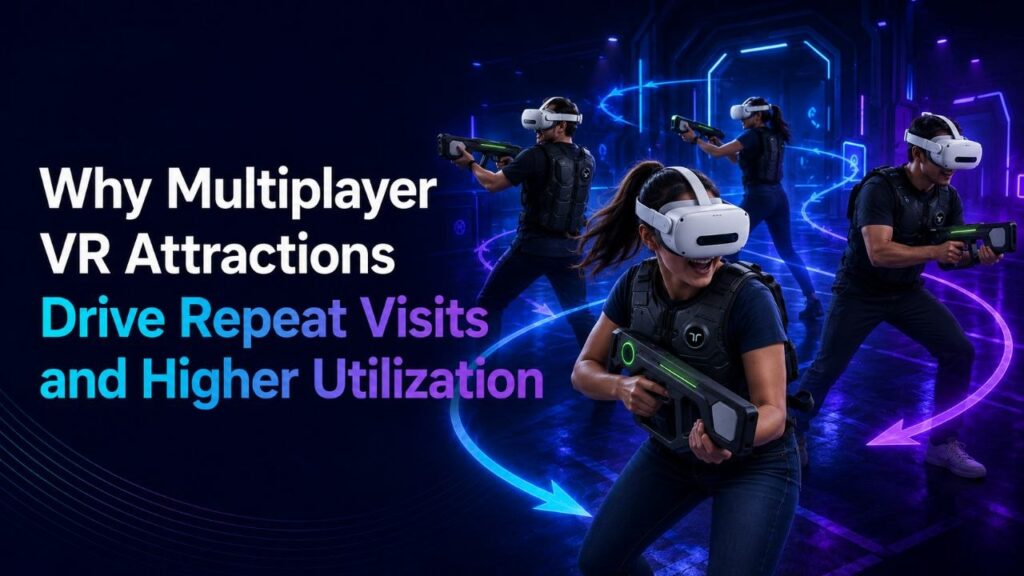
Some venues find their best-performing attraction is not the newest title on the floor. It is the multiplayer experience that the same group of friends books again three weeks later, then again after that. One operator running a six-headset free-roam arena noticed this directly: a yearSome venues find their best-performing attraction is not the newest title on the floor. It is the multiplayer experience that the same group of friends books again three weeks later, then again after that. One operator running a six-headset free-roam arena noticed this directly: a year-old multiplayer title outsold two new solo releases for three straight months, driven almost entirely by repeat group bookings. That pattern shows up across the LBE VR industry often enough to matter for how operators think about attraction mix. A solo VR experience can deliver a strong first visit. It rarely creates a second one, because the player has already seen what the headset shows them. A multiplayer experience changes shape every time a different group walks in. The teamwork shifts, the score resets, the in-jokes from last time carry over, and the session becomes a plan to repeat rather than a box to check. The simple equation still holds for VR arcades: more immersive experiences create higher customer satisfaction, and higher satisfaction creates stronger returning business. Multiplayer helps because it increases immersion through shared presence. Players do not only react to the virtual world. They react to each other inside it. Why solo VR struggles to generate repeat bookings A single-player VR attraction is usually built around a fixed narrative or a fixed challenge. Once a player finishes it, the core reason to return drops sharply. Operators running solo-heavy lineups often see strong opening weeks followed by a falloff in repeat traffic, because the content has less to offer a returning customer beyond a slightly faster completion time. Multiplayer content has a different ceiling. A four-player co-op title or a competitive free-roam shooter changes with every group composition. Two friends playing together create a different session than four coworkers on a team outing, and both create a different session from the same four coworkers coming back a month later with two new colleagues. The content stays the same. The experience does not. For first-time visitors, the headset itself often creates the initial “wow” moment. Returning customers need a different reason to feel that again. Multiplayer gives them that reason because the next session includes new players, new team dynamics, new competition, and a fresh chance to improve. Content rotation and replayability Replayability is not only a property of the game itself. It also depends on how often the venue rotates what is on offer. A venue with a static lineup of three multiplayer titles will eventually exhaust even its most social customers. A venue that rotates four or five multiplayer experiences through its schedule, swapping in new titles every few weeks while retiring others temporarily, gives returning groups a reason to book again even when the social dynamic alone would have been enough. This is where attraction mix becomes an operational decision rather than a content decision. A six-bay arena running one anchor multiplayer title alongside two rotating secondary titles can support a wider range of group sizes and repeat patterns than the same arena running six different solo experiences. The rotation does not need to be constant. A monthly refresh of one or two titles, timed against booking data, is often enough to keep returning groups engaged without requiring a full content overhaul. The strongest multiplayer titles for repeat visits usually share two traits: they are simple to start and they leave room for improvement. Players should understand what to do quickly, especially in a paid commercial session, but they should also feel they could perform better next time. That learning curve matters. A group that finishes a session saying, “we almost had it,” or “next time we beat that score,” already has a reason to return. Why social experiences generate stronger repeat traffic The social mechanism behind repeat visits is straightforward. A solo experience is something a person does. A multiplayer experience is something a group plans. Group plans get rebooked because the social commitment, not just the content, drives the decision to return. A birthday group, a corporate team, or a regular friend group treats a strong multiplayer session the way they would treat a favorite bowling night or trivia night: a recurring plan built around people, with the attraction as the setting rather than the sole draw. Competition strengthens that effect. If one team wins the first round and the other wins the second, the unfinished tiebreaker becomes part of the experience. Some groups extend the session immediately. Others leave with a reason to come back. Co-op formats can create the same effect when players fall just short of completing a mission or decide they want to bring a different group next time. This shows up directly in what operators ask for. Across requests we see from venues evaluating new content, “does it support multiplayer” is one of the most common requirements, often ranked above genre or theme. Operators are not asking for multiplayer because it is a trend. They are asking because they have already seen what happens to repeat bookings when a title only supports one player at a time. It also shows up in internal platform usage data across SynthesisVR and SpringboardVR. The titles with the highest total play time are overwhelmingly multiplayer experiences, not solo ones. That pattern holds across genres, from competitive shooters to cooperative survival games to multiplayer sports titles. Solo experiences still have a place in a lineup, especially for specific audiences or lower-capacity windows, but they rarely account for the bulk of usage once a venue has several multiplayer options in rotation. This is also why multiplayer formats tend to perform well across different group sizes. A 2-player co-op format and an 8-player competitive format can pull from the same content library but serve very different
Running 360 Video in a Commercial VR Venue
Most VR venue planning starts with the catalog: which games pull the best crowds, which titles support the most players, which escape rooms keep groups coming back. Game-led content carries the core of the business for VR arcades and LBVR locations. There are sessions, though, where a guided viewing experience fits the room better than a competitive multiplayer title. A school group on a tight schedule, a corporate booking that needs a consistent walkthrough, a trade show booth running the same content every fifteen minutes, a tourism partner showing off a destination: these all call for content that repeats cleanly, guides easily, and asks almost nothing of a first-time user. That is where 360 video earns a place in the attraction mix. Why 360 video still works in a venue 360 video suits sessions where the goal is controlled viewing rather than active play. It needs no complex controls, no deep onboarding, and no full game loop, which makes it a low-friction option for audiences who have never put on a headset. For school groups, corporate teams, museum guests, or booth visitors with five minutes to spare, a short immersive clip often lands better than a session that asks them to learn a game first. The commercial backdrop supports the format. Location-based VR sits inside a broader out-of-home immersive market that analysts expect to keep growing through the rest of the decade, even though their estimates of its size vary widely. For an operator, the practical read is steady demand for varied, low-friction immersive content that a venue can put in front of mixed audiences. What Deploy Reality Player is Deploy Reality Player is a commercial VR video player built by Deploy Reality, the parent company of SynthesisVR. It plays monoscopic, stereoscopic, and 360-degree video on PCVR room-scale rigs and on standalone headsets including Pico, Quest, and Focus 3 / Vision. The real value sits in the commercial layer around playback: one operator launching the same content across a bank of headsets, keeping viewers in sync, and running a session without handing a controller to every guest. Where it fits in a venue For VR arcade and LBVR operators, 360 video widens what the headset fleet can do between game sessions. It supports seasonal programming, short intro experiences (demo sessions) for first-timers, travel and destination content, and add-on viewings before or after a main booking. The operational payoff is utilization, since you get more reasons to keep headsets earning across the day rather than only during peak game slots. For training and education providers, the value sits in repeatability. A safety walkthrough, an equipment familiarization clip, or a guided site tour plays the same way for every participant, which is what institutional learning content needs. The format also holds up under study: a peer-reviewed experiment with primary school pupils found that 360-degree video field trips produced consistently higher content recall than standard video, with stronger engagement and a greater sense of immersion. Schools running virtual field trips and corporate teams running onboarding get a consistent experience without building a game around it. For events, trade shows, and brand activations, time is the constraint. Staff need content that starts fast, explains itself, and repeats all day. A 360 tour of a property, factory, or destination works even when a visitor only has a few minutes, and a booth can keep the queue moving without a technical operator minding each headset. Museums, tourism boards, and cultural venues use the same workflow to place guests inside locations that are otherwise hard, costly, or impossible to reach: heritage sites, protected nature, historical reconstructions, or remote destinations. The evidence here is encouraging. A study in the journal Sensors evaluated a VR experience that used 360-degree storytelling to take users through a submerged archaeological site, and recorded high levels of presence, immersion, and engagement using both participant questionnaires and EEG brain-activity readings. The operational side of playing 360 video commercially Playing a single 360 video on one headset is trivial, but running it across a venue is a different job. A staff member may need to launch the same clip on several headsets at once, start everyone together, sequence a playlist, and keep playback steady when venue Wi-Fi is unreliable. A consumer video app does none of this, while Deploy Reality Player runs every part of it from one control point. Session synchronization keeps a group watching the same frame at the same time, which matters when a guide is narrating or a class is meant to react together. Spectator view mirrors the headset feed onto a PC screen, so staff, parents, or waiting guests can follow along and a presenter can talk to what the group sees. Offline playback runs from locally stored files, so a busy session never depends on a live connection. Controller-free operation lets a guest get in and start viewing without a tutorial, and a centralized control panel runs play, pause, and seek across every active station from one place. Seeking through the timeline works while playback is paused, which keeps a guided session from drifting out of sync. Formats, platforms, and two limits to plan around The player handles monoscopic, stereoscopic, and 360-degree footage, with support for equirectangular 360, equirectangular 180, and 3:2 cubemap projections. It runs on PCVR room-scale setups through SteamVR and on standalone Pico, Quest, and Focus 3 / Vision headsets. The community page documents the full codec, container, and streaming reference, along with hardware notes and step-by-step setup. Two limits are worth knowing before you plan content. The player works only with your own VR videos, so you need the rights to anything you run through it. And it does not accept direct YouTube URLs; SynthesisVR includes YouTubeVR automation for Meta Quest headsets only, and any commercial use of YouTube content remains your responsibility to license with the rights holder. Licensing and setup Deploy Reality Player is available through the SynthesisVR content marketplace and runs on the free SynthesisVR Essential Access subscription, so an operator
PCVR vs Standalone VR for Commercial Venues
Choosing between PCVR and standalone VR used to be a tradeoff between quality and convenience. That tradeoff still exists, but it has changed shape, and most operators are no longer choosing one format from a blank slate. A large number of free-roam venues already run PCVR streamed wirelessly to the headset, and the real decision in front of them isn’t PCVR versus standalone. It’s whether adding standalone content alongside an existing PCVR setup makes sense, since the two can run side by side without requiring a venue to rebuild what it already has. Cables are no longer the dividing line PCVR headsets connect to an external computer that handles rendering, which still gives PCVR an edge in visual complexity and access to the broader Steam-based VR library. For years, that meant a physical tether, and tethers limited how freely a player could move, which made pure tethered PCVR a poor fit for arena-scale free-roam venues. That constraint has loosened. Wireless PCVR streaming, first popularized through headsets like the HTC Vive Focus 3 and now common on PICO devices, lets a PC render the game and stream it to the headset over the network instead of through a cable. A free-roam arena can run wireless PCVR streaming and get full, untethered movement while keeping PCVR’s rendering quality and library access. Plenty of arenas already operate exactly this way, and they run well. Standalone headsets take a different path to the same cable-free result. The headset renders the game itself, with no PC involved in the loop at all beyond whatever admin or server setup manages the fleet. The practical difference between standalone and wireless PCVR streaming isn’t cables anymore, since both can move freely around a free-roam space. It’s where the processing happens, and what that does to cost, hardware footprint, and content. What processing location actually changes The technical difference between the two formats comes down to what travels over the network. A standalone headset running free-roam renders the game locally on the device. The WiFi connection only carries session data: player positions, game state, and synchronization signals between headsets. Wireless PCVR streaming works the opposite way. A PC renders every frame and sends the full video stream to the headset over WiFi, which makes PCVR streaming considerably more bandwidth-intensive than standalone, even though both can run cable-free in the same arena. That bandwidth difference carries real infrastructure consequences. Wireless PCVR streaming still needs a capable gaming PC behind every station, or a shared rendering setup serving multiple headsets, plus the network capacity to carry that video traffic reliably, along with PC-side preparation: network configuration, and ongoing PC maintenance. Standalone needs none of that on the rendering side. The headset is the whole system for content, aside from the lighter admin infrastructure that coordinates the fleet and the session data passing between headsets. Setup reflects that same split. PCVR stations need a wired or properly configured wireless network connection and, for Steam-distributed titles, an individual Steam account per station, since Steam otherwise limits a licensed title to one machine at a time. Titles distributed through a dedicated content delivery network rather than Steam skip that requirement entirely, no Steam account needed at all, but you still need SteamVR running on all the PCs since SteamVR will be used to connect to the headsets wirelessly along with a program respective of the headset. For PICO it would be PICO BUSINESS STREAMING, for HTC FOCUS headsets you will use VIVE BUSINESS STREAMING etc. Standalone headsets need wireless debugging enabled and a shared network with the venue’s admin system, but carry no per-station account structure, since installation pushes directly to the headset. Neither path is harder than the other so much as different in where the complexity sits. PCVR, tethered or streamed, pushes more of it into PC, bandwidth, and account management per station. Standalone pushes more of it into device and connectivity management per headset. A venue running both ends up managing both kinds of complexity at once, which is one of the reasons centralized management tools matter more as a venue’s hardware mix grows rather than stays single-format. Content availability is the part hardware comparisons usually skip Most PCVR-versus-standalone comparisons stop at specs and never get into what an operator can actually deploy. This is the part that matters most for a venue planning content rotation, and it has changed faster than the hardware conversation has caught up with. A few things are true at the same time, and operators planning content strategy should hold all of them together: That last point matters for how operators should plan content rotation in practice. Checking format availability against current marketplace listings, rather than assuming based on a title’s reputation or its original platform, avoids building a rotation plan around a game that is not actually available in the format a venue runs. Licensing applies the same way to both Whichever format a venue runs, content needs commercial licensing rights, not consumer or personal-use licensing. This applies to PCVR and standalone titles equally, streamed or tethered. A venue running either format off a consumer content library carries legal and operational risk that has nothing to do with which headset is in the box, and everything to do with what rights came attached to the content itself. SynthesisVR’s content marketplace, the largest VR content marketplace for location-based entertainment, licenses titles across both PCVR and standalone through one system, with both formats installed and managed from the same Local Manager regardless of whether a station is a streaming PC setup or a standalone headset. That single management layer is part of why checking current availability by format is worth doing directly in the marketplace rather than relying on general reputation. Adding standalone to an existing PCVR venue Most operators evaluating standalone today are not starting from scratch. They are running a free-roam arena on wireless PCVR streaming already, and the real question is whether adding standalone headsets expands what the venue can offer without requiring