
Week 8: Launching Games Without Breaking the Flow
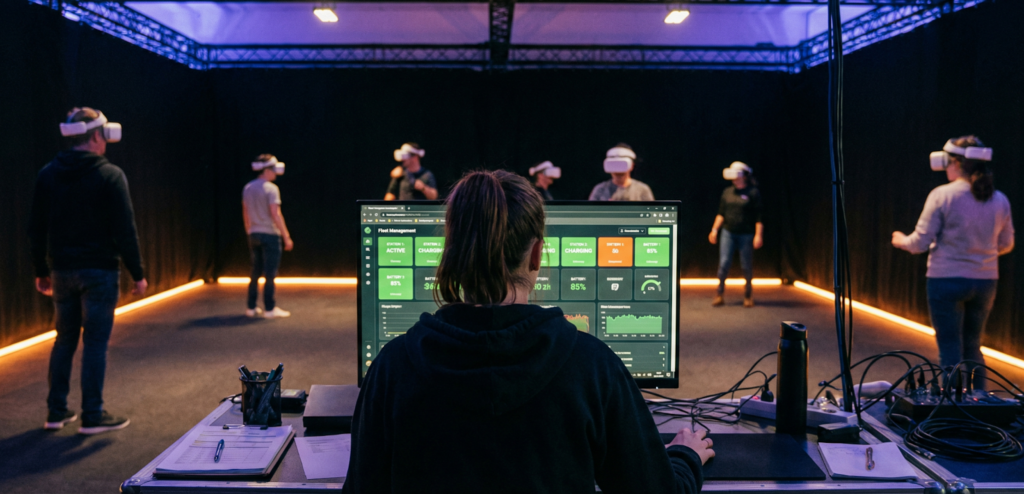
Part of the series: From First Headset to Fully Operational VR Arena Week 7 covered how calibration drift quietly erodes session quality over time and how a stable spatial map removes the problem from your daily routine. Week 8 moves to the next constraint on throughput: the moment between groups, when the physical space is clear but the session still has not started. For many free roam venues, that gap is longer than it needs to be. Why the Launch Matters More Than the Game We have spent years watching venues lose time not to hardware and not to content, but to the launch itself. Staff moving through headsets one by one, putting each on to find the right title and confirm the session. A device that did not get the right session queued. One player watching a menu while five others are already moving through the arena. These are not exceptional circumstances. They are the default outcome of a manual process running against a multi-headset free roam fleet during a busy Saturday. The time lost compounds. A venue running six to eight sessions a day does not just lose those minutes once. It loses them every group, every turnaround, across the whole operating week. And because the launch is a staff-dependent step, its length varies. An experienced operator runs it faster. A new hire runs it slower. On a day when your best person calls in sick, the gap between those two shows up directly in throughput. Customers do not remember the delay in minutes. They remember what it looked like. A staff member visibly troubleshooting at the edge of the play space while a group stands waiting in headsets is the image that stays with people. The experience starts before the game does, and that part is entirely within your control. The Cost of Headset-Side Menus In a free roam arena, launching a game from inside the headset means putting on each device, navigating to the right title, and confirming the session, one headset at a time, across a fleet that might be six, eight, or ten units per group. Each step takes a moment. Across dozens of sessions a day, those moments become a measurable part of operational workload. During peak hours, the repetition increases the chance of a missed step. There is a staffing dimension that deserves more attention. The LBE industry runs structurally lean. Ben Davenport, CEO of VRsenal, put it plainly in a VIVE Business industry report: “Everybody’s chronically understaffed. A lot of places that have staffed VR systems are literally having those systems sit idle because they cannot get people to operate them.” It is a pattern operators acknowledge openly. When your launch process depends on experienced staff executing the same sequence every time, you have built operational fragility directly into your busiest hours. Training a new team member to match the speed of an experienced one takes longer than most venues expect. When that person leaves, the gap shows up in session turnaround times before anything else does. How Automation Changes the Equation The shift from manual to centralised launch changes more than speed. In free roam, every player in the arena needs to enter the experience simultaneously. A partial launch, where some headsets are in the game and others are still on a menu, is not just an efficiency problem. A player still navigating a headset menu while others are already moving through a shared physical space creates a real safety risk. Staff attention split across multiple devices during a launch is attention that is not on the arena floor. Centralised launch removes that split. When a single command sends the correct game to every headset at once, the staff-to-session ratio changes. One operator manages the full fleet from a dashboard, stepping in only when something actually needs attention. David Bardos, CEO of Univrse, framed the industry challenge directly in a 2026 analysis of free roam infrastructure: what scales free roam as a format is not the quality of individual experiences alone. It is operational reliability at the session level, repeated cleanly across every group, every day. Solving it on a one-off basis can produce great experiences, but it rarely produces a scalable operation. The revenue implication is direct. Free roam sessions for groups of six to eight players at standard LBE pricing generate significant revenue per slot. Every ten minutes of lost capacity, repeated across a full operating day, compounds into real lost revenue by the end of the week. Venues that tracked session completion rates and reset times against their workflows found operational stability, not headline hardware specs, was the variable separating profitable locations from one that felt perpetually squeezed. Why “One-Click” Is a Philosophy, Not a Feature The phrase gets used as product shorthand, but what it describes is an approach to operations. Every manual step in a venue workflow is a variable. Variables produce inconsistency. Inconsistency erodes both throughput and guest experience over time. “One-click launch” means the complexity of coordinating a multi-headset session sits with the system, not distributed across individual staff actions. Whether the implementation is literally one button or a short configured sequence, the logic is the same: the human decision point is the session itself, not the mechanics of starting it. Game Presets extend this further. A preset stores a complete launch configuration, game title, player count, game mode, difficulty, session settings and makes it reusable instantly. Staff select the preset and the session launches with the intended setup already applied. The experience sold to the customer matches the experience delivered. Groups get identical gameplay across visits. Multi-station launches stay synchronised. Small configuration differences that staff may not notice become obvious to players; presets eliminate them. Venues that run operations around this logic report a consistent pattern. New staff reach operational competence faster because fewer steps require memorisation or experience. Peak hours run closer to theoretical capacity. The mental load on team members during busy periods drops, which has measurable effects on
Week 7: Mapping and Calibration: Ending the Drift Problem
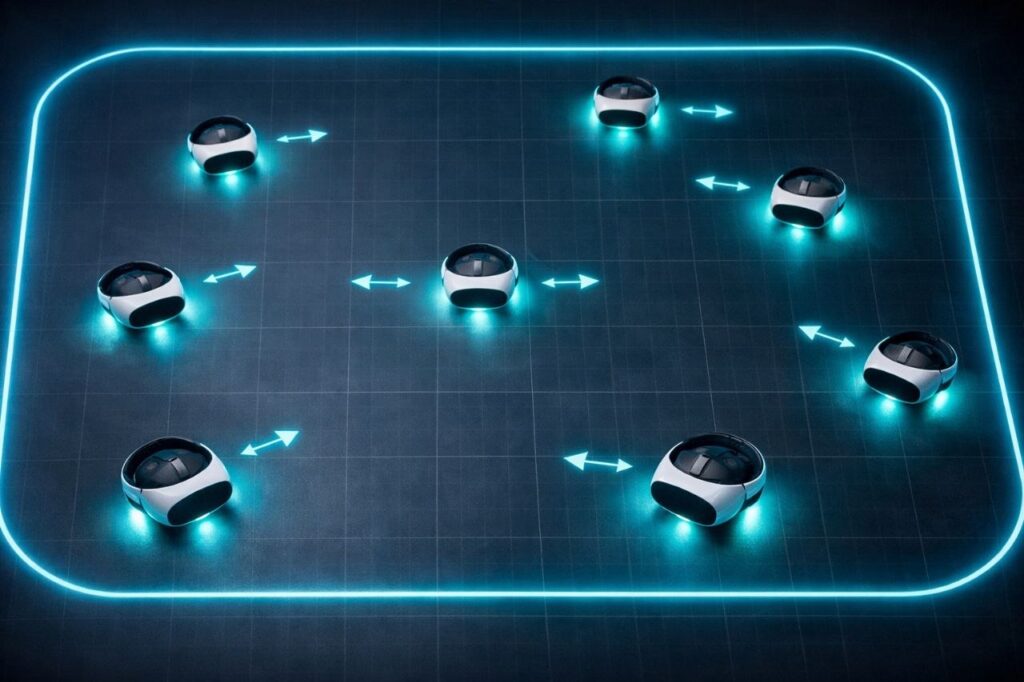
Week 6 covered why network failures in free roam VR are almost always misdiagnosed as tracking problems. Week 6.5, the implementation companion, went deeper into the architecture behind a correctly configured venue network: the wired backbone, VLAN separation, access point count by setup type, and the specific configuration decisions that determine whether sessions hold under real operational pressure. If you have not read it yet, it is worth doing before this one. The two articles sit in the same layer of the operational stack. Week 7 moves one step closer to the headset itself. Calibration drift is one of the most misunderstood problems in free roam VR, and one of the most operationally expensive. It rarely announces itself dramatically. It compounds quietly, session by session, until staff are recalibrating every morning as a matter of routine, without realising that routine is costing them hours of productive time every day. Every standalone VR headset running free roam uses a tracking method called visual simultaneous localisation and mapping, or vSLAM. The headset’s outward-facing cameras scan the surrounding environment and build a spatial map of the space. As the player moves, the system continuously compares what the cameras currently see against that stored map to estimate the headset’s position. Combined with data from onboard inertial measurement units, accelerometers and gyroscopes, the system produces the six-degrees-of-freedom positional data the game uses to place the player in the virtual environment. The process is remarkably effective in stable, well-configured spaces. The problem is that it depends on the environment remaining consistent. Lighting changes, reflective surfaces, uniform walls with few distinguishable features any of these degrade the quality of the visual map the headset can build. When the map degrades, the headset’s estimated position drifts from its actual position in the physical space. Published research on co-located SLAM tracking confirms that even small positional errors between headsets, mismatches between where a player actually is and where the system thinks they are, can create safety risks in shared physical spaces. In a single-player setup, minor drift is usually invisible. In a multi-player free roam arena with six or eight players moving simultaneously, small errors between headsets translate directly into players colliding with each other or with physical obstacles they cannot see. Drift does not require dramatic environmental change to appear. Practical testing across Meta Quest, PS VR2, and SteamVR systems has found that abrupt changes in daylight, a smudge on a single headset camera, or furniture moved near the boundary can shift a virtual grid within minutes of a session starting. In a venue running back-to-back groups throughout the day, this accumulates. There is also a network dimension to what operators experience as drift. Week 6.5 covers the latency requirements of PCVR streaming in detail, a headset running at 72 frames per second needs a new frame every 14 milliseconds, and total round-trip latency above 30 to 35 milliseconds produces visible judder. In a hybrid venue where PCVR streaming and standalone free roam run simultaneously, what presents as a positional mismatch mid-session can originate from either layer. This is why diagnosing the source accurately matters before reaching for a recalibration that will not solve a network problem. Why Re-Mapping Every Morning Kills Throughput The most common operator response to drift is recalibration. When something feels off, staff remap. When a new staff member sets up for the day, they remap. When a headset restarts after a firmware update, they remap. Over time this becomes a daily routine, an accepted cost of running the operation. What most operators do not quantify is what that routine actually costs. Consumer-grade headsets can require up to 30 minutes of morning calibration per unit due to manual sync requirements, plus up to 15 additional minutes of ongoing drift and boundary troubleshooting throughout the day. On a 10-headset fleet running 365 days a year with staff at $20 per hour, that maintenance labour figure adds up to a number that rarely appears anywhere in the original business plan but shows up every month in the actual numbers. The problem runs deeper than time. Consumer headsets cannot share boundary maps. Each device builds and maintains its own independent spatial map. When a headset is turned off and back on, or when a different staff member puts it on and walks to a slightly different starting position, the coordinate space shifts. The result across a multi-headset fleet is that every device is operating from a slightly different understanding of where the play area is. Players can be perfectly aligned in the virtual world from their individual perspectives while physically moving in ways the game never intended. The SynthesisVR knowledge base documents this directly: the Quest headset does not remember the previous player orientation after power cycling. Staff working around this problem manually mark starting positions on the floor and require every operator to wear each headset individually from the same marked spot, facing the same direction, before each session. That workflow is a symptom of a system not designed for commercial operation. The parallel with networking is direct. Week 6.5 makes the same point about consumer mesh WiFi systems, they may appear to work during low-load testing and fail under peak session density. Consumer headsets present the same dynamic in the calibration layer: stable in single-player testing, unreliable at scale. PICO Boundary Sharing and Multi-Player Alignment Enterprise headsets solve this at the operating system level. On the PICO 4 Ultra Enterprise, boundary sharing means the map created on one headset becomes the map for every headset in the fleet. The coordinate space is shared. Every device localises against the same spatial reference. Players’ virtual positions correspond accurately to their physical positions relative to each other. HTC documented the same capability for the VIVE Focus 3 when they introduced map sharing for LBE customers: it allows multiple users to operate accurate co-location tracking in a shared space without having to individually set up or calibrate each headset. All headsets work from a single ground truth for
Week 6.5: Networking for VR Venues: What You Need to Know Before You Build
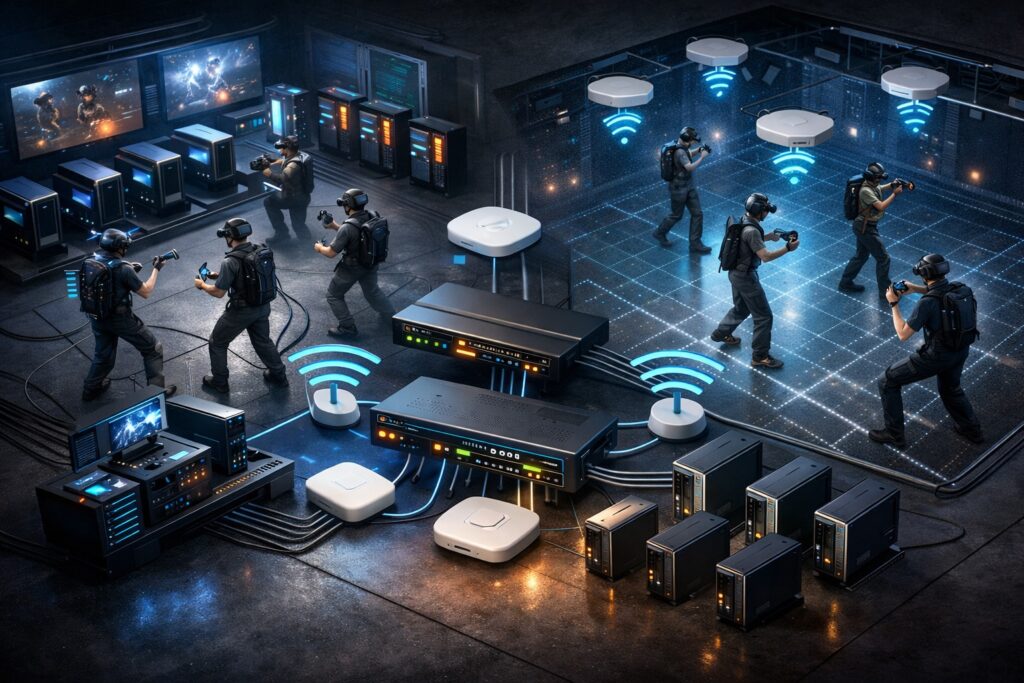
Week 6 covered why network failures in free roam VR are almost always misdiagnosed, operators blame tracking or headsets when the real cause is a packet dropped at the wrong moment, a headset stuck to a distant access point, or a guest phone competing for the same spectrum as a live PCVR stream. This article is the practical follow-up: not the theory of why networks fail, but what a network built for real VR operations actually looks like and the decisions that determine whether it holds under load. PCVR and Standalone Are Not the Same Network Problem The most important thing to understand before specifying any hardware is that PCVR wireless streaming and standalone free roam place fundamentally different demands on your network. Treating them the same way is one of the most consistent setup mistakes in LBE VR. Factor PCVR (Wireless Streaming) Standalone What WiFi carries Full rendered video frames Session sync and game state only Bandwidth demand 100–700+ Mbps per headset Very low Primary network concern Throughput and low latency Latency, jitter, roaming Headsets per AP (practical) 2–3 maximum Higher — but stability still critical PC connection Wired Ethernet — non-negotiable Not applicable In a PCVR setup, every rendered frame travels from the PC to the headset over WiFi in real time. This makes the connection extremely bandwidth-intensive and latency-sensitive simultaneously. The PC itself must be connected via wired Ethernet: this is non-negotiable. Any wireless hop on the PC side compounds the problem in ways that cannot be fixed downstream. Standalone headsets render locally. WiFi carries session coordination data, small packets, not video streams. The bandwidth requirement is a fraction of PCVR, but the network still needs to be low-jitter and roaming-stable. Packet loss causes player desync. Poor roaming causes mid-session freezes. In a hybrid venue running both formats, the PCVR load sets the floor for access point count and channel planning. LAN First, WiFi Second Most operators think about networking in terms of WiFi. The wired backbone: the cables, switch, and router connecting everything together, receives far less attention, and in PCVR environments especially, it is where the most consequential decisions get made. Every PC running PCVR content must connect to the switch via Cat 6 or Cat 6A Ethernet. The switch distributes wired connections to gaming PCs and powers ceiling-mounted access points via PoE (Power over Ethernet) through a single cable run. For PCVR-heavy deployments, multi-Gigabit switch ports and corresponding network cards in the PCs are increasingly important, a standard Gigabit connection has limited headroom when PCVR streams push toward 500–700 Mbps per headset. Think of LAN as the highway. WiFi is the on-ramp. If the highway is congested or slow, the speed of the on-ramp does not matter. The Four Decisions That Determine Network Quality 1. Traffic Separation (VLANs) Headset traffic, staff systems, and guest WiFi must operate on separate network segments. A guest streaming video should never compete for the same resources as a live PCVR session. VLAN separation is the mechanism that prevents this, and it requires a managed switch and router, not consumer hardware. 2. Band and Channel Configuration Headsets should operate on the 6 GHz band (WiFi 6E minimum, WiFi 7 preferred for PICO 4 Ultra Enterprise). The 2.4 GHz band should be disabled entirely on the headset network. Channels should be manually assigned, auto channel selection between access points creates interference that is difficult to diagnose. 3. Roaming Configuration Three protocols: 802.11k, 802.11v, and 802.11r, must be enabled across all access points. Without them, headsets hold connections to whichever access point they first connected to, regardless of where the player moves. The result shows up as lag spikes and position jumps mid-session, symptoms that will be reported as tracking problems. 4. Access Point Count and Placement More access points at lower transmit power consistently outperforms fewer access points running at high power. High power causes sticky client behaviour. For PCVR, a practical ceiling of 2 to 3 headsets per access point means a 10-headset wireless PCVR venue needs 4 to 5 correctly placed APs. Standalone venues can support more headsets per AP, but placement based on actual player movement patterns, not cable convenience, still determines session consistency. What Consumer Hardware Cannot Do Consumer routers and mesh WiFi systems, including high-end gaming models, lack the VLAN management, roaming protocol configuration, and per-client control that multi-headset VR operations require. They may appear stable in single-headset testing and fail under peak session load. The apparent hardware saving on day one creates operational costs that consistently exceed the price difference over time. Enterprise or business-grade managed access points, a managed PoE switch, and a business-grade router are the baseline for any venue running more than four or five headsets. This does not mean the most expensive option, it means hardware that supports the configuration depth a commercial VR operation actually needs. The Case for a Networking Professional Knowing what a correctly configured VR network looks like and being able to achieve it in a specific physical space are two different problems. The configuration work, access point placement based on actual signal measurements, channel planning that accounts for neighbouring networks, roaming threshold tuning, VLAN architecture, requires someone physically in the space with the right tools. Venues that invest in a qualified networking professional at the outset avoid the majority of the failure patterns described in Week 6. It is a one-time cost. The return is measured in sessions that run without the network-sourced disruptions that erode guest experience and drive up staff workload. Want the full implementation guide?The complete Week 6.5 article covers every layer of the network in detail: wired backbone design, VLAN architecture, AP count by setup type, the full PCVR streaming chain, hardware selection criteria, and a checklist of the most common configuration mistakes. It is a practical implementation reference built for operators who are setting up or upgrading a free roam venue.Reach out to us at info@synthesisvr.com and we will send it directly to your inbox. SynthesisVR is trusted by
Week 6: Networking: The Invisible Backbone of Free Roam

Part of the series: From First Headset to Fully Operational VR Arena Week 5 covered the physical layer of a free roam arena: walls, floor plans, and why access point placement should follow player movement rather than cable runs. Week 6 goes deeper into the network itself. Not the theory of WiFi, but the specific failure patterns that appear in live LBE VR operations and why operators so often misdiagnose them before finding the real fix. The network is invisible until it breaks. When it does, what operators usually see is a tracking complaint. Why Networking Failures Feel Like Tracking Issues A player reports that their headset lost position mid-session. The instinct is to check the headset: boundaries, calibration, firmware. In many cases, the headset is fine. The network dropped a packet at the wrong moment, session state fell out of sync between players, or latency spiked past the point where the experience could recover cleanly. The result looks identical to a tracking failure. The cause is completely different. And the fix lives in the network configuration, not the headset settings. This misdiagnosis pattern drives some of the most consistent wasted troubleshooting time across free roam LBE VR operations. The good news is that networking rarely needs constant attention once it is configured correctly. Operators who invest the time upfront to set up their network properly, right band, right access point placement, right roaming configuration, tend to stop thinking about it. The issues that surface for everyone else simply do not appear. Without that foundation in place, operators fix the wrong thing first. Every time. What a Standalone Headset Actually Needs from a Network Before getting into configuration specifics, it helps to be precise about what the network carries. A standalone headset running a free roam VR experience (like the PICO 4 Ultra Enterprise) processes and renders the game locally on the device. WiFi does not carry video frames, it carries multiplayer session data: player positions, game state, synchronisation signals between headsets, and platform management traffic from your VR arcade management system. Real-time multiplayer systems typically exchange small packets containing positional and state updates rather than media streams, which keeps bandwidth requirements relatively low but makes latency and reliability critical to maintaining a synchronized experience across players. This differs fundamentally from PCVR streaming, where every rendered frame travels over WiFi from a PC to the headset. PCVR is bandwidth-intensive. Standalone free roam is latency-sensitive. The network does not need to move large amounts of data, it needs to move small amounts of data reliably, fast, and without interruption. That distinction changes how operators should think about everything from hardware selection to configuration priorities. A network built around raw throughput handles PCVR well. A network built around low jitter and stable roaming handles standalone free roam well. In a venue running both, the configuration needs to serve both simultaneously. WiFi 6E vs WiFi 7 in Player-Dense Environments Week 5 recommended the 6 GHz band for free roam headset networks. The question for operators making a hardware purchase right now is which generation of that technology to invest in. WiFi 6E introduced the 6 GHz band to commercial WiFi, expanding available spectrum and reducing interference from legacy devices, and it remains the current standard across most LBE VR deployments. It delivers clean spectrum, wide channels, and strong performance in environments where the 5 GHz band suffers from congestion. (2.4 GHz, now primarily used for IoT devices like smart lights and thermostats, is no longer a realistic headset band in most venues.) WiFi 7 builds on that foundation with a capability called Multi-Link Operation (MLO), which allows devices to connect across multiple frequency bands simultaneously rather than committing to one, improving reliability and lowering latency in high-density wireless environments. For free roam VR specifically, MLO improves reliability and reduces latency because the headset maintains connections on more than one band at once, if one path degrades, the other compensates without the headset noticing. WiFi 7 also targets lower latency by design, making it well suited to the real-time demands of multiplayer free roam sessions. The PICO 4 Ultra Enterprise supports WiFi 7 natively, which makes it the current best match for WiFi 7 infrastructure in a free roam LBE VR environment. One important physical consideration applies to both generations: 6 GHz signals do not penetrate walls well. Higher-frequency wireless bands experience greater attenuation when passing through building materials, which means signal strength drops more quickly through walls or structural obstacles compared with lower-frequency bands. Their effective range drops significantly through solid obstacles. In a single open play space with clear line of sight between access points and headsets, 6 GHz performs excellently. The moment walls or structural elements break that path, signal quality drops. This is one more reason why an open, unobstructed arena floor is an infrastructure decision, not just a layout preference. The practical guidance: Operators building new infrastructure today should target WiFi 6E as the baseline and WiFi 7 where budget allows, particularly for venues running PICO 4 Ultra Enterprise headsets. Operators on existing WiFi 5 or early WiFi 6 infrastructure running standalone headsets may find their current setup adequate for session coordination traffic, but will hit limitations as headset counts grow or PCVR streaming enters the mix. Band Steering, Congestion, and Roaming Clients These three issues cause more live session problems in free roam VR arcades than any other network factor, and none of them appear on a speed test. Band steering directs client devices toward a preferred frequency band. In a well-configured arena network, access points steer headsets onto 6 GHz and keep guest devices and staff phones on 5 GHz. When band steering is off or misconfigured, headsets end up on a congested channel that also carries every customer’s phone traffic. Separating headset traffic onto its own VLAN removes most of that risk. Congestion in a free roam context rarely comes from headsets alone. The session data each standalone headset generates is relatively light. What creates
Week 5: Designing a Free Roam Space That Actually Works
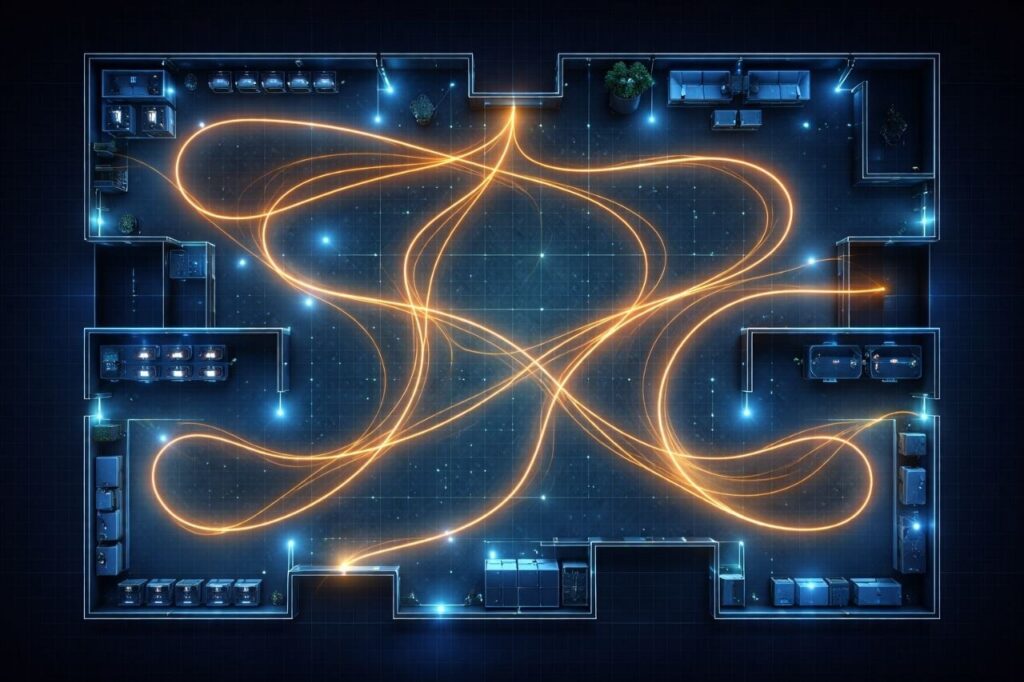
Part of the series: From First Headset to Fully Operational VR Arena Week 4 introduced the CapEx vs OpEx lens and made the case that the most expensive thing about a VR arena is rarely what’s on the purchase order. Dead zones, drift complaints, and sessions that fall apart mid-run belong in that same category. They look like technical problems. In most venues, they are design problems that never got identified as such. This week covers the physical space itself: what inside-out tracking actually needs from your environment, how floor plan decisions affect VR arcade throughput, and why WiFi placement follows player movement, not cable runs. The Room Is Part of the System Most operators think about their arena as the container the experience lives in. A clean floor plan, clear sightlines, enough room to move. That mental model is a good start, but it misses something important. The headset is not a self-contained unit. It is constantly reading the room. Enterprise standalone headsets like the PICO 4 Ultra Enterprise use inside-out tracking: onboard cameras build a visual map of the surrounding environment in real time using a technique called visual simultaneous localization and mapping, or vSLAM. The headset estimates its own position based on how that map compares to what the cameras are currently seeing. When the map is clear and stable, tracking is reliable. When the room gives the cameras nothing useful to work with, accuracy degrades. This is the mechanism behind most dead zones. It is not a router problem. It is not a headset defect. The room stopped giving the tracking system what it needed. What vSLAM Needs from Your Walls Inside-out tracking can struggle in featureless environments. When surfaces lack texture, contrast, or visual landmarks, the system has nothing to anchor position to, and the estimated pose becomes inaccurate. In scenarios with sufficient environmental texture, vSLAM performs reliably. Featureless surfaces consistently cause large positional drift. The practical translation: plain painted walls are a tracking liability. A flat, uniform surface in a single color gives the headset cameras almost nothing to distinguish one section from another. Operators who have added texture, murals, decals, or even simple geometric patterns to previously blank walls have reported measurable stability improvements without any hardware changes. Reflective surfaces create a different problem. Both laser-based and camera-based tracking systems are susceptible to reflections. When headset cameras see a reflection of tracking features, the system can confuse the reflected image for a real one. Mirrored panels, high-gloss flooring, and large glass surfaces are among the most frequently reported causes of sudden tracking failure in commercial free roam setups. Covering or removing reflective surfaces is one of the most effective first steps when diagnosing persistent drift complaints that have no obvious technical source. Lighting matters too, though it is often overlooked at the design stage. Inside-out tracking relies on optical clarity. Extreme variance between bright and dark zones in the same space, strobing effects, or under-lit sections all degrade what the cameras can reliably read. The design principle: Treat your walls as a data source for your hardware. Visual diversity, consistent lighting, and non-reflective surfaces are not just aesthetic choices. They are tracking inputs. Floor Size, Game Compatibility, and Throughput There are no universal standards for free roam arena sizing. The right footprint depends on the content you plan to run and the throughput you need to build a business around. Most commercial free roam experiences are designed for arenas ranging from roughly 280 to 1,000 square feet (26 to 93 sq m). The most common configurations used by LBE operators are 20×20, 20×30, and 33×33 feet (6×6m, 6×9m, and 10×10m). As a rough guide, 400 square feet (37 sq m) supports approximately four players comfortably, 600 square feet (56 sq m) accommodates six, and 1,000 square feet (93 sq m) opens up groups of ten. These are planning benchmarks, not hard rules; actual capacity depends on the specific game’s minimum and maximum arena parameters. That range is also shifting. A new generation of titles is designed to run in spaces as compact as 5×5 meters (16×16 feet), and developers are actively working to support six or more players within those smaller footprints. The driver is ROI, more players per session in less square footage. What this means in practice is that arena size alone is no longer the primary planning variable. The game determines the minimum, and the operator’s revenue model determines the target. Both need to be considered together before a layout is treated as final. The more important question is whether your floor plan was designed around how players actually move, or just how many players can fit. These are not the same thing. In a typical free roam session, players do not distribute evenly across the space. They cluster toward the action, pull toward certain zones based on in-game objectives, and move in patterns the game design creates. An open, unobstructed floor plan is the baseline requirement. Columns, pillars, protruding fixtures, and any physical obstacle that breaks up the play area create disruption that software cannot compensate for. Players will not see them once the headset is on, and the game cannot be customized around them. The play space needs to be genuinely clear, not just large enough on paper. Game-specific minimum arena sizes are a starting point, not a performance guarantee. A layout that meets the square footage requirement but includes obstructions, awkward proportions, or sightline breaks will underperform a smaller, fully open space. Test the actual movement paths a title creates before treating any configuration as final. The staging area deserves as much planning attention as the play space. Equipment fitting, briefings, and gear distribution all happen before a session starts. Research across LBE deployments suggests that around 90% of participants need some level of guidance adjusting their headset fit, which means the donning area is not a waiting room. It is an active operational zone. Compressing it or treating it as leftover space from the play
Week 4: The Math of a Successful Free Roam Arena

The first three weeks of this series covered what free roam actually means as an operating model, why consumer hardware assumptions tend to break down in commercial environments, and how enterprise-grade headsets became the foundation most serious LBE operators build on. Week 4 is where the conversation shifts from technical decisions to financial ones, and specifically to the numbers that most operators don’t fully see until they’re already feeling the pressure. Why the Cheapest Headset Rarely Ends Up Being the Cheapest Decision It usually starts with a spreadsheet. Two headset options, a $300 price difference per unit, multiplied by ten headsets. A decision gets made based on $3,000. What that spreadsheet doesn’t capture is the next 24 months of actually running the business, and that gap between upfront cost and long-term cost is exactly where arenas succeed or quietly fail. Two Financial Clocks Every Operator Is Running To understand where the money really goes, two concepts are worth getting clear on: CapEx and OpEx. Capital expenditure (CapEx) covers purchases that improve or provide future value for the company beyond the current year. These are typically investments in fixed assets: property, equipment, and infrastructure. In a VR arena, your headset fleet is CapEx. So is the router system, the play space build-out, and any physical infrastructure the experience requires. Operating expenditure (OpEx) covers the day-to-day costs of running the business. Salaries, rent, utilities, marketing, supplies. These are the expenses that keep the lights on and the wheels turning. In an arena, OpEx includes staff wages, licensing fees, consumables, repairs, and every hour of manual intervention your team spends managing hardware that should be managing itself. One of the real risks of a CapEx-heavy decision is that long-term commitments can limit your ability to adopt newer, better technologies. Investing large amounts of money and time in hardware assets may make you reluctant to change, even when the market demands it. In LBE VR, where hardware generations move fast and operational demands are high, that reluctance has a measurable cost. Operators who struggle most tend to be the ones who optimized hard for CapEx and treated OpEx as something to figure out later. The Cost That Never Appears on a Purchase Order SynthesisVR’s operational data, gathered across hundreds of venues over nearly a decade, consistently surfaces the same pattern. The least profitable arenas rarely have the worst hardware. They have the highest daily labor burden on that hardware. A useful way to frame it is what SynthesisVR refers to internally as the Maintenance Tax. Every headset fleet carries one. It is the cumulative daily labor your staff spends not serving guests, but keeping hardware operational, recalibrating, resetting, troubleshooting, managing OS interference, resyncing boundaries. It runs on a clock that never stops, and it almost never appears anywhere in the original business plan. Consider a 10-headset fleet running 365 days a year with staff at $20 per hour. A consumer-grade headset can require up to 30 minutes of morning calibration per unit due to manual sync requirements, plus up to 15 additional minutes of ongoing drift and boundary troubleshooting throughout the day, plus further time managing consumer OS pop-ups, update prompts, and account interference. That adds up to roughly 60 minutes of maintenance labor per headset, per day. An enterprise-grade headset with native persistent mapping and kiosk-mode OS control brings that same daily footprint down to approximately 20 minutes per unit. Across a fleet. Across a year. That 40-minute daily difference per headset quietly becomes one of the largest line items in the business. Based on SynthesisVR’s internal analysis of a 10-headset fleet over a 2-year operating period, the total cost of ownership gap between a consumer fleet and an enterprise alternative, when labor is properly accounted for, reaches $97,333 in payroll expenses alone. The fleet that cost less on day one ends up costing significantly more by month 24. Why Reliability Beats Raw Specs in the Long Run Spec sheets are easy to compare. Resolution, refresh rates, processing power, the numbers are clean. But in a live arena with multiple players moving simultaneously, what actually determines profitability is something no spec sheet measures: session consistency. How reliably does a headset complete a session without staff intervention? How long does reset take between groups? How much throughput is lost each day to troubleshooting that shouldn’t have been necessary? These are the questions experienced multi-location operators lead with, and the answers shape profitability far more than processor benchmarks do. SynthesisVR’s operational data reinforces this across venues of all sizes. Arenas that tracked session completion rates and reset times against their hardware choices found that operational stability, not headline specs, was the variable that separated profitable venues from ones that looked healthy on paper but felt squeezed in practice. What Downtime Actually Costs Downtime in an LBE environment is a revenue event, not just a frustration. Every session that doesn’t complete, every group that waits longer than expected, every headset pulling a staff member away from guests, each of those carries a real dollar figure attached to it. If an average session generates $15 to $25 per player and a venue runs eight or more hours a day, a single headset losing 30 minutes of productive time daily represents thousands of dollars in missed annual revenue per unit. Scaled across a fleet, that operational drag compounds into a number that can quietly erase margin even at healthy booking volumes. The operators who built SynthesisVR’s early playbook learned this pattern firsthand. Venues that opened strongly started showing financial pressure within months, not because of poor content choices or slow marketing, but because the daily labor overhead to maintain session quality was compressing margin in ways that never appeared on the original plan. The Framework Ahead The CapEx vs OpEx lens applies well beyond hardware. It shapes every system decision in a VR arena, content licensing, staff training, space design, and eventually how you scale from one location to more. The remaining weeks in this series build
Week 3: Why PICO Became the LBE Standard for Free Roam
Free roam VR in location-based entertainment VR didn’t scale because it became popular. It scaled because tracking, device control, and deployment workflows matured enough to support continuous commercial use. In Week 1: What Free Roam Actually Means (And Why It Breaks So Often), we discussed how free roam VR is an operational model that stresses tracking, synchronization, safety, and staff simultaneously. In Week 2: The Consumer Trap: When the Wrong Assumptions Cost You Money, we explored how consumer device assumptions often collapse under commercial pressure in a high-throughput VR arcade. This week focuses on a key turning point in the industry: why PICO became widely adopted as the LBE standard for free roam VR arenas. But telling that story properly means acknowledging something important first. HTC, through the Focus line and its location-based tooling, helped create the modern “inside-out free roam” wave. PICO didn’t invent the phenomenon, it took the baton and ran with it, doubling down on LBE-first deployment, mapping distribution, and operational consistency. The answer sits at the intersection of tracking maturity, LBE-grade operating systems, spatial synchronization, and developer alignment. Inside-Out Tracking Reached Commercial Reliability Early free roam deployments often depended on external tracking infrastructure. Base stations required precise placement. Networking needed careful configuration. Calibration routines added recurring maintenance. These setups worked, but scaling them inside a busy room scale VR arcade or a full VR arena game environment introduced operational complexity. Inside-out tracking changed the equation. Modern headsets combine SLAM (Simultaneous Localization and Mapping), high-speed inertial sensors, and sensor fusion to track position in real time without external hardware. SLAM enables the headset to build a live model of its environment by identifying anchor points and continuously updating its position within that map. A major reason inside-out tracking became viable for commercial use is that it removed the most fragile parts of earlier installations: external hardware dependencies and constant re-calibration. In practice, this translated into faster setup, reduced physical infrastructure, more flexible layout design, lower ongoing tracking maintenance, and easier expansion from small to large multiplayer zones. This is one of the reasons the market moved from “PCVR-only thinking” to a new reality where both PCVR arcades (wireless streaming) and standalone VR arcades could support free roam at scale. HTC Focus 3 Helped Trigger the Free Roam Shift It’s hard to talk about the “free roam boom” without giving credit to HTC’s enterprise push. HTC VIVE Focus 3 and HTC’s LBE tooling helped standardize the idea that inside-out, standalone devices could be deployed commercially with more control than consumer ecosystems. HTC’s own documentation for LBE Mode explicitly frames the concept: multiple standalone headsets tracked inside a large play area for “truly free-roaming” experiences, and it references support up to 1,000 square meters for Focus devices in LBE Mode.  For many operators, that mattered because it changed the conversation from “Can standalone work for LBE?” to “How do we run it reliably, every day, with groups?” But the story didn’t stop at “inside-out is possible.” The next leap was making it operationally repeatable. LBE Grade Device Environment for Out-of-Home VR In a location-based venue, headsets function as operational tools. They are part of a live attraction running on schedule, not personal devices tied to individual accounts. This is where enterprise ecosystems separated themselves from consumer ones. HTC invested heavily in enterprise fleet management and kiosk control through its business stack (for example VIVE Business+ and device management tooling). PICO’s LBE grade operating environment is structured specifically for out-of-home deployment. Rather than centering the experience around a consumer storefront, it emphasizes controlled rollout, administrative oversight, and predictable behavior across multiple devices. PICO’s business OS architecture, as outlined in its official Business documentation, separates commercial deployment from consumer distribution layers and allows devices to operate without requiring personal user accounts. This simplifies fleet provisioning and reduces friction during installation and scaling. Key capabilities relevant to free roam VR operations include account-free deployment for multi-headset environments, a dedicated business OS branch designed for commercial use, custom kiosk configurations that define exactly what launches at startup, administrative control over system menus and hardware buttons, and a clear separation between business applications and consumer ecosystems. According to PICO Business technical materials, this OS layer is designed to support centralized device management and LBE features such as synchronized session control and map deployment. This aligns directly with the needs of commercial VR arcades and free roam arenas, where operational consistency determines throughput and revenue stability. For operators managing a commercial VR attraction, uniform device behavior matters. Staff turnover is common. Weekend peak hours leave little margin for troubleshooting. Devices that behave predictably across resets and sessions reduce intervention and protect session flow. In free roam VR environments, stability at the device level directly affects session timing, multiplayer synchronization, and the ability to maintain continuous group bookings without disruption. Boundary Sharing as Infrastructure for Multiplayer Free Roam Free roam VR arenas rely on precise spatial alignment across multiple headsets. When six or eight players move inside the same physical play zone, every device must reference the exact same coordinate system. Even small positional inconsistencies can affect immersion, gameplay logic, and safety in a commercial free roam VR environment. Boundary sharing establishes a unified spatial framework across devices. In practice, this means virtual walls correspond precisely to physical walls, obstacles remain fixed for every participant, teammates appear accurately positioned in shared space, proximity awareness reflects real-world player movement, and persistent virtual objects remain anchored across sessions. Shared spatial anchor systems are widely used in spatial computing to synchronize multiple devices within a unified coordinate system. In commercial location-based entertainment VR environments, this synchronization becomes foundational to multiplayer reliability. In large-scale VR arena software deployments, boundary sharing is structural infrastructure rather than an optional feature. PICO’s LBE Mode extends this concept to arena-scale deployments. According to official PICO Business LBE documentation, operators can generate a master environment map and distribute it across multiple headsets to ensure synchronized positioning within a standalone VR arcade or
Week 2: The Consumer Trap: When Wrong Assumptions Costs Money!
Free roam experiences are shaped by hardware, LBE VR compatible platform with device management, and whether the content is designed for commercial operation. In Week 1 we showed how free roam exposes system weaknesses that room-scale setups can hide. This article looks at a related issue: what happens when a venue is built on consumer assumptions about hardware (headsets), accounts, device behavior, and testing environments. The result is not noticeable immediately and doesn’t lead to catastrophic failure, rather it is about an accumulation of mismatches resulting in lost time, higher operating cost with higher number of employees, and avoidable operational risks as bookings grow. Why Consumer Thinking Enter into Commercial Venues When many operators first look at VR, the path seems obvious: buy a few Meta Quest headsets, use personal accounts to get started quickly, and install the same versions of games people play at home. It feels like a low‑risk way to “test” demand before investing in more professional infrastructure. But what works for a single or even multiple headsets in a quiet living room rarely works well on a busy Saturday, for a birthday group, and a free roam arena where six to eight players move simultaneously. In Week 1, we looked at how free roam exposes weaknesses that never appear in room‑scale testing. The same principle applies to consumer hardware and software assumptions. Problems that stay invisible in small demos, account issues, UI changes, and license constraints, suddenly become operational and financial risks once VR becomes a core attraction instead of an experiment. Assumption 1: Personal Accounts Are Fine if It Works A common pattern in new venues is to treat headsets a bit like phones: log in with whatever Meta account is available, install games, and let staff “just make it work.” In the short term, this feels fast and flexible. Over time, it creates a fragile foundation for a commercial operation. Meta’s own supplemental terms specify that commercial or business use of their products is subject to separate commercial terms, and that organizations must agree to those terms when using devices beyond personal purposes. When staff rely on personal or ad‑hoc accounts, several risks emerge at once. Accounts can be locked, disabled, or changed without reference to the venue’s needs if policies change or credentials are lost. Content libraries may technically belong to individuals rather than the business, complicating control when staff leave or roles change and when access must be managed consistently across multiple devices. Consumer headsets also require preparatory steps such as enabling developer mode, managing organization accounts, and maintaining login state across devices. These steps are minor during setup but become recurring maintenance tasks over time, especially when devices reset, update, or change ownership. Assumption 2: Testing Commercial VR In A Consumer Environment Another common trap appears during evaluation. Many operators correctly reach out to licensing platforms such as SynthesisVR to test commercial titles, but the testing setup itself still mirrors a consumer environment. A single headset, manual calibration, and staff-guided interaction can appear stable during short demos. At low volume the system works. Once multiple players run simultaneously throughout the day, differences emerge. Free roam depends on repeatable behavior across every headset. When preparation steps rely on consumer workflows, staff must handle per-device setup, alignment, and interface interaction between sessions. The content may be licensed correctly, but the operating conditions have not yet been tested. Because of this, a setup that feels reliable during evaluation can require constant intervention during real operation. The issue is not the game version alone, but whether the environment used for testing reflects continuous public use. Assumption 3: Updates and UI Changes Are Inconvenient, Not Catastrophic Consumer devices are designed to evolve quickly. Firmware updates, interface redesigns, and new features are part of the normal lifecycle for home users. In a living room, a changed menu or unexpected update is a minor annoyance. In a venue with back-to-back bookings, it can disrupt an entire peak period. Operators sometimes expect that standalone device management tools or business account configurations will stabilize the experience. These tools help deploy applications and manage devices remotely, but they do not change how the headset behaves during a live session. Interaction flows, recenter actions, boundary prompts, and other user-level controls still follow consumer logic. In small room-scale demos this difference is easy to overlook. In free roam and high-throughput environments it becomes operational friction. Staff must guide players through menus, correct unintended inputs, or re-establish alignment between sessions. A system can function correctly and still interrupt venue flow. The problem is not a single update. It is that the operational behavior of the device remains designed for an individual user rather than a continuous public attraction. Legal, Warranty, and Liability Risks of Consumer‑First Devices Beyond day‑to‑day operations, there is a structural issue: consumer hardware and content are not written with arcades and free roam arenas as the default use case. Meta’s supplemental terms specify that commercial or business use is subject to additional commercial terms for each product, and that any organization using devices for non‑personal purposes must have the authority to bind itself to those terms. This is a clear signal that consumer purchase alone does not automatically grant the right to run public, paid experiences. When consumer terms are used in public paid environments, support expectations and liability boundaries become less clear. For a business built around scheduled sessions, unclear responsibility introduces unnecessary operational risk. These operational differences are often underestimated because the initial hardware price is visible immediately, while the operational impact appears gradually. Why “Saving a Few Hundred Dollars” Increases Your Operating Costs Operational cost differences often appear as staff time rather than hardware price. In large-area experiences, manual calibration, drift correction, and interface handling accumulate across the day. Industry comparisons show consumer-oriented setups can require roughly three times more daily staff interaction per headset, about 60 minutes versus 20 minutes on LBE-focused systems. The hardware price difference is visible on day one, but the labor difference
Week 1: Free Roaming with PICO
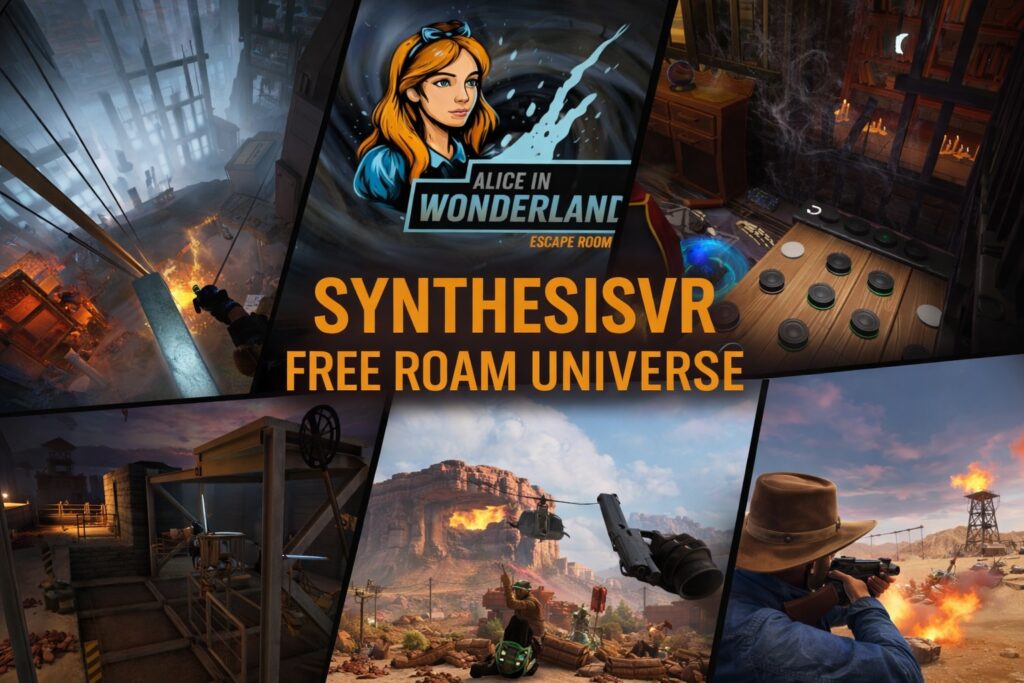
Week 1 – What Free Roam Actually Means (And Why It Breaks So Often) The 10-Year Journey: Why This Series Exists In 2016, we opened VR Territory in Los Angeles to solve a problem: making high-end VR accessible. What we didn’t realize then was that we were building a laboratory for the next decade of Location-Based Entertainment (LBE). That experience became the foundation of SynthesisVR, and following our acquisition of SpringboardVR in early 2025, we now support over 700 locations globally. We aren’t writing this series to reminisce about the early days of cables, base stations and tracking issues. We are writing it because we are seeing a specific trend now moving into the 2026 market. Too many platform providers are pushing “short-term profit” models, bundling a few games with consumer-grade headsets like the Meta Quest and selling them as “turnkey free roam.” They focus on the low entry cost but fail to educate operators on the operational traps that follow: account restrictions, tracking drift, inconsistent resets and the hidden labor costs of keeping everything running smoothly. We have managed millions of minutes of gameplay, we’ve seen what makes money and, more importantly, what causes a business to struggle within its first year. This 12-part series is our effort to pull back the curtain. Our goal is to help you skip the “experimental” phase and move straight to a high-throughput, reliable arena by choosing the right hardware: such as the PICO 4 Ultra Enterprise, and the right operational systems from day one. A Quick Introduction to Free Roam (Arena) and How It´s Different From Room scale (POD) VR Free roam VR allows multiple players to move freely within a shared physical space while interacting with each other in real time. This has become one of the most attractive formats in LBE VR because it enables experiences that are typically only accessible in commercial environments, requires physical space most consumers do not have at home, and creates a strong social dynamic that cannot be replicated in private settings. Room scale VR places each player in a separate, defined play area with limited movement. Players may participate in single-player or multiplayer experiences, but each station operates independently. Operators typically sell time based sessions, and if a technical issue occurs, it usually affects only one player or station. This model powered the first wave of VR arcades starting around 2016, when venues rapidly expanded worldwide. How The Industry Is Shifting to Free Roam And The Role Of Inside-out Tracking The industry´s shift toward free roam has been accelerated by improvements in inside-out tracking, lighter headsets, and untethered hardware. What once required external trackers and complex installations can now be set up more flexibly in a much wider range of venues. We see this shift every day in our conversations with operators. When venue owners contact SynthesisVR, whether they are just starting out or looking to upgrade an existing business, most inquiries are now about standalone VR. That is not a coincidence. In our experience, this preference is closely tied to cost. New businesses are attracted by lower startup investment, while existing venues see clearer, more affordable paths to scaling and expansion. Standalone systems make adding more players, arenas, or locations feel far less intimidating than it used to. This evolution has made it much easier for operators to offer free roam, and it has made it accessible at a lower overall cost. More venues are also seeing higher demand for free roam compared to traditional room-scale stations. For many operators, free roam has become a way to stand out, attract groups, and increase engagement. At the same time, easier hardware does not automatically mean easier operations. For sessions to run smoothly, venues still need to get the setup right from the very beginning. Once multiple players start moving freely together, small inconsistencies become very visible, very fast. We have seen this play out repeatedly. Tracking alignment drift, boundary mismatches, delayed session starts, and inconsistent reset times all create a weaker experience for players and more stress for staff. That is why success in free roam ultimately depends on three things. Consistent setup. Reliable mapping. And repeatable workflows that work the same way every session, even during peak hours. Two Main Free Roam Experiences and their Differences Traditional PCVR free roam often relies on backpack PCs or tethered systems, external networking infrastructure, and extensive cabling. While this approach can deliver strong graphical performance, it introduces significant operational overhead. There is more hardware to maintain, longer reset times, more potential points of failure, and higher staff complexity as player counts increase. Thankfully, with the recent advancements in inside-out tracking and headsets like the PICO 4 Ultra Enterprise, PCVR free roam has become significantly easier. The primary distinction lies in the fact that each headset is wirelessly connected to a PC, and the game rendering is processed on the PC before being streamed wirelessly to the headset. In essence, the headset functions as a monitor for the user. Standalone VR integrated processing, tracking, and rendering directly into the headset, eliminating the need for high-end PCs and external tracking systems. This streamlined installation and daily operations. Inside-out tracking provided reliable six-degree-of-freedom movement without external sensors, making true free-roaming layouts more accessible to diverse venues. Essentially, with a single PC, operators can manage multiple headsets. In a typical setup, operators would run one PC with eight headsets in a single free-roaming arena. Wireless operation also removed physical constraints on movement, improved player comfort, and reduced safety risks related to cables and wear. Faster setup times and simplified device handling lowered staff training requirements and allowed venues to turn sessions more efficiently. Portability further enabled temporary activations, mobile events, and flexible floor layouts without major infrastructure investment. As standalone hardware matured, enterprise-focused manufacturers such as PICO began optimizing devices specifically for commercial environments. Beyond hardware improvements, PICO has also signaled its intent to engage more directly with the location-based entertainment sector, including joining an industry LBE association as