
How Much Guidance Should VR Arcade Staff Give Players?
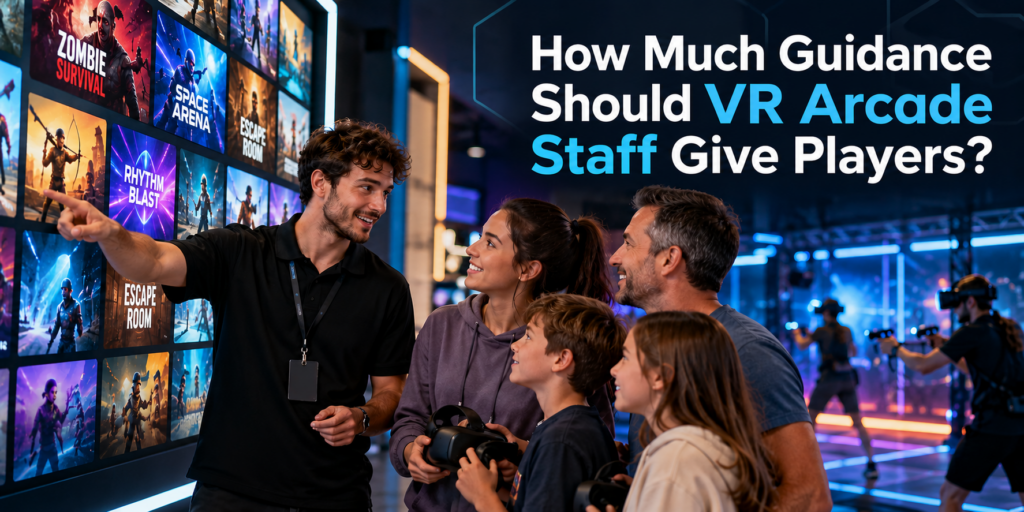
A strong VR content library gives customers choice, but choice alone does not guarantee a good experience. Staff still need to understand who an experience is for, how it starts, what players need to know before putting on the headset, and when they may need help. That makes staff guidance an important part of running a VR arcade, particularly for first-time visitors who have little idea what to choose or what to expect. Why VR Players Need More Guidance Than They May Realize Experienced VR players may arrive knowing exactly what they want. Many customers do not. A family with children, a birthday group, two adults trying VR for the first time and a group of experienced gamers can all walk into the same venue with very different expectations. Asking them to browse a large game library without guidance puts much of the decision on the customer. The goal is not to make the decision for the customer. It is to turn a potentially overwhelming library into a manageable set of experiences that fit the group. Staff Should Know the Content They Are Offering This was one of the interesting issues raised in our recent conversations with VR arcade operators. Adding an experience to the library and waiting to see whether customers play it provides limited information about whether the content itself is working. A game may receive little play because customers cannot tell what it is from the title or thumbnail. Staff may rarely recommend it. Players may start it without understanding the objective. A group may choose something poorly suited to its size or experience level. The operator can then conclude that customers simply do not like the game. That conclusion may be wrong. Before staff recommend an experience, they should ideally know: What is the experience about?Staff should be able to explain the basic premise in one or two sentences. Who is it suitable for?Consider age, VR experience, group size, physical intensity and genre. How does the experience begin?Some games are immediately intuitive. Others require players to understand controls, roles or objectives before the session starts. What commonly causes players difficulty?Knowing where people tend to get stuck allows staff to intervene quickly instead of leaving players frustrated. What hardware and play space does it require?A recommendation still has to work with the venue’s available setup. This is one reason properly testing VR arcade games before adding them to the active library matters. Staff who have actually played an experience can explain it much more naturally than staff working from a title and description alone. Guidance Starts Before the Headset Goes On Some of the most useful guidance happens before gameplay begins. A good introduction does not need to become a five-minute tutorial. In many cases, players only need a few pieces of information: What am I trying to do?Give the player the objective. What do I need to know to get started?Explain the essential controls or interaction. What should I expect?If players will move between stages, communicate with teammates, physically turn around or encounter something intense, tell them beforehand. This is especially important with first-time VR users. They are learning the game and learning how to interact in VR at the same time. Giving them the right information before the session can reduce confusion once the headset is on. During the Game, Help Without Taking Over There is another extreme operators should avoid: over-guiding. A puzzle is less satisfying if a staff member immediately gives away the solution. Exploration loses its appeal if someone constantly tells players where to go. Experienced players may want very little assistance. The best level of support therefore changes with the player and the experience. Staff should know when a player is discovering and when a player is simply stuck. Someone experimenting with different solutions may be enjoying the game exactly as intended. Someone repeating the same failed interaction for several minutes may need a small prompt. Start with the least intrusive intervention: Prompt → hint → explanation → direct assistance That preserves player agency while preventing frustration from consuming a large part of a paid session. Technical Problems Need Fast Intervention Gameplay guidance and technical support are different. If tracking fails, a controller disconnects, a headset loses connection or the game does not progress correctly, waiting for the player to solve the problem wastes session time. Staff need enough familiarity with both the content and the venue setup to recognize when the problem is technical. This becomes particularly important during busy periods. A problem that takes an experienced staff member 30 seconds to identify can consume several minutes when the person supervising the session does not know what normal gameplay should look like. Knowing the game is therefore part of troubleshooting it. Better Recommendations Can Improve Content Utilization Staff knowledge also affects which games get played. Imagine a venue has 40 experiences available, but employees confidently recommend only five because those are the games they know best. From the customer’s perspective, the venue effectively has a five-game library. The remaining content may be technically available, but it is doing little work for the business. Training staff across a carefully selected range of experiences can help venues make better use of the content they already license. It also gives operators better information when deciding what to keep, rotate or replace. Instead of asking only: “How often was this game launched?” operators can also ask: “Did we recommend it to the right customers?” That is a much more useful question when evaluating content performance. Build a Simple Content Knowledge System for Staff Staff do not need to memorize every detail of every game. A simple internal reference can make recommendations much easier. For each active experience, record: This also makes onboarding new employees easier. Rather than expecting them to learn an entire commercial VR library at once, operators can establish a core group of experiences every staff member should know well and expand from there. Let Your VR Management System Handle the
How Should VR Arcade Operators Test Games Before Offering Them to Customers?
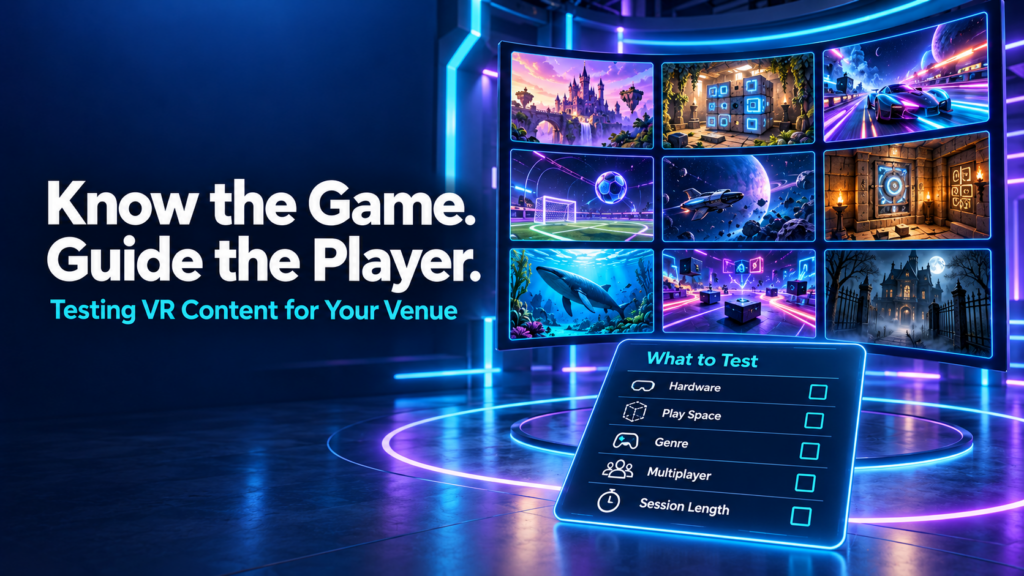
A new VR game appears in the library. The trailer looks promising, the hardware seems compatible, and a free trial makes it easy to give it a go. The venue adds it to the menu and waits to see whether customers choose it. When few people play, the decision can seem straightforward: this game does not work for our audience. But that conclusion leaves several questions unanswered. Did staff play it themselves? Could they explain what players would do? Did the right groups try it? Did those groups get into multiplayer smoothly and understand the objective? VR arcade operators should test games on their actual venue setup, learn the experience well enough to guide customers, and evaluate it with suitable player groups before deciding whether to keep it. A useful trial covers compatibility, launch procedures, gameplay, session fit, recovery, and customer response. Why knowing your VR content library matters During our September 29 Arcades of the Roundtable conversation, operators discussed how they discover content, why some trials do not lead to regular use, and what makes an experience practical to offer. Fast multiplayer startup, session length, customer guidance, and hardware compatibility all featured in the discussion. Several participants described actively recommending experiences based on customers’ interests. That approach depends on staff understanding the library beyond its titles and promotional images. A customer asking for an adventure might want a cooperative puzzle, a story-driven journey, or a physically active challenge. A group asking for something scary might enjoy suspense but dislike intense combat. Knowing the difference helps staff make a recommendation the group can trust. It also helps operators interpret feedback. A player who never understood the controls has experienced a different problem from someone who understood the game and disliked its mechanics. Both responses matter, but they require different decisions. Start with compatibility on your actual venue setup Before putting customers into a trial, check the title’s current commercial listing and setup documentation. Confirm the supported platform, headset, controllers, play-space requirements, player count, and network requirements. A game running on a standalone headset does not automatically support free-roam play. Multiplayer availability does not automatically mean offline or local-network multiplayer. Confirm the specific mode you intend to sell. Test the experience on the equipment and configuration customers will use. A successful launch on one headset tells you little about whether a full group can join and play together. Check commercial licensing availability and the conditions of the trial, too. Consumer availability alone does not establish that a title is ready for paid use in your venue. If a requirement is unclear, resolve it with the platform or developer before evaluating customer demand. Otherwise, an unsuitable configuration can become mistaken evidence that the content itself is poor. Play enough to understand what you are recommending Launching a game and trying its opening scene gives staff a limited view of the experience. For a finite story or escape game, someone on the team should work through the complete experience where practical. They need to understand progression, completion, common sticking points, and what happens at the end. Other team members can learn through supervised play and a shared guide. For an open-ended shooter, sports title, or replayable competition, test representative modes and complete rounds. Learn how scoring, difficulty, replay, and restarting work. Staff should be able to answer a customer’s basic questions: What will we do? Are we playing together or against each other? How demanding is it? Can beginners join? Does everyone need to understand written or spoken instructions? Follow the title’s documented eligibility and safety requirements when assessing audience fit. Then consider practical factors such as language, comfort with movement, puzzle complexity, and the amount of guidance a group may need. This knowledge makes the game easier to explain and helps staff recognise when customers are confused. Rehearse the multiplayer launch and recovery process An experience can be enjoyable once it starts and still create problems during a busy shift. Run through the full sequence from prepared equipment to a group playing together. Identify who creates the session, how others join, which settings need to match, and whether staff must complete any steps inside individual headsets. Repeat that process with another staff member following your instructions. If they need the original tester beside them throughout, the launch procedure needs more work. Also practise the recovery options documented for the title. Find out what happens when a player disconnects, a controller loses connection, or a session needs restarting. Can someone rejoin? Does progress remain? Which problems require support? Keep a short record of the steps staff can safely take and when they should escalate. Avoid experimenting with unfamiliar settings while a paying group waits. In the Roundtable discussion, operators highlighted the importance of getting customers into multiplayer without lengthy technical struggles. Testing the launch sequence gives teams a chance to find those difficulties before they affect a booking. Check how the game fits the session you sell Game duration and booked session duration are different measurements. Your booking may need to accommodate fitting equipment, a briefing, joining multiplayer, gameplay, and whatever transition your venue includes. Measure those stages during testing rather than relying solely on a listed playtime. Some Roundtable participants offering hour-long sessions described difficulties fitting short experiences into their existing flow. That is useful evidence about their operating models, rather than a reason to reject every short game. A shorter title might work as a complete attraction, a replayable competition, or one part of a multi-experience package. Consider whether the transition into the next activity is practical and whether customers understand what they are buying. Lobbies deserve attention as well. Participants described interactive waiting spaces that let players socialise or explore while the group gets ready. During your own test, check what early arrivals can do, how staff move everyone into the game, and whether the waiting environment suits the group. The question is whether your venue can deliver a coherent visit using the experience. Give customers enough guidance to
How Much Software Does a VR Arcade Actually Need?
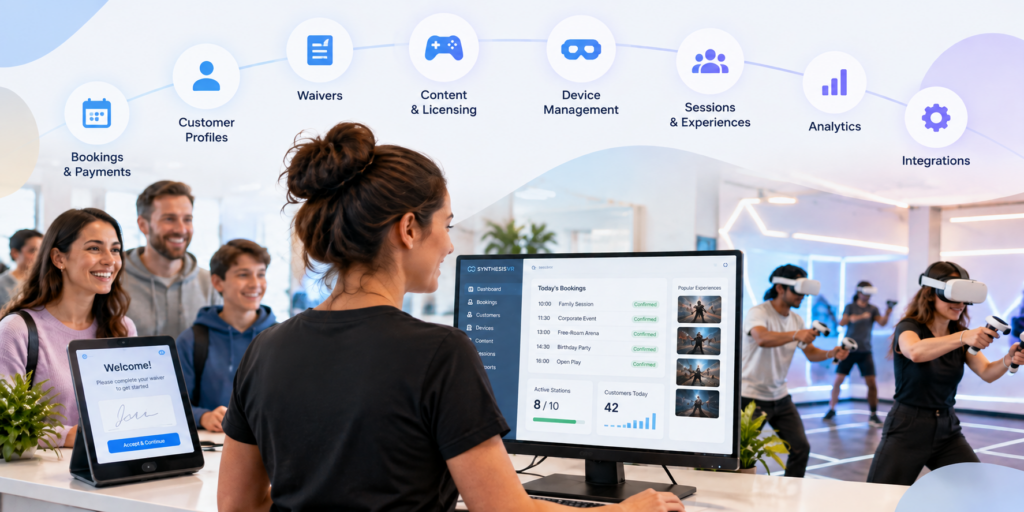
Running a VR arcade involves much more than launching games. Before a customer even puts on a headset, someone may need to manage the booking, check availability, collect payment, confirm a waiver and connect the visit to a customer profile. Once they arrive, staff still need to prepare stations, launch the right experiences, manage session time and keep track of commercially licensed content. After the session, there may be feedback to collect, customer history to maintain, memberships to manage and operational data to review. It is easy for each of those jobs to become a separate piece of software. But does a VR arcade actually need that many systems? For many venues, the answer is no. A dedicated VR arcade management platform can bring much of the customer journey and day-to-day operation into one environment, while still connecting to specialist tools when they are genuinely needed. That is the approach behind SynthesisVR. What does VR arcade management software actually manage? VR arcade management software connects the operational parts of running a commercial VR venue. With SynthesisVR, operators can manage VR devices, content, customers, reservations and commercial licensing within the same ecosystem. Depending on the setup and modules a venue chooses, the platform can also support online bookings and payments, waivers, memberships, gift vouchers, customer feedback, analytics and third-party integrations. That distinction matters. The objective is not to replace every piece of business software a venue could possibly use. An operator may still want dedicated accounting, payroll, advanced marketing automation or other specialist systems. The more useful question is how many separate systems staff need to move between simply to run a VR session and manage the customer around it. For many venues, that number can be considerably smaller than expected. Start before the customer reaches the venue A large part of venue management happens before someone walks through the door. With the SynthesisVR Booking Widget, customers can see available times and experiences, select session duration and station requirements, and create a reservation directly from a venue’s website. Operators can configure booking rules, available days and other conditions around how those reservations work. Online payment can also form part of that process. Operators can connect supported payment providers, require deposits, take payment during booking or allow customers to pay at the venue. The widget can also collect additional customer information and present booking confirmation requirements. A waiver can be incorporated into the booking process as well. For the operator, the important part is what happens behind the customer-facing page: the reservation is being created within the same operational environment used to manage the venue. Related resource: SynthesisVR Booking Widget Setup Customer information does not have to live in another system A booking is more useful when it is connected to a customer rather than existing as an isolated calendar entry. SynthesisVR’s customer management tools allow venues to maintain customer profiles and connect those profiles with operational information. Operators can view registered customers, reservation and session history, membership status, waiver status and account balances. Profiles can also contain additional information and internal notes. This becomes increasingly useful as a venue develops repeat customers. Instead of treating every visit as if the guest has never been there before, staff have a record connected to the same system being used to manage their sessions. This is not intended to replace every function of a specialist CRM. For venues that need broader email marketing or automation, SynthesisVR supports integrations with tools such as MailChimp and ActiveCampaign. The difference is that core customer information does not have to be separated from the VR operation itself. From reservation to VR session This is where a general booking system and software built specifically for location-based VR begin to differ. A standard reservation platform can tell staff that six people are arriving at 3:00 PM. A VR management system also has to deal with what happens next. Which stations will they use? Which experience are they playing? How long is the session? What content needs to be available? Is the customer’s waiver complete? What has been assigned to the reservation? SynthesisVR connects reservations with the operational side of the session, allowing staff to manage the customer and the VR experience from the same environment. For a quiet venue with only a few headsets, moving between systems may initially seem manageable. As bookings overlap, group sizes grow or a venue adds more stations and attraction types, those extra steps become much more noticeable. The goal of consolidation is not simply having fewer browser tabs open. It is reducing the number of manual handoffs required to get a customer from booking to play. Managing the headsets is part of managing the business VR hardware creates another layer that conventional booking software does not address. SynthesisVR provides centralized device and station management, giving operators control over the hardware used across the venue. It also offers the Smart In-Headset Game Launcher. Players can browse and switch between available games from inside the headset, with features including game categories, trailers, pause controls and a call-for-help option. That can change the role of venue staff. Instead of needing to manually intervene every time a customer wants to browse or change an experience, some of that interaction can happen inside the headset. Staff remain available when customers need help, but they do not necessarily need to perform every routine action for them. For a commercial venue, that distinction becomes increasingly important as the number of active stations grows. Content management and commercial licensing belong in the same conversation A VR arcade does not only need games. It needs the right to use those games commercially. Consumer VR licenses are generally intended for personal use rather than a business charging customers to play. Commercial venues therefore need content that is properly licensed for location-based entertainment. SynthesisVR combines content discovery and commercial licensing with the management platform. Operators can test, license, install and manage commercial VR content through the SynthesisVR ecosystem, with usage tracking built into the
How Long Should a VR Arcade Session Be?
There is no standard VR arcade session length. Commercial VR experiences currently range from a few minutes for fast competitive rounds to 30 or 45 minutes for free-roam missions and narrative experiences. Some venues then add another 10 to 15 minutes for briefing, headset fitting, and preparation. For an operator, the useful question is therefore: How much gameplay creates a satisfying experience while still fitting the attraction, audience, booking schedule, and operating model? The answer starts by separating three different clocks that often get grouped together as “session length.” Gameplay Time, Booking Time, and Operating Time Are Different A customer might book 30 minutes of VR, but the attraction can occupy venue capacity for much longer. Consider the full cycle: Briefing and fitting → Launch → Gameplay → Exit → Reset If guests play for 30 minutes, need 10 minutes for preparation, and staff need another 5 minutes before the next group, the attraction occupies a 45-minute operating block. That distinction matters because the game duration does not determine how many sessions a venue can actually run. The previous SynthesisVR guide on VR attraction performance looked at this from the measurement side. A nominal 30-minute attraction can become a 40-minute or 45-minute cycle once onboarding, launch, and reset enter the calculation. For session planning, operators should define three times clearly: Time What it measures Gameplay time Minutes the customer actively spends inside the experience Guest booking time The time the customer should allow for the booked activity Operating cycle Time from preparing one group until the attraction is ready for the next Commercial VR Already Uses Very Different Session Lengths Current commercial VR formats show why one universal session duration would make little sense. Some HOLOGATE arena titles support playtimes as short as 3, 5, 8, or 10 minutes. SynthesisVR marketplace title Critical Mass lists an approximate session duration of 10 to 15 minutes. Teller Falls can run individual themes in roughly 10 to 15 minutes or its complete experience in 25 to 30 minutes. At the other end, Zero Latency offers formats built around 15- and 30-minute sessions and currently offers some experiences in 30- and 45-minute versions. VR escape venues commonly advertise around 40 to 45 minutes of actual play, with preparation extending the complete visit toward an hour. The range reflects different products. A five-minute competitive match can produce a complete result, a winner, and an immediate rematch. A 30-minute cooperative mission needs enough time for the group to progress through the experience. An escape-style attraction needs time for exploration, puzzles, and narrative development. The operator should start with what the experience needs to feel complete, then build the commercial session around it. Match Session Length to the Experience Structure Session duration works best when it follows the natural rhythm of the content. Fast competitive games often lend themselves to shorter rounds because the outcome arrives quickly. Scores, wins, losses, and leaderboards create natural stopping points. Customers can play again without repeating a long introduction. Cooperative shooters and free-roam missions usually need more time to establish the objective, let the team settle into its roles, and give players a meaningful progression. Narrative and escape experiences generally need longer uninterrupted periods because their value comes partly from completing a story or solving a sequence of challenges. That does not mean every competitive game should run for ten minutes or every escape game should run for 45. The current commercial market already contains plenty of exceptions. A better operator question is: At what point does this specific experience feel finished rather than cut short? That becomes the starting duration to test. Shorter Sessions Do Not Automatically Mean Better Throughput Short sessions create more theoretical booking slots, but every session carries some fixed operational time. Imagine two formats. Format A 15 minutes gameplay10 minutes briefing and fitting5 minutes reset 30-minute total cycle Format B 30 minutes gameplay10 minutes briefing and fitting5 minutes reset 45-minute total cycle Format A can theoretically complete two cycles per hour. Format B completes around 1.3. But look at the same example from the customer’s side. In Format A, only 50% of the attraction cycle is gameplay. In Format B, gameplay accounts for roughly 67% of the cycle. That gives operators a useful planning calculation: Playable-Time Ratio Gameplay time ÷ full operating cycle × 100 This is not an established industry KPI. It is a simple planning measure that helps show how much of each operating block goes toward the experience customers actually came to play. The highest ratio does not automatically produce the best business model either. A short competitive attraction can work extremely well when customers replay it, groups move through quickly, or the format supports walk-ins. A longer session may suit private bookings or premium experiences. The calculation simply exposes the tradeoff. Longer Sessions Have Their Own Limits Adding more gameplay time can increase perceived value, but only while the experience continues to hold the player’s attention and comfort. VR research does not support one universal maximum session duration. Exposure time interacts with content, locomotion, software design, and individual susceptibility. Research into cybersickness has found substantial variation between users and between different types of VR content. For an arcade operator, that makes observation more useful than adopting a generic rule. Watch when customers naturally want to stop. Track early exits. Listen for complaints about fatigue or discomfort. Compare first-time visitors with experienced players. An intense free-movement shooter and a calm exploration experience can place very different demands on players over the same 30 minutes. Group Size Changes the Session Before Gameplay Even Begins Session length should also be tested with the group size the venue actually expects to serve. Preparing two experienced players can take very little time. Preparing six or eight first-time visitors may involve headset assignment, fitting, player identification, explanation, calibration, multiplayer connection, and questions from several people at once. The SynthesisVR multiplayer guide makes this operational difference clear: even a small repeated step can become several minutes of preparation
How VR Arcades and FECs Can Plan Their Seasonal Marketing Calendar
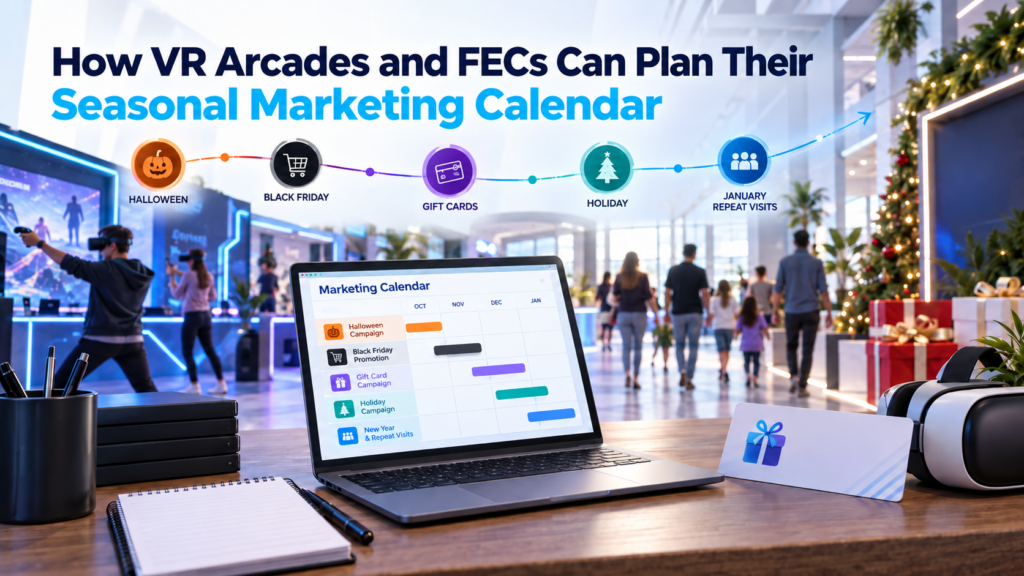
Seasonal marketing for VR arcades works best when the calendar tells the team more than what to post next. A useful seasonal marketing calendar should show who the venue wants to reach, what behavior the campaign should create, which offer fits that audience, how operations will deliver it, and what should happen after the visit. That matters because Halloween, Black Friday, Christmas, school breaks, corporate party season, and January do not create the same type of demand. A campaign that works for families during a school holiday may have little relevance to a corporate organizer planning a December event or somebody buying a VR experience as a Christmas gift. For VR arcades and family entertainment centers, there is another layer. The experience itself can change. Operators can rotate content, feature different multiplayer experiences, build seasonal packages, run competitions, and adapt the attraction mix without rebuilding the venue around every campaign. The result is a marketing calendar that connects customer demand with what the venue can actually deliver. Start with the moments that change customer behavior A seasonal calendar does not have to begin with a list of holidays. Start with the periods when the behavior of your customers changes. School breaks create family availability. Halloween creates demand for themed entertainment. November introduces holiday shopping and Black Friday. December can bring corporate parties, gift buying, visiting families, and school vacations. January may bring quieter general traffic alongside customers redeeming gifts they received during the holidays. Even the customer’s planning window can begin surprisingly early. The National Retail Federation reported that by early August 2026, one-quarter of consumers surveyed had already purchased at least one Halloween item. (National Retail Federation) For a physical entertainment venue, the relevant calendar also depends on its local market. A tourist destination, suburban family entertainment center, university-town arcade, and city-center VR venue can experience very different demand patterns. Bob Phibbs, The Retail Doctor, makes a related point in his guidance for seasonal brick-and-mortar businesses: seasonal demand is often connected to the occasion behind the purchase, including gifting and travel, rather than simply the date printed on the calendar. (Retail Doc) Before filling the calendar with promotions, operators should therefore ask: What changes in our customers’ lives during this period that gives them a reason to visit us? That question usually produces a better campaign than beginning with, “What should we post for Halloween?” Give every seasonal campaign one commercial job Seasonality creates attention. The venue still needs to decide what it wants that attention to accomplish. A Halloween campaign might exist to increase evening bookings among teens and young adults. A corporate Christmas campaign could target higher-value group reservations. A Black Friday offer might generate advance revenue through gift cards. A January campaign could encourage people who visited or received a gift during December to come back. This connects with the pricing framework we explored in our guide to VR arcade session prices, packages, and promotions. A promotion works better when the operator defines the behavior it should create before choosing the discount or package. A simple seasonal campaign might therefore have a goal such as: This also makes measurement easier. The operator already knows what success should look like before the campaign launches. Build each promotion around four connected layers A practical way to plan each seasonal campaign is what we can call the Seasonal Campaign Stack. Every campaign needs four layers: Demand: Who has a reason to visit during this period? Offer: What gives that customer a clear reason to book? Delivery: Can the venue reliably provide the experience being promoted? Follow-up: What should happen after that visit? Consider Halloween. Demand might come from friend groups, families, teenagers, or adults looking for something different to do around October 31. The offer could be a horror VR package, competitive Halloween night, family-friendly spooky session, or themed free-roam experience. Delivery means checking the content, licensing, player capacity, session length, staff briefing, booking flow, and hardware before the promotion goes live. Follow-up could move those customers toward a November event, Christmas gift card, new multiplayer experience, or another reason to return. We covered the package-building side in more depth in How to Build Halloween VR Arcade Packages for Different Audiences. The same four questions can then be reused for Black Friday, Christmas, Valentine’s Day, spring break, summer, back-to-school season, and local events. Choose the audience before choosing the message A venue may have several very different audiences inside the same customer database. A birthday parent, local teenager, tourist, corporate organizer, repeat player, and someone who bought a gift card are all customers. Their reasons for booking are completely different. This is especially important for email marketing. Neil Patel’s current guidance on email personalization emphasizes behavioral and transaction data rather than relying only on basic personalization such as a customer’s name. Segmentation can use previous purchases, engagement, location, behavior, and customer lifecycle stage to make the message more relevant. (Neil Patel) For an entertainment venue, that might mean: We explored this segmentation further in How VR Entertainment Venues Turn First-Time Visitors Into Repeat Customers. This is also why the seasonal calendar and the email calendar should eventually connect. Wednesday’s deeper email-marketing article can build on this part without repeating the whole seasonal strategy. Plan the content calendar with the marketing calendar This is where VR venues have an advantage over many traditional brick-and-mortar businesses. The building may stay exactly the same while the experience customers come to play changes. A horror title can move into the spotlight for Halloween. Competitive multiplayer can support a tournament or social event. Family-friendly experiences can lead during school breaks. Cooperative content may fit corporate or group campaigns. That means operators can plan what they promote and what customers will play at the same time. Our guide to VR arcade content rotation looks at this in more detail. Rotation does not always require licensing something new. Operators can feature an existing title, introduce a leaderboard, run a challenge, change staff recommendations, or bring
3 Spooky VR Games for Arcades to Feature This Fall
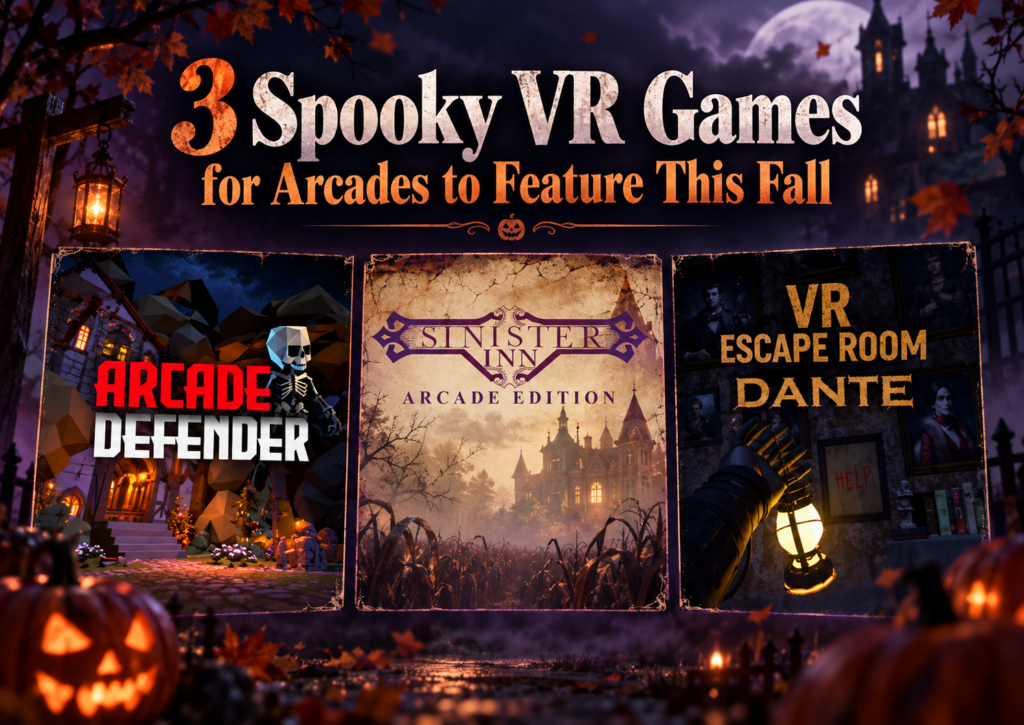
Spooky VR games for arcades can fill very different roles in a fall content lineup. One venue may need something light enough for families and mixed groups, while another wants a longer haunted escape experience or a quick scare that fits between other attractions. That variety matters as fall events, Halloween bookings, student outings, and group visits begin to pick up. Instead of building the whole seasonal offer around one type of horror experience, operators can choose content that fits different audiences, session lengths, hardware setups, and available play space. We recently looked at three very different options available through SynthesisVR: Arcade Defender, VR Escape Room: Dante – Haunted House, and Sinister Inn. Together, they show how broad the “spooky VR” category can be. If you are already planning a larger seasonal promotion, our guide to building Halloween VR arcade packages covers timing, audience segmentation, packaging, and promotion. Here, we are going deeper into the games themselves. Game Players Session Hardware Format Suggested Fit Arcade Defender 1–8 Adjustable PICO, Quest Free-roam Families, teens, mixed groups VR Escape Room: Dante – Haunted House 2–6 30–40 min PCVR, Standalone Free-roam and Room Scale Friends, older groups, escape room fans Sinister Inn 1 3 min PICO, Quest, Focus 3 / Vision Free-roam walkthrough Short horror attraction, add-on experience Arcade Defender: A Lighter Spooky Option for Larger Groups A fall attraction does not always need to be genuinely frightening. For venues serving families, younger teens, birthday groups, and mixed-age visitors, lighter seasonal content can often fit more bookings. Arcade Defender takes that route. Players defend a village from waves of small monsters as they try to make it through the night. The theme stays spooky enough for the season while keeping the presentation accessible, with a suggested age of 12+. Operationally, the flexibility is one of its strongest points. Arcade Defender supports 1 to 8 players, runs on PICO and Quest, and uses an adaptive free-roam area with a maximum size of 10 × 10 meters, or 32.8 × 32.8 feet. Playtime can also be adjusted. That combination gives operators room to use the title in different ways. A smaller group can play without needing to fill every available headset, while a larger booking can turn it into a shared attraction. Adjustable playtime can also help when operators are building the game into a wider package rather than selling it as the entire visit. The title requires an internet connection and uses a standalone game server. For venues already operating standalone free-roam VR, that makes the hardware fit particularly relevant. There is also a Game Community available for Arcade Defender. Operators considering the experience can use that space to share feedback and learn from other venues running the title. Where Arcade Defender fits this fall Arcade Defender makes sense when a venue wants seasonal atmosphere without limiting the audience to dedicated horror fans. It could sit comfortably inside a family Halloween package, an after-school promotion, or a fall group offer where some guests may enjoy spooky themes but have little interest in intense horror. Its group capacity also makes it the broadest option of the three titles in this article. VR Escape Room: Dante – Haunted House for a Longer Group Session Some groups want more than a seasonal backdrop. They want to enter the haunted house, explore it together, solve problems, and stay in that world for most of their booking. VR Escape Room: Dante – Haunted House moves much closer to that type of experience. Dante supports 2 to 6 players and runs for approximately 30 to 40 minutes, giving operators a full-length cooperative VR escape room rather than a quick seasonal add-on. The experience supports both PCVR and standalone hardware. Venues can run it in a 5 × 5 meter free-roam area, equivalent to 16.4 × 16.4 feet, and it is also available in a room-scale configuration. That flexibility is useful because the experience does not depend on one venue layout. An operator running a dedicated free-roam area can use the larger physical format, while another location may have a room-scale setup that better fits its existing floor plan. The longer session also changes how a venue might sell it. A 30 to 40 minute haunted escape can form the main attraction in a booking. That makes it particularly relevant for groups of friends, older teens, adult social bookings, couples, and customers who already understand the appeal of escape rooms. The cooperative format gives guests something to focus on together throughout the session. Horror provides the atmosphere, while the escape room structure gives the group a shared objective. Dante requires an internet connection and supports a standalone game server. Its SynthesisVR listing also includes access to a Game Community, giving operators another place to compare experiences and share practical feedback. A natural crossover between VR arcades and escape rooms Dante also gives venues a useful marketing angle outside Halloween itself. “Haunted VR escape room” communicates the experience more clearly to a local audience than a game title alone. Customers already understand what an escape room is, and the haunted-house theme adds a seasonal reason to try it during fall. That makes Dante useful well beyond a single Halloween weekend. Operators can promote it throughout September and October, then keep it available for customers who actively look for horror or escape room content later in the year. Sinister Inn: Three Minutes, No Controllers, Just Keep Walking Sinister Inn takes the haunted-house idea in a completely different direction. The entire experience lasts three minutes. There are no controllers to learn and no puzzles to solve. A player physically walks through the halls of the Sinister Inn and experiences what happens along the way. That simplicity is central to the attraction. The inn belongs to Isabelle H. Minister, whose spirit has become intertwined with the property. The player enters alone and follows the route through the building, with the experience built around movement, atmosphere, anticipation, and the question of what might appear around
How Do You Measure VR Attraction Performance?
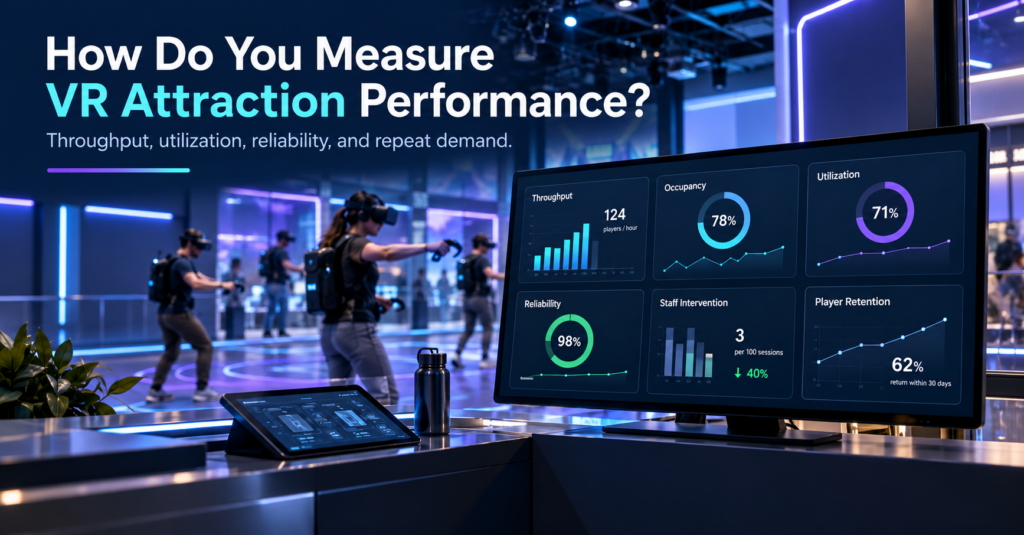
A VR attraction can stay busy and still leave capacity on the table. Two experiences might generate a similar number of bookings over a weekend, yet perform very differently once you look beyond sales. One may start reliably, fill most available player positions, move groups through on schedule, and need little staff attention. The other may lose time through slow launches, partial groups, resets, troubleshooting, or interrupted sessions. For a commercial VR venue, that difference matters. Measuring VR attraction performance means looking at how effectively an attraction turns available time, space, hardware, staff attention, and customer demand into completed guest experiences. Revenue still matters, but it makes much more sense when viewed alongside occupancy, throughput, reliability, operational friction, and repeat demand. A useful way to think about the attraction is as a sequence: Demand → Occupancy → Throughput → Friction → Reliability → Labor → Retention Once those pieces are measured together, the numbers begin to explain why an attraction performs the way it does. Maximum Capacity Is Only the Starting Point Maximum player count tells you how many people an attraction can support under the right conditions. It says much less about how that attraction actually operates during a normal week. Take an eight-player free-roam experience. One venue may regularly fill seven or eight positions, while another mostly runs groups of four or five. Both technically operate an eight-player attraction, but their utilization looks very different. A simple occupancy calculation gives that distinction some structure: Average occupancy = players served ÷ available player slots If an eight-player attraction runs 100 sessions, it offers 800 possible player positions. Serving 520 guests across those sessions gives an average occupancy of 65%. That number helps when comparing attractions with different group sizes, but it still leaves out one important factor: time. An attraction can fill well and still process groups slowly. Related reading: How Many Players Should a VR Attraction Support? Measure Completed Players, Not Just Sessions Launched For many VR venues, practical throughput is more useful than maximum capacity. The calculation is straightforward: Practical throughput = completed players ÷ operating hours The important word here is completed. A free-roam attraction may theoretically support eight players every 30 minutes, which suggests a capacity of 16 players per hour. In a live venue, those 30 minutes sit inside a larger operating cycle. Guests need to arrive, understand the experience, receive their headsets, enter the session, play, exit, and make room for the next group. A five-minute delay before launch and another five minutes during reset turns a 30-minute experience into a 40-minute operating block. Over a full day, the gap between theoretical throughput and actual throughput can become significant. This is particularly visible during birthday parties, school visits, corporate groups, and busy weekend periods because one late session can begin pushing the rest of the schedule behind it. The useful question is therefore less about how long the game lasts and more about how long the attraction occupies venue capacity from one group to the next. A venue that wants to understand that cycle can break it into onboarding, launch, gameplay, reset, and recovery time. Those measurements quickly show where minutes begin to disappear. Where Do the Lost Minutes Go? Commercial VR attractions depend on more than the game itself. A session may involve standalone or PCVR headsets, local networking, tracking, commercial licensing, multiplayer synchronization, venue infrastructure, operator settings, and staff workflows. That means a delay can originate at several points in the session. A headset may require attention before launch. A multiplayer group may need to reconnect. Staff may need to correct a session configuration, restart an experience, confirm a tracking state, or recover a device before the next booking. On their own, these events may seem small. The operational effect becomes clearer when they are measured in the context of the group. Instead of simply recording that an issue occurred, record how much time it consumed, how many players it affected, whether the session finished, and whether staff had to intervene. That turns technical events into usable business information. Player-Minutes Lost Gives Downtime More Context One useful way to measure disruption in multiplayer VR is through player-minutes lost. The formula is: Player-minutes lost = disruption time × affected players Suppose one headset needs six minutes of attention. One player loses six minutes. An eight-player arena experiencing a six-minute group-wide delay loses 48 player-minutes. The clock shows the same six-minute interruption in both situations. The commercial effect is very different. This matters because attraction problems do not all have the same scope. Some affect one headset. Others affect part of a multiplayer group. A network, server, tracking, or shared-session issue may hold up the entire attraction. Looking at player-minutes lost gives operators a more realistic way to compare those incidents. Measure the Blast Radius, Not Just the Number of Incidents A simple incident count can be misleading. Ten small interventions affecting one headset are not necessarily more damaging than two interruptions that stop an entire free-roam session during peak hours. For that reason, it helps to classify problems according to their operational scope: one device, several players, or the whole attraction. This is where the idea of a blast radius becomes useful. It describes how far the consequences of an issue spread through the booked session. A single tracking prompt might delay one player briefly. A multiplayer state problem could hold up several people. A network or server-level problem may stop the entire experience until staff resolve it. From an operator’s perspective, those are different levels of risk even if each event appears as a single support case. What Recent Operator Support Conversations Show Support conversations offer an interesting view into attraction performance because they reveal where operators spend time while setting up, maintaining, and running commercial VR. For this article, we reviewed a sample of recent SynthesisVR operator support threads and grouped them by the type of operational question involved. These figures describe the reviewed support sample only. They are
Is Your VR Venue Ready to Add Another Attraction?
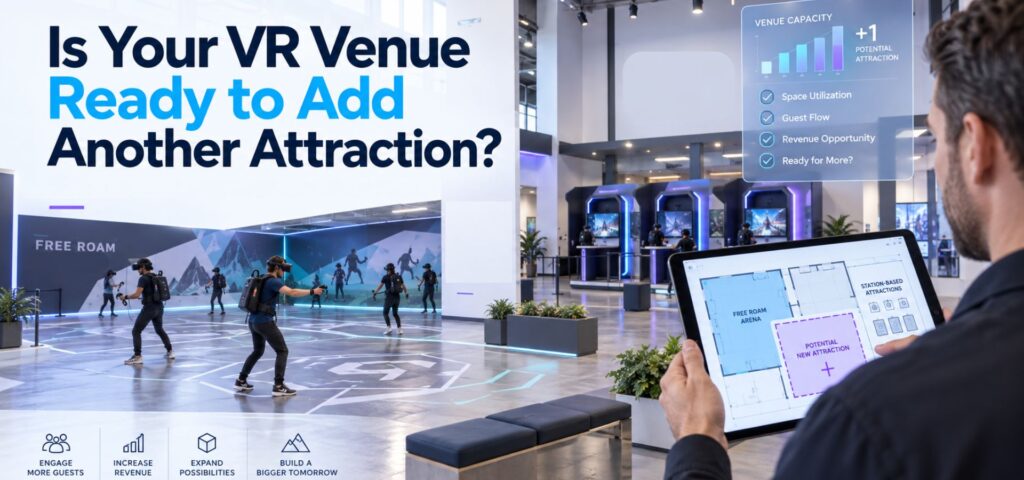
Adding another attraction can feel like the obvious next step when a VR venue starts getting busier. Perhaps weekend slots are filling consistently. Birthday groups are getting larger. Customers are asking for more variety. There may be unused floor space that could support another free-roam arena, a few standalone stations, or a different type of multiplayer experience. The question is whether the venue actually needs more capacity yet. Adding hardware increases the number of experiences a venue can sell, but it also adds another schedule, another set of devices, more content decisions, additional staff responsibilities, and another attraction that needs to earn its place on the floor. Before expanding, operators should look at what their current setup is already telling them. Start With the Capacity You Already Have A busy Saturday does not necessarily mean an attraction has reached its capacity. Look at utilization across the full week. An eight-player arena that regularly fills during birthday bookings may still spend large parts of weekday afternoons unused. A venue with several room-scale stations may appear busy because customers arrive continuously, while individual stations remain empty between bookings. That distinction matters because expansion solves a capacity problem. It does much less for a demand problem. Our guide to How Many Players Should a VR Attraction Support? looks at this from the booking-model side. Eight simultaneous players can mean one eight-player arena, two four-player experiences, or several smaller attractions. The useful capacity depends on the way customers actually book. Identify the Booking the Current Venue Cannot Serve The strongest reason to add another attraction is usually a specific booking opportunity. For example, a four-player setup may work well for walk-ins but become difficult when birthday groups regularly arrive with eight or twelve guests. A free-roam arena may handle large social groups well while leaving couples and smaller groups with limited options. The gap could also be demographic. A venue with mostly competitive shooters might receive regular family traffic without enough suitable content. Another location may serve casual players well but lack an attraction strong enough for repeat visits from experienced groups. Before expanding, define the gap clearly: Which customer or booking type could we serve better if this attraction existed? That question is more useful than asking whether a new attraction looks impressive. We recently explored the same principle from the content side in How to Choose VR Arcade Games for Different Customer Groups. Hardware, space, group size, staff workflow, and audience fit all affect whether an experience works commercially. Check Whether More Capacity Creates More Throughput The theoretical capacity of an attraction and the number of sessions staff can actually deliver are rarely identical. Suppose a venue adds a second multiplayer attraction. That may allow two groups to play at once. It may also mean staff now need to: If the existing team already struggles during back-to-back bookings, another attraction can increase pressure without creating the expected number of additional sellable sessions. This is why throughput belongs in the expansion calculation. The VR Arcade Business Plan guide uses a simple starting model: available sessions × average players per session × realistic utilization × average revenue per player The important word is realistic. Session capacity has to account for onboarding, resets, maintenance, delays, and staff workload rather than relying on the maximum number printed on the attraction specification. Watch What Happens During Your Busiest Hour Peak periods often reveal more than weekly revenue totals. Observe one genuinely busy hour at the venue. Where does the line form? Is staff waiting for headsets to become available? Are customers waiting for a play space, or are they waiting for an employee to launch the experience? Does one attraction finish while another group is still being prepared? Are staff moving between several systems to check bookings, launch content, or resolve device problems? These observations help distinguish between a physical capacity constraint and an operational constraint. That matters because adding another attraction only directly fixes the first one. The wider attractions industry sees the same issue. IAAPA’s recent guidance for FEC operators describes how multiple attractions, staff roles, and guest touchpoints can allow small operational problems to compound quickly. That is useful context for VR venues because expansion usually increases coordination before it increases complexity anywhere else. Make Sure the New Attraction Adds Something to the Mix Another attraction should have a role. It might increase capacity for large parties. It might create a lower-cost option for couples and small groups. It could introduce cooperative content alongside an existing competitive offer. It may give families something accessible while older visitors use a more intense free-roam experience. Or it could make an underused part of the building commercially productive. The risk is adding an attraction that competes with the venue’s existing offer for the same customers. If two attractions target the same audience, group size, price range, and occasion, operators may simply divide existing demand between them. A useful attraction mix gives customers different reasons to book. Our article on VR arcade content rotation makes a related point: customer behavior should drive changes to the lineup. Operators can look at selection frequency, repeat requests, operational friction, and audience gaps before deciding what belongs in the mix. Calculate the Full Cost of the Expansion The hardware purchase is only one part of the decision. Depending on the attraction, expansion can introduce costs for: It can also introduce a less visible cost: floor space. A large attraction needs to earn enough to justify the area it occupies. That is particularly important when comparing free-roam with smaller station-based formats. Our guide to free-roam VR arena space requirements explains why footprint, hardware, and available content should be evaluated together rather than treating square footage as a standalone requirement. Operators building the financial model can also use our VR Arcade Startup Budget and Revenue guide. Although it was designed around new venues, the same logic applies to expansion: build the investment around your own capacity, labor, hardware, software, content, and revenue assumptions
How to Build Halloween VR Arcade Packages for Different Audiences

Halloween gives VR arcades an easy reason to change what customers see, promote experiences that may spend less time in the spotlight during the rest of the year, and create a seasonal offer around content they already have access to. The timing matters. Halloween VR arcade packages should be ready before customers start deciding what to do in late October. In our recent guide to planning VR arcade seasonal promotions before demand peaks, we suggested starting internal planning around six to eight weeks before a major event, followed by the main customer-facing campaign roughly four to six weeks ahead. For Halloween 2026, that window is already open. Operators starting now still have time to choose content, define the offer, test the experience, prepare the booking page, and begin promotion well before October 31. The offer itself can stay simple. A venue might sell a themed block of VR time with several Halloween game choices. Another might add snacks, drinks, a group photo, or a small Halloween treat. A free-roam venue can reserve the arena for a dedicated spooky session. The right format depends on who the venue wants to bring in. Start With the Audience Before Choosing the Scare Halloween content covers a much wider range than traditional horror. A family with younger players may want pumpkins, ghosts, candy, and supernatural themes without intense scares. A group of teenagers or young adults may want something more suspenseful, social, or competitive. Adult groups can move into darker escape experiences, psychological horror, zombies, and stronger jump scares. That is why the content decision should start with the customer rather than the genre. The same principle applies throughout the year. Our guide to choosing VR arcade games for different customer groups looks at audience fit alongside hardware, available space, player capacity, session length, and staff workflow. A Halloween campaign simply gives operators a seasonal reason to apply the same process. A useful starting point is to define the intensity of each Halloween offer clearly. Labels such as Family Spooky, Scary, and Full Horror can help customers understand what they are booking before they arrive. Turn Halloween Content Into a Bookable Package A seasonal offer works better when customers can understand it in a few seconds. The venue can keep the entry-level package focused entirely on VR. Food, drinks, party space, or other extras can sit in higher tiers if the operation supports them. The packaging principles are similar to those we covered in our guide to VR arcade birthday party packages. Customers respond better when the total visit length, group size, price, session format, and included extras are clear before checkout. For Halloween, the additional question is simple: How scary is this going to be? Answer that on the booking page. Where to Find Halloween VR Content Operators running PCVR and room-scale stations can start with the dedicated Halloween VR content category. It currently brings together titles such as Halloween Candy Reclaim, The Obsessive Shadow, Fear of the Dark, Cosmodread, Dreadhalls, Escape Bloody Mary, and AFFECTED: The Manor, among others. Free-roam operators should also browse the dedicated SynthesisVR free-roam library. The free-roam section separates content by setups including PCVR, PICO, HTC Focus, and Quest, which matters when an operator needs Halloween content that fits an existing arena rather than a room-scale station. That distinction also helps operators avoid choosing a Halloween title based on theme alone and discovering later that the platform, player count, or physical footprint does not fit the venue. Family-Friendly Halloween VR Family Halloween content can use the season without turning the visit into a horror experience. Halloween Candy Reclaim is a PCVR room-scale example built specifically around that idea. Players use pickle guns while recovering stolen candy from Halloween creatures. The experience describes itself as family-friendly and intentionally non-scary, with pumpkins, ghosts, skeletons, candy, seven levels, multiple difficulty settings, and local multiplayer. For a free-roam setup, Paranormal Pest Patrol offers another direction. Groups become paranormal exterminators dealing with mischievous demons inside a possessed house. Its comedic tone, simple controls, puzzle structure, E10+ rating, and support for groups of two to eight players make it easier to position as a spooky group adventure rather than full horror. Either could sit inside a family package with a fixed session length, Halloween snack, photo spot, or small treat at the end. The commercial value comes from the packaging. Parents do not need to understand the difference between every title in the library. They need to know that the experience fits their group and that nobody is walking into something far scarier than expected. Give Social Groups Something Spookier Older groups give operators room to increase the intensity. Fear of the Dark runs on PCVR room-scale and supports multiplayer for up to five people. Players protect the torch carrier while moving through a village filled with zombies, werewolves, monsters, bats, and other threats. Multiple difficulty settings give operators some flexibility around the group they are serving. Free-roam venues can look at experiences such as The Hallow, a PCVR free-roam title for two to eight players. Its supernatural 19th-century premise sends the group searching for abnormal activity under the guidance of a mysterious magician. This type of content can support a Halloween social offer aimed at friend groups, students, and young adults. The marketing can focus on bringing the group together, choosing how brave they want to be, and booking a fixed evening slot. We covered the wider booking behavior of this audience in How VR Entertainment Centers Attract Student Groups and Young Adult Audiences. Social-first promotion, clear pricing, multiplayer content, and a quick mobile booking path become especially relevant when the customer may decide on the activity with friends only a few days before the visit. Build a Stronger Horror Option for Adults Some customers will actively search for the most intense experience the venue can offer. For PCVR room-scale stations, AFFECTED: The Manor focuses heavily on atmosphere, lighting, audio, and a guided route through a haunted environment. Its design also makes
How to Choose VR Arcade Games for Different Customer Groups

Learning how to choose VR arcade games involves more than finding titles that look impressive or fit a particular genre. A game also has to work with your hardware, available space, group size, session model, staff workflow, and the type of customers walking through the door. That distinction becomes especially important in a commercial VR venue. A game that works well for four experienced players may create unnecessary friction during a birthday party with ten first-time visitors. A title that fits a PCVR arcade may not run at all in a standalone Quest or PICO setup. Across SynthesisVR support conversations, operator inquiries, and content-testing feedback, one pattern appears repeatedly: the strongest content choices start with the venue and the audience, then move to the game. Start With Your Venue Before Looking at VR Games When operators ask the SynthesisVR team for content recommendations, the conversation usually starts with practical constraints. Before considering individual VR arcade games, operators should be able to answer a few basic questions: These questions narrow the available commercial VR content quickly. For example, support teams have encountered operators requesting PCVR-only titles for standalone PICO or Quest setups. In those cases, the content itself may be appropriate for the audience, but the venue architecture makes it unsuitable. The same applies to player capacity. An operator with eight guests cannot assume that selecting eight headsets will create one multiplayer session if the game has a four-player lobby limit. The venue may need to run two groups of four, which changes the booking flow considerably. What VR Games Work Well for Families and First-Time Players? Families introduce several variables at once. Players can have very different ages, gaming experience, confidence levels, and tolerance for VR movement. For this audience, operators frequently benefit from looking at: Support conversations repeatedly point to onboarding as a source of operational friction. Every extra explanation adds staff time, particularly when groups contain several first-time VR users. A game may look easy to an experienced player while still requiring several minutes of instruction for someone using a headset for the first time. SynthesisVR agents have recommended titles such as All-In-One Sports VR for casual and first-time audiences and The Smurfs: Blueberry Battle for younger, family-oriented groups. Walkabout Mini Golf VR has also appeared as an accessible social option. The lesson for operators is broader than the individual titles. For family traffic, accessibility becomes part of commercial performance. If staff repeatedly need to enter the play area, explain controls again, or help players who feel uncomfortable, that affects session timing and throughput. What Should Operators Look for in Birthday Party VR Games? Birthday parties create a different problem: keeping the group involved. Capacity matters much more when customers arrive as one social group. A game designed for four players can still be excellent content, but it may fit poorly with a venue package built around groups of ten or twelve unless the venue has an effective rotation model. When evaluating VR arcade games for birthday parties, consider: Operators have frequently raised the need for larger multiplayer capacity, although that need often appears in support conversations as a technical question about lobby size rather than specifically as a birthday-party issue. That distinction matters. A customer sees one birthday party. The operator sees player limits, session launches, headset availability, and staff coordination. Those operational details determine whether the package actually works. Competitive Groups Need More Than a Multiplayer Label Teenagers, experienced players, and social groups often respond well to competition, but “multiplayer” alone does not guarantee replayability. Operators can look for mechanics such as: For example, SynthesisVR agents have recommended Ragnaröck for competitive party groups. Cops vs Robbers has appeared in recommendations for fast-paced competitive team play. Competitive content can also support repeat visits when players have a reason to improve a score or challenge another group. That gives operators another question to ask when selecting content: Will customers feel that they have finished the experience, or will they want another attempt? Returning guests asking specifically to play the same title again is one of the strongest indicators that a game has moved beyond novelty and become part of the venue’s attraction mix. Cooperative Games Fit a Different Social Dynamic Some groups want competition. Others respond better to communication, problem-solving, and shared objectives. That makes cooperative VR especially relevant for group bookings where the social experience matters as much as individual performance. SynthesisVR agents have recommended titles such as B Block Breakout for cooperative team play and Escape Quest: Espionage Express for groups interested in puzzle and escape-room formats. The right choice depends on the audience. A group of experienced gamers may enjoy complex mechanics. A corporate group containing people who rarely play games may need a much lower learning curve. Corporate inquiries also tend to introduce operational needs around timing, private sessions, and easy group management. This means operators should evaluate the entire booking experience rather than focusing only on what happens inside the headset. Free-Roam Content Has Its Own Selection Criteria Free-roam VR adds physical space, network configuration, calibration, and multiplayer setup to the content decision. Operators need to confirm: SynthesisVR agents have recommended Arizona Sunshine Remake for multiplayer arcade and arena setups, while Mansion of Death has appeared in recommendations for four-player free-roam configurations. This is also an area where technical misunderstandings can quickly affect operations. Support conversations show operators sometimes blaming internet speed for multiplayer problems when the games communicate through the local network. Separate subnets, access-point isolation, or incorrect network configuration can prevent devices from seeing one another even when the venue has adequate internet bandwidth. Other titles require a dedicated game server. Installing the game only on the player stations may result in launch errors if the server component has not been configured. Those issues do not necessarily make the game unsuitable. They do mean that deployment requirements belong in the content-selection process. Four Common VR Arcade Game Selection Mistakes 1. Choosing content before checking platform compatibility A title available commercially