
What Metrics Should VR Arcade Operators Track?
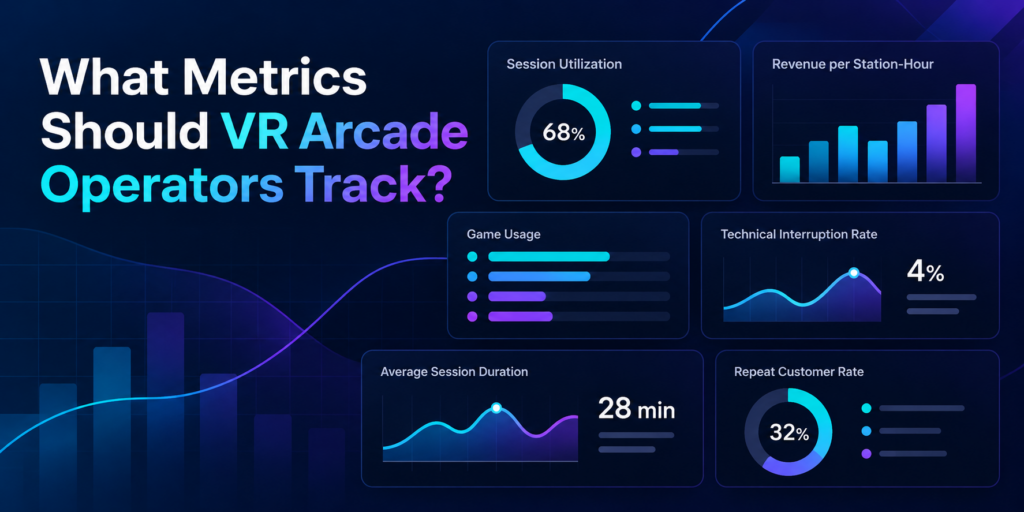
Running a profitable VR arcade requires more than knowing how many customers walked through the door. Two venues might serve the same number of players in a day yet achieve very different results. One could have consistently booked stations, smooth session transitions, and content that encourages repeat visits. The other might struggle with idle headsets, interrupted games, and licensing costs that are difficult to reconcile. Understanding these differences starts with tracking the right performance metrics. For VR arcade operators and family entertainment centers (FECs), a handful of key performance indicators (KPIs) can reveal how efficiently attractions are running, which games deliver value, and where operational improvements can increase revenue. Here are eight metrics worth monitoring and what each one can tell you about your business. 1. Session Utilization Rate: How Much of Your Available Capacity Is Being Used? Session utilization measures how much of your available operating capacity customers actually use. A VR arcade might have six stations available for eight hours a day, giving it 48 available station-hours. If customers occupy those stations for a combined 24 hours, the venue has a utilization rate of 50%. Session Utilization Rate = Occupied Station-Hours ÷ Available Station-Hours × 100 For example: This metric helps operators understand whether their existing hardware and floor space are generating enough activity. It also highlights patterns worth investigating. A venue might regularly reach full capacity on Saturday afternoons while leaving several stations unused on weekday evenings. Tracking utilization by day, time slot, and attraction type can help operators make decisions about staffing, scheduling, group packages, and marketing. What to do with this metric: Identify recurring low-utilization periods and test specific offers that encourage bookings during those hours. 2. Revenue per Available Station-Hour: What Is Your Capacity Actually Earning? A busy station doesn’t always translate into strong revenue. Some experiences generate more revenue per session but require longer playtime. Others have shorter sessions, allowing operators to serve more groups within the same period. Revenue per available station-hour helps operators compare earning efficiency. Revenue per Available Station-Hour = Station-Attributed Revenue ÷ Available Station-Hours Consider a venue with four stations operating eight hours a day. That represents 32 available station-hours. If those stations generate $640 in customer revenue, the venue earns $20 per available station-hour. The calculation becomes especially useful when comparing performance across different days or attraction types. For accurate comparisons, operators should consistently allocate revenue and capacity, particularly when selling multiplayer sessions, group packages, or combined attraction offers. Revenue per available station-hour is not a profit measurement. Licensing expenses, staff wages, rent, equipment costs, and other operating expenses still matter. What to do with this metric: Compare revenue efficiency across operating periods and use the findings to evaluate pricing, booking packages, and attraction scheduling. 3. Game Usage: Which Experiences Are Customers Actually Playing? A large VR content library gives operators flexibility, but every game needs to serve a purpose. Some titles attract first-time customers. Others encourage repeat sessions, support birthday parties, or work particularly well for groups. Tracking game usage helps operators distinguish between player interest and actual activity. Useful indicators include: These indicators can reveal patterns that are easy to overlook. For example, a highly requested multiplayer game might generate considerable initial interest but relatively few repeat sessions. Meanwhile, a familiar title with simple onboarding may remain popular with walk-in groups. Operators should also consider audience fit. An escape experience designed for cooperative groups serves a different purpose from a competitive arena game built around repeat matches. During SynthesisVR’s Arcades of the Roundtable discussions, operators highlighted the importance of understanding their game libraries, testing experiences, and responding to changing content preferences. Game usage data provides another perspective on those decisions. What to do with this metric: Review the content library periodically and compare usage with customer requests, technical reliability, and licensing costs before making changes. 4. Game Licensing Cost: How Much Does Each Experience Cost to Operate? Commercial VR licensing is an important part of understanding game performance. Depending on the title and licensing arrangement, operators may encounter prepaid credits, pay-per-minute (PPM) usage, or other commercial licensing models. One detail deserves particular attention: booked session duration and billable game runtime may differ. For example, a customer might book a 30-minute session, but a game process could remain active after the customer finishes playing. Under licensing arrangements where usage continues until the executable terminates, this can result in additional charges. SynthesisVR support inquiries have highlighted the importance of properly ending sessions and understanding how billable usage is recorded. Operators should review: A useful calculated indicator is: Licensing Cost per Paid Session = Total Applicable Licensing Charges ÷ Number of Paid Sessions Using That Content This provides a starting point for evaluating content costs, although it doesn’t account for all operating expenses or differences between licensing models. What to do with this metric: Reconcile licensing charges against recorded usage, investigate unusual activity, and ensure staff follow the correct session termination procedures. 5. Session Turnaround Time: How Quickly Can the Next Group Start? A 30-minute VR booking often requires more than 30 minutes of operational attention. Staff may need to help guests remove headsets, sanitize equipment, explain controls to the next group, configure the experience, and launch the next session. Session turnaround time measures the gap between one group’s session ending and the next group’s session beginning. Average Turnaround Time = Total Time Between Consecutive Sessions ÷ Number of Measured Transitions Consider two venues offering the same 30-minute experience. One consistently prepares the next group within five minutes. The other requires ten minutes. Over a busy afternoon, that difference can reduce the number of bookings a station can accommodate. However, turnaround time should be evaluated alongside guest comfort, equipment cleaning, and experience quality. The objective is a reliable and repeatable process. Operators can improve consistency by preparing equipment in advance, using standardized onboarding instructions, and reducing unnecessary manual steps between sessions. What to do with this metric: Measure actual transition times during busy periods and identify which preparation
How Should VR Arcade Operators Test Games Before Offering Them to Customers?
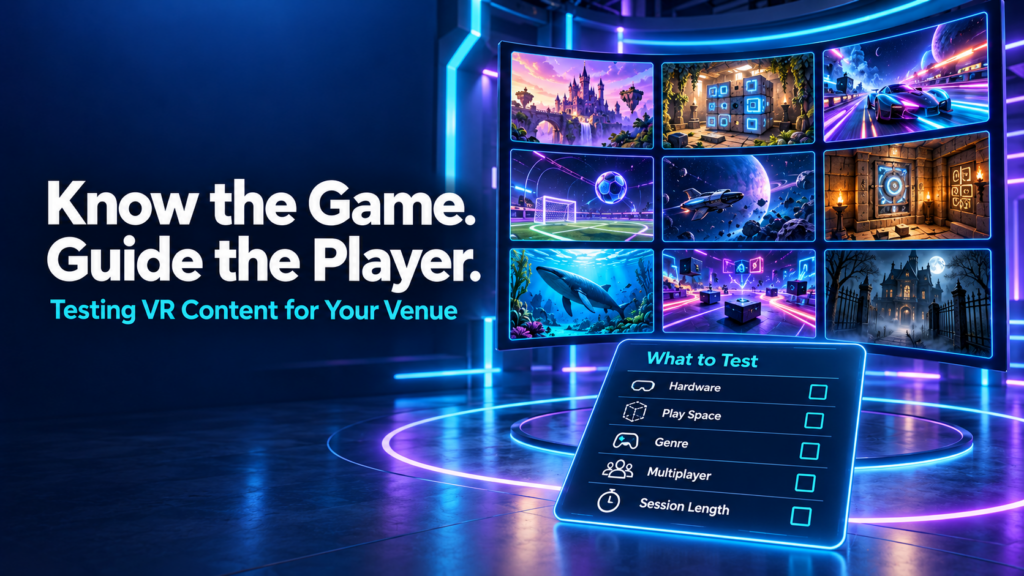
A new VR game appears in the library. The trailer looks promising, the hardware seems compatible, and a free trial makes it easy to give it a go. The venue adds it to the menu and waits to see whether customers choose it. When few people play, the decision can seem straightforward: this game does not work for our audience. But that conclusion leaves several questions unanswered. Did staff play it themselves? Could they explain what players would do? Did the right groups try it? Did those groups get into multiplayer smoothly and understand the objective? VR arcade operators should test games on their actual venue setup, learn the experience well enough to guide customers, and evaluate it with suitable player groups before deciding whether to keep it. A useful trial covers compatibility, launch procedures, gameplay, session fit, recovery, and customer response. Why knowing your VR content library matters During our September 29 Arcades of the Roundtable conversation, operators discussed how they discover content, why some trials do not lead to regular use, and what makes an experience practical to offer. Fast multiplayer startup, session length, customer guidance, and hardware compatibility all featured in the discussion. Several participants described actively recommending experiences based on customers’ interests. That approach depends on staff understanding the library beyond its titles and promotional images. A customer asking for an adventure might want a cooperative puzzle, a story-driven journey, or a physically active challenge. A group asking for something scary might enjoy suspense but dislike intense combat. Knowing the difference helps staff make a recommendation the group can trust. It also helps operators interpret feedback. A player who never understood the controls has experienced a different problem from someone who understood the game and disliked its mechanics. Both responses matter, but they require different decisions. Start with compatibility on your actual venue setup Before putting customers into a trial, check the title’s current commercial listing and setup documentation. Confirm the supported platform, headset, controllers, play-space requirements, player count, and network requirements. A game running on a standalone headset does not automatically support free-roam play. Multiplayer availability does not automatically mean offline or local-network multiplayer. Confirm the specific mode you intend to sell. Test the experience on the equipment and configuration customers will use. A successful launch on one headset tells you little about whether a full group can join and play together. Check commercial licensing availability and the conditions of the trial, too. Consumer availability alone does not establish that a title is ready for paid use in your venue. If a requirement is unclear, resolve it with the platform or developer before evaluating customer demand. Otherwise, an unsuitable configuration can become mistaken evidence that the content itself is poor. Play enough to understand what you are recommending Launching a game and trying its opening scene gives staff a limited view of the experience. For a finite story or escape game, someone on the team should work through the complete experience where practical. They need to understand progression, completion, common sticking points, and what happens at the end. Other team members can learn through supervised play and a shared guide. For an open-ended shooter, sports title, or replayable competition, test representative modes and complete rounds. Learn how scoring, difficulty, replay, and restarting work. Staff should be able to answer a customer’s basic questions: What will we do? Are we playing together or against each other? How demanding is it? Can beginners join? Does everyone need to understand written or spoken instructions? Follow the title’s documented eligibility and safety requirements when assessing audience fit. Then consider practical factors such as language, comfort with movement, puzzle complexity, and the amount of guidance a group may need. This knowledge makes the game easier to explain and helps staff recognise when customers are confused. Rehearse the multiplayer launch and recovery process An experience can be enjoyable once it starts and still create problems during a busy shift. Run through the full sequence from prepared equipment to a group playing together. Identify who creates the session, how others join, which settings need to match, and whether staff must complete any steps inside individual headsets. Repeat that process with another staff member following your instructions. If they need the original tester beside them throughout, the launch procedure needs more work. Also practise the recovery options documented for the title. Find out what happens when a player disconnects, a controller loses connection, or a session needs restarting. Can someone rejoin? Does progress remain? Which problems require support? Keep a short record of the steps staff can safely take and when they should escalate. Avoid experimenting with unfamiliar settings while a paying group waits. In the Roundtable discussion, operators highlighted the importance of getting customers into multiplayer without lengthy technical struggles. Testing the launch sequence gives teams a chance to find those difficulties before they affect a booking. Check how the game fits the session you sell Game duration and booked session duration are different measurements. Your booking may need to accommodate fitting equipment, a briefing, joining multiplayer, gameplay, and whatever transition your venue includes. Measure those stages during testing rather than relying solely on a listed playtime. Some Roundtable participants offering hour-long sessions described difficulties fitting short experiences into their existing flow. That is useful evidence about their operating models, rather than a reason to reject every short game. A shorter title might work as a complete attraction, a replayable competition, or one part of a multi-experience package. Consider whether the transition into the next activity is practical and whether customers understand what they are buying. Lobbies deserve attention as well. Participants described interactive waiting spaces that let players socialise or explore while the group gets ready. During your own test, check what early arrivals can do, how staff move everyone into the game, and whether the waiting environment suits the group. The question is whether your venue can deliver a coherent visit using the experience. Give customers enough guidance to
How Much Software Does a VR Arcade Actually Need?
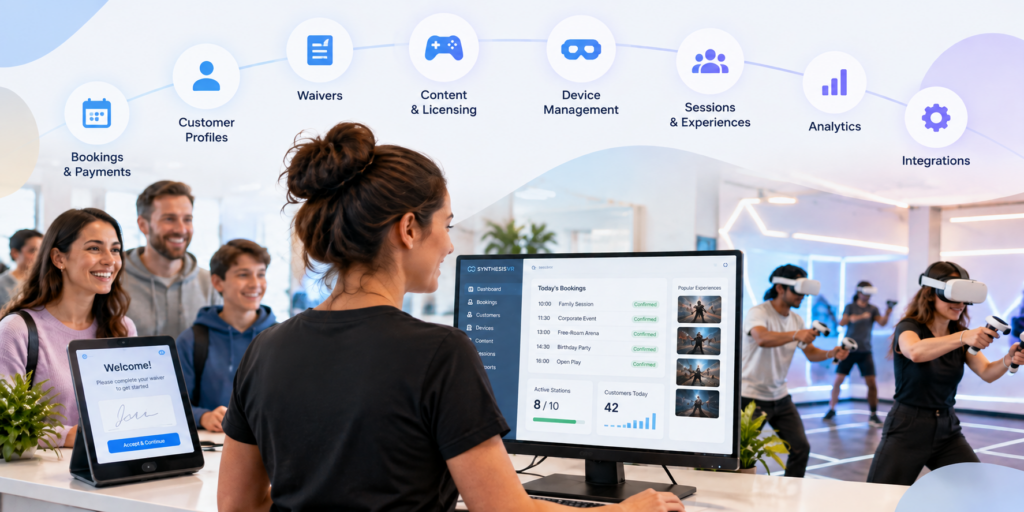
Running a VR arcade involves much more than launching games. Before a customer even puts on a headset, someone may need to manage the booking, check availability, collect payment, confirm a waiver and connect the visit to a customer profile. Once they arrive, staff still need to prepare stations, launch the right experiences, manage session time and keep track of commercially licensed content. After the session, there may be feedback to collect, customer history to maintain, memberships to manage and operational data to review. It is easy for each of those jobs to become a separate piece of software. But does a VR arcade actually need that many systems? For many venues, the answer is no. A dedicated VR arcade management platform can bring much of the customer journey and day-to-day operation into one environment, while still connecting to specialist tools when they are genuinely needed. That is the approach behind SynthesisVR. What does VR arcade management software actually manage? VR arcade management software connects the operational parts of running a commercial VR venue. With SynthesisVR, operators can manage VR devices, content, customers, reservations and commercial licensing within the same ecosystem. Depending on the setup and modules a venue chooses, the platform can also support online bookings and payments, waivers, memberships, gift vouchers, customer feedback, analytics and third-party integrations. That distinction matters. The objective is not to replace every piece of business software a venue could possibly use. An operator may still want dedicated accounting, payroll, advanced marketing automation or other specialist systems. The more useful question is how many separate systems staff need to move between simply to run a VR session and manage the customer around it. For many venues, that number can be considerably smaller than expected. Start before the customer reaches the venue A large part of venue management happens before someone walks through the door. With the SynthesisVR Booking Widget, customers can see available times and experiences, select session duration and station requirements, and create a reservation directly from a venue’s website. Operators can configure booking rules, available days and other conditions around how those reservations work. Online payment can also form part of that process. Operators can connect supported payment providers, require deposits, take payment during booking or allow customers to pay at the venue. The widget can also collect additional customer information and present booking confirmation requirements. A waiver can be incorporated into the booking process as well. For the operator, the important part is what happens behind the customer-facing page: the reservation is being created within the same operational environment used to manage the venue. Related resource: SynthesisVR Booking Widget Setup Customer information does not have to live in another system A booking is more useful when it is connected to a customer rather than existing as an isolated calendar entry. SynthesisVR’s customer management tools allow venues to maintain customer profiles and connect those profiles with operational information. Operators can view registered customers, reservation and session history, membership status, waiver status and account balances. Profiles can also contain additional information and internal notes. This becomes increasingly useful as a venue develops repeat customers. Instead of treating every visit as if the guest has never been there before, staff have a record connected to the same system being used to manage their sessions. This is not intended to replace every function of a specialist CRM. For venues that need broader email marketing or automation, SynthesisVR supports integrations with tools such as MailChimp and ActiveCampaign. The difference is that core customer information does not have to be separated from the VR operation itself. From reservation to VR session This is where a general booking system and software built specifically for location-based VR begin to differ. A standard reservation platform can tell staff that six people are arriving at 3:00 PM. A VR management system also has to deal with what happens next. Which stations will they use? Which experience are they playing? How long is the session? What content needs to be available? Is the customer’s waiver complete? What has been assigned to the reservation? SynthesisVR connects reservations with the operational side of the session, allowing staff to manage the customer and the VR experience from the same environment. For a quiet venue with only a few headsets, moving between systems may initially seem manageable. As bookings overlap, group sizes grow or a venue adds more stations and attraction types, those extra steps become much more noticeable. The goal of consolidation is not simply having fewer browser tabs open. It is reducing the number of manual handoffs required to get a customer from booking to play. Managing the headsets is part of managing the business VR hardware creates another layer that conventional booking software does not address. SynthesisVR provides centralized device and station management, giving operators control over the hardware used across the venue. It also offers the Smart In-Headset Game Launcher. Players can browse and switch between available games from inside the headset, with features including game categories, trailers, pause controls and a call-for-help option. That can change the role of venue staff. Instead of needing to manually intervene every time a customer wants to browse or change an experience, some of that interaction can happen inside the headset. Staff remain available when customers need help, but they do not necessarily need to perform every routine action for them. For a commercial venue, that distinction becomes increasingly important as the number of active stations grows. Content management and commercial licensing belong in the same conversation A VR arcade does not only need games. It needs the right to use those games commercially. Consumer VR licenses are generally intended for personal use rather than a business charging customers to play. Commercial venues therefore need content that is properly licensed for location-based entertainment. SynthesisVR combines content discovery and commercial licensing with the management platform. Operators can test, license, install and manage commercial VR content through the SynthesisVR ecosystem, with usage tracking built into the
How to Choose VR Arcade Games for Different Customer Groups

Learning how to choose VR arcade games involves more than finding titles that look impressive or fit a particular genre. A game also has to work with your hardware, available space, group size, session model, staff workflow, and the type of customers walking through the door. That distinction becomes especially important in a commercial VR venue. A game that works well for four experienced players may create unnecessary friction during a birthday party with ten first-time visitors. A title that fits a PCVR arcade may not run at all in a standalone Quest or PICO setup. Across SynthesisVR support conversations, operator inquiries, and content-testing feedback, one pattern appears repeatedly: the strongest content choices start with the venue and the audience, then move to the game. Start With Your Venue Before Looking at VR Games When operators ask the SynthesisVR team for content recommendations, the conversation usually starts with practical constraints. Before considering individual VR arcade games, operators should be able to answer a few basic questions: These questions narrow the available commercial VR content quickly. For example, support teams have encountered operators requesting PCVR-only titles for standalone PICO or Quest setups. In those cases, the content itself may be appropriate for the audience, but the venue architecture makes it unsuitable. The same applies to player capacity. An operator with eight guests cannot assume that selecting eight headsets will create one multiplayer session if the game has a four-player lobby limit. The venue may need to run two groups of four, which changes the booking flow considerably. What VR Games Work Well for Families and First-Time Players? Families introduce several variables at once. Players can have very different ages, gaming experience, confidence levels, and tolerance for VR movement. For this audience, operators frequently benefit from looking at: Support conversations repeatedly point to onboarding as a source of operational friction. Every extra explanation adds staff time, particularly when groups contain several first-time VR users. A game may look easy to an experienced player while still requiring several minutes of instruction for someone using a headset for the first time. SynthesisVR agents have recommended titles such as All-In-One Sports VR for casual and first-time audiences and The Smurfs: Blueberry Battle for younger, family-oriented groups. Walkabout Mini Golf VR has also appeared as an accessible social option. The lesson for operators is broader than the individual titles. For family traffic, accessibility becomes part of commercial performance. If staff repeatedly need to enter the play area, explain controls again, or help players who feel uncomfortable, that affects session timing and throughput. What Should Operators Look for in Birthday Party VR Games? Birthday parties create a different problem: keeping the group involved. Capacity matters much more when customers arrive as one social group. A game designed for four players can still be excellent content, but it may fit poorly with a venue package built around groups of ten or twelve unless the venue has an effective rotation model. When evaluating VR arcade games for birthday parties, consider: Operators have frequently raised the need for larger multiplayer capacity, although that need often appears in support conversations as a technical question about lobby size rather than specifically as a birthday-party issue. That distinction matters. A customer sees one birthday party. The operator sees player limits, session launches, headset availability, and staff coordination. Those operational details determine whether the package actually works. Competitive Groups Need More Than a Multiplayer Label Teenagers, experienced players, and social groups often respond well to competition, but “multiplayer” alone does not guarantee replayability. Operators can look for mechanics such as: For example, SynthesisVR agents have recommended Ragnaröck for competitive party groups. Cops vs Robbers has appeared in recommendations for fast-paced competitive team play. Competitive content can also support repeat visits when players have a reason to improve a score or challenge another group. That gives operators another question to ask when selecting content: Will customers feel that they have finished the experience, or will they want another attempt? Returning guests asking specifically to play the same title again is one of the strongest indicators that a game has moved beyond novelty and become part of the venue’s attraction mix. Cooperative Games Fit a Different Social Dynamic Some groups want competition. Others respond better to communication, problem-solving, and shared objectives. That makes cooperative VR especially relevant for group bookings where the social experience matters as much as individual performance. SynthesisVR agents have recommended titles such as B Block Breakout for cooperative team play and Escape Quest: Espionage Express for groups interested in puzzle and escape-room formats. The right choice depends on the audience. A group of experienced gamers may enjoy complex mechanics. A corporate group containing people who rarely play games may need a much lower learning curve. Corporate inquiries also tend to introduce operational needs around timing, private sessions, and easy group management. This means operators should evaluate the entire booking experience rather than focusing only on what happens inside the headset. Free-Roam Content Has Its Own Selection Criteria Free-roam VR adds physical space, network configuration, calibration, and multiplayer setup to the content decision. Operators need to confirm: SynthesisVR agents have recommended Arizona Sunshine Remake for multiplayer arcade and arena setups, while Mansion of Death has appeared in recommendations for four-player free-roam configurations. This is also an area where technical misunderstandings can quickly affect operations. Support conversations show operators sometimes blaming internet speed for multiplayer problems when the games communicate through the local network. Separate subnets, access-point isolation, or incorrect network configuration can prevent devices from seeing one another even when the venue has adequate internet bandwidth. Other titles require a dedicated game server. Installing the game only on the player stations may result in launch errors if the server component has not been configured. Those issues do not necessarily make the game unsuitable. They do mean that deployment requirements belong in the content-selection process. Four Common VR Arcade Game Selection Mistakes 1. Choosing content before checking platform compatibility A title available commercially
When VR Arcade Operators Become Game Developers: An Emerging LBE VR Trend
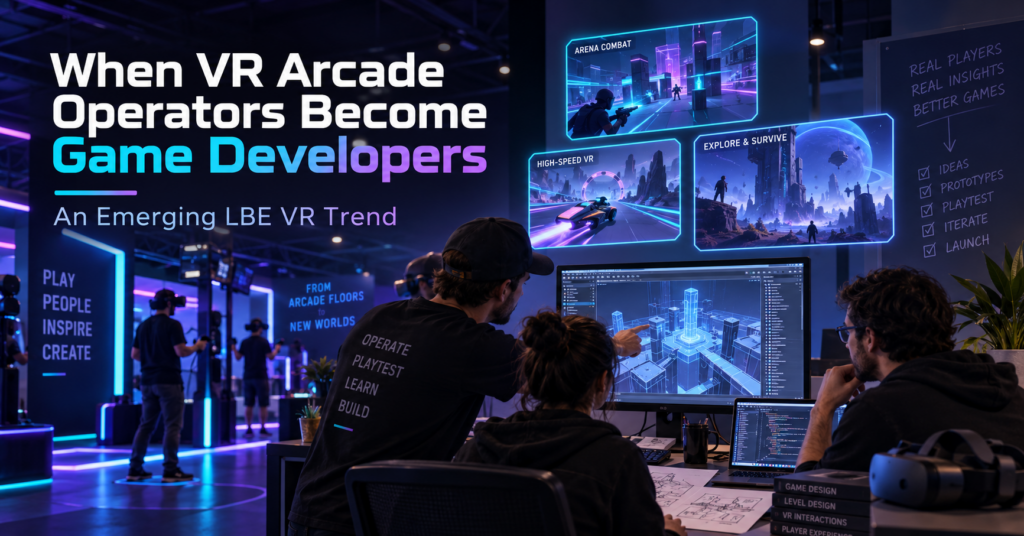
For years, one of the main content questions for a VR arcade operator was simple: What games can we license for our venue? Lately, we have seen a different question appear inside the SynthesisVR ecosystem. What if we build the experience we wish we had? Several games that have reached SynthesisVR have come from people who also operate VR venues. Their reasons differ. One operator wanted to replace an experience that customers kept asking for. Another started developing a game and asked us what tends to work in arcades before the project was ready for submission. Others have used problems they encounter during daily venue operations as the starting point for development. A handful of projects is not enough to measure an industry-wide trend. It is enough for us to recognize a recurring pattern through game submissions, testing, and conversations with operators. To understand why it is happening, it helps to look at how commercial VR content got here. Commercial VR started with games built for home players When the first wave of modern VR arcades opened around 2016, relatively little content had been created specifically for location-based entertainment. SynthesisVR grew out of that period. VR Territory opened in June 2016, and the original SynthesisVR tools developed around the practical problems of managing a VR arcade. By September 2017, SynthesisVR had introduced its commercial licensing platform to help connect developers and arcades and support different commercial licensing models. For early operators, getting legal access to commercially licensed VR content solved an important problem. Running that content in paid sessions exposed another one. A person playing at home can spend ten minutes learning controls, looking through menus, restarting a level, or working out what the game expects them to do. Their headset is still available afterward. A customer in a VR arcade may have booked 30 minutes. If five of those minutes disappear into explanations, menus, failed launches, or a tutorial that the player does not understand, the venue notices. So does the customer. Developers started adapting to those conditions. Then came arcade editions In 2017, Fallen Planet Studios released an arcade version of AFFECTED: The Manor after working with VR arcades. The studio redesigned parts of the experience for faster throughput, replay value, and a commercial setting. SUPERHOT VR: Arcade Edition took that thinking much further. The studio had received feedback from operators running the consumer version in commercial locations. The resulting Arcade Edition added faster tutorials, scoring, local leaderboards, spectator tools, level selection, an administrator panel, time-based play, and controls that allowed staff to help a player who became stuck. The gameplay remained recognizably SUPERHOT. The systems around it had to work differently because the environment was different. Arcades care about how quickly a first-time player starts playing. They care about session length, recovery when something goes wrong, replay value, and how often staff need to enter the headset or explain a menu. Over time, those considerations started appearing earlier in development. In some recent cases, the person thinking about those problems is also running a VR venue. When the operator is part of the development team There is no single route from arcade operator to VR content developer. Some operators have development skills on their own team. Others work with partners or contractors. Some begin with a game idea. Others start because something is missing from their current attraction mix. Their advantage is exposure. They already watch first-time customers use VR every week. ORBEAT started by asking what works in arcades ORBEAT gives us one of the clearest examples because the conversation with SynthesisVR started before the game was ready for submission. In February 2026, Seth from VR Adventures Zone contacted us while developing the project. He wanted to know what characteristics tend to determine whether a game performs well or struggles in commercial VR. He was already thinking about ease of use, replayability, and multiplayer, and the game was being tested inside their own venue. That led to months of discussion and testing. Multiplayer was originally planned for later in the development roadmap. SynthesisVR recommended moving it forward because groups of friends and family make up an important part of arcade traffic. Player rejoining also mattered. If one headset drops during a multiplayer session, getting that player back into the same group quickly can make the difference between a short interruption and a disrupted booking. Other issues only became obvious when people started using the builds. One version had controller compatibility problems with Vive and Index hardware. Another environment had been built at a scale that made parts of the gameplay awkward in a typical room-scale area. It was resized. Even the tutorial produced useful feedback. At one point, a player entered the game with a tutorial panel visible alongside a large “Hit Me” prompt. During testing, the obvious action drew attention first. The player started playing and barely registered that there were instructions to read. The onboarding changed. Later builds added command-line options for player name, difficulty, and map selection. SynthesisVR connected those settings to operator-side launch controls, reducing the amount of configuration a customer needed to do inside the game. ORBEAT eventually went live after several rounds of game testing, hardware checks, integration work, and launch automation. Explore ORBEAT on SynthesisVR Precise Force: Designing With the Arcade Floor in Mind Precise Force is another example of an operator moving from running VR experiences to developing one. The project comes from someone already familiar with commercial VR and the practical realities of putting players into a headset in a location-based environment. That background naturally influences the questions behind the experience. How does physical interaction work when different groups play throughout the day? How quickly can players understand what they need to do? Does the gameplay translate well from an interesting VR mechanic into something that works repeatedly in an LBE setting? Precise Force approaches those questions through multiplayer action and physical interaction. Rather than going deep into its development process, the more interesting point for
What Is Arena-Scale VR?
Arena-scale VR is a commercial virtual reality format where multiple players physically move through a shared tracked space while experiencing the same virtual environment. Players can walk, turn, communicate, and interact with each other without relying entirely on joystick movement to cross the virtual world. You may also see the format described as free-roam VR, arena VR, or free-roaming VR. These terms often overlap, and the industry does not use one fixed floor size to define when free-roam becomes “arena-scale.” For a venue operator, that distinction matters less than the actual configuration. The important questions are how much usable space the attraction needs, how many players it supports, which content can run in that footprint, and how efficiently staff can move one group out and the next group in. Is Arena-Scale VR the Same as Free-Roam VR? In practice, the terms frequently describe the same underlying concept: several players moving naturally inside one shared physical play area. There is still a useful distinction when planning a commercial venue. Free-roam VR describes the movement model. Players physically walk through a shared tracked space instead of remaining inside individual stations. Arena-scale VR often describes the attraction built around that movement model, particularly when the shared space supports larger groups or a larger physical footprint. There is no universal square-footage threshold where one suddenly becomes the other. That is why operators should look beyond the label. A six-player 20 × 20 ft arena and an eight-player 33 × 33 ft arena can both qualify as arena-scale VR, while creating very different requirements for floor space, content, staffing, and group bookings. For a deeper comparison of the movement formats, see Free-Roam VR vs Room£-Scale VR for Commercial Venues. Arena-Scale VR vs Room-Scale VR The biggest operational difference is how players use the physical space. With room-scale VR, four guests may play together while each remains inside a separate physical boundary. In an arena-scale experience, those same four players can occupy one shared 6 × 6 m (20 x 20 ft) area. Their real-world positions correspond with their positions inside the experience, so a teammate standing two meters away virtually should also be standing in the correct relative position physically. That changes more than the amount of floor space required. Tracking, player positioning, calibration, networking, session launches, and safety all become part of one coordinated attraction. How Much Space Does Arena-Scale VR Need? There is no single arena size that works for every commercial VR experience. A 6 × 6 m, or roughly 20 × 20 ft, play area has become a common starting point across the commercial free-roam catalog. Some experiences support smaller footprints, while others scale to 8 × 8 m, 10 × 10 m, or different rectangular configurations. The relationship between space and player capacity is especially important. Take After the Fall: Free-Roam as one current example. Its 6 × 6 m configuration supports up to four players. A 10 × 10 m configuration increases that capacity to eight. Other commercial titles use several layouts rather than only two fixed sizes. This means an operator choosing a footprint is also making a decision about which content configurations will remain available to the venue. A larger arena can unlock additional content and higher player capacities. It also consumes more revenue-producing floor space, and higher theoretical capacity only helps when customer demand can fill it. That is why the better planning question is rarely: “How large can we make the arena?” It is: “What combination of space, player count, content, and booking demand makes sense for this venue?” We break down the footprint question in more detail in How Much Space Do You Need for a Free-Roam VR Arena?. Bigger Does Not Automatically Mean Better Arena capacity looks attractive on a specification sheet. An eight-player attraction can accept a large birthday group, corporate team, or group of friends in one session. During a busy Saturday, that capacity may be useful. A normal weekday can tell a different story. If most bookings arrive as groups of two, three, or four, one large arena may leave a substantial part of its capacity unused. Two smaller attractions could give an operator more scheduling flexibility and allow two bookings to run at the same time. The reverse can also happen. A venue built around school groups, parties, corporate events, or other larger bookings may benefit significantly from keeping more players together in one attraction. This is why we recommend treating player count as the result of several planning decisions rather than the starting point. Space, audience, content, hardware, booking behavior, and session flow all affect the useful capacity of the attraction. How Many Players Should a VR Attraction Support? looks at that decision in more detail. What Makes Arena-Scale VR More Complex to Operate? The guest sees a headset, an open floor, and a virtual world. The operator has to make several systems work together before that guest walks onto the arena floor. 1. Shared-space tracking Every headset needs an accurate understanding of the physical play area. A tracking problem affecting one player can interrupt an experience for the whole group. Operators therefore need a stable environment, clearly defined boundaries, reliable mapping, and a repeatable calibration process. 2. Multiplayer synchronization Players need to enter the same experience together and remain synchronized throughout the session. This makes network reliability more important than it may be for independent room-scale stations. 3. Session launches Starting six or eight headsets individually adds staff actions to every booking. Those steps may seem minor during a quiet shift. Repeated across a full operating day, small delays can extend turnaround times and create queues during peak periods. 4. Reset and turnover The commercial session includes more than gameplay. Staff need time for onboarding, fitting equipment, launching the experience, ending the session, cleaning hardware, checking batteries, and preparing the next group. A 30-minute game therefore occupies more than 30 minutes of the venue’s operating schedule. 5. Content configuration Arena games have specific requirements for player
How Many Players Should a VR Attraction Support?
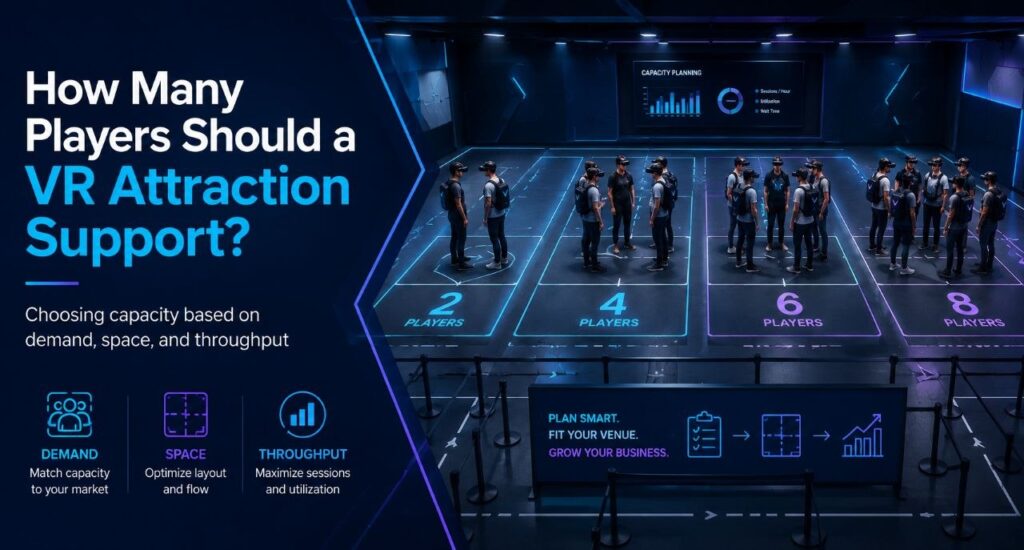
Often operators start this question backward. They decide they want to serve eight guests at once, then go looking for an eight-player attraction. But eight simultaneous guests can mean an eight-player arena, two four-player arenas, a six-player arena plus two room-scale stations, or eight independent room-scale units. Same peak capacity, four completely different businesses. Player count is what falls out at the end of a chain of choices that starts with your building and ends with your content. The decision chain Venue type sits inside this chain as context, not as the formula. A bowling center adding VR, a dedicated VR arcade, and an FEC building around group bookings all answer these questions differently, but none of them get to skip straight to “buy for six” or “buy for eight.” Start with the space you actually have Square footage sets the physical ceiling before anything else gets decided. It determines whether you’re looking at room-scale stations, one free-roam arena, several smaller arenas, or some mix of the two. A venue with 400 square feet to spare is choosing between formats before it ever gets to player count. This is also where the first real tradeoff shows up. The same footprint that holds one eight-player arena can often hold two four-player arenas instead, and those two setups behave nothing alike once you get past the headline number. Hardware, platform, and content: a triangle, not a checklist These three choices constrain each other, and there’s no clean order to work through them. Already own PICO headsets? That narrows content options before player count ever comes up. Chasing one specific title instead? PCVR might be the only place it runs, so hardware follows the content rather than the other way around. Running multiple locations changes the order again: many operators pick the management platform first, since one system across different hardware types matters more than any single game. Whichever one you decide first, it limits what the other two can be. Content needs specific hardware. Hardware needs a platform that can run it and report on it. The platform needs to support whatever mix of standalone, PCVR, wired, or streamed setups the content demands. What your audience actually needs from content This is usually the missing step in capacity planning, and it’s the one that should come before arena size gets decided. Birthdays, families with young kids, teenagers, enthusiasts, corporate groups, school trips, escape-room fans, and casual walk-ins all pull the content mix in different directions. A venue built around birthday packages needs different titles, and different group sizes, than one built around enthusiast repeat visits. Once you know who’s walking in, the content question gets specific. What do those guests want to play, and how many of them want to play it together? What that content requires Content is where the constraint actually bites. Free roam versus room scale, PCVR versus standalone, arena dimensions, and player count all come from the title itself, not from how many headsets you own. Most free-roam titles top out at four or six players in a single configuration. Buying eight headsets doesn’t change that. It just means eight headsets sitting on a shelf while the content that fits your audience runs four at a time. Take the two four-player arenas versus one eight-player arena question from the top of this piece. The two-arena setup gives an operator more compatible titles at that smaller player count, two bookings running at once, and better use of small-group demand on a normal Tuesday, while still hitting eight total players when both arenas are booked together on a Saturday. The eight-player arena gives up all of that flexibility for a configuration that only earns its keep when a full group of eight actually shows up. Neither is automatically the right call. It depends on what your audience actually books. Peak capacity and weekday utilization are different problems VR attraction planning works better when you separate peak demand from utilisation. This is the commercial core of the whole decision, and it’s easy to miss. Picture a Tuesday afternoon. A group of three arrives at a venue built as one eight-player arena. The operator can run that group at three of eight positions filled, or hold the session and wait for another group to fill the rest. Either way, most of that capacity sits idle for a slot that will never come close to selling out again before Friday. The same group at a venue built as two four-player arenas gets a session at three of four positions filled, close to full, while the second arena stays open for the next booking or for maintenance. Same total headset count as the eight-player venue. Very different Tuesday. A big configuration built for the weekend peak can leave a lot of equipment sitting unused Monday through Thursday. A modular setup, several smaller arenas or stations instead of one large one, can often handle the same peak while giving staff something sellable on a slow afternoon. Getting people through the building midweek is usually the harder problem than filling Saturday, and configuration is one of the few levers that actually moves it. The fleet model: capacity that changes shape A venue with a larger headset fleet doesn’t have to run the same configuration all week. The same hardware can be deployed differently depending on who’s booking: Capacity, in other words, doesn’t have to be fixed. It can flex by day and by booking type, which is a very different planning question than “large FEC equals eight to sixteen players.” This is also where a management platform earns its cost. Running PICO, Quest-compatible, and PCVR hardware side by side, and reconfiguring which content runs where as bookings change, needs one operational layer that can see and control all of it. SynthesisVR is built for exactly that: managing hardware, content, and session formats as one system instead of as separate silos an operator has to reconcile by hand. Configuring the venue around your content Once space,
What Is LBVR (Location-Based VR)? A Guide for Operators
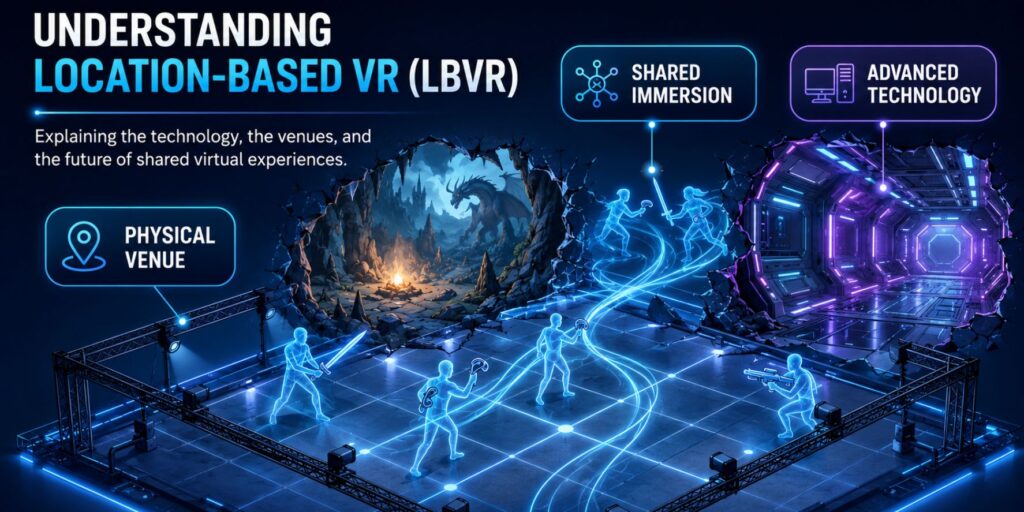
LBVR stands for location-based virtual reality, and it describes commercial VR delivered in a dedicated venue rather than in someone’s living room. The term shows up constantly in industry press, at trade shows, and in vendor pitches, usually without anyone stopping to define it. That leaves prospective operators trying to evaluate hardware, space, and content decisions before they have a clear picture of the category those decisions sit inside. The definition matters more than it first appears. How an operator understands LBVR shapes what they compare their business to, how they price it, and what they tell a landlord or an investor about what they are building. The definition, in plain terms LBVR is the commercial sector that delivers virtual reality experiences in purpose-built physical venues. VR arcades, free-roam arenas, VR escape rooms, and VR installations inside family entertainment centers all fall under it. The venue is what defines the category. A guest at home puts on a headset in whatever floor space they have cleared. A guest at an LBVR venue walks into a room that was designed around the experience: tracked, mapped, sized to the title, staffed, and turned over between sessions on a schedule. The headset might even be the same model in both cases. That distinction produces a handful of practical differences: The formats that fall under LBVR Operators often use “LBVR” and “VR arcade” interchangeably. The VR arcade is one format inside the category, and treating them as the same thing narrows how an operator thinks about their own venue. Room-scale and station-based VR. Compact footprints, seated or standing play, sometimes with motion platforms. The lowest space requirement and the easiest format to add to an existing venue. Our breakdown of room-scale versus free-roam VR covers where the line between the two sits. Free-roam arenas. Open floor space with full-body tracking, letting groups move physically through the virtual environment. Player counts commonly run from four to twelve depending on the title and the arena size. Space requirements are the main planning constraint, and we have covered how much space a free-roam arena actually needs in detail. VR escape rooms. Story-driven, puzzle-focused, built around cooperative problem solving. A natural format for traditional escape room venues adding a VR line, since the booking model and session length already match. Arena-scale VR. Large-format free-roam, often built around competitive or esports-style play, running in considerably larger footprints than a standard free-roam room. This format has its own planning considerations, which we will cover in a dedicated article. A single venue frequently runs more than one of these. A family entertainment center might operate room-scale stations for walk-ins and a free-roam arena for booked parties, because the two formats capture different guests at different price points. Why the category framing changes operator decisions An operator who thinks of their business as “a VR arcade” tends to benchmark against other VR arcades. An operator who understands they are in LBVR benchmarks against the rest of out-of-home entertainment: bowling, laser tag, escape rooms, mini golf, axe throwing. That second framing is more useful, and more accurate. A family choosing a Saturday afternoon activity is not comparing VR venues to each other. They are choosing between VR and the trampoline park down the road. Pricing, session length, party packages, and marketing all get sharper once the competitive set is drawn correctly. It also changes the conversation with landlords and investors. LBVR positioned as an emerging technology category invites questions about whether VR is a passing trend. Positioned as an out-of-home entertainment format that happens to use VR, it sits alongside established attraction businesses with understood economics. What the category looks like at scale Market research firms currently size location-based VR and immersive entertainment somewhere in the multi-billion dollar range, with growth forecasts in the 25 to 35 percent annual range through the early 2030s. Those figures vary widely between firms depending on whether they count VR alone or all immersive out-of-home entertainment, so they are better read as directional than precise. The more useful picture comes from operational data. SynthesisVR runs 600+ locations worldwide across free-roam, room-scale, and seated formats, with a content marketplace of 400+ commercial VR titles. That spread across formats tells you something a market size figure cannot: LBVR has not converged on one venue type, and there is no sign it is heading that way. Our analysis of what 600+ locations reveal about free roam found two distinct content strategies that both sustain profitable venues. Some operators run a tight catalog of five to ten titles, train staff deeply on every scenario, and rotate slowly. Others run fifteen to twenty-five titles, refresh regularly, and lean on visual appeal and recognizable IP to pull first-time visitors. Both models work. Operators who struggle are usually the ones running a hybrid of the two without having chosen either on purpose. That finding says something about the category as a whole. LBVR is broad enough to support genuinely different business models, which is why a definition that collapses it into “VR arcade” costs operators more than it saves them. Common misconceptions worth clearing up LBVR always means free-roam. It does not. Seated and room-scale formats are LBVR, and for many venues they are the more practical entry point. LBVR and AR attractions are the same category. Press coverage often groups them together. The technology, the space requirements, and the content pipelines are different. Consumer headsets and home content transfer directly to commercial use. This is the assumption that causes the most expensive surprises. Warranty terms, software licensing, and device management all work differently once a headset is running paying customers. We covered the specifics in whether consumer VR headsets can be used commercially. Hardware selection is the decision that determines the outcome. Most new operators spend the majority of their planning effort choosing a headset. Across our locations, content strategy and operational consistency separate profitable venues from struggling ones far more reliably than hardware choice does. Where to go from here Understanding
Can Consumer VR Headsets Be Used Commercially?
You can use consumer VR headsets commercially. But whether the warranty, the software license, and the fleet management tools remain valid depends on the headset and the vendor’s terms. HTC and Meta both exclude commercial use from their standard consumer warranty outright. PICO and HTC’s enterprise lines exist specifically to restore that coverage. Meta discontinued its dedicated commercial Quest hardware in February 2026, and that made the distinction more relevant, not less. Operators buying Quest now are buying consumer units by default, with the same warranty exclusion attached. The honest answer splits into four separate questions. Does the manufacturer allow it? Does the warranty survive it? Does the software license cover it? Can an operator manage the headset like a fleet asset instead of a personal device? A venue can clear one of those questions and still get caught out on the other three. What the Warranty Actually Says HTC draws the line directly. Its own support documentation says using a consumer VIVE system commercially voids the warranty. It also breaks the terms and conditions. Running a VR arcade on consumer VIVE hardware means running it uninsured the moment something breaks. HTC’s Business Edition and its Business Warranty & Services program exist specifically to restore that coverage. Together they add a commercial-use license plus a two- or three-year warranty built for continuous operation. Meta’s standard limited warranty explicitly excludes commercial use, and any use connected to a trade, business, or profession. A separate Commercial Terms document covers commercial, business, or non-personal use of Meta hardware instead. A Quest bought at retail carries that consumer warranty at home. Put it on an arcade floor and the coverage doesn’t follow, no matter what game is running on it. Two of the largest headset makers treat commercial use as a warranty exclusion, not a gray area. That’s the actual rule. The device turning on is not evidence that it’s covered. Meta Discontinuing Quest for Business Makes This Rule Harder to Avoid As of February 20, 2026, Meta stopped selling commercial Quest SKUs and stopped onboarding new customers to Horizon Managed Services, its device management subscription. Existing HMS customers keep the tool at no monthly cost. It now runs as a standalone product that pairs with consumer Quest 3 and 3S hardware rather than a dedicated business bundle. Meta has set a full shutdown of the program, HMS included, for January 2030. For operators, this doesn’t loosen the commercial-use rule. It removes the hardware SKU that used to sit between the operator and that rule. Anyone deploying Quest headsets going forward is buying consumer units by default, because that’s the only thing Meta sells now. Those units still carry a warranty that excludes commercial use. Managed deployment through HMS is still technically possible on consumer hardware. Warranty protection under commercial conditions is not, unless the operator is working under Meta’s separate Commercial Terms with eyes open. PICO and HTC have gone the other direction. Both still sell dedicated enterprise SKUs: the PICO 4 Enterprise line, and HTC’s VIVE Focus and Business Edition hardware. Both ship built specifically for continuous commercial deployment, with the license and support to match. Owning the Headset Legally Is a Different Question From Owning the Right to Run the Games on It Hardware terms and content licenses are separate agreements with separate rights holders. A consumer game purchase, on any headset, licenses one person playing on their own device. Running that same title across multiple arcade stations for paying customers, session after session, is a different use case. Consumer purchase terms do not extend to it. This holds whether the headset itself carries full commercial licensing and warranty coverage or not. We’ve covered the content side of this in detail separately, including why pay-per-minute licensing exists. That piece also covers what happens to a venue’s content strategy once it’s running at scale. The short version that matters here: clearing the hardware license does not clear the software license. Both have to hold up independently. A developer audit or a warranty claim checks each one separately if either comes knocking. The Cost Shows Up in Running Headsets Day to Day A headset tied to a personal consumer account behaves like a personal device. It comes with individual sign-in, an individual app library, and individual settings that reset or drift between sessions. That’s manageable for one unit. It becomes a staffing problem across six or eight stations running back-to-back groups on a Saturday. Enterprise-tier hardware exists to avoid exactly that. PICO’s Business Suite and LBE-grade operating environment support account-free deployment and kiosk configuration that defines what launches at power-on. They also give operators centralized control across an entire fleet from one console. HTC’s enterprise stack offers comparable fleet and kiosk tooling through VIVE Business+. Consumer-tier Quest hardware, now the only Quest hardware Meta sells, depends on HMS for anything close to that level of control. HMS itself is winding down toward its 2030 end date. The commercial-use question and the fleet-management cost are separate. A headset can clear the license and warranty checks and still cost an operator staff time every session. Someone still has to reset, troubleshoot, and manually manage devices that no one designed to run as a fleet. When It’s Fine to Run Consumer Hardware A consumer headset can be the right trade for a single-station pilot or a short-term activation. It also works for early testing, before committing capital to a full lineup. The warranty exposure and lack of fleet tools matter less when the deployment is small, temporary, or low-throughput. The savings can justify the risk while an operator is still validating demand. But one consumer VR device answers a narrower question than most operators think it does. It tells you whether VR itself is fun, whether guests respond to it, and whether the concept has legs. Call it the “hey, this is fun for a business” test. It does not tell you whether the management platform, the content library, and player access controls hold up
3 VR Education Experiences Worth Adding to Your Arcade Lineup in 2026
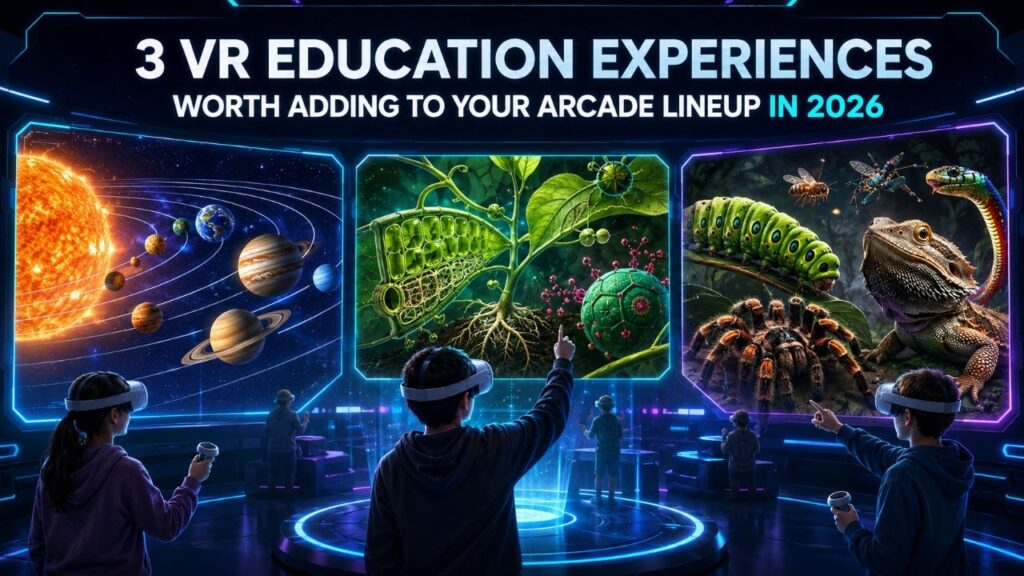
A VR attraction venue already owns the hard part. The fleet is bought, the booking system runs, and staff can start a session on their own. Maybe your weekday hours run lighter than your weekends. VR education content is one way to fill them, and it uses the setup you already have. The demand is there to meet. Curriculum VR runs in well over 200,000 schools now, and a 2025 Museums Association survey found 79 percent of the public interested in using digital tools to reach things they cannot otherwise see. The results back the interest up: Stanford research found students who learned in VR retained about 30 percent more than students taught the same material the usual way. What most schools, camps, and small museums do not want is to buy the gear, manage it, and train staff to run it. That is the exact part an operator has already solved. So the opportunity runs two ways. Package a school outing at your venue, or load a few headsets into a case and run a session in a classroom. Camp organizers and event planners will pay for a rainy-day activity with real substance. A museum or library can offer a pop-up VR station without owning the hardware. All three titles below run on the Pico, Quest, or Focus 3 headsets most fleets already carry. Each one anchors a different kind of booking. VictoryXR Science Curricula: Anatomy & Physiology – Body Awesome VictoryXR built the first VR science curriculum aligned to the Next Generation Science Standards. Body Awesome maps to NGSS standards HS-LS2-3 and HS-LS4-1, plus the matching Texas (TEKS) and Florida (CPALMS) standards. That alignment does the selling for you before a buyer asks. Inside the lesson, students pull organs out to full size and rotate them. Open the heart, kidney, or brain and you see how each structure drives its system. A nationally recognized science teacher narrates each organ as students double-tap to trigger it. Every organ carries two activity prompts that push past looking: predicting, sketching, comparing, answering. The lab manual ships with a glossary and pronunciation guide. The Teacher’s Edition includes 60 assessment questions with answers, so a teacher can run it graded rather than as a demo. Where it fits: Body Awesome is one lesson inside a catalog of 48 units and 240 VR experiences. Those span Earth and space science, engineering, life science, and physical science. That scale turns a one-off school visit into a repeat booking across subjects and terms. It runs on PCVR room-scale and standalone Quest. That suits a high school biology block, a homeschool co-op, or a university department testing a shared lab. Sell it with a standards checklist, and the catalog answers “what’s next” for you. View VictoryXR Science Curricula on SynthesisVR VR Plant Journey VR Plant Journey turns a biology lesson into a throwing and archery game. Players shrink inside a canola plant and move through three chapters: root, leaf, and seed. Each one is built on a real process. The leaf level has you throwing carbon dioxide and water to run photosynthesis. Down in the root, you assemble ammonium and nitrate, the nutrients the plant feeds on. The seed level asks you to hit oil bodies with a bow and arrow so they grow. Get the balance right and the plant develops. Get it wrong and it stalls. The content came out of a collaboration with plant researchers at the Leibniz Institute of Plant Genetics and Crop Plant Research, and the design has picked up nominations at the VR Awards, the Auggie Awards, Laval Virtual, and the VRnow Awards for education and training. Where it fits: the throwing and archery mechanics give this one more energy than a lab-style title. That matters with younger visitors, who lose interest fast in passive content. Its three short levels fit a walk-in group’s attention span. It slots into a summer camp afternoon, a library’s family hour, or a museum’s school-group rotation as easily as a classroom. It runs on PCVR room-scale and standalone Quest. Lead with this one when the group is mixed ages or the booking is more field-day than field trip. View VR Plant Journey on SynthesisVR Creepy Crawly Zoo 2.0 Creepy Crawly Zoo 2.0 shrinks players to about two inches tall and drops them inside a macro-scale insect and reptile exhibit. It is built on a real collection: creator Antonio Gustin shot it with an 8K macro VR camera alongside Dan Capps, whose private insect collection was once the largest in the world and appeared at Disney’s Epcot. The experience carries 100 display cases and more than 30 macro encounters, including scorpions, tarantulas, lizards, snakes, and a freshwater pond, with Capps appearing on video to guide guests through the specimens himself. Where it fits: this is the least game-like of the three, closer to a walkable exhibit than a title with a win state. Gustin describes it as a place to explore rather than a game, made to raise questions and hold attention. That reads as a natural fit for a science center, a nature center, or a school running a biology or ecology unit, and it gives a VR arcade something visually distinct to round out an education slot. It is standalone Quest only, so it drops straight into any venue already running a Quest fleet with nothing extra to buy. View Creepy Crawly Zoo 2.0 on SynthesisVR How Operators Turn This Into Bookings Adding the content is the easy half. The revenue comes from who you put in front of it. Package a school outing at your venue and sell it on the schedule that already suits you: a class-length 45 to 60 minute session, students rotating through the arena in small teams while the rest work with a teacher. Full-venue exclusivity is far easier to promise on a Wednesday afternoon than a Saturday night, and that midweek slot is the one you are trying to fill anyway. If the school cannot travel, bring