
The Lobby: what your guests see before the game starts
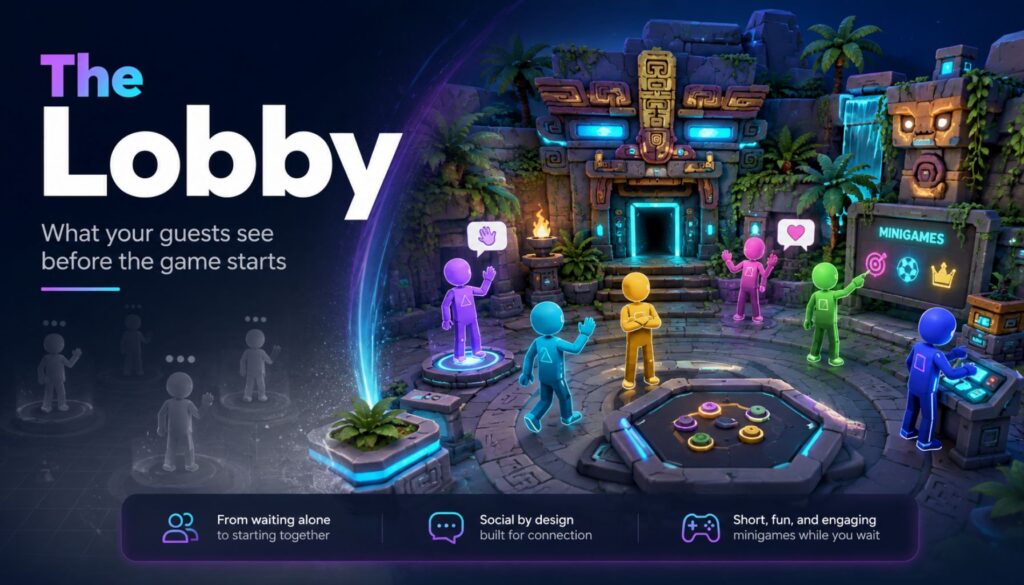
Six friends walk in together. They’ve been talking the whole drive over. Then the headsets go on, and for the next four minutes they stop being a group. Each one stands alone in a grey void, hearing muffled voices somewhere behind them, waiting for something to happen. That’s the part of the session nobody sells and every guest experiences. The Lobby is SynthesisVR’s launcher, released in September 2025, and it fills exactly those minutes. Guests land in a small 3D space together instead of in nothing. They walk around, talk, and play a few simple minigames while your staff finish getting everyone else geared up. When you launch the main session, The Lobby closes and the game starts. It runs on PCVR and on every standalone Android headset you’re likely to have on the shelf: Quest, Pico, HTC Focus. It’s included in your SynthesisVR subscription with no additional licensing. How it works Enable it once per device at my.synthesisvr.com under Devices. On Windows, open the Access Point app and click Refresh, and the installation runs itself. On Android, connect each headset to the Local Manager PC once so it can collect the installation permissions, then use Update The Lobby from the three dots menu next to the device. The first Android install takes three or four minutes depending on your bandwidth. The rest are faster, because the installer is cached. From there you have two ways to run it. You can launch it as a game, selecting it from the dropdown like any other title. The more useful option is In-Content Activation. Pick your main game and your stations, and if every station has The Lobby installed you get a second set of controls and an Activate Lobby button. Press it and nothing launches yet. The system waits, and each headset starts The Lobby on its own the moment a guest puts it on and the device wakes from idle. That waiting behaviour is the operational point. You set the session up, walk away, and help the next person. Each guest’s experience begins as they gear up, without a staff member standing over them to press play at the right second. Use case 1: the free-roam changeover A group of six books your 6×6 metre space. Waivers are signed, the safety brief is done, and now it’s the physical work of fitting six headsets. Straps, lens spacing, boundary check. Guest one is ready in forty seconds. Guest six takes four minutes. Guest one has now spent more than three minutes standing still in the dark, and it’s the first impression of a session they paid for. With The Lobby running, guest one is in a shared space, moving around, and guests two through six appear as they join. The group stays a group. Free-roam sizing runs from 5×5 metres for up to six players through to 10×10 metres for up to sixteen, and room scale supports up to sixteen as well. There’s a small admin benefit here too. If a player doesn’t already have a name assigned, The Lobby asks them to enter one, and that name is stored in SynthesisVR and carries into whatever you launch next. One less thing to type at the desk. Use case 2: parties, school groups, and anything over eight people Large bookings have a structural problem. Somebody is always waiting. Sixteen kids at a birthday party, a corporate team, a school group rotating through a limited number of stations. The bigger the booking, the more of your venue’s time is spent on people who aren’t playing anything yet. The Lobby holds up to sixteen players in one space, so a full party stays together while your staff work down the line. Turn on spectator mode and you get the second half of this. The session mirrors to an external display, so the parents in your waiting area, the siblings who came along, and the walk-in traffic passing your window all have something to watch. Spectator mode is optional, and The Lobby runs normally without it, but for party and group bookings it’s worth switching on. Use case 3: the guest who has never worn a headset This is where the money is. A first-timer’s opening sixty seconds of VR usually involves darkness, disorientation, and a stranger adjusting the straps on their head. Some of them decide right there that VR isn’t for them, and you find out when they pull the headset off eight minutes into a title they paid for. Drop them into The Lobby instead and they get a low-stakes space with nothing to fail at. They learn to look around. They work out what the triggers do. They see their friends’ avatars and realise they can still talk to each other. By the time the main title loads they’ve completed a tutorial without anyone calling it a tutorial. Fewer people quit mid-session. Fewer refunds at the desk. And the reviews you get online tend to come from exactly this guest, the nervous one who was talked into it by a friend. Where The Lobby fits in your setup The Lobby works best as the shared space between putting on the headset and launching the main experience. It handles pre-game social time, basic orientation, and the few minutes when different players become ready at different speeds. It does not replace every launcher workflow. If you want guests to browse your content library and choose what to play themselves, use a dedicated self-service launcher for that part of the venue. SynthesisVR Operation Settings let you assign different 3D environments to different experience types, so you can use The Lobby for free-roam sessions while keeping a different launcher or workflow elsewhere. There is also one setting to consider on standalone Android headsets. Kiosk Mode keeps The Lobby in control of the headset so guests cannot accidentally leave the intended experience. If another launcher on the same headset also needs kiosk-level control, the two will compete. In that case, leave Kiosk Mode off