
3 Spooky VR Games for Arcades to Feature This Fall
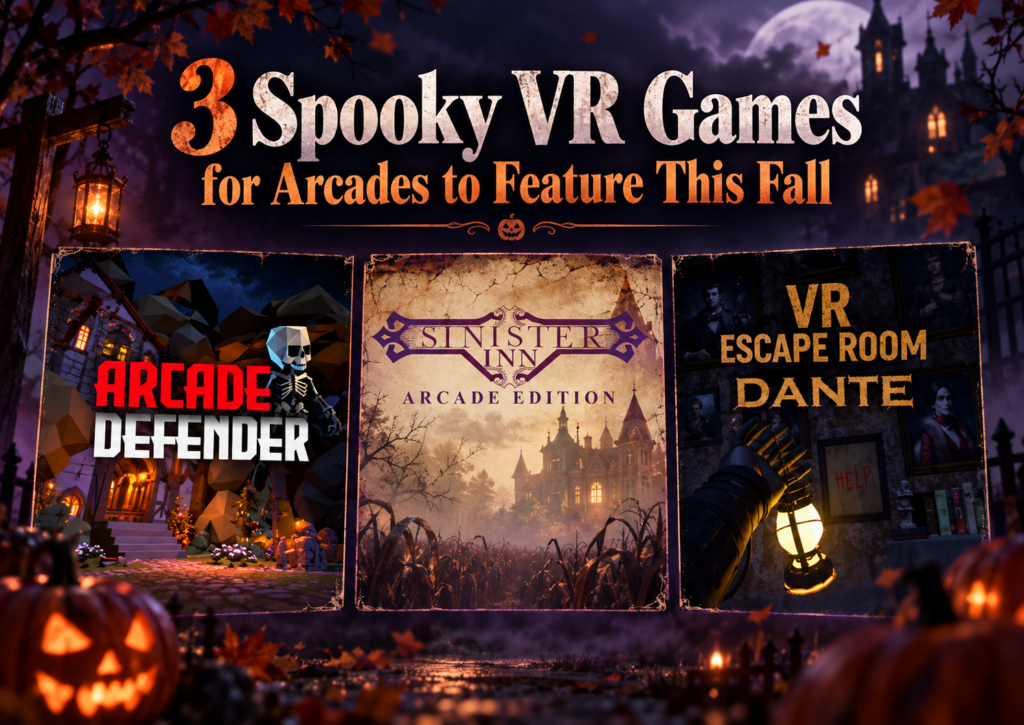
Spooky VR games for arcades can fill very different roles in a fall content lineup. One venue may need something light enough for families and mixed groups, while another wants a longer haunted escape experience or a quick scare that fits between other attractions. That variety matters as fall events, Halloween bookings, student outings, and group visits begin to pick up. Instead of building the whole seasonal offer around one type of horror experience, operators can choose content that fits different audiences, session lengths, hardware setups, and available play space. We recently looked at three very different options available through SynthesisVR: Arcade Defender, VR Escape Room: Dante – Haunted House, and Sinister Inn. Together, they show how broad the “spooky VR” category can be. If you are already planning a larger seasonal promotion, our guide to building Halloween VR arcade packages covers timing, audience segmentation, packaging, and promotion. Here, we are going deeper into the games themselves. Game Players Session Hardware Format Suggested Fit Arcade Defender 1–8 Adjustable PICO, Quest Free-roam Families, teens, mixed groups VR Escape Room: Dante – Haunted House 2–6 30–40 min PCVR, Standalone Free-roam and Room Scale Friends, older groups, escape room fans Sinister Inn 1 3 min PICO, Quest, Focus 3 / Vision Free-roam walkthrough Short horror attraction, add-on experience Arcade Defender: A Lighter Spooky Option for Larger Groups A fall attraction does not always need to be genuinely frightening. For venues serving families, younger teens, birthday groups, and mixed-age visitors, lighter seasonal content can often fit more bookings. Arcade Defender takes that route. Players defend a village from waves of small monsters as they try to make it through the night. The theme stays spooky enough for the season while keeping the presentation accessible, with a suggested age of 12+. Operationally, the flexibility is one of its strongest points. Arcade Defender supports 1 to 8 players, runs on PICO and Quest, and uses an adaptive free-roam area with a maximum size of 10 × 10 meters, or 32.8 × 32.8 feet. Playtime can also be adjusted. That combination gives operators room to use the title in different ways. A smaller group can play without needing to fill every available headset, while a larger booking can turn it into a shared attraction. Adjustable playtime can also help when operators are building the game into a wider package rather than selling it as the entire visit. The title requires an internet connection and uses a standalone game server. For venues already operating standalone free-roam VR, that makes the hardware fit particularly relevant. There is also a Game Community available for Arcade Defender. Operators considering the experience can use that space to share feedback and learn from other venues running the title. Where Arcade Defender fits this fall Arcade Defender makes sense when a venue wants seasonal atmosphere without limiting the audience to dedicated horror fans. It could sit comfortably inside a family Halloween package, an after-school promotion, or a fall group offer where some guests may enjoy spooky themes but have little interest in intense horror. Its group capacity also makes it the broadest option of the three titles in this article. VR Escape Room: Dante – Haunted House for a Longer Group Session Some groups want more than a seasonal backdrop. They want to enter the haunted house, explore it together, solve problems, and stay in that world for most of their booking. VR Escape Room: Dante – Haunted House moves much closer to that type of experience. Dante supports 2 to 6 players and runs for approximately 30 to 40 minutes, giving operators a full-length cooperative VR escape room rather than a quick seasonal add-on. The experience supports both PCVR and standalone hardware. Venues can run it in a 5 × 5 meter free-roam area, equivalent to 16.4 × 16.4 feet, and it is also available in a room-scale configuration. That flexibility is useful because the experience does not depend on one venue layout. An operator running a dedicated free-roam area can use the larger physical format, while another location may have a room-scale setup that better fits its existing floor plan. The longer session also changes how a venue might sell it. A 30 to 40 minute haunted escape can form the main attraction in a booking. That makes it particularly relevant for groups of friends, older teens, adult social bookings, couples, and customers who already understand the appeal of escape rooms. The cooperative format gives guests something to focus on together throughout the session. Horror provides the atmosphere, while the escape room structure gives the group a shared objective. Dante requires an internet connection and supports a standalone game server. Its SynthesisVR listing also includes access to a Game Community, giving operators another place to compare experiences and share practical feedback. A natural crossover between VR arcades and escape rooms Dante also gives venues a useful marketing angle outside Halloween itself. “Haunted VR escape room” communicates the experience more clearly to a local audience than a game title alone. Customers already understand what an escape room is, and the haunted-house theme adds a seasonal reason to try it during fall. That makes Dante useful well beyond a single Halloween weekend. Operators can promote it throughout September and October, then keep it available for customers who actively look for horror or escape room content later in the year. Sinister Inn: Three Minutes, No Controllers, Just Keep Walking Sinister Inn takes the haunted-house idea in a completely different direction. The entire experience lasts three minutes. There are no controllers to learn and no puzzles to solve. A player physically walks through the halls of the Sinister Inn and experiences what happens along the way. That simplicity is central to the attraction. The inn belongs to Isabelle H. Minister, whose spirit has become intertwined with the property. The player enters alone and follows the route through the building, with the experience built around movement, atmosphere, anticipation, and the question of what might appear around
3 VR Arcade Games That Turn Leaderboards Into Repeat Challenges
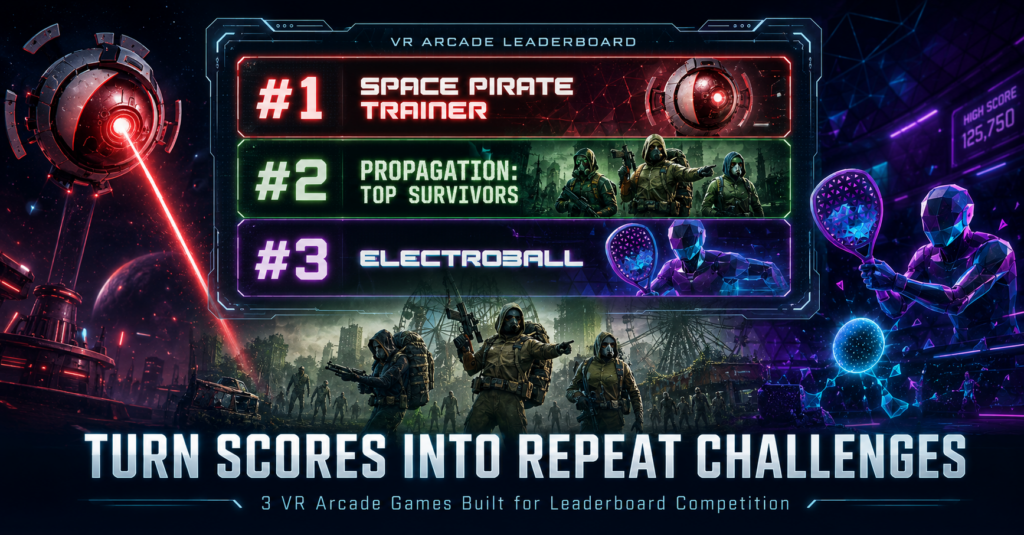
A VR session can end when the headset comes off. A score gives the player something to take with them. They may have beaten their friend, missed the venue record by a few points, or discovered that someone else moved ahead of them after they left. Suddenly, there is a reason to come back. There is a number to beat. For VR arcade operators, that competitive loop can extend the value of content already running in the venue. Daily high scores, weekly challenges, tournaments, and a visible Hall of Fame can turn individual sessions into something players continue talking about after they leave. Leaderboard competition does not have to work the same way in every game. One title can reward an individual high score. Another can give a group a shared benchmark. A direct competitive game can turn every match into a rematch opportunity. We picked three leaderboard-supported VR arcade games from the SynthesisVR content marketplace that approach that idea in very different ways. How does the SynthesisVR Leaderboard work in a VR arcade? The SynthesisVR Leaderboard Add-on automatically captures scores and rankings from supported VR games and displays the results in real time. Operators can run the leaderboard application on a Windows PC or Android device, including a front-desk screen, tablet, or TV. That gives the venue several ways to build competition around existing sessions. Operators can run local tournaments, display high scores on digital signage, create weekly challenges, or keep a longer-running Hall of Fame without asking staff to record every result manually. For a location-based entertainment VR venue, the important part is what happens after the score appears. Put the week’s best result on a screen near the front desk and the next player already knows what they need to beat. Three different leaderboard formats Space Pirate Trainer: the classic arcade high-score loop Space Pirate Trainer takes the logic of a traditional arcade cabinet and puts the player inside it. Players face waves of incoming droids, dodge lasers, and switch between weapons and gadgets while trying to push their score higher. Score chasing is part of the game’s identity. Its commercial listing explicitly frames the challenge around reaching the top rankings and entering the Space Pirate Trainer hall of fame. The title runs on PCVR in a room-scale setup. That makes the competitive objective easy for both staff and guests to understand. Finish the run. Check the score. Decide whether it is good enough. For an operator, very little additional explanation is needed to turn that into recurring programming. The venue could promote the highest score of the week, keep a monthly record, challenge customers to beat a staff score, or leave one long-running venue record for regular players to chase. It is the closest of these three games to the traditional arcade leaderboard model, which also makes it a useful starting point for venues introducing score-driven competition. Propagation: Top Survivors: make the group result matter Competition does not always require players to fight each other. Propagation: Top Survivors puts up to eight players together as survivors trying to make their way through a zombie-filled city. The team must reactivate ARES military anti-zombie devices before time runs out, with configurable session durations available for venue operations. The experience runs on PCVR room scale. That changes the leaderboard conversation. A birthday party, group of friends, or returning team already leaves with a shared story about what happened during the session. A leaderboard result gives that group an additional benchmark to remember and another target for a future visit. Instead of asking only, “Did we finish it?”, returning players have another question to answer: Can we improve on our last result? That makes cooperative competition particularly useful for venues serving repeat groups. The players can work together inside the game while still competing against their own previous performance or results set by other teams. Top Survivors also sits within the wider Wanadev catalog now available through SynthesisVR, alongside titles from the Propagation series and the former Octopod VR catalog. Electroball: competitive VR across PCVR and standalone Electroball takes the leaderboard idea in another direction. Players enter an electrified arena and use rackets to redirect balls into the opponent’s goal while defending their own. Balls can bounce from the arena walls, so positioning and timing influence how players create scoring opportunities. The objective is immediate. Score more than the other player. That makes the result easy to understand and gives the loser an equally obvious reason to ask for another round. Electroball also stands out in this group because of its hardware flexibility. The title supports PCVR Room Scale, PICO, and Quest, making it relevant to standalone VR arcades as well as traditional PCVR installations. It is available in English, French, and Spanish and is designed to be accessible to beginners. For operators, that creates a useful combination: a simple competitive concept, a measurable outcome, and support across several common commercial VR hardware setups. It is also a good example of why browsing a VR content marketplace by operational feature can be more useful than simply looking at the most familiar titles. A smaller game can fill a very specific role in the attraction mix. Turn leaderboard results into venue programming The game provides the result. The venue decides how visible and valuable that result becomes. A leaderboard can sit on a TV near reception with the week’s top scores. Regular players can return every Friday to defend their position. Birthday groups can compete internally. Staff can set a score for customers to beat. A venue can run a one-night tournament or keep a long-term record that becomes part of the local player community. The format does not need to be complicated. A simple “Beat this week’s score” challenge gives players a clear target before they enter the headset. A monthly reset gives more customers a realistic chance to reach first place. Keeping an all-time record alongside the monthly leaderboard gives the strongest players something harder to chase. Visibility
The Lobby: what your guests see before the game starts
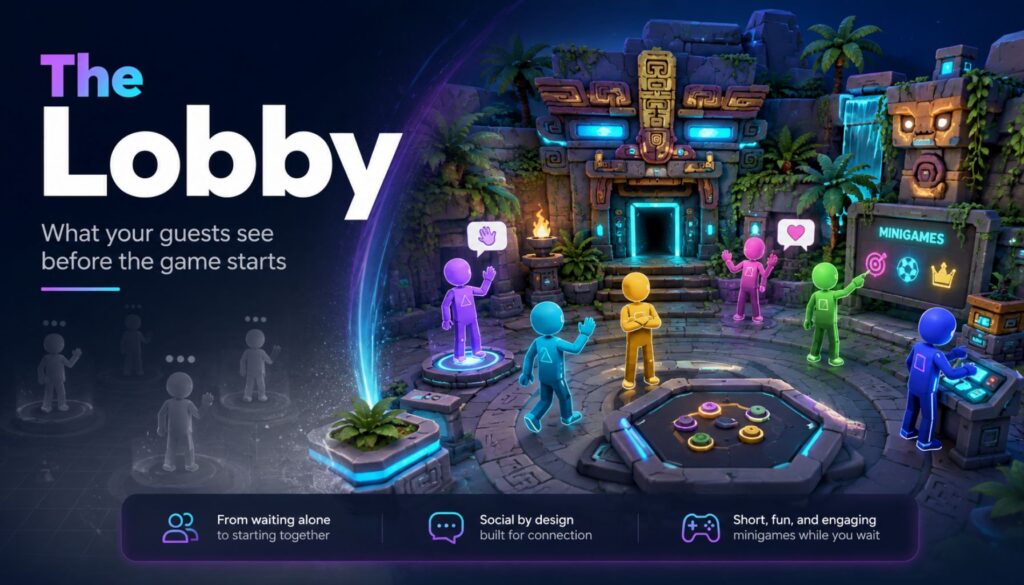
Six friends walk in together. They’ve been talking the whole drive over. Then the headsets go on, and for the next four minutes they stop being a group. Each one stands alone in a grey void, hearing muffled voices somewhere behind them, waiting for something to happen. That’s the part of the session nobody sells and every guest experiences. The Lobby is SynthesisVR’s launcher, released in September 2025, and it fills exactly those minutes. Guests land in a small 3D space together instead of in nothing. They walk around, talk, and play a few simple minigames while your staff finish getting everyone else geared up. When you launch the main session, The Lobby closes and the game starts. It runs on PCVR and on every standalone Android headset you’re likely to have on the shelf: Quest, Pico, HTC Focus. It’s included in your SynthesisVR subscription with no additional licensing. How it works Enable it once per device at my.synthesisvr.com under Devices. On Windows, open the Access Point app and click Refresh, and the installation runs itself. On Android, connect each headset to the Local Manager PC once so it can collect the installation permissions, then use Update The Lobby from the three dots menu next to the device. The first Android install takes three or four minutes depending on your bandwidth. The rest are faster, because the installer is cached. From there you have two ways to run it. You can launch it as a game, selecting it from the dropdown like any other title. The more useful option is In-Content Activation. Pick your main game and your stations, and if every station has The Lobby installed you get a second set of controls and an Activate Lobby button. Press it and nothing launches yet. The system waits, and each headset starts The Lobby on its own the moment a guest puts it on and the device wakes from idle. That waiting behaviour is the operational point. You set the session up, walk away, and help the next person. Each guest’s experience begins as they gear up, without a staff member standing over them to press play at the right second. Use case 1: the free-roam changeover A group of six books your 6×6 metre space. Waivers are signed, the safety brief is done, and now it’s the physical work of fitting six headsets. Straps, lens spacing, boundary check. Guest one is ready in forty seconds. Guest six takes four minutes. Guest one has now spent more than three minutes standing still in the dark, and it’s the first impression of a session they paid for. With The Lobby running, guest one is in a shared space, moving around, and guests two through six appear as they join. The group stays a group. Free-roam sizing runs from 5×5 metres for up to six players through to 10×10 metres for up to sixteen, and room scale supports up to sixteen as well. There’s a small admin benefit here too. If a player doesn’t already have a name assigned, The Lobby asks them to enter one, and that name is stored in SynthesisVR and carries into whatever you launch next. One less thing to type at the desk. Use case 2: parties, school groups, and anything over eight people Large bookings have a structural problem. Somebody is always waiting. Sixteen kids at a birthday party, a corporate team, a school group rotating through a limited number of stations. The bigger the booking, the more of your venue’s time is spent on people who aren’t playing anything yet. The Lobby holds up to sixteen players in one space, so a full party stays together while your staff work down the line. Turn on spectator mode and you get the second half of this. The session mirrors to an external display, so the parents in your waiting area, the siblings who came along, and the walk-in traffic passing your window all have something to watch. Spectator mode is optional, and The Lobby runs normally without it, but for party and group bookings it’s worth switching on. Use case 3: the guest who has never worn a headset This is where the money is. A first-timer’s opening sixty seconds of VR usually involves darkness, disorientation, and a stranger adjusting the straps on their head. Some of them decide right there that VR isn’t for them, and you find out when they pull the headset off eight minutes into a title they paid for. Drop them into The Lobby instead and they get a low-stakes space with nothing to fail at. They learn to look around. They work out what the triggers do. They see their friends’ avatars and realise they can still talk to each other. By the time the main title loads they’ve completed a tutorial without anyone calling it a tutorial. Fewer people quit mid-session. Fewer refunds at the desk. And the reviews you get online tend to come from exactly this guest, the nervous one who was talked into it by a friend. Where The Lobby fits in your setup The Lobby works best as the shared space between putting on the headset and launching the main experience. It handles pre-game social time, basic orientation, and the few minutes when different players become ready at different speeds. It does not replace every launcher workflow. If you want guests to browse your content library and choose what to play themselves, use a dedicated self-service launcher for that part of the venue. SynthesisVR Operation Settings let you assign different 3D environments to different experience types, so you can use The Lobby for free-roam sessions while keeping a different launcher or workflow elsewhere. There is also one setting to consider on standalone Android headsets. Kiosk Mode keeps The Lobby in control of the headset so guests cannot accidentally leave the intended experience. If another launcher on the same headset also needs kiosk-level control, the two will compete. In that case, leave Kiosk Mode off
Free-Roam VR vs Room-Scale VR: What Commercial Operators Actually Need to Know
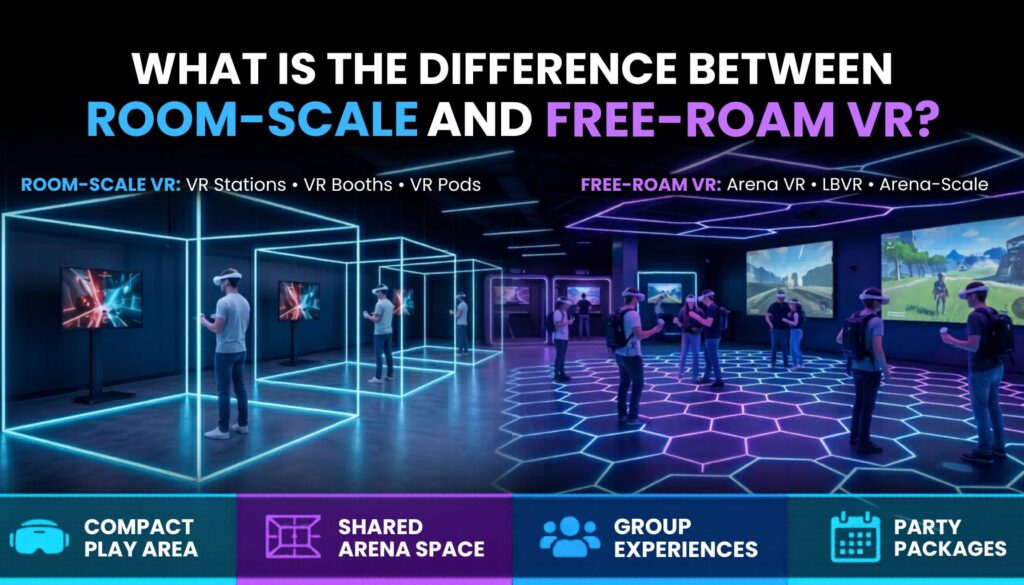
When people compare room-scale VR and free-roam VR, the discussion usually starts with space. Room-scale uses a smaller tracked area. Free-roam uses a larger physical arena where players walk naturally. That explanation is technically accurate. For commercial operators, it is also incomplete. Room-scale VR and free-roam VR are different attraction formats, each serving a different operational and commercial role inside a venue. They affect staffing requirements, player capacity, content strategy, floor plan decisions, and how a business generates revenue. Data from hundreds of commercial VR venues shows that operators rarely choose one format over the other: they build around free-roam as the primary investment, then layer room-scale around it to serve a different part of the guest experience. Understanding why that pattern works is more useful than debating which format is “better.” What Does Room-Scale VR Mean? The debate around free-roam VR vs room-scale VR usually starts with space. Room-scale VR refers to experiences that take place within a defined tracked play area, typically a minimum of 2×2 meters and ideally 2.5×2.5 meters per player or group. Within that space, players can walk, crouch, turn, and interact physically rather than sitting or standing in a fixed position. The setup can take several forms. Some operators build enclosed rooms with solid walls. Others use curtain dividers or open floor plans with clearly marked boundaries. A monitor facing outward so waiting guests can watch gameplay in progress is standard across all configurations. The experience may support a single player or a small multiplayer group, as long as all players share the same tracked area. Across the industry this format goes by several names: VR stations, VR booths, VR pods. These are not distinct attraction categories. They describe different ways of delivering the same format, whether that means an open play position on a venue floor, a partitioned booth for privacy and organization, or a branded enclosed unit with custom theming. The format is consistent: compact, defined play space with flexible deployment. Because room-scale setups require relatively little floor area and integrate into most existing layouts, operators use them to add attraction variety, increase density, or introduce new content without major venue redesigns. That flexibility matters most when a venue is already anchored by a larger attraction and needs to fill the surrounding floor plan productively. What Does Free-Roam VR Mean? Free-roam VR allows multiple players to walk through a shared virtual environment together, each wearing a wireless headset, navigating the same physical arena at the same time. Where room-scale defines a boundary for each player, free-roam removes that boundary. Everyone in the experience occupies one shared arena space, physically moving alongside each other while interacting inside the same virtual world. The format is commonly referred to as free-roam VR, arena VR, or arena-scale VR. Within the industry, location-based VR and LBVR are broader terms that often apply here as well. The technology behind free-roam has changed significantly over the past several years. Early commercial setups relied on backpack PCs: players wore full computing rigs on their backs through the experience, and tracking depended on external sensor arrays that required significant setup time between sessions. Modern free-roam operates differently. Standalone headsets with inside-out tracking have largely replaced backpack systems. Arenas are designed specifically to support stable tracking: floor markers, aruco patterns, and walls with non-repeating visual textures give headsets consistent reference points as players move. The result is more reliable tracking, faster resets, and simpler day-to-day operations. Arena size in free-roam is not fixed by a single standard. Most commercial free-roam titles are designed around a 6x6m (20x20ft) play space, which has become the practical baseline for operators because it unlocks the widest range of available content. Larger arenas, typically around 10x10m, support more simultaneous players or give players more physical room, though player counts do not always scale with the additional space. Some titles allow operators to adapt the experience to a different play space size, but that flexibility is less common across the catalog. The practical starting point for most operators is sizing the arena around the content library they want to run, not the other way around. Free-roam experiences are built around what the format does well: multiplayer cooperation and competition, physical exploration across a large shared space, and social play where every participant is present in the same environment at once. The Practical Difference: Movement and Play Area The most visible difference between the two formats is how players move. In room-scale VR, movement stays within a compact tracked area per player. In free-roam VR, walking is central to the experience: players navigate the arena physically and the virtual world responds to where they actually are. From an operator perspective, that produces meaningfully different venue requirements. The choice is rarely about which format is technically superior. It is about which format fits the venue being built and the audience it serves. Why Free-Roam Draws Stronger Commercial Interest Several factors have made free-roam VR the more discussed format among venue operators, and data from commercial deployments reflects that priority consistently. The clearest factor is replicability. A consumer at home can buy a headset, clear some furniture, and run a room-scale experience. The quality differs from a commercial setup, but the format is accessible. Free-roam arenas are not. No home environment accommodates a shared arena with multiple simultaneous players, calibrated tracking walls, and the session infrastructure a venue provides. Content reinforces that gap in a specific way. Titles like Arizona Sunshine Remake: Free-Roam and After the Fall: Free-Roam are built exclusively for commercial venue deployment. They have no consumer release. A guest who already owns a home headset still has a clear reason to book: the experience they want does not exist on any device they can buy. That content exclusivity also has a less obvious commercial benefit. VR content licensing structured through a commercial platform closes the route that consumer versions leave open. Room-scale content that exists in consumer ecosystems can be acquired and run by any venue regardless