
How Long Should a VR Arcade Session Be?
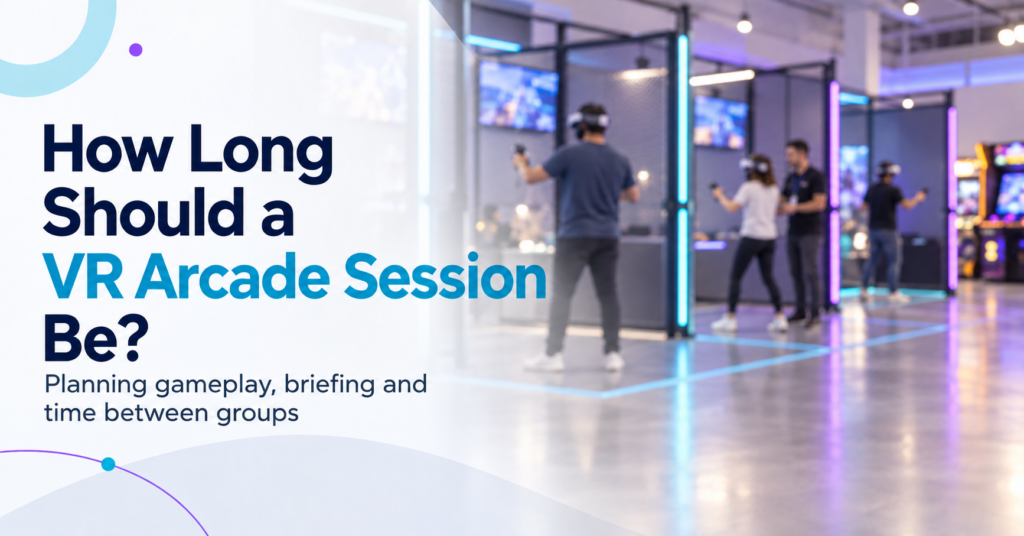
There is no standard VR arcade session length. Commercial VR experiences currently range from a few minutes for fast competitive rounds to 30 or 45 minutes for free-roam missions and narrative experiences. Some venues then add another 10 to 15 minutes for briefing, headset fitting, and preparation. For an operator, the useful question is therefore: How much gameplay creates a satisfying experience while still fitting the attraction, audience, booking schedule, and operating model? The answer starts by separating three different clocks that often get grouped together as “session length.” Gameplay Time, Booking Time, and Operating Time Are Different A customer might book 30 minutes of VR, but the attraction can occupy venue capacity for much longer. Consider the full cycle: Briefing and fitting → Launch → Gameplay → Exit → Reset If guests play for 30 minutes, need 10 minutes for preparation, and staff need another 5 minutes before the next group, the attraction occupies a 45-minute operating block. That distinction matters because the game duration does not determine how many sessions a venue can actually run. The previous SynthesisVR guide on VR attraction performance looked at this from the measurement side. A nominal 30-minute attraction can become a 40-minute or 45-minute cycle once onboarding, launch, and reset enter the calculation. For session planning, operators should define three times clearly: Time What it measures Gameplay time Minutes the customer actively spends inside the experience Guest booking time The time the customer should allow for the booked activity Operating cycle Time from preparing one group until the attraction is ready for the next Commercial VR Already Uses Very Different Session Lengths Current commercial VR formats show why one universal session duration would make little sense. Some HOLOGATE arena titles support playtimes as short as 3, 5, 8, or 10 minutes. SynthesisVR marketplace title Critical Mass lists an approximate session duration of 10 to 15 minutes. Teller Falls can run individual themes in roughly 10 to 15 minutes or its complete experience in 25 to 30 minutes. At the other end, Zero Latency offers formats built around 15- and 30-minute sessions and currently offers some experiences in 30- and 45-minute versions. VR escape venues commonly advertise around 40 to 45 minutes of actual play, with preparation extending the complete visit toward an hour. The range reflects different products. A five-minute competitive match can produce a complete result, a winner, and an immediate rematch. A 30-minute cooperative mission needs enough time for the group to progress through the experience. An escape-style attraction needs time for exploration, puzzles, and narrative development. The operator should start with what the experience needs to feel complete, then build the commercial session around it. Match Session Length to the Experience Structure Session duration works best when it follows the natural rhythm of the content. Fast competitive games often lend themselves to shorter rounds because the outcome arrives quickly. Scores, wins, losses, and leaderboards create natural stopping points. Customers can play again without repeating a long introduction. Cooperative shooters and free-roam missions usually need more time to establish the objective, let the team settle into its roles, and give players a meaningful progression. Narrative and escape experiences generally need longer uninterrupted periods because their value comes partly from completing a story or solving a sequence of challenges. That does not mean every competitive game should run for ten minutes or every escape game should run for 45. The current commercial market already contains plenty of exceptions. A better operator question is: At what point does this specific experience feel finished rather than cut short? That becomes the starting duration to test. Shorter Sessions Do Not Automatically Mean Better Throughput Short sessions create more theoretical booking slots, but every session carries some fixed operational time. Imagine two formats. Format A 15 minutes gameplay10 minutes briefing and fitting5 minutes reset 30-minute total cycle Format B 30 minutes gameplay10 minutes briefing and fitting5 minutes reset 45-minute total cycle Format A can theoretically complete two cycles per hour. Format B completes around 1.3. But look at the same example from the customer’s side. In Format A, only 50% of the attraction cycle is gameplay. In Format B, gameplay accounts for roughly 67% of the cycle. That gives operators a useful planning calculation: Playable-Time Ratio Gameplay time ÷ full operating cycle × 100 This is not an established industry KPI. It is a simple planning measure that helps show how much of each operating block goes toward the experience customers actually came to play. The highest ratio does not automatically produce the best business model either. A short competitive attraction can work extremely well when customers replay it, groups move through quickly, or the format supports walk-ins. A longer session may suit private bookings or premium experiences. The calculation simply exposes the tradeoff. Longer Sessions Have Their Own Limits Adding more gameplay time can increase perceived value, but only while the experience continues to hold the player’s attention and comfort. VR research does not support one universal maximum session duration. Exposure time interacts with content, locomotion, software design, and individual susceptibility. Research into cybersickness has found substantial variation between users and between different types of VR content. For an arcade operator, that makes observation more useful than adopting a generic rule. Watch when customers naturally want to stop. Track early exits. Listen for complaints about fatigue or discomfort. Compare first-time visitors with experienced players. An intense free-movement shooter and a calm exploration experience can place very different demands on players over the same 30 minutes. Group Size Changes the Session Before Gameplay Even Begins Session length should also be tested with the group size the venue actually expects to serve. Preparing two experienced players can take very little time. Preparing six or eight first-time visitors may involve headset assignment, fitting, player identification, explanation, calibration, multiplayer connection, and questions from several people at once. The SynthesisVR multiplayer guide makes this operational difference clear: even a small repeated step can become several minutes of preparation
Is Your VR Venue Ready to Add Another Attraction?
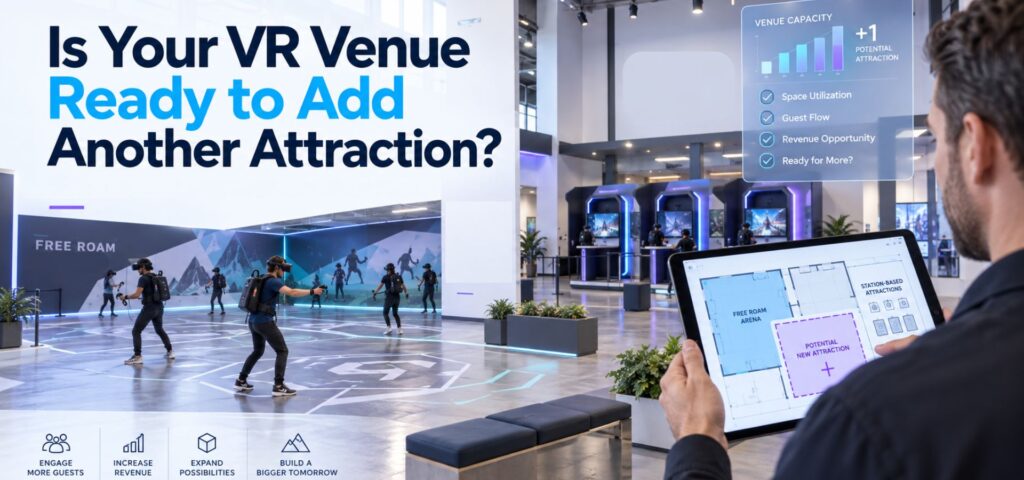
Adding another attraction can feel like the obvious next step when a VR venue starts getting busier. Perhaps weekend slots are filling consistently. Birthday groups are getting larger. Customers are asking for more variety. There may be unused floor space that could support another free-roam arena, a few standalone stations, or a different type of multiplayer experience. The question is whether the venue actually needs more capacity yet. Adding hardware increases the number of experiences a venue can sell, but it also adds another schedule, another set of devices, more content decisions, additional staff responsibilities, and another attraction that needs to earn its place on the floor. Before expanding, operators should look at what their current setup is already telling them. Start With the Capacity You Already Have A busy Saturday does not necessarily mean an attraction has reached its capacity. Look at utilization across the full week. An eight-player arena that regularly fills during birthday bookings may still spend large parts of weekday afternoons unused. A venue with several room-scale stations may appear busy because customers arrive continuously, while individual stations remain empty between bookings. That distinction matters because expansion solves a capacity problem. It does much less for a demand problem. Our guide to How Many Players Should a VR Attraction Support? looks at this from the booking-model side. Eight simultaneous players can mean one eight-player arena, two four-player experiences, or several smaller attractions. The useful capacity depends on the way customers actually book. Identify the Booking the Current Venue Cannot Serve The strongest reason to add another attraction is usually a specific booking opportunity. For example, a four-player setup may work well for walk-ins but become difficult when birthday groups regularly arrive with eight or twelve guests. A free-roam arena may handle large social groups well while leaving couples and smaller groups with limited options. The gap could also be demographic. A venue with mostly competitive shooters might receive regular family traffic without enough suitable content. Another location may serve casual players well but lack an attraction strong enough for repeat visits from experienced groups. Before expanding, define the gap clearly: Which customer or booking type could we serve better if this attraction existed? That question is more useful than asking whether a new attraction looks impressive. We recently explored the same principle from the content side in How to Choose VR Arcade Games for Different Customer Groups. Hardware, space, group size, staff workflow, and audience fit all affect whether an experience works commercially. Check Whether More Capacity Creates More Throughput The theoretical capacity of an attraction and the number of sessions staff can actually deliver are rarely identical. Suppose a venue adds a second multiplayer attraction. That may allow two groups to play at once. It may also mean staff now need to: If the existing team already struggles during back-to-back bookings, another attraction can increase pressure without creating the expected number of additional sellable sessions. This is why throughput belongs in the expansion calculation. The VR Arcade Business Plan guide uses a simple starting model: available sessions × average players per session × realistic utilization × average revenue per player The important word is realistic. Session capacity has to account for onboarding, resets, maintenance, delays, and staff workload rather than relying on the maximum number printed on the attraction specification. Watch What Happens During Your Busiest Hour Peak periods often reveal more than weekly revenue totals. Observe one genuinely busy hour at the venue. Where does the line form? Is staff waiting for headsets to become available? Are customers waiting for a play space, or are they waiting for an employee to launch the experience? Does one attraction finish while another group is still being prepared? Are staff moving between several systems to check bookings, launch content, or resolve device problems? These observations help distinguish between a physical capacity constraint and an operational constraint. That matters because adding another attraction only directly fixes the first one. The wider attractions industry sees the same issue. IAAPA’s recent guidance for FEC operators describes how multiple attractions, staff roles, and guest touchpoints can allow small operational problems to compound quickly. That is useful context for VR venues because expansion usually increases coordination before it increases complexity anywhere else. Make Sure the New Attraction Adds Something to the Mix Another attraction should have a role. It might increase capacity for large parties. It might create a lower-cost option for couples and small groups. It could introduce cooperative content alongside an existing competitive offer. It may give families something accessible while older visitors use a more intense free-roam experience. Or it could make an underused part of the building commercially productive. The risk is adding an attraction that competes with the venue’s existing offer for the same customers. If two attractions target the same audience, group size, price range, and occasion, operators may simply divide existing demand between them. A useful attraction mix gives customers different reasons to book. Our article on VR arcade content rotation makes a related point: customer behavior should drive changes to the lineup. Operators can look at selection frequency, repeat requests, operational friction, and audience gaps before deciding what belongs in the mix. Calculate the Full Cost of the Expansion The hardware purchase is only one part of the decision. Depending on the attraction, expansion can introduce costs for: It can also introduce a less visible cost: floor space. A large attraction needs to earn enough to justify the area it occupies. That is particularly important when comparing free-roam with smaller station-based formats. Our guide to free-roam VR arena space requirements explains why footprint, hardware, and available content should be evaluated together rather than treating square footage as a standalone requirement. Operators building the financial model can also use our VR Arcade Startup Budget and Revenue guide. Although it was designed around new venues, the same logic applies to expansion: build the investment around your own capacity, labor, hardware, software, content, and revenue assumptions
The Lobby: what your guests see before the game starts
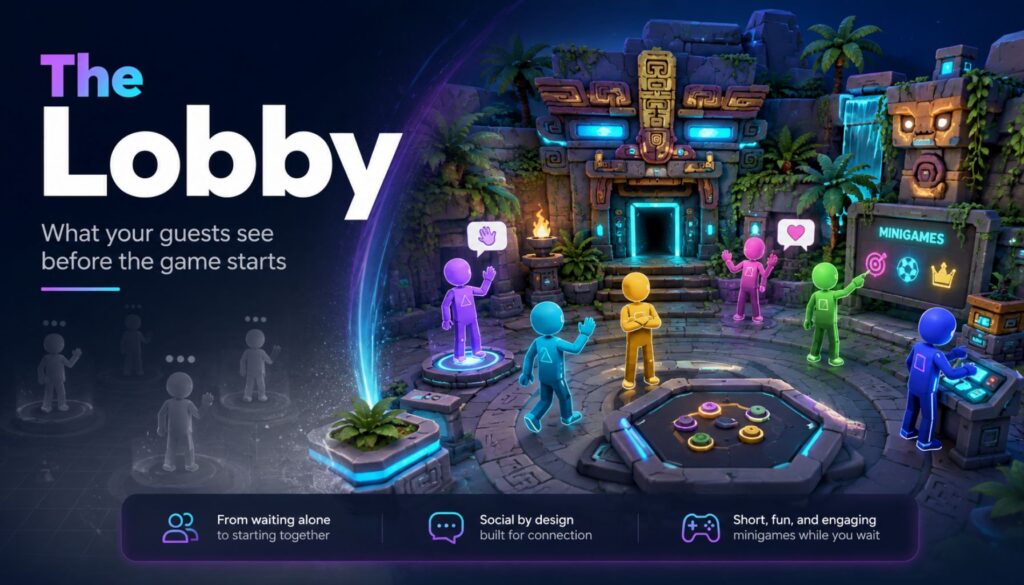
Six friends walk in together. They’ve been talking the whole drive over. Then the headsets go on, and for the next four minutes they stop being a group. Each one stands alone in a grey void, hearing muffled voices somewhere behind them, waiting for something to happen. That’s the part of the session nobody sells and every guest experiences. The Lobby is SynthesisVR’s launcher, released in September 2025, and it fills exactly those minutes. Guests land in a small 3D space together instead of in nothing. They walk around, talk, and play a few simple minigames while your staff finish getting everyone else geared up. When you launch the main session, The Lobby closes and the game starts. It runs on PCVR and on every standalone Android headset you’re likely to have on the shelf: Quest, Pico, HTC Focus. It’s included in your SynthesisVR subscription with no additional licensing. How it works Enable it once per device at my.synthesisvr.com under Devices. On Windows, open the Access Point app and click Refresh, and the installation runs itself. On Android, connect each headset to the Local Manager PC once so it can collect the installation permissions, then use Update The Lobby from the three dots menu next to the device. The first Android install takes three or four minutes depending on your bandwidth. The rest are faster, because the installer is cached. From there you have two ways to run it. You can launch it as a game, selecting it from the dropdown like any other title. The more useful option is In-Content Activation. Pick your main game and your stations, and if every station has The Lobby installed you get a second set of controls and an Activate Lobby button. Press it and nothing launches yet. The system waits, and each headset starts The Lobby on its own the moment a guest puts it on and the device wakes from idle. That waiting behaviour is the operational point. You set the session up, walk away, and help the next person. Each guest’s experience begins as they gear up, without a staff member standing over them to press play at the right second. Use case 1: the free-roam changeover A group of six books your 6×6 metre space. Waivers are signed, the safety brief is done, and now it’s the physical work of fitting six headsets. Straps, lens spacing, boundary check. Guest one is ready in forty seconds. Guest six takes four minutes. Guest one has now spent more than three minutes standing still in the dark, and it’s the first impression of a session they paid for. With The Lobby running, guest one is in a shared space, moving around, and guests two through six appear as they join. The group stays a group. Free-roam sizing runs from 5×5 metres for up to six players through to 10×10 metres for up to sixteen, and room scale supports up to sixteen as well. There’s a small admin benefit here too. If a player doesn’t already have a name assigned, The Lobby asks them to enter one, and that name is stored in SynthesisVR and carries into whatever you launch next. One less thing to type at the desk. Use case 2: parties, school groups, and anything over eight people Large bookings have a structural problem. Somebody is always waiting. Sixteen kids at a birthday party, a corporate team, a school group rotating through a limited number of stations. The bigger the booking, the more of your venue’s time is spent on people who aren’t playing anything yet. The Lobby holds up to sixteen players in one space, so a full party stays together while your staff work down the line. Turn on spectator mode and you get the second half of this. The session mirrors to an external display, so the parents in your waiting area, the siblings who came along, and the walk-in traffic passing your window all have something to watch. Spectator mode is optional, and The Lobby runs normally without it, but for party and group bookings it’s worth switching on. Use case 3: the guest who has never worn a headset This is where the money is. A first-timer’s opening sixty seconds of VR usually involves darkness, disorientation, and a stranger adjusting the straps on their head. Some of them decide right there that VR isn’t for them, and you find out when they pull the headset off eight minutes into a title they paid for. Drop them into The Lobby instead and they get a low-stakes space with nothing to fail at. They learn to look around. They work out what the triggers do. They see their friends’ avatars and realise they can still talk to each other. By the time the main title loads they’ve completed a tutorial without anyone calling it a tutorial. Fewer people quit mid-session. Fewer refunds at the desk. And the reviews you get online tend to come from exactly this guest, the nervous one who was talked into it by a friend. Where The Lobby fits in your setup The Lobby works best as the shared space between putting on the headset and launching the main experience. It handles pre-game social time, basic orientation, and the few minutes when different players become ready at different speeds. It does not replace every launcher workflow. If you want guests to browse your content library and choose what to play themselves, use a dedicated self-service launcher for that part of the venue. SynthesisVR Operation Settings let you assign different 3D environments to different experience types, so you can use The Lobby for free-roam sessions while keeping a different launcher or workflow elsewhere. There is also one setting to consider on standalone Android headsets. Kiosk Mode keeps The Lobby in control of the headset so guests cannot accidentally leave the intended experience. If another launcher on the same headset also needs kiosk-level control, the two will compete. In that case, leave Kiosk Mode off
How VR Arcades Can Adapt to Summer Demand Shifts and Capture More Indoor Entertainment Traffic
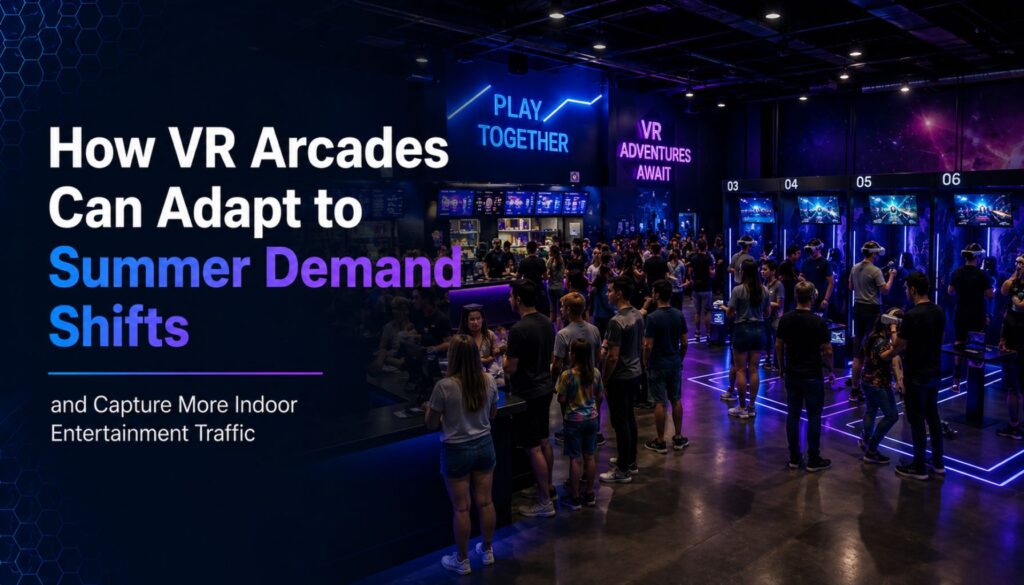
Most VR arcade operators expect summer to bring more visitors. What many find instead is that summer changes booking behavior more than it changes overall demand. Seasonal patterns vary considerably across commercial VR venues. Tourist destinations often welcome an influx of first-time visitors. Local family entertainment centers may see regulars disappear for holidays. A rainy afternoon can transform a quiet Wednesday into one of the busiest periods of the week with only a few hours’ notice. For VR arcades, FECs, and location-based entertainment venues, marketing your VR arcade effectively in summer comes down to understanding who is likely to visit, how they make booking decisions, and whether the venue is ready to respond when demand shifts without warning. How Summer Actually Changes VR Arcade Marketing and Traffic Summer rarely increases demand evenly. The more common pattern across commercial LBE venues is a reshaping of when and how bookings arrive. Weekend sessions often stay healthy. Weekday utilization becomes harder to predict. Tourist-heavy markets see more first-time visitors, while local venues lose regulars to travel and outdoor activities. These patterns tend to run in parallel rather than canceling each other out, which means operators serving both local and tourist audiences may see strong overall numbers while still struggling with utilization on specific days and sessions. One weekend should not be read as a trend. Summer demand tends to arrive in waves driven by weather, local events, school schedules, and travel patterns, so a strong Saturday tells you less than you might expect about the following week. Operators who plan around consistent utilization rather than occasional spikes tend to manage the season more effectively. Why Heatwaves and Rainy Days Are Your Best Walk-In Opportunities Weather is one of the most reliable same-day demand drivers for indoor entertainment venues, and summer is when that effect is most pronounced. When outdoor plans fall apart, consumers search for alternatives the same day. Operators in family entertainment and attraction sectors have consistently noted that rainy weekends drive stronger attendance than clear-sky holiday weekends in some markets, with outdoor competitors like mini golf and go-karts seeing slower traffic while indoor venues pick up the difference. The mechanism is straightforward: a family with an afternoon free and a change in weather needs an answer quickly. What they search for reflects that urgency. Queries like “indoor activities near me,” “things to do with kids,” “VR arcade near me,” and “rainy day activities” are high-intent searches from people ready to book that day. Venues that answer those searches with clear, practical information, session length, pricing, group size, age suitability, what to expect on arrival, convert that traffic at a higher rate than venues that bury the details. Local SEO visibility and a clean booking page matter more in this moment than any promotional campaign. Summer Visitors Are Not One Audience A family booking a birthday party, a camp coordinator managing forty kids, a tourist couple with two free hours, and a group of friends deciding last-minute what to do on a Friday night all land in the same venue. They found it differently, they need different things, and they make decisions on very different timelines. Operators who recognize these differences can build offers, messaging, and scheduling structures that match the actual booking journey rather than defaulting to one-size promotional language. The booking pattern column in the graphic above is particularly useful for session planning: families plan ahead, camps book in advance to manage logistics, tourists decide same-day, and social groups move on short notice. A venue that can accommodate all four simultaneously, without staff coordination becoming the limiting factor, is in a structurally stronger position than one that handles them well in sequence but struggles when they overlap. Why Local Search Visibility Matters More in Summer Many summer visitors have never heard of your venue before. They find it through Google Search, Google Maps, tourism sites, local directories, and increasingly through AI-powered search results that surface venue recommendations directly in the answer rather than a list of links. Discoverability at that moment depends on two things: whether the venue appears in the results, and whether the listing answers the practical questions quickly enough to convert. Visitors searching for last-minute indoor activities are not browsing. They want session length, pricing, group size limits, and age recommendations without having to dig. Venues that surface that information clearly, in their Google Business Profile, on their booking page, and in their site copy, tend to win that traffic over venues with better attractions but harder-to-navigate information. This is also where structured data and locally relevant page content start to matter for venues that want to compete in AI-assisted search, where the answer shown to a user is often pulled from a single well-organized source rather than ranked links. Platforms like ROLLER, which works with thousands of FEC and attraction operators globally, note that seasonal promotions and clear online booking flows are among the highest-impact changes venues can make before peak periods. What to Review Before Peak Summer Traffic Arrives The checklist below covers three areas operators should audit before the season peaks: booking experience, local visibility, and operational readiness. Small improvements in clarity often create more bookings than additional advertising spend. A pricing page that answers questions without extra clicks, a Google Business Profile updated with current hours and photos, and staff briefed on same-day demand spikes are each lower-cost interventions than a paid campaign, and each one compounds across every visitor who arrives from organic search over the course of a season. Managing the Operational Complexity That Comes With Seasonal Variety On a busy summer day, a VR arcade might run a birthday party in the morning, a summer camp group at midday, tourist walk-ins through the afternoon, and a social multiplayer session in the evening. Each of those groups needs different content, different session structures, and different levels of staff involvement. That variety is manageable when volume is moderate. During weather-driven spikes, when two or three groups arrive within a short window