
How Much Guidance Should VR Arcade Staff Give Players?
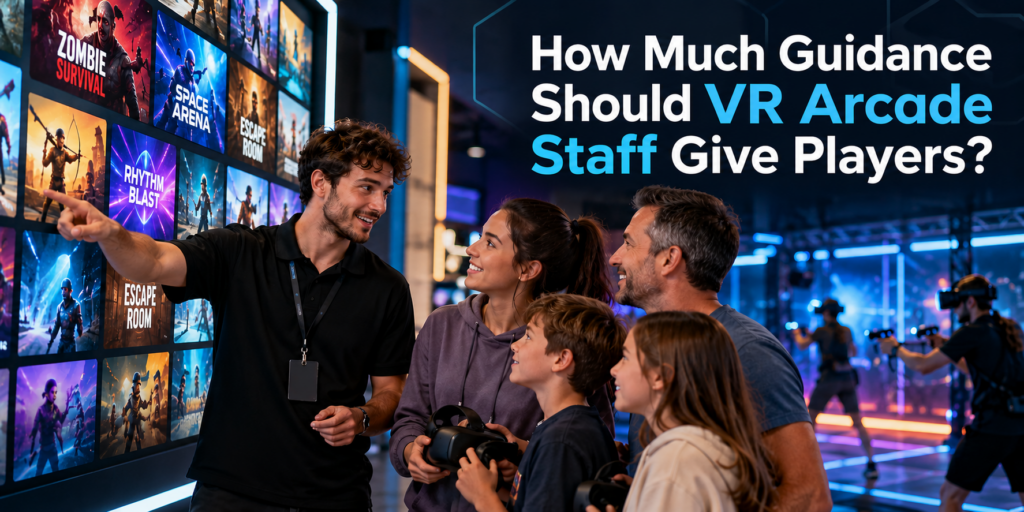
A strong VR content library gives customers choice, but choice alone does not guarantee a good experience. Staff still need to understand who an experience is for, how it starts, what players need to know before putting on the headset, and when they may need help. That makes staff guidance an important part of running a VR arcade, particularly for first-time visitors who have little idea what to choose or what to expect. Why VR Players Need More Guidance Than They May Realize Experienced VR players may arrive knowing exactly what they want. Many customers do not. A family with children, a birthday group, two adults trying VR for the first time and a group of experienced gamers can all walk into the same venue with very different expectations. Asking them to browse a large game library without guidance puts much of the decision on the customer. The goal is not to make the decision for the customer. It is to turn a potentially overwhelming library into a manageable set of experiences that fit the group. Staff Should Know the Content They Are Offering This was one of the interesting issues raised in our recent conversations with VR arcade operators. Adding an experience to the library and waiting to see whether customers play it provides limited information about whether the content itself is working. A game may receive little play because customers cannot tell what it is from the title or thumbnail. Staff may rarely recommend it. Players may start it without understanding the objective. A group may choose something poorly suited to its size or experience level. The operator can then conclude that customers simply do not like the game. That conclusion may be wrong. Before staff recommend an experience, they should ideally know: What is the experience about?Staff should be able to explain the basic premise in one or two sentences. Who is it suitable for?Consider age, VR experience, group size, physical intensity and genre. How does the experience begin?Some games are immediately intuitive. Others require players to understand controls, roles or objectives before the session starts. What commonly causes players difficulty?Knowing where people tend to get stuck allows staff to intervene quickly instead of leaving players frustrated. What hardware and play space does it require?A recommendation still has to work with the venue’s available setup. This is one reason properly testing VR arcade games before adding them to the active library matters. Staff who have actually played an experience can explain it much more naturally than staff working from a title and description alone. Guidance Starts Before the Headset Goes On Some of the most useful guidance happens before gameplay begins. A good introduction does not need to become a five-minute tutorial. In many cases, players only need a few pieces of information: What am I trying to do?Give the player the objective. What do I need to know to get started?Explain the essential controls or interaction. What should I expect?If players will move between stages, communicate with teammates, physically turn around or encounter something intense, tell them beforehand. This is especially important with first-time VR users. They are learning the game and learning how to interact in VR at the same time. Giving them the right information before the session can reduce confusion once the headset is on. During the Game, Help Without Taking Over There is another extreme operators should avoid: over-guiding. A puzzle is less satisfying if a staff member immediately gives away the solution. Exploration loses its appeal if someone constantly tells players where to go. Experienced players may want very little assistance. The best level of support therefore changes with the player and the experience. Staff should know when a player is discovering and when a player is simply stuck. Someone experimenting with different solutions may be enjoying the game exactly as intended. Someone repeating the same failed interaction for several minutes may need a small prompt. Start with the least intrusive intervention: Prompt → hint → explanation → direct assistance That preserves player agency while preventing frustration from consuming a large part of a paid session. Technical Problems Need Fast Intervention Gameplay guidance and technical support are different. If tracking fails, a controller disconnects, a headset loses connection or the game does not progress correctly, waiting for the player to solve the problem wastes session time. Staff need enough familiarity with both the content and the venue setup to recognize when the problem is technical. This becomes particularly important during busy periods. A problem that takes an experienced staff member 30 seconds to identify can consume several minutes when the person supervising the session does not know what normal gameplay should look like. Knowing the game is therefore part of troubleshooting it. Better Recommendations Can Improve Content Utilization Staff knowledge also affects which games get played. Imagine a venue has 40 experiences available, but employees confidently recommend only five because those are the games they know best. From the customer’s perspective, the venue effectively has a five-game library. The remaining content may be technically available, but it is doing little work for the business. Training staff across a carefully selected range of experiences can help venues make better use of the content they already license. It also gives operators better information when deciding what to keep, rotate or replace. Instead of asking only: “How often was this game launched?” operators can also ask: “Did we recommend it to the right customers?” That is a much more useful question when evaluating content performance. Build a Simple Content Knowledge System for Staff Staff do not need to memorize every detail of every game. A simple internal reference can make recommendations much easier. For each active experience, record: This also makes onboarding new employees easier. Rather than expecting them to learn an entire commercial VR library at once, operators can establish a core group of experiences every staff member should know well and expand from there. Let Your VR Management System Handle the
3 Horror and Zombie VR Games for Your Halloween Lineup
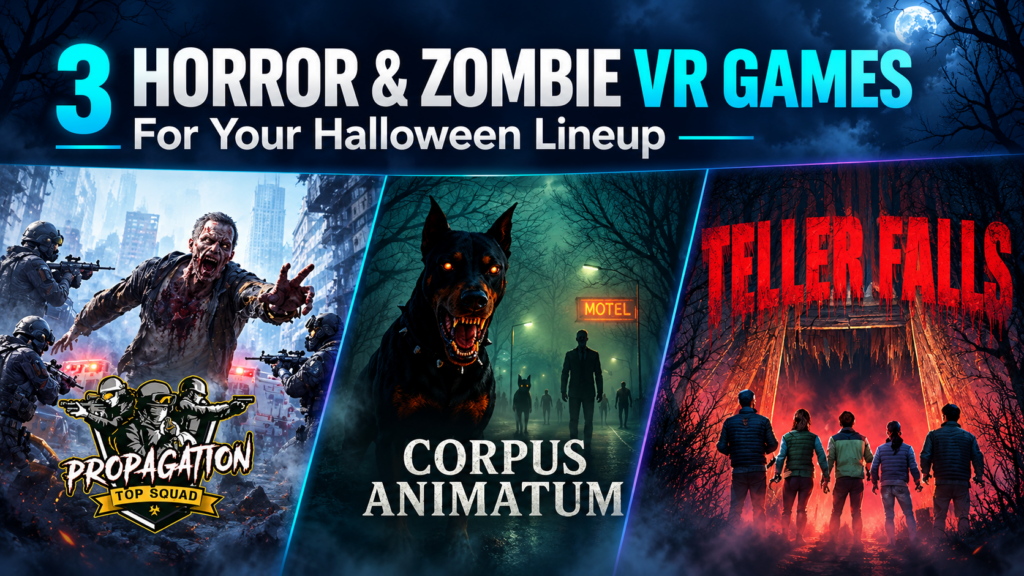
Customers asking for something scary give VR arcades a useful starting point for October content selection. The next question is which experience fits the group and the venue. At our September Arcades of the Roundtable call, operators requested more horror and zombie content. Propagation: Top Squad received praise, and Corpus Animatum came up as a title doing well at a participating venue. That feedback makes both worth revisiting as Halloween approaches. Below, we look at those two titles alongside Teller Falls, a psychological horror experience that adds a different kind of scare. Together, these horror VR games for arcades cover mission-based zombie combat, free-roam teamwork, and a journey through a dark abandoned mine. Propagation: Top Squad: Give the Group a Mission In Propagation: Top Squad, players become soldiers entering a city overrun by zombies. Their objective is to reach, restart, and defend military ARES devices before time runs out. The group moves between exploration and combat, with weapons available along the way. Different routes and two possible endings give returning players options to explore on another visit. For an operator, the mission gives staff a clear way to describe the session: reach the devices, activate them, and hold off the zombies together. That can help customers looking for cooperative action understand what they are choosing. The current SynthesisVR listing identifies Top Squad as PCVR room-scale. Test the movement, multiplayer startup, and voice communication on your stations before adding it to a Halloween offer. Corpus Animatum: Take the Zombie Fight Into the Arena Corpus Animatum sends players into an eerie town to track down the doctor responsible for a zombie outbreak. The team fights through undead hordes while working toward that shared objective. Its PCVR free-roam format supports one to six players in a 6 × 6 m arena, or one to eight in a 9 × 9 m space. That gives venues two listed configurations to consider against their available footprint and typical group sizes. Positive feedback from the Roundtable gives operators a reason to investigate it for their own lineup. A staff trial should establish how the game works with your hardware, how clearly new players understand the task, and how the difficulty feels for the audience you plan to attract. For customer-facing promotion, show the group experience in gameplay footage and explain the zombie theme clearly. Let customers see what they will be joining before they book. Teller Falls: Add Psychological Horror to the Selection Teller Falls follows hikers who lose their guide while exploring an abandoned mine. Armed with a flashlight, they search for a way out as shadowy figures and creatures stalk the group. The full experience lasts approximately 25–30 minutes and includes three scare themes: Spider, Shadow, and Flesh. Operators can select individual themes for shorter experiences of approximately 10–15 minutes. That flexibility needs to fit the venue’s session model. Several operators on the Roundtable said short games interrupted the flow of longer bookings. A shorter Teller Falls session may suit a clearly advertised Halloween slot; the full experience may fit better into a longer visit. Test both before deciding. Teller Falls runs on PCVR free-roam and lists support for one to six players in a 9.1 × 9.1 m space. Technical Specs at a Glance Game Listed platform Listed player capacity and space Session length Propagation: Top Squad PCVR room-scale Confirm for your setup Confirm during testing Corpus Animatum PCVR free-roam 1–6 in 6 × 6 m; 1–8 in 9 × 9 m Confirm during testing Teller Falls PCVR free-roam 1–6 in 9.1 × 9.1 m Full: 25–30 minutes; individual themes: 10–15 minutes Turn the Selection Into a Clear Halloween Offer Start with the hardware and space you already operate. Then decide whether your customers want a zombie combat mission or a more atmospheric horror experience, and make that distinction clear on your booking page. Run a staff session before public promotion. Check onboarding, multiplayer startup, session duration, and the time needed to prepare for the next group. Our guide to testing VR arcade games provides a practical starting point. Once you have chosen the content, use our Halloween VR arcade packages guide to shape the offer around group size, scare level, and total visit length. Explore the linked game listings, check the commercial licensing options for your venue, and test the experiences that fit your setup before putting them into your October rotation.
How Should VR Arcade Operators Test Games Before Offering Them to Customers?
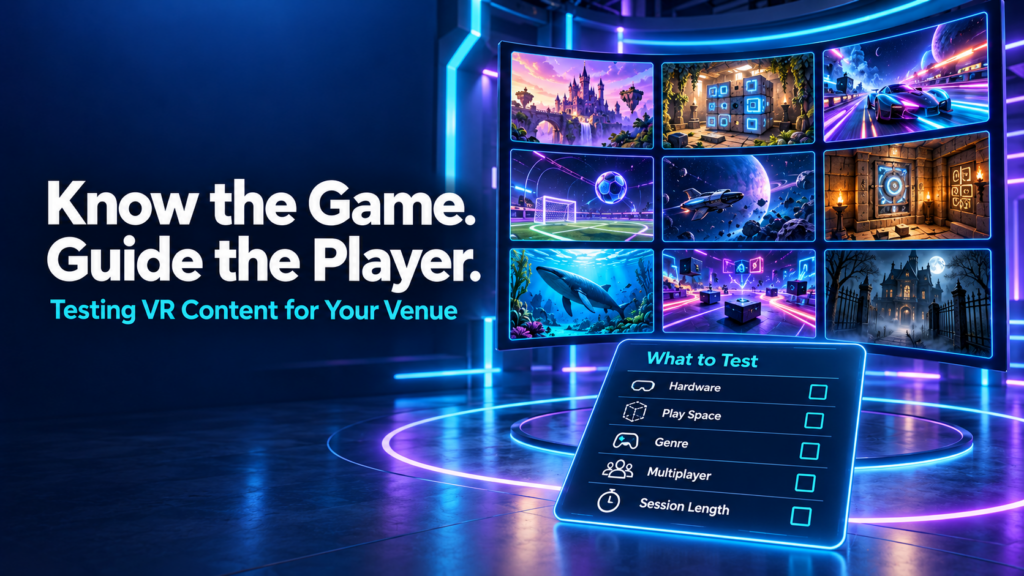
A new VR game appears in the library. The trailer looks promising, the hardware seems compatible, and a free trial makes it easy to give it a go. The venue adds it to the menu and waits to see whether customers choose it. When few people play, the decision can seem straightforward: this game does not work for our audience. But that conclusion leaves several questions unanswered. Did staff play it themselves? Could they explain what players would do? Did the right groups try it? Did those groups get into multiplayer smoothly and understand the objective? VR arcade operators should test games on their actual venue setup, learn the experience well enough to guide customers, and evaluate it with suitable player groups before deciding whether to keep it. A useful trial covers compatibility, launch procedures, gameplay, session fit, recovery, and customer response. Why knowing your VR content library matters During our September 29 Arcades of the Roundtable conversation, operators discussed how they discover content, why some trials do not lead to regular use, and what makes an experience practical to offer. Fast multiplayer startup, session length, customer guidance, and hardware compatibility all featured in the discussion. Several participants described actively recommending experiences based on customers’ interests. That approach depends on staff understanding the library beyond its titles and promotional images. A customer asking for an adventure might want a cooperative puzzle, a story-driven journey, or a physically active challenge. A group asking for something scary might enjoy suspense but dislike intense combat. Knowing the difference helps staff make a recommendation the group can trust. It also helps operators interpret feedback. A player who never understood the controls has experienced a different problem from someone who understood the game and disliked its mechanics. Both responses matter, but they require different decisions. Start with compatibility on your actual venue setup Before putting customers into a trial, check the title’s current commercial listing and setup documentation. Confirm the supported platform, headset, controllers, play-space requirements, player count, and network requirements. A game running on a standalone headset does not automatically support free-roam play. Multiplayer availability does not automatically mean offline or local-network multiplayer. Confirm the specific mode you intend to sell. Test the experience on the equipment and configuration customers will use. A successful launch on one headset tells you little about whether a full group can join and play together. Check commercial licensing availability and the conditions of the trial, too. Consumer availability alone does not establish that a title is ready for paid use in your venue. If a requirement is unclear, resolve it with the platform or developer before evaluating customer demand. Otherwise, an unsuitable configuration can become mistaken evidence that the content itself is poor. Play enough to understand what you are recommending Launching a game and trying its opening scene gives staff a limited view of the experience. For a finite story or escape game, someone on the team should work through the complete experience where practical. They need to understand progression, completion, common sticking points, and what happens at the end. Other team members can learn through supervised play and a shared guide. For an open-ended shooter, sports title, or replayable competition, test representative modes and complete rounds. Learn how scoring, difficulty, replay, and restarting work. Staff should be able to answer a customer’s basic questions: What will we do? Are we playing together or against each other? How demanding is it? Can beginners join? Does everyone need to understand written or spoken instructions? Follow the title’s documented eligibility and safety requirements when assessing audience fit. Then consider practical factors such as language, comfort with movement, puzzle complexity, and the amount of guidance a group may need. This knowledge makes the game easier to explain and helps staff recognise when customers are confused. Rehearse the multiplayer launch and recovery process An experience can be enjoyable once it starts and still create problems during a busy shift. Run through the full sequence from prepared equipment to a group playing together. Identify who creates the session, how others join, which settings need to match, and whether staff must complete any steps inside individual headsets. Repeat that process with another staff member following your instructions. If they need the original tester beside them throughout, the launch procedure needs more work. Also practise the recovery options documented for the title. Find out what happens when a player disconnects, a controller loses connection, or a session needs restarting. Can someone rejoin? Does progress remain? Which problems require support? Keep a short record of the steps staff can safely take and when they should escalate. Avoid experimenting with unfamiliar settings while a paying group waits. In the Roundtable discussion, operators highlighted the importance of getting customers into multiplayer without lengthy technical struggles. Testing the launch sequence gives teams a chance to find those difficulties before they affect a booking. Check how the game fits the session you sell Game duration and booked session duration are different measurements. Your booking may need to accommodate fitting equipment, a briefing, joining multiplayer, gameplay, and whatever transition your venue includes. Measure those stages during testing rather than relying solely on a listed playtime. Some Roundtable participants offering hour-long sessions described difficulties fitting short experiences into their existing flow. That is useful evidence about their operating models, rather than a reason to reject every short game. A shorter title might work as a complete attraction, a replayable competition, or one part of a multi-experience package. Consider whether the transition into the next activity is practical and whether customers understand what they are buying. Lobbies deserve attention as well. Participants described interactive waiting spaces that let players socialise or explore while the group gets ready. During your own test, check what early arrivals can do, how staff move everyone into the game, and whether the waiting environment suits the group. The question is whether your venue can deliver a coherent visit using the experience. Give customers enough guidance to
What Can You Run in an 8×8m or Larger PCVR Arena?
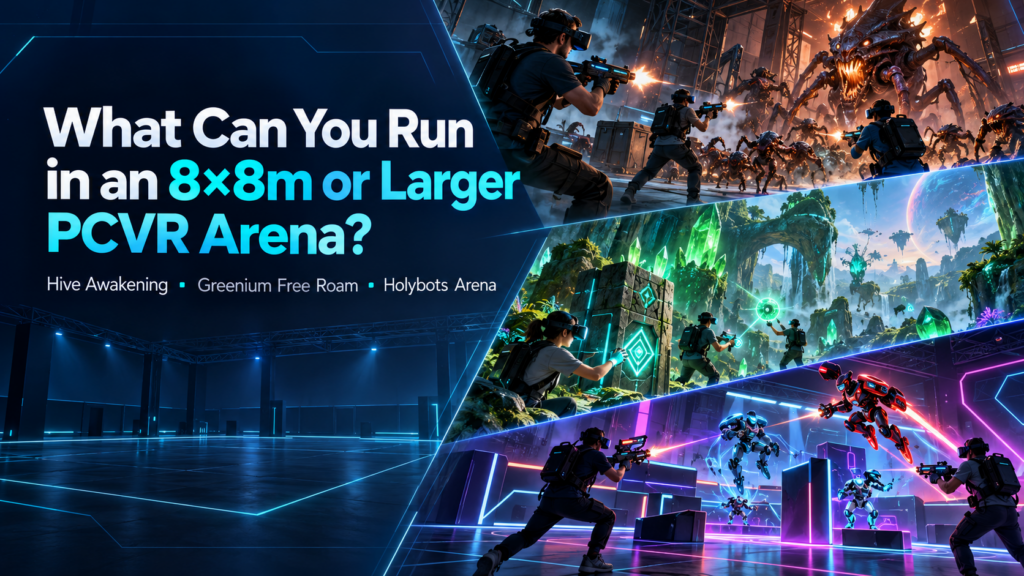
Once a VR venue dedicates 64 square meters or more to a free-roam attraction, content selection becomes a bigger operational decision. The physical space can support experiences that give groups considerably more freedom to move, but arena size alone does not determine how that space performs commercially. Player capacity, game format, audience fit, replayability, and the variety of experiences available for the same footprint all matter. For this article, we are looking specifically at PCVR free-roam experiences with configurations of 8×8 meters or larger. Three titles on the SynthesisVR marketplace illustrate how differently operators can use that space: Swarms: Hive Awakening, Greenium Free Roam, and Holybots Arena. What changes when a PCVR arena reaches 8×8 meters? An 8×8 meter play area gives operators 64 m² of shared physical space. A 10×10 meter arena increases that to 100 m², while some configurations go considerably further. That additional room matters because free-roam gameplay can use physical movement as part of the experience. Players can spread out, reposition themselves, work together across a shared environment, or compete for control of the arena. The commercial question is therefore larger than, “Will this game fit?” Operators also need to ask what audiences the arena can serve and how many different reasons they can give customers to book the same physical attraction. The three examples below show how one broad arena category can accommodate cooperative action, puzzle-driven adventures, and competitive PvP. Swarms: Hive Awakening: PCVR free roam at serious scale Swarms: Hive Awakening supports two notably large configurations: Arena Players 8×8 m 1–8 16×12 m 1–8 The 16×12 meter option is particularly interesting because it represents 192 m² of playable space. In Hive Awakening, players form a team of elite fighters sent to the Corigis-B12 mining facility to stop an invasion. The cooperative format gives operators a clear group experience for friends, parties, and teams that want to play together rather than rotate through individual stations. For an operator, Hive Awakening also demonstrates an important point about large-arena PCVR. Once a venue can support eight players across a substantial shared area, the attraction starts functioning as a group destination within the venue rather than simply another headset activity. The larger configuration also raises practical questions about floor allocation, networking, PC infrastructure, staff supervision, and how frequently the venue can fill an eight-player session. Those factors should be considered alongside the experience itself when planning an arena of this size. Greenium Free Roam: using a large arena for puzzles and cooperation Large free-roam arenas do not have to revolve around combat. Greenium Free Roam takes a different approach. Players become scientists exploring a distant planet, solving puzzles, confronting poachers, and upgrading their ship while working together to secure valuable crystals. Its available configurations scale progressively with both space and group size: Arena Players 8×8 m 2–8 9×9 m 2–9 10×10 m 2–10 The title can therefore scale from an eight-player 64 m² arena to a ten-player 100 m² setup. That makes Greenium useful when thinking about attraction variety. A venue may have customers who enjoy free-roam VR but are less interested in a pure shooter. Cooperative puzzles and exploration give operators another way to use the same physical investment while targeting groups looking for teamwork and shared problem-solving. It also illustrates why player count matters alongside square meters. Expanding from an 8×8 to a 10×10 configuration can increase the supported group from eight to ten players, which may affect how an operator structures private bookings, parties, or group packages. Holybots Arena: turning the same footprint into competitive PvP Holybots Arena brings another format into the mix: fast-paced player-versus-player free-roam. Players choose an archetype and enter a futuristic robot arena, turning the physical space into a competitive multiplayer environment. Its larger configurations include: Arena Players 8×8 m 2–4 9×8 m 2–6 9×9 m 2–6 10×10 m 2–8 This creates a different operational proposition from either Hive Awakening or Greenium. Rather than bringing a large cooperative group through one shared adventure, operators can use the arena for competitive matches that encourage players to challenge friends, change strategies, and play again. That difference becomes important when planning a content library. A venue with one large PCVR arena may want experiences that give customers genuinely different reasons to return rather than several titles that deliver essentially the same style of session. One large arena can support very different attraction formats These three titles show why arena size should be considered together with content strategy. Hive Awakening can use an exceptionally large 16×12 meter space for an eight-player cooperative experience. Greenium Free Roam scales up to 10×10 meters and ten players while emphasizing puzzles and teamwork. Holybots Arena uses up to 10×10 meters for competitive PvP. The hardware investment and floor allocation behind a large PCVR arena may remain relatively stable while the guest experience changes considerably. That gives operators an opportunity to think about the arena as a flexible attraction platform. A group might visit for a cooperative science-fiction campaign one month, return for a puzzle-focused adventure, and later compete against each other in PvP. Content rotation can therefore help make the physical space useful to more than one audience and create additional reasons for previous visitors to come back. Before dedicating 64 to 192 m² to free-roam VR Larger arenas also carry a larger opportunity cost. Every square meter devoted to VR could otherwise hold another attraction, seating, party space, circulation, or revenue-generating equipment. Operators therefore need to evaluate more than the maximum supported dimensions. Look at realistic group sizes, expected utilization, session flow, hardware requirements, staff involvement, and the number of experiences that can run within the chosen configuration. An arena that technically supports ten players only creates ten-player capacity when the venue can consistently attract, onboard, and operate those groups. The strongest setup is usually one where the space, player capacity, content mix, and target audience make sense together. Managing a larger PCVR content mix As the attraction grows, managing different games, player groups, and session configurations
3 Spooky VR Games for Arcades to Feature This Fall
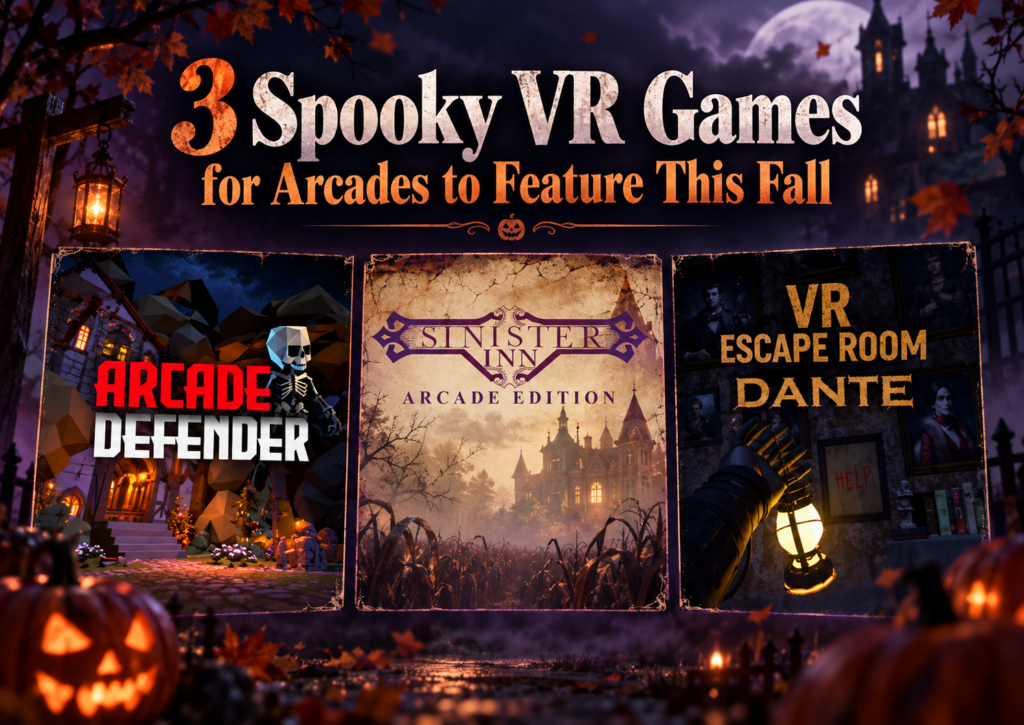
Spooky VR games for arcades can fill very different roles in a fall content lineup. One venue may need something light enough for families and mixed groups, while another wants a longer haunted escape experience or a quick scare that fits between other attractions. That variety matters as fall events, Halloween bookings, student outings, and group visits begin to pick up. Instead of building the whole seasonal offer around one type of horror experience, operators can choose content that fits different audiences, session lengths, hardware setups, and available play space. We recently looked at three very different options available through SynthesisVR: Arcade Defender, VR Escape Room: Dante – Haunted House, and Sinister Inn. Together, they show how broad the “spooky VR” category can be. If you are already planning a larger seasonal promotion, our guide to building Halloween VR arcade packages covers timing, audience segmentation, packaging, and promotion. Here, we are going deeper into the games themselves. Game Players Session Hardware Format Suggested Fit Arcade Defender 1–8 Adjustable PICO, Quest Free-roam Families, teens, mixed groups VR Escape Room: Dante – Haunted House 2–6 30–40 min PCVR, Standalone Free-roam and Room Scale Friends, older groups, escape room fans Sinister Inn 1 3 min PICO, Quest, Focus 3 / Vision Free-roam walkthrough Short horror attraction, add-on experience Arcade Defender: A Lighter Spooky Option for Larger Groups A fall attraction does not always need to be genuinely frightening. For venues serving families, younger teens, birthday groups, and mixed-age visitors, lighter seasonal content can often fit more bookings. Arcade Defender takes that route. Players defend a village from waves of small monsters as they try to make it through the night. The theme stays spooky enough for the season while keeping the presentation accessible, with a suggested age of 12+. Operationally, the flexibility is one of its strongest points. Arcade Defender supports 1 to 8 players, runs on PICO and Quest, and uses an adaptive free-roam area with a maximum size of 10 × 10 meters, or 32.8 × 32.8 feet. Playtime can also be adjusted. That combination gives operators room to use the title in different ways. A smaller group can play without needing to fill every available headset, while a larger booking can turn it into a shared attraction. Adjustable playtime can also help when operators are building the game into a wider package rather than selling it as the entire visit. The title requires an internet connection and uses a standalone game server. For venues already operating standalone free-roam VR, that makes the hardware fit particularly relevant. There is also a Game Community available for Arcade Defender. Operators considering the experience can use that space to share feedback and learn from other venues running the title. Where Arcade Defender fits this fall Arcade Defender makes sense when a venue wants seasonal atmosphere without limiting the audience to dedicated horror fans. It could sit comfortably inside a family Halloween package, an after-school promotion, or a fall group offer where some guests may enjoy spooky themes but have little interest in intense horror. Its group capacity also makes it the broadest option of the three titles in this article. VR Escape Room: Dante – Haunted House for a Longer Group Session Some groups want more than a seasonal backdrop. They want to enter the haunted house, explore it together, solve problems, and stay in that world for most of their booking. VR Escape Room: Dante – Haunted House moves much closer to that type of experience. Dante supports 2 to 6 players and runs for approximately 30 to 40 minutes, giving operators a full-length cooperative VR escape room rather than a quick seasonal add-on. The experience supports both PCVR and standalone hardware. Venues can run it in a 5 × 5 meter free-roam area, equivalent to 16.4 × 16.4 feet, and it is also available in a room-scale configuration. That flexibility is useful because the experience does not depend on one venue layout. An operator running a dedicated free-roam area can use the larger physical format, while another location may have a room-scale setup that better fits its existing floor plan. The longer session also changes how a venue might sell it. A 30 to 40 minute haunted escape can form the main attraction in a booking. That makes it particularly relevant for groups of friends, older teens, adult social bookings, couples, and customers who already understand the appeal of escape rooms. The cooperative format gives guests something to focus on together throughout the session. Horror provides the atmosphere, while the escape room structure gives the group a shared objective. Dante requires an internet connection and supports a standalone game server. Its SynthesisVR listing also includes access to a Game Community, giving operators another place to compare experiences and share practical feedback. A natural crossover between VR arcades and escape rooms Dante also gives venues a useful marketing angle outside Halloween itself. “Haunted VR escape room” communicates the experience more clearly to a local audience than a game title alone. Customers already understand what an escape room is, and the haunted-house theme adds a seasonal reason to try it during fall. That makes Dante useful well beyond a single Halloween weekend. Operators can promote it throughout September and October, then keep it available for customers who actively look for horror or escape room content later in the year. Sinister Inn: Three Minutes, No Controllers, Just Keep Walking Sinister Inn takes the haunted-house idea in a completely different direction. The entire experience lasts three minutes. There are no controllers to learn and no puzzles to solve. A player physically walks through the halls of the Sinister Inn and experiences what happens along the way. That simplicity is central to the attraction. The inn belongs to Isabelle H. Minister, whose spirit has become intertwined with the property. The player enters alone and follows the route through the building, with the experience built around movement, atmosphere, anticipation, and the question of what might appear around
How to Build Halloween VR Arcade Packages for Different Audiences

Halloween gives VR arcades an easy reason to change what customers see, promote experiences that may spend less time in the spotlight during the rest of the year, and create a seasonal offer around content they already have access to. The timing matters. Halloween VR arcade packages should be ready before customers start deciding what to do in late October. In our recent guide to planning VR arcade seasonal promotions before demand peaks, we suggested starting internal planning around six to eight weeks before a major event, followed by the main customer-facing campaign roughly four to six weeks ahead. For Halloween 2026, that window is already open. Operators starting now still have time to choose content, define the offer, test the experience, prepare the booking page, and begin promotion well before October 31. The offer itself can stay simple. A venue might sell a themed block of VR time with several Halloween game choices. Another might add snacks, drinks, a group photo, or a small Halloween treat. A free-roam venue can reserve the arena for a dedicated spooky session. The right format depends on who the venue wants to bring in. Start With the Audience Before Choosing the Scare Halloween content covers a much wider range than traditional horror. A family with younger players may want pumpkins, ghosts, candy, and supernatural themes without intense scares. A group of teenagers or young adults may want something more suspenseful, social, or competitive. Adult groups can move into darker escape experiences, psychological horror, zombies, and stronger jump scares. That is why the content decision should start with the customer rather than the genre. The same principle applies throughout the year. Our guide to choosing VR arcade games for different customer groups looks at audience fit alongside hardware, available space, player capacity, session length, and staff workflow. A Halloween campaign simply gives operators a seasonal reason to apply the same process. A useful starting point is to define the intensity of each Halloween offer clearly. Labels such as Family Spooky, Scary, and Full Horror can help customers understand what they are booking before they arrive. Turn Halloween Content Into a Bookable Package A seasonal offer works better when customers can understand it in a few seconds. The venue can keep the entry-level package focused entirely on VR. Food, drinks, party space, or other extras can sit in higher tiers if the operation supports them. The packaging principles are similar to those we covered in our guide to VR arcade birthday party packages. Customers respond better when the total visit length, group size, price, session format, and included extras are clear before checkout. For Halloween, the additional question is simple: How scary is this going to be? Answer that on the booking page. Where to Find Halloween VR Content Operators running PCVR and room-scale stations can start with the dedicated Halloween VR content category. It currently brings together titles such as Halloween Candy Reclaim, The Obsessive Shadow, Fear of the Dark, Cosmodread, Dreadhalls, Escape Bloody Mary, and AFFECTED: The Manor, among others. Free-roam operators should also browse the dedicated SynthesisVR free-roam library. The free-roam section separates content by setups including PCVR, PICO, HTC Focus, and Quest, which matters when an operator needs Halloween content that fits an existing arena rather than a room-scale station. That distinction also helps operators avoid choosing a Halloween title based on theme alone and discovering later that the platform, player count, or physical footprint does not fit the venue. Family-Friendly Halloween VR Family Halloween content can use the season without turning the visit into a horror experience. Halloween Candy Reclaim is a PCVR room-scale example built specifically around that idea. Players use pickle guns while recovering stolen candy from Halloween creatures. The experience describes itself as family-friendly and intentionally non-scary, with pumpkins, ghosts, skeletons, candy, seven levels, multiple difficulty settings, and local multiplayer. For a free-roam setup, Paranormal Pest Patrol offers another direction. Groups become paranormal exterminators dealing with mischievous demons inside a possessed house. Its comedic tone, simple controls, puzzle structure, E10+ rating, and support for groups of two to eight players make it easier to position as a spooky group adventure rather than full horror. Either could sit inside a family package with a fixed session length, Halloween snack, photo spot, or small treat at the end. The commercial value comes from the packaging. Parents do not need to understand the difference between every title in the library. They need to know that the experience fits their group and that nobody is walking into something far scarier than expected. Give Social Groups Something Spookier Older groups give operators room to increase the intensity. Fear of the Dark runs on PCVR room-scale and supports multiplayer for up to five people. Players protect the torch carrier while moving through a village filled with zombies, werewolves, monsters, bats, and other threats. Multiple difficulty settings give operators some flexibility around the group they are serving. Free-roam venues can look at experiences such as The Hallow, a PCVR free-roam title for two to eight players. Its supernatural 19th-century premise sends the group searching for abnormal activity under the guidance of a mysterious magician. This type of content can support a Halloween social offer aimed at friend groups, students, and young adults. The marketing can focus on bringing the group together, choosing how brave they want to be, and booking a fixed evening slot. We covered the wider booking behavior of this audience in How VR Entertainment Centers Attract Student Groups and Young Adult Audiences. Social-first promotion, clear pricing, multiplayer content, and a quick mobile booking path become especially relevant when the customer may decide on the activity with friends only a few days before the visit. Build a Stronger Horror Option for Adults Some customers will actively search for the most intense experience the venue can offer. For PCVR room-scale stations, AFFECTED: The Manor focuses heavily on atmosphere, lighting, audio, and a guided route through a haunted environment. Its design also makes
How to Choose VR Arcade Games for Different Customer Groups

Learning how to choose VR arcade games involves more than finding titles that look impressive or fit a particular genre. A game also has to work with your hardware, available space, group size, session model, staff workflow, and the type of customers walking through the door. That distinction becomes especially important in a commercial VR venue. A game that works well for four experienced players may create unnecessary friction during a birthday party with ten first-time visitors. A title that fits a PCVR arcade may not run at all in a standalone Quest or PICO setup. Across SynthesisVR support conversations, operator inquiries, and content-testing feedback, one pattern appears repeatedly: the strongest content choices start with the venue and the audience, then move to the game. Start With Your Venue Before Looking at VR Games When operators ask the SynthesisVR team for content recommendations, the conversation usually starts with practical constraints. Before considering individual VR arcade games, operators should be able to answer a few basic questions: These questions narrow the available commercial VR content quickly. For example, support teams have encountered operators requesting PCVR-only titles for standalone PICO or Quest setups. In those cases, the content itself may be appropriate for the audience, but the venue architecture makes it unsuitable. The same applies to player capacity. An operator with eight guests cannot assume that selecting eight headsets will create one multiplayer session if the game has a four-player lobby limit. The venue may need to run two groups of four, which changes the booking flow considerably. What VR Games Work Well for Families and First-Time Players? Families introduce several variables at once. Players can have very different ages, gaming experience, confidence levels, and tolerance for VR movement. For this audience, operators frequently benefit from looking at: Support conversations repeatedly point to onboarding as a source of operational friction. Every extra explanation adds staff time, particularly when groups contain several first-time VR users. A game may look easy to an experienced player while still requiring several minutes of instruction for someone using a headset for the first time. SynthesisVR agents have recommended titles such as All-In-One Sports VR for casual and first-time audiences and The Smurfs: Blueberry Battle for younger, family-oriented groups. Walkabout Mini Golf VR has also appeared as an accessible social option. The lesson for operators is broader than the individual titles. For family traffic, accessibility becomes part of commercial performance. If staff repeatedly need to enter the play area, explain controls again, or help players who feel uncomfortable, that affects session timing and throughput. What Should Operators Look for in Birthday Party VR Games? Birthday parties create a different problem: keeping the group involved. Capacity matters much more when customers arrive as one social group. A game designed for four players can still be excellent content, but it may fit poorly with a venue package built around groups of ten or twelve unless the venue has an effective rotation model. When evaluating VR arcade games for birthday parties, consider: Operators have frequently raised the need for larger multiplayer capacity, although that need often appears in support conversations as a technical question about lobby size rather than specifically as a birthday-party issue. That distinction matters. A customer sees one birthday party. The operator sees player limits, session launches, headset availability, and staff coordination. Those operational details determine whether the package actually works. Competitive Groups Need More Than a Multiplayer Label Teenagers, experienced players, and social groups often respond well to competition, but “multiplayer” alone does not guarantee replayability. Operators can look for mechanics such as: For example, SynthesisVR agents have recommended Ragnaröck for competitive party groups. Cops vs Robbers has appeared in recommendations for fast-paced competitive team play. Competitive content can also support repeat visits when players have a reason to improve a score or challenge another group. That gives operators another question to ask when selecting content: Will customers feel that they have finished the experience, or will they want another attempt? Returning guests asking specifically to play the same title again is one of the strongest indicators that a game has moved beyond novelty and become part of the venue’s attraction mix. Cooperative Games Fit a Different Social Dynamic Some groups want competition. Others respond better to communication, problem-solving, and shared objectives. That makes cooperative VR especially relevant for group bookings where the social experience matters as much as individual performance. SynthesisVR agents have recommended titles such as B Block Breakout for cooperative team play and Escape Quest: Espionage Express for groups interested in puzzle and escape-room formats. The right choice depends on the audience. A group of experienced gamers may enjoy complex mechanics. A corporate group containing people who rarely play games may need a much lower learning curve. Corporate inquiries also tend to introduce operational needs around timing, private sessions, and easy group management. This means operators should evaluate the entire booking experience rather than focusing only on what happens inside the headset. Free-Roam Content Has Its Own Selection Criteria Free-roam VR adds physical space, network configuration, calibration, and multiplayer setup to the content decision. Operators need to confirm: SynthesisVR agents have recommended Arizona Sunshine Remake for multiplayer arcade and arena setups, while Mansion of Death has appeared in recommendations for four-player free-roam configurations. This is also an area where technical misunderstandings can quickly affect operations. Support conversations show operators sometimes blaming internet speed for multiplayer problems when the games communicate through the local network. Separate subnets, access-point isolation, or incorrect network configuration can prevent devices from seeing one another even when the venue has adequate internet bandwidth. Other titles require a dedicated game server. Installing the game only on the player stations may result in launch errors if the server component has not been configured. Those issues do not necessarily make the game unsuitable. They do mean that deployment requirements belong in the content-selection process. Four Common VR Arcade Game Selection Mistakes 1. Choosing content before checking platform compatibility A title available commercially
When VR Arcade Operators Become Game Developers: An Emerging LBE VR Trend
For years, one of the main content questions for a VR arcade operator was simple: What games can we license for our venue? Lately, we have seen a different question appear inside the SynthesisVR ecosystem. What if we build the experience we wish we had? Several games that have reached SynthesisVR have come from people who also operate VR venues. Their reasons differ. One operator wanted to replace an experience that customers kept asking for. Another started developing a game and asked us what tends to work in arcades before the project was ready for submission. Others have used problems they encounter during daily venue operations as the starting point for development. A handful of projects is not enough to measure an industry-wide trend. It is enough for us to recognize a recurring pattern through game submissions, testing, and conversations with operators. To understand why it is happening, it helps to look at how commercial VR content got here. Commercial VR started with games built for home players When the first wave of modern VR arcades opened around 2016, relatively little content had been created specifically for location-based entertainment. SynthesisVR grew out of that period. VR Territory opened in June 2016, and the original SynthesisVR tools developed around the practical problems of managing a VR arcade. By September 2017, SynthesisVR had introduced its commercial licensing platform to help connect developers and arcades and support different commercial licensing models. For early operators, getting legal access to commercially licensed VR content solved an important problem. Running that content in paid sessions exposed another one. A person playing at home can spend ten minutes learning controls, looking through menus, restarting a level, or working out what the game expects them to do. Their headset is still available afterward. A customer in a VR arcade may have booked 30 minutes. If five of those minutes disappear into explanations, menus, failed launches, or a tutorial that the player does not understand, the venue notices. So does the customer. Developers started adapting to those conditions. Then came arcade editions In 2017, Fallen Planet Studios released an arcade version of AFFECTED: The Manor after working with VR arcades. The studio redesigned parts of the experience for faster throughput, replay value, and a commercial setting. SUPERHOT VR: Arcade Edition took that thinking much further. The studio had received feedback from operators running the consumer version in commercial locations. The resulting Arcade Edition added faster tutorials, scoring, local leaderboards, spectator tools, level selection, an administrator panel, time-based play, and controls that allowed staff to help a player who became stuck. The gameplay remained recognizably SUPERHOT. The systems around it had to work differently because the environment was different. Arcades care about how quickly a first-time player starts playing. They care about session length, recovery when something goes wrong, replay value, and how often staff need to enter the headset or explain a menu. Over time, those considerations started appearing earlier in development. In some recent cases, the person thinking about those problems is also running a VR venue. When the operator is part of the development team There is no single route from arcade operator to VR content developer. Some operators have development skills on their own team. Others work with partners or contractors. Some begin with a game idea. Others start because something is missing from their current attraction mix. Their advantage is exposure. They already watch first-time customers use VR every week. ORBEAT started by asking what works in arcades ORBEAT gives us one of the clearest examples because the conversation with SynthesisVR started before the game was ready for submission. In February 2026, Seth from VR Adventures Zone contacted us while developing the project. He wanted to know what characteristics tend to determine whether a game performs well or struggles in commercial VR. He was already thinking about ease of use, replayability, and multiplayer, and the game was being tested inside their own venue. That led to months of discussion and testing. Multiplayer was originally planned for later in the development roadmap. SynthesisVR recommended moving it forward because groups of friends and family make up an important part of arcade traffic. Player rejoining also mattered. If one headset drops during a multiplayer session, getting that player back into the same group quickly can make the difference between a short interruption and a disrupted booking. Other issues only became obvious when people started using the builds. One version had controller compatibility problems with Vive and Index hardware. Another environment had been built at a scale that made parts of the gameplay awkward in a typical room-scale area. It was resized. Even the tutorial produced useful feedback. At one point, a player entered the game with a tutorial panel visible alongside a large “Hit Me” prompt. During testing, the obvious action drew attention first. The player started playing and barely registered that there were instructions to read. The onboarding changed. Later builds added command-line options for player name, difficulty, and map selection. SynthesisVR connected those settings to operator-side launch controls, reducing the amount of configuration a customer needed to do inside the game. ORBEAT eventually went live after several rounds of game testing, hardware checks, integration work, and launch automation. Explore ORBEAT on SynthesisVR Precise Force: Designing With the Arcade Floor in Mind Precise Force is another example of an operator moving from running VR experiences to developing one. The project comes from someone already familiar with commercial VR and the practical realities of putting players into a headset in a location-based environment. That background naturally influences the questions behind the experience. How does physical interaction work when different groups play throughout the day? How quickly can players understand what they need to do? Does the gameplay translate well from an interesting VR mechanic into something that works repeatedly in an LBE setting? Precise Force approaches those questions through multiplayer action and physical interaction. Rather than going deep into its development process, the more interesting point for
How VR Education Bundles Work for Arcades and Entertainment Venues
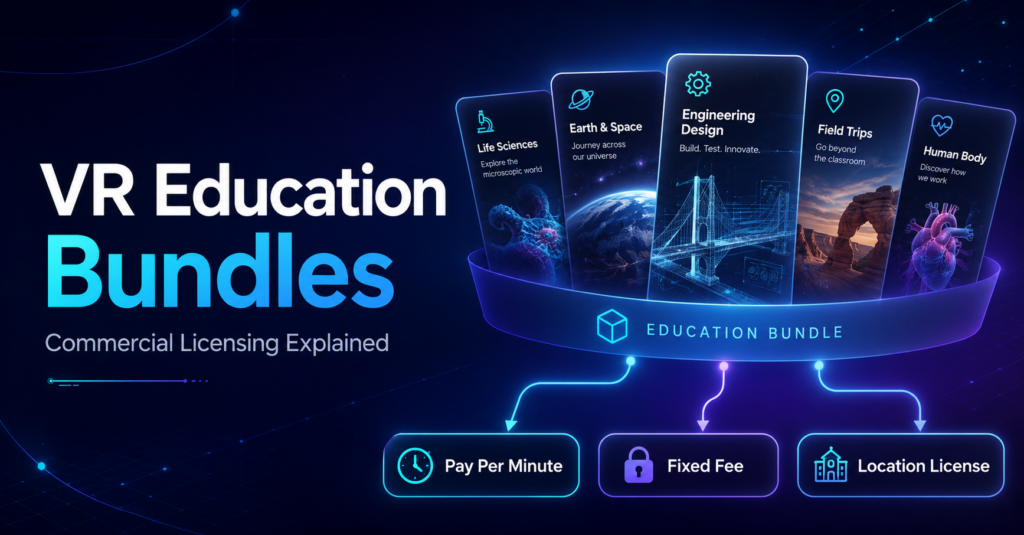
Adding educational VR to a commercial venue raises a practical question: do you license individual experiences as you need them, or choose a broader collection of educational content? Both approaches can make sense. The SynthesisVR marketplace includes individual educational experiences alongside commercial content bundles and curriculum packages. Operators can therefore choose licensing based on the type of program they want to offer, how many stations they need, and how regularly they expect to use the content. What is a VR content bundle? A commercial VR bundle groups related content into a licensing offer. The exact structure varies. Some bundles bring together games from the same developer. Others organize content around a particular use case, such as education. Licensing periods and billing models can also differ between packages. The SynthesisVR Commercial License Bundles marketplace currently includes developer collections such as the Resolution Games Bundle and Survios Bundle, alongside education-focused options including an Education Bundle, Middle School Curriculum, High School Curriculum, Dissection Curriculum, and VR Field Trips. That variety matters because an operator looking for entertainment content has a different objective from a venue building a program for school visits. Education bundles give operators another way to build a school offering Educational VR can involve much more content than a typical entertainment session. VictoryXR’s educational catalog, for example, includes science experiences covering subjects such as Earth and space science, engineering, life science, and physical science. An operator may only need one particular experience, or they may want a wider curriculum that can support several lessons, subjects, or repeat school visits. The SynthesisVR marketplace currently lists several education-focused packages for up to 25 stations, including: This gives venues a way to evaluate educational content at the program level instead of approaching every school visit as a completely separate content decision. Do you have to license the whole bundle? Individual titles can still have their own licensing options. For example, the VictoryXR experience Engineering Design: Delimiting – Wright and Ferris currently shows three licensing choices in the SynthesisVR marketplace: Pay Per Minute: 6¢ per minute. Fixed Fee: $5 per station every month. Location License: access to the Middle School Curriculum, listed for up to 25 stations. This is a useful example of how an operator can approach the same content in different ways. A venue that wants to test or occasionally use a particular experience may prefer usage-based licensing. A venue expecting regular use of one specific title can evaluate a fixed station license. An operator building a broader educational program can explore the curriculum-level option. The exact licensing choices depend on the individual content, so operators should check the options shown for the experience or bundle they plan to use. Fixed Station Fee vs. Fixed Location Fee Understanding the difference between these two licensing models helps when comparing individual titles with larger content packages. Fixed Station Fee With a Fixed Station Fee, operators pay a flat monthly fee for each VR station they license. Usage on that station does not change the fee during the licensing period. SynthesisVR describes this model as particularly useful for dedicated setups where hardware sees consistent use and operators want predictable licensing costs. For example, if an individual educational title costs $5 per station per month, an operator can choose how many stations they want to license for that title. Learn how Fixed Station Fee licensing works Fixed Location Fee A Fixed Location Fee uses one flat period rate for the venue, up to the maximum number of stations supported by the content. Instead of calculating the license separately for every station or tracking usage minute by minute, the operator pays the applicable location fee for the licensing period. SynthesisVR identifies this model as useful for multi-station locations that want predictable costs and unlimited access to the licensed content within the terms of that license. Learn how Fixed Location Fee licensing works Neither licensing model applies to every title. The available options depend on the content and publisher. Which licensing option makes sense for your venue? There is no single licensing structure that fits every VR attraction. The better question is how you expect the content to be used. Occasional or uncertain use: Pay Per Minute can reduce the commitment required to make a title available while you evaluate demand. Regular use of selected experiences: A Fixed Station Fee can give the venue a predictable monthly cost for the stations running those titles. A broader program across multiple stations: A location or curriculum-based option may make more sense when the venue wants access to a larger collection and expects to use it regularly. Educational programming makes this especially relevant. A school may visit for an engineering lesson one week and return for Earth science or life science later in the term. A broader curriculum gives the operator more material to build those programs around. The licensing decision should therefore start with the offering you want to build, rather than simply choosing the lowest individual content price. Bundles also extend beyond education The same idea applies to entertainment content. The SynthesisVR marketplace currently includes packages such as the Resolution Games Bundle and Survios Bundle, both listed with monthly fixed-fee licensing. Other bundles use different periods or licensing structures, including multi-month fixed plans and Pay Per Minute offers. For operators, the useful part of the Bundles section is the ability to explore content as a collection. A venue can compare a developer catalog, an educational curriculum, or another grouped content offer against licensing individual experiences separately. What to check before choosing a VR content bundle Before subscribing, look beyond the word “bundle.” These questions help determine whether licensing individual titles or selecting a wider bundle better matches the way the venue plans to use the content. Explore commercial VR bundles on SynthesisVR Education is one example of where bundled content can simplify the process of building a broader VR offering. Operators can also find entertainment, developer, free-roam, and other commercial licensing packages in the SynthesisVR marketplace. Because the content
3 Cooperative PCVR Free-Roam Games for VR Arcades
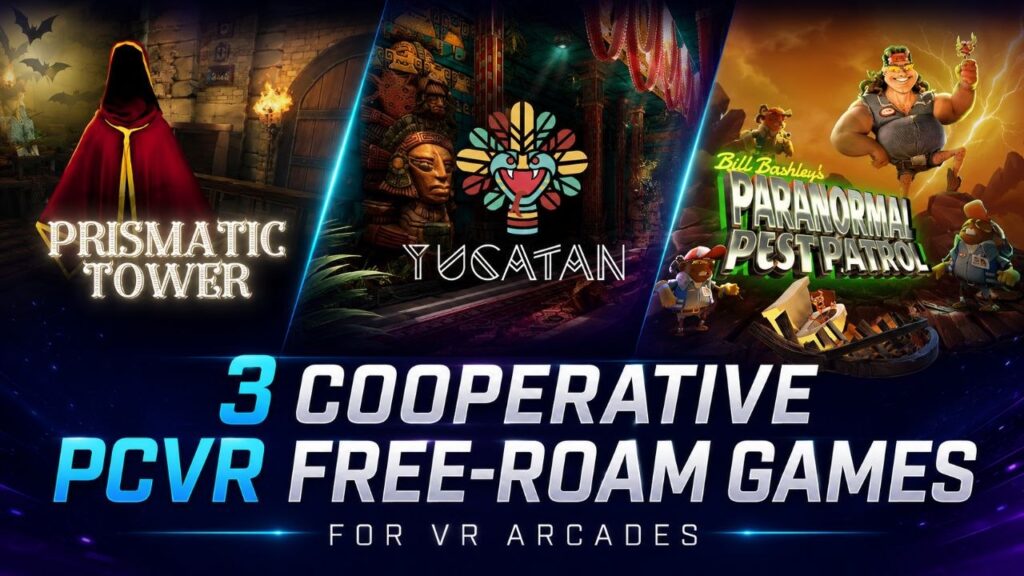
PCVR free-roam games do not have to follow the same formula. For VR arcades, free-roam can support fast group puzzles, longer communication-heavy challenges, or story-driven adventures where players depend on each other to progress. That range becomes useful when an operator wants to add variety without changing the underlying PCVR free-roam setup. For this week’s content spotlight, we picked three cooperative experiences from the SynthesisVR marketplace: Paranormal Pest Patrol, Prismatic Tower, and Yucatan. All three put teamwork at the center of the session, but they do it in very different ways. Three PCVR free-roam games at a glance Game Players Gameplay Starting play area Network status Paranormal Pest Patrol 2–8 7–15 min 5.2 × 5.2 m / 17 × 17 ft Network Veteran Prismatic Tower 2–4 45–55 min 4.6 × 4.6 m / 15.1 × 15.1 ft Network Debut Yucatan 1–8 40 min 4 × 5 m / 13.1 × 16.4 ft Network Veteran The specifications already hint at three different uses. Paranormal Pest Patrol can fit shorter group sessions and scale to eight players. Prismatic Tower gives smaller teams a longer puzzle experience. Yucatan combines a longer adventure with configurations that scale from one or two players to groups of eight. Paranormal Pest Patrol: short, social puzzle play for up to eight players Paranormal Pest Patrol sends players into a possessed home as a team of paranormal exterminators. The premise is deliberately light. Flying books, strange appliances, hidden demons and a loud self-proclaimed hero named Bill Bashley turn the experience into a comedy rather than a horror game. Underneath that humor sits an escape-room-style structure. Players need to observe the environment, find the paranormal pests and work through puzzles together. For a VR arcade, the session format is one of the more interesting parts. The marketplace lists gameplay at 7 to 15 minutes and supports several PCVR free-roam configurations: That creates options for venues running different arena sizes and booking formats. Paranormal Pest Patrol also includes a final score, so solving the experience does not have to end the replay conversation. A group can return and try to improve its previous result. The marketplace currently shows another useful signal: a five-star rating from 10 votes. The title also carries the Network Veteran designation, which identifies content from a studio with an established performance history across the DeployReality network. Operators can also find a Game Community directly from the listing. Technical support includes SynthesisVR Optimized multiplayer, Offline Multiplayer and a Standalone Game Server. Where it may fit: shorter family and friend-group sessions, larger bookings, puzzle fans, and venues looking for cooperative content outside the shooter category. Prismatic Tower: communication is the puzzle Prismatic Tower takes cooperation in a different direction. Two to four players enter a magical tower and move through a series of environmental puzzles. The important twist is that the group does not always have access to the same information. Players split between two rooms. One side may see the order of a sequence while the other side controls the objects. A clue discovered by one team may only become useful after they explain it to the players elsewhere. The game uses that idea throughout its puzzles. Players exchange items, decipher symbols, direct beams through prisms, mix ingredients and synchronize actions to move between floors. In other words, communication is not simply helpful. It is part of the game mechanic. Prismatic Tower supports 2–4 players in a 4.6 × 4.6 m / 15.1 × 15.1 ft PCVR free-roam area, with gameplay listed at 45 to 55 minutes. That puts it in a very different booking slot from Paranormal Pest Patrol. Rather than a short group challenge, Prismatic Tower can support a longer cooperative session for a smaller team. The title currently carries the Network Debut designation. This indicates that the publisher is still building its performance history across the DeployReality network. Its marketplace page also includes a Game Community, along with SynthesisVR Optimized multiplayer, Offline Multiplayer, a Standalone Game Server and an operator walkthrough. Where it may fit: smaller groups looking for a longer experience, escape-room audiences, corporate groups, and players who enjoy communication-heavy puzzles. Yucatan: cooperation on a larger adventure Yucatan moves further away from the traditional escape-room format. The experience sends players into a Mayan world built around an ancient prophecy, hidden gems and a final encounter with Quetzalcoatl. Instead of giving everyone one puzzle to solve at the same time, Yucatan can split a larger group into pairs. Each pair tackles challenges that use movement, dexterity, critical thinking and cooperation. The full group eventually comes back together for the final battle. That structure gives Yucatan an unusual way to handle larger bookings. The game supports: Gameplay runs for approximately 40 minutes. The pair-based format also means the experience can ask different things of different players. Quick reflexes may help in one challenge, while another rewards observation or problem-solving. That can work well for mixed groups where not everyone arrives with the same gaming or VR experience. Yucatan carries the Network Veteran designation and has a Game Community linked from its marketplace page. The listing also includes SynthesisVR Optimized multiplayer, Offline Multiplayer, a Standalone Game Server and an operator manual/walkthrough. Where it may fit: families, friend groups, larger bookings and guests looking for a story-driven cooperative adventure rather than a traditional shooter. The same free-roam format can serve very different bookings These three games share PCVR free-roam and cooperative multiplayer, but an operator would not necessarily sell them to the same customer in the same way. Paranormal Pest Patrol gives a group a quick challenge with comedy, puzzles and a score to chase. Prismatic Tower asks a smaller team to spend considerably longer communicating and working through connected puzzles. Yucatan stretches the cooperative format into a larger adventure that can accommodate up to eight players. That distinction becomes important when building a commercial VR content library. Player count alone does not tell you what role a game will play. Session length, arena size, audience, difficulty,