
3 StrikerVR Mavrik PRO-Supported Games for VR Arcades
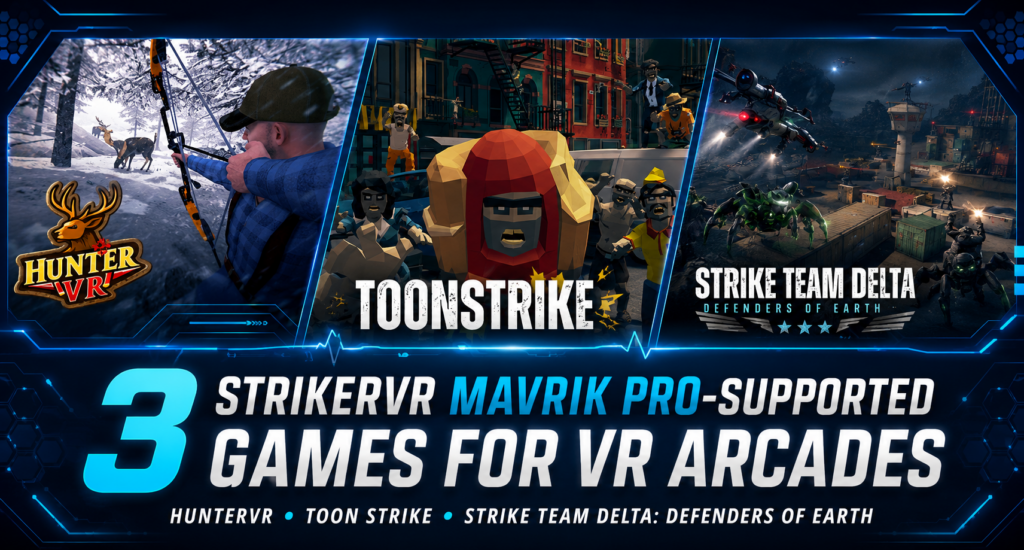
Operators who invest in haptic hardware need enough content variety to keep that hardware useful across different audiences and booking types. A blaster setup becomes more flexible when the same equipment can support a short competitive challenge, an accessible group experience, and a longer team mission. The StrikerVR Mavrik-Pro is designed specifically for enterprise VR deployments and supports recoil and haptic effects for commercial experiences. On the SynthesisVR marketplace, operators can find Mavrik PRO-supported titles across both standalone and PCVR free-roam configurations. We picked three that show different ways operators can use the hardware: HunterVR, Toon Strike, and Strike Team Delta: Defenders of Earth. HunterVR: short competitive sessions with flexible arena sizes HunterVR combines Mavrik PRO support with standalone hardware, leaderboard support, short sessions, and a relatively flexible starting footprint. This experience is brought to you by the same team behind the well-known Cops vs Robbers. The experience sends players into three environments where they compete on speed, accuracy, and precision while shooting moving wildlife targets. Bonus stages introduce shorter target challenges, giving players another score to improve on subsequent attempts. The marketplace lists gameplay at approximately 12 minutes and a suggested age of 14+. HunterVR also carries the Network Veteran designation on DeployReality. That status identifies content from a publisher with an established performance history across the DeployReality network, giving operators another piece of context when evaluating a title alongside gameplay and technical requirements. Its standalone support is another differentiator. HunterVR runs on PICO, Quest, and Focus 3 / Vision, with Mavrik PRO support listed directly on the marketplace. Those options let a venue start with a four-player configuration in a relatively compact area or scale the same experience to a larger group. HunterVR also lists offline multiplayer, a standalone game server, and leaderboard support. For operators who use scores to encourage repeat attempts or local challenges, that makes the competitive structure particularly relevant. The marketplace currently shows pay-per-minute, credit-based, and location-license options, along with a free test option. Toon Strike: a more accessible use of the same hardware Toon Strike takes the Mavrik PRO setup in a different direction. Its colorful visual style and lower suggested age make it easier to position for families, younger players, and groups that may have little previous VR experience. The marketplace lists Toon Strike as PCVR Free-Roam, with a suggested age of 7+ and gameplay of approximately 15 to 25 minutes. Its controller support includes StrikerVR, PPgun, Right PCVR Controller, and Mavrik PRO. The title currently carries the Network Debut designation. This means the publisher is still building its performance history across the DeployReality network. The badge gives operators useful context without making a judgment about the individual experience. Part of the Lightning Games Pack Toon Strike also gives operators a broader licensing consideration because the marketplace offers it through the Lightning Games Pack. The pack groups Toon Strike, Overrun, and Overrun 2, giving venues access to several Lightning VR experiences through the same content package. For an operator already using compatible PCVR free-roam hardware, that can expand the amount of content available for the same physical setup without evaluating each title as a completely separate attraction. This matters when planning content rotation. A game may fit one audience well, while the wider bundle gives staff more options for different groups arriving throughout the week. Strike Team Delta: Defenders of Earth for cooperative mission play Strike Team Delta: Defenders of Earth moves toward a more involved team experience. Players join Strike Team Delta to investigate alien crash sites, collect information, secure locations, and eventually defend their own base. The experience progresses through several missions, including a desert operation, Morgantown, Sweden, and a final confrontation. The structure gives the group shared objectives instead of building the session primarily around individual scores. The marketplace lists PCVR Free-Roam, a suggested age of 12+, and approximately 20 minutes of gameplay plus setup time. Hardware support includes StrikerVR, PPgun, Right PCVR Controller, and Mavrik PRO. Like Toon Strike, Strike Team Delta currently carries the Network Debut designation. For a venue, the distinction from HunterVR matters. HunterVR fits shorter accuracy-driven competition, while Strike Team Delta gives groups a longer cooperative scenario where progress depends on moving through a sequence of shared missions. One haptic setup, several types of sessions These three titles illustrate why hardware compatibility matters beyond a technical checklist. HunterVR can serve competitive groups looking for a short score-focused challenge. Toon Strike opens the same general hardware category to younger and more casual groups. Strike Team Delta gives operators a longer cooperative option with mission progression. They also span different technical setups. HunterVR runs on standalone PICO, Quest, and Focus 3 / Vision hardware, while Toon Strike and Strike Team Delta use PCVR free-roam configurations. Operators deciding how those formats fit into a venue can read our guide to PCVR vs Standalone VR for Commercial Venues. The arena ranges matter just as much as maximum player count. A ten-player title does not automatically require every venue to run its largest configuration. Available floor space, typical booking size, hardware, and content mix all influence the setup that makes commercial sense. We look at that decision in more detail in How Many Players Should a VR Attraction Support?. For group attractions, launch flow, player interaction, shared objectives, and session recovery also affect how well multiplayer content works in practice. See What Makes a Good Multiplayer VR Experience for Out-of-Home Venues? for a deeper look at those operational factors. Explore more Mavrik PRO-supported VR games HunterVR, Toon Strike, and Strike Team Delta are three examples from the wider commercial content catalog. Operators using StrikerVR hardware can browse Mavrik PRO-supported games on SynthesisVR to compare additional compatible experiences. The marketplace maintains a dedicated StrikerVR-supported content filter.
How Many Players Should a VR Attraction Support?
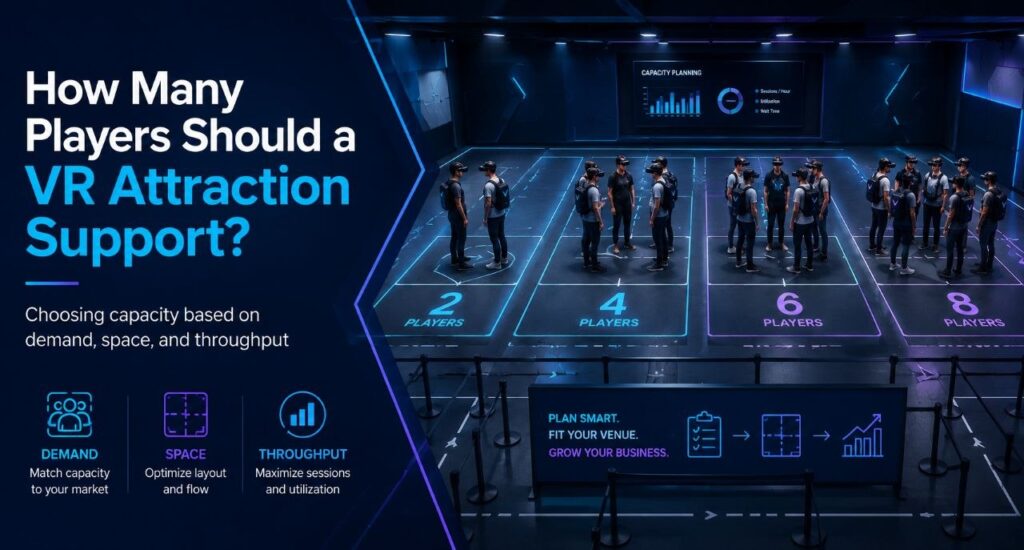
Often operators start this question backward. They decide they want to serve eight guests at once, then go looking for an eight-player attraction. But eight simultaneous guests can mean an eight-player arena, two four-player arenas, a six-player arena plus two room-scale stations, or eight independent room-scale units. Same peak capacity, four completely different businesses. Player count is what falls out at the end of a chain of choices that starts with your building and ends with your content. The decision chain Venue type sits inside this chain as context, not as the formula. A bowling center adding VR, a dedicated VR arcade, and an FEC building around group bookings all answer these questions differently, but none of them get to skip straight to “buy for six” or “buy for eight.” Start with the space you actually have Square footage sets the physical ceiling before anything else gets decided. It determines whether you’re looking at room-scale stations, one free-roam arena, several smaller arenas, or some mix of the two. A venue with 400 square feet to spare is choosing between formats before it ever gets to player count. This is also where the first real tradeoff shows up. The same footprint that holds one eight-player arena can often hold two four-player arenas instead, and those two setups behave nothing alike once you get past the headline number. Hardware, platform, and content: a triangle, not a checklist These three choices constrain each other, and there’s no clean order to work through them. Already own PICO headsets? That narrows content options before player count ever comes up. Chasing one specific title instead? PCVR might be the only place it runs, so hardware follows the content rather than the other way around. Running multiple locations changes the order again: many operators pick the management platform first, since one system across different hardware types matters more than any single game. Whichever one you decide first, it limits what the other two can be. Content needs specific hardware. Hardware needs a platform that can run it and report on it. The platform needs to support whatever mix of standalone, PCVR, wired, or streamed setups the content demands. What your audience actually needs from content This is usually the missing step in capacity planning, and it’s the one that should come before arena size gets decided. Birthdays, families with young kids, teenagers, enthusiasts, corporate groups, school trips, escape-room fans, and casual walk-ins all pull the content mix in different directions. A venue built around birthday packages needs different titles, and different group sizes, than one built around enthusiast repeat visits. Once you know who’s walking in, the content question gets specific. What do those guests want to play, and how many of them want to play it together? What that content requires Content is where the constraint actually bites. Free roam versus room scale, PCVR versus standalone, arena dimensions, and player count all come from the title itself, not from how many headsets you own. Most free-roam titles top out at four or six players in a single configuration. Buying eight headsets doesn’t change that. It just means eight headsets sitting on a shelf while the content that fits your audience runs four at a time. Take the two four-player arenas versus one eight-player arena question from the top of this piece. The two-arena setup gives an operator more compatible titles at that smaller player count, two bookings running at once, and better use of small-group demand on a normal Tuesday, while still hitting eight total players when both arenas are booked together on a Saturday. The eight-player arena gives up all of that flexibility for a configuration that only earns its keep when a full group of eight actually shows up. Neither is automatically the right call. It depends on what your audience actually books. Peak capacity and weekday utilization are different problems VR attraction planning works better when you separate peak demand from utilisation. This is the commercial core of the whole decision, and it’s easy to miss. Picture a Tuesday afternoon. A group of three arrives at a venue built as one eight-player arena. The operator can run that group at three of eight positions filled, or hold the session and wait for another group to fill the rest. Either way, most of that capacity sits idle for a slot that will never come close to selling out again before Friday. The same group at a venue built as two four-player arenas gets a session at three of four positions filled, close to full, while the second arena stays open for the next booking or for maintenance. Same total headset count as the eight-player venue. Very different Tuesday. A big configuration built for the weekend peak can leave a lot of equipment sitting unused Monday through Thursday. A modular setup, several smaller arenas or stations instead of one large one, can often handle the same peak while giving staff something sellable on a slow afternoon. Getting people through the building midweek is usually the harder problem than filling Saturday, and configuration is one of the few levers that actually moves it. The fleet model: capacity that changes shape A venue with a larger headset fleet doesn’t have to run the same configuration all week. The same hardware can be deployed differently depending on who’s booking: Capacity, in other words, doesn’t have to be fixed. It can flex by day and by booking type, which is a very different planning question than “large FEC equals eight to sixteen players.” This is also where a management platform earns its cost. Running PICO, Quest-compatible, and PCVR hardware side by side, and reconfiguring which content runs where as bookings change, needs one operational layer that can see and control all of it. SynthesisVR is built for exactly that: managing hardware, content, and session formats as one system instead of as separate silos an operator has to reconcile by hand. Configuring the venue around your content Once space,
3 VR Arcade Games That Turn Leaderboards Into Repeat Challenges
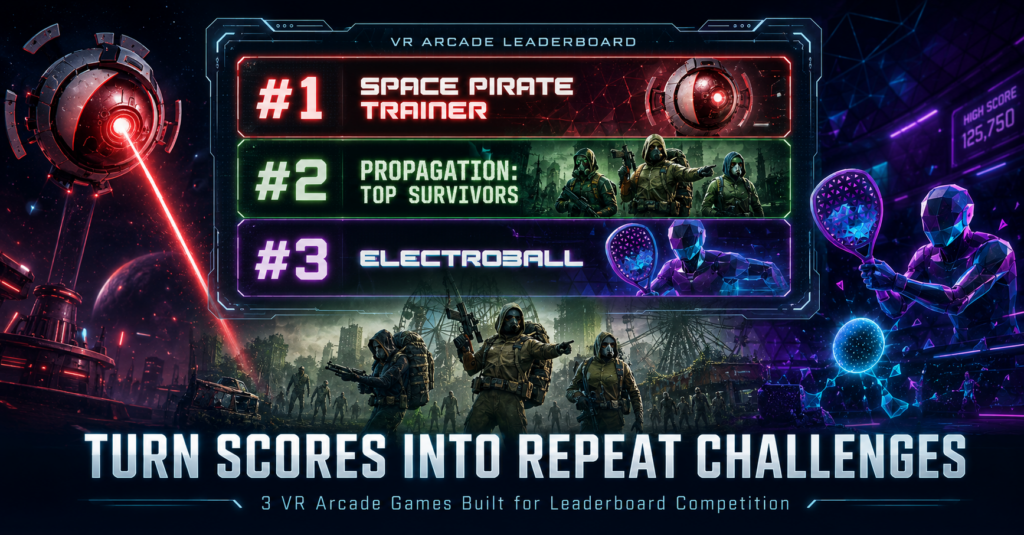
A VR session can end when the headset comes off. A score gives the player something to take with them. They may have beaten their friend, missed the venue record by a few points, or discovered that someone else moved ahead of them after they left. Suddenly, there is a reason to come back. There is a number to beat. For VR arcade operators, that competitive loop can extend the value of content already running in the venue. Daily high scores, weekly challenges, tournaments, and a visible Hall of Fame can turn individual sessions into something players continue talking about after they leave. Leaderboard competition does not have to work the same way in every game. One title can reward an individual high score. Another can give a group a shared benchmark. A direct competitive game can turn every match into a rematch opportunity. We picked three leaderboard-supported VR arcade games from the SynthesisVR content marketplace that approach that idea in very different ways. How does the SynthesisVR Leaderboard work in a VR arcade? The SynthesisVR Leaderboard Add-on automatically captures scores and rankings from supported VR games and displays the results in real time. Operators can run the leaderboard application on a Windows PC or Android device, including a front-desk screen, tablet, or TV. That gives the venue several ways to build competition around existing sessions. Operators can run local tournaments, display high scores on digital signage, create weekly challenges, or keep a longer-running Hall of Fame without asking staff to record every result manually. For a location-based entertainment VR venue, the important part is what happens after the score appears. Put the week’s best result on a screen near the front desk and the next player already knows what they need to beat. Three different leaderboard formats Space Pirate Trainer: the classic arcade high-score loop Space Pirate Trainer takes the logic of a traditional arcade cabinet and puts the player inside it. Players face waves of incoming droids, dodge lasers, and switch between weapons and gadgets while trying to push their score higher. Score chasing is part of the game’s identity. Its commercial listing explicitly frames the challenge around reaching the top rankings and entering the Space Pirate Trainer hall of fame. The title runs on PCVR in a room-scale setup. That makes the competitive objective easy for both staff and guests to understand. Finish the run. Check the score. Decide whether it is good enough. For an operator, very little additional explanation is needed to turn that into recurring programming. The venue could promote the highest score of the week, keep a monthly record, challenge customers to beat a staff score, or leave one long-running venue record for regular players to chase. It is the closest of these three games to the traditional arcade leaderboard model, which also makes it a useful starting point for venues introducing score-driven competition. Propagation: Top Survivors: make the group result matter Competition does not always require players to fight each other. Propagation: Top Survivors puts up to eight players together as survivors trying to make their way through a zombie-filled city. The team must reactivate ARES military anti-zombie devices before time runs out, with configurable session durations available for venue operations. The experience runs on PCVR room scale. That changes the leaderboard conversation. A birthday party, group of friends, or returning team already leaves with a shared story about what happened during the session. A leaderboard result gives that group an additional benchmark to remember and another target for a future visit. Instead of asking only, “Did we finish it?”, returning players have another question to answer: Can we improve on our last result? That makes cooperative competition particularly useful for venues serving repeat groups. The players can work together inside the game while still competing against their own previous performance or results set by other teams. Top Survivors also sits within the wider Wanadev catalog now available through SynthesisVR, alongside titles from the Propagation series and the former Octopod VR catalog. Electroball: competitive VR across PCVR and standalone Electroball takes the leaderboard idea in another direction. Players enter an electrified arena and use rackets to redirect balls into the opponent’s goal while defending their own. Balls can bounce from the arena walls, so positioning and timing influence how players create scoring opportunities. The objective is immediate. Score more than the other player. That makes the result easy to understand and gives the loser an equally obvious reason to ask for another round. Electroball also stands out in this group because of its hardware flexibility. The title supports PCVR Room Scale, PICO, and Quest, making it relevant to standalone VR arcades as well as traditional PCVR installations. It is available in English, French, and Spanish and is designed to be accessible to beginners. For operators, that creates a useful combination: a simple competitive concept, a measurable outcome, and support across several common commercial VR hardware setups. It is also a good example of why browsing a VR content marketplace by operational feature can be more useful than simply looking at the most familiar titles. A smaller game can fill a very specific role in the attraction mix. Turn leaderboard results into venue programming The game provides the result. The venue decides how visible and valuable that result becomes. A leaderboard can sit on a TV near reception with the week’s top scores. Regular players can return every Friday to defend their position. Birthday groups can compete internally. Staff can set a score for customers to beat. A venue can run a one-night tournament or keep a long-term record that becomes part of the local player community. The format does not need to be complicated. A simple “Beat this week’s score” challenge gives players a clear target before they enter the headset. A monthly reset gives more customers a realistic chance to reach first place. Keeping an all-time record alongside the monthly leaderboard gives the strongest players something harder to chase. Visibility
The Lobby: what your guests see before the game starts
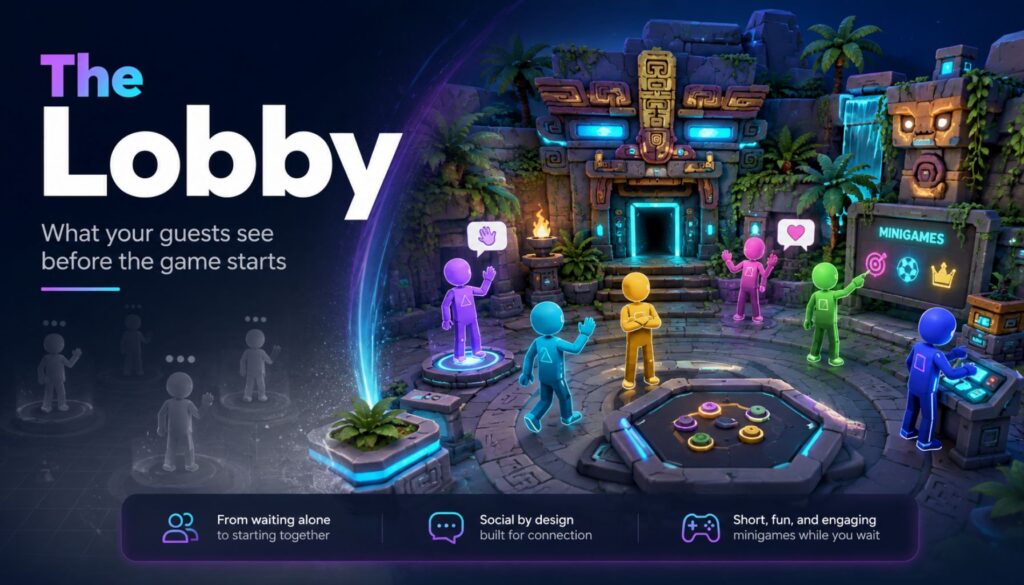
Six friends walk in together. They’ve been talking the whole drive over. Then the headsets go on, and for the next four minutes they stop being a group. Each one stands alone in a grey void, hearing muffled voices somewhere behind them, waiting for something to happen. That’s the part of the session nobody sells and every guest experiences. The Lobby is SynthesisVR’s launcher, released in September 2025, and it fills exactly those minutes. Guests land in a small 3D space together instead of in nothing. They walk around, talk, and play a few simple minigames while your staff finish getting everyone else geared up. When you launch the main session, The Lobby closes and the game starts. It runs on PCVR and on every standalone Android headset you’re likely to have on the shelf: Quest, Pico, HTC Focus. It’s included in your SynthesisVR subscription with no additional licensing. How it works Enable it once per device at my.synthesisvr.com under Devices. On Windows, open the Access Point app and click Refresh, and the installation runs itself. On Android, connect each headset to the Local Manager PC once so it can collect the installation permissions, then use Update The Lobby from the three dots menu next to the device. The first Android install takes three or four minutes depending on your bandwidth. The rest are faster, because the installer is cached. From there you have two ways to run it. You can launch it as a game, selecting it from the dropdown like any other title. The more useful option is In-Content Activation. Pick your main game and your stations, and if every station has The Lobby installed you get a second set of controls and an Activate Lobby button. Press it and nothing launches yet. The system waits, and each headset starts The Lobby on its own the moment a guest puts it on and the device wakes from idle. That waiting behaviour is the operational point. You set the session up, walk away, and help the next person. Each guest’s experience begins as they gear up, without a staff member standing over them to press play at the right second. Use case 1: the free-roam changeover A group of six books your 6×6 metre space. Waivers are signed, the safety brief is done, and now it’s the physical work of fitting six headsets. Straps, lens spacing, boundary check. Guest one is ready in forty seconds. Guest six takes four minutes. Guest one has now spent more than three minutes standing still in the dark, and it’s the first impression of a session they paid for. With The Lobby running, guest one is in a shared space, moving around, and guests two through six appear as they join. The group stays a group. Free-roam sizing runs from 5×5 metres for up to six players through to 10×10 metres for up to sixteen, and room scale supports up to sixteen as well. There’s a small admin benefit here too. If a player doesn’t already have a name assigned, The Lobby asks them to enter one, and that name is stored in SynthesisVR and carries into whatever you launch next. One less thing to type at the desk. Use case 2: parties, school groups, and anything over eight people Large bookings have a structural problem. Somebody is always waiting. Sixteen kids at a birthday party, a corporate team, a school group rotating through a limited number of stations. The bigger the booking, the more of your venue’s time is spent on people who aren’t playing anything yet. The Lobby holds up to sixteen players in one space, so a full party stays together while your staff work down the line. Turn on spectator mode and you get the second half of this. The session mirrors to an external display, so the parents in your waiting area, the siblings who came along, and the walk-in traffic passing your window all have something to watch. Spectator mode is optional, and The Lobby runs normally without it, but for party and group bookings it’s worth switching on. Use case 3: the guest who has never worn a headset This is where the money is. A first-timer’s opening sixty seconds of VR usually involves darkness, disorientation, and a stranger adjusting the straps on their head. Some of them decide right there that VR isn’t for them, and you find out when they pull the headset off eight minutes into a title they paid for. Drop them into The Lobby instead and they get a low-stakes space with nothing to fail at. They learn to look around. They work out what the triggers do. They see their friends’ avatars and realise they can still talk to each other. By the time the main title loads they’ve completed a tutorial without anyone calling it a tutorial. Fewer people quit mid-session. Fewer refunds at the desk. And the reviews you get online tend to come from exactly this guest, the nervous one who was talked into it by a friend. Where The Lobby fits in your setup The Lobby works best as the shared space between putting on the headset and launching the main experience. It handles pre-game social time, basic orientation, and the few minutes when different players become ready at different speeds. It does not replace every launcher workflow. If you want guests to browse your content library and choose what to play themselves, use a dedicated self-service launcher for that part of the venue. SynthesisVR Operation Settings let you assign different 3D environments to different experience types, so you can use The Lobby for free-roam sessions while keeping a different launcher or workflow elsewhere. There is also one setting to consider on standalone Android headsets. Kiosk Mode keeps The Lobby in control of the headset so guests cannot accidentally leave the intended experience. If another launcher on the same headset also needs kiosk-level control, the two will compete. In that case, leave Kiosk Mode off
3 PVP VR Games for Competitive Groups and Repeat Visits
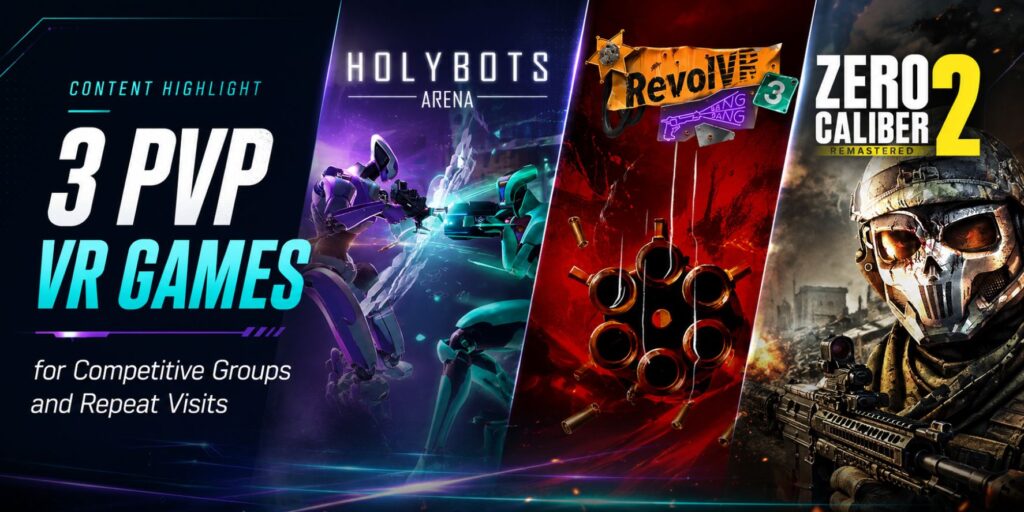
Why PVP VR games earn repeat bookings A competitive VR session rarely ends when the timer runs out. Players compare scores. They argue about tactics. Then they start planning what they would do differently next round. That reaction is what gives PVP VR games a specific role in a commercial content mix. Players get a built-in reason to book again. They also get something to talk about after they leave the headset. SynthesisVR’s earlier post on competitive PCVR games covers why that rematch pattern shows up across scored formats in general. This list stays inside player-vs-player specifically, with three titles built around direct duels, team battles, and shooter PvP modes. Take a group of six friends at a VR arcade. A cooperative mission ends in a shared result, win or lose together. A PVP match ends with a winner, a few near misses, and an unsettled rivalry. The player who came in second wants a rematch. The winning team wants to defend the result. That is a second booking before the operator even mentions a discount. PVP VR games also span more than one type of commercial VR experience. Operators can run short room-scale duels, free-roam team battles, and full multiplayer shooters under the same category. That range works across walk-ins, birthday groups, student bookings, corporate outings, and returning players. All three titles below run on PCVR, with SteamVR-compatible headsets, and operators can license each one through the SynthesisVR marketplace. RevolVR 3: fast competition with a simple learning curve RevolVR 3 runs on PCVR room-scale setups. It puts two to six players inside colorful robotic gunslingers for quick revolver duels across three arenas. Players choose from four characters, each with a different weapon and shooting style. Then they move, duck, use cover, and compete for the highest score. The concept is easy for a new group to grasp. Players pick a character, aim at their opponents, and stay out of the line of fire. That simplicity lets staff move groups into the experience fast, without a long explanation. Operators can configure rounds between five and fifteen minutes, which works for short rotations and longer competitive bookings alike. Local servers cut the time spent searching for matches, and bots fill in when fewer players show up. Leaderboards and spectator software also put the match on display outside the headset. Waiting visitors get a clear view of the action too. For a VR arcade, RevolVR 3 works as an accessible entry point into PVP. New players start fast, and returning groups improve their movement, positioning, and accuracy over repeated rounds. Holybots Arena: tactical free-roam battles built around teamwork Holybots Arena runs on PCVR free-roam setups and expands PVP into a team format. Players become combat robots fighting over artifact fragments inside a cyber-futuristic arena. Winning takes more than eliminating opponents. Teams collect and protect fragments. They use physical and holographic cover, coordinate attacks, and recover a teammate’s fragment when that player goes down. The objective gives every team a reason to keep talking during the match. The game supports two to eight players, depending on the play area. Configurations start at 6 × 6 meters for two to four players. They scale up to 10 × 10 meters for groups of up to eight. Operators can match the session to their venue size and headset count. Holybots Arena suits groups that want more structure than a straight free-for-all. A team can lose individual fights and still win by controlling the objective. That creates varied outcomes and gives groups something specific to adjust before a rematch. It also gives free-roam venues a way to sell PVP around teamwork, not just individual scores. Corporate groups, student societies, and friend groups can split into teams. They compete around a shared objective instead of chasing separate high scores. Zero Caliber 2 Remastered: deeper gunplay with flexible sessions Zero Caliber 2 Remastered is a PCVR room-scale military shooter. It pairs a solo and cooperative campaign with competitive PVP modes. Operators can run one license across several audience types. The game leans on fast onboarding and intuitive controls. Then it adds cinematic firefights, airstrikes, improved weapon handling, and a large unlockable arsenal. New players get into the action fast, while returning players get a wider weapon selection and more progression to chase. Session flexibility is the strongest commercial angle here. Operators can run short, high-energy PVP rounds, or give returning players more time in the campaign and cooperative modes. Either way, the same title covers walk-in groups and visitors who want a longer FPS session. For venues with a shooter audience already in place, Zero Caliber 2 Remastered gives players a reason to come back beyond one competitive round. They can try new weapons, switch modes, or run a cooperative campaign with a different group. Three different roles in a competitive lineup RevolVR 3 offers quick, easy-to-explain competition with configurable round times. Holybots Arena adds team tactics and an objective-based free-roam match. Zero Caliber 2 Remastered brings a deeper PCVR shooter that covers competitive, cooperative, and solo play in one license. That range matters when building a rotation. Not every group wants the same intensity or match length. A duel suits first-time visitors. An arena battle suits organized teams. A deeper FPS suits players who already know VR controls. Turning PVP VR games into repeat visits Clear match results make PVP VR games useful for repeat-visit campaigns. Venues can post weekly winners, run team challenges, or host rematch nights. They can also rotate competitive titles into slower weekday slots. The game supplies the rivalry, and the operator turns it into a repeatable offer. Explore RevolVR 3, Holybots Arena, and Zero Caliber 2 Remastered on the SynthesisVR marketplace. Related Reading Why Multiplayer VR Attractions Drive Repeat Visits and Higher UtilizationHow VR Arcade Operators Build a Balanced Attraction MixHow VR Entertainment Centers Attract Student Groups and Young Adult Audiences
3 Active VR Games to Round Out Your Arcade Lineup
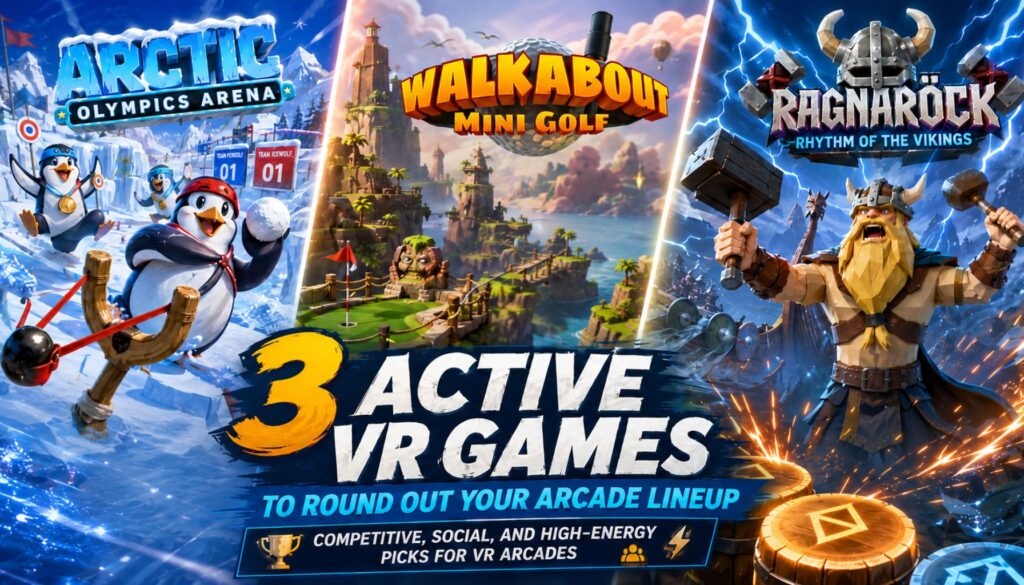
Active VR games for VR arcades ask something most of a library does not: get the player standing, swinging, and competing instead of sitting through a story. Three titles now on SynthesisVR fill that slot, and each pulls from a different corner of active play, casual sport, multiplayer competition, and rhythm, so a venue can point a booking at whichever one fits the group. The category has a name now: exergaming, VR content built to disguise physical effort as gameplay rather than present itself as a workout. A 2025 study in the International Journal of Obesity found VR-based exergames produced measurable improvements in body weight, BMI, and body fat percentage compared to sedentary controls. Separate 2026 reporting on home VR fitness apps found exergames hold 2.3 times the retention of video-led workouts. Players come back because the session is fun rather than prescribed, and that’s the same mechanism an arcade is already selling with every other title in the library. None of the three games below need a health pitch to earn a rebooking. What they need is the right group in front of them: a corporate team, a birthday party, a Friday night crowd looking for something with more energy than the horror room next door. Each one also plugs a genre a lot of arcade libraries are missing entirely, rather than adding a fourth zombie shooter or a third escape room. Walkabout Mini Golf VR Walkabout Mini Golf turns real mini golf into a room-scale sport with accurate physics. Each course runs a full 18 holes set in a larger-than-life location, and the holes interconnect, so a group explores the whole environment instead of only lining up putts. Full crossplay puts up to 8 players in one private room no matter which headset they hold, and Night Mode redesigns every course once a group has cleared it, so a returning party never replays the exact same round. This is the low-barrier entry point in the lineup. Nobody needs prior VR or gaming experience to swing a club, so a mixed-skill group shares a course without anyone feeling lost or outmatched. It also does quiet warm-up work: a first-time visitor who settles into Walkabout is far more likely to try something more physical next. The game holds an Overwhelmingly Positive rating across thousands of Steam reviews, so plenty of guests already know the name before they walk in. Runs on PCVR room-scale. View Walkabout Mini Golf VR on SynthesisVR Arctic Olympics Arena Arctic Olympics Arena puts 2 to 8 players on the ice for a snowball-launcher slingshot competition, hunting moving targets and hidden gadgets for points. It’s a full free-roam title, built for Pico, Quest, and Focus 3, and scales its footprint from a 4x4m box up to 10x10m depending on group size, so the same license covers a small station or a larger arena slot. The publisher rates it for ages 7 and up. Where it fits: this is the multiplayer, competitive slot in the lineup, built for a group that wants to play against each other rather than take turns. The wide age rating and standalone hardware make it an easy fit for birthday and family bookings that already run Pico or Quest headsets, and the scalable footprint means it can slot into a smaller arena without operators needing to build out a full free-roam room first. View Arctic Olympics Arena on SynthesisVR Ragnaröck Ragnaröck turns a viking ship race into a two-handed drumming game. Players crush oncoming runes in time with a soundtrack that runs from Celtic rock to viking power metal, racing rival crews across six environments drawn from Norse mythology. It runs solo or multiplayer on PCVR room-scale. Where it fits: rhythm games pull in players who wouldn’t otherwise book VR, and a library without one is missing a proven draw. Ragnaröck fills that slot with continuous two-handed arm movement rather than a seated tap-along, closer in energy to Arctic Olympics than to a passive rhythm title. It also gives staff an easy answer for a guest who wants something less combat-focused without dropping into a slower family title, and the escalating difficulty curve gives regulars a reason to keep chasing a better run. View Ragnaröck on SynthesisVR How Operators Turn Active VR Games Into Bookings Stocking active content is the easy half. The return comes from who gets pointed at it. Birthday and family blocks lean on Walkabout Mini Golf. Low intimidation and room for up to 8 players sharing a session means nobody sits out waiting for a turn, and the course variety gives a venue something new to offer a repeat birthday customer next year. Arctic Olympics Arena earns its slot with groups that want to compete against each other directly rather than take turns on a leaderboard. A birthday party or corporate group can split into teams, run a few rounds, and finish with a clear winner, the same rematch pull that makes a booking easy to sell on the phone before the group even arrives. Ragnaröck earns its slot as the party centerpiece, the game a group gathers around to watch as much as play. It works as a between-round palate cleanser at an arcade running longer sessions, or as the anchor booking for an evening built around one high-energy title. A weekly leaderboard reset gives regulars a reason to come back and beat last week’s score. None of these three need to be marketed as a workout to work as one. The pitch stays the same as any other active VR game in the lineup: replayable, competitive, worth a second round. Players move through a full session without either side calling it exercise, and the operator gets the same repeat booking a fitness angle would have promised, without the harder sell. Licensing These Titles Through SynthesisVR All three run through SynthesisVR’s commercial licensing, so an operator adds a title and the license terms attach in the same dashboard as everything else already on the floor. No separate
3 VR Education Experiences Worth Adding to Your Arcade Lineup in 2026
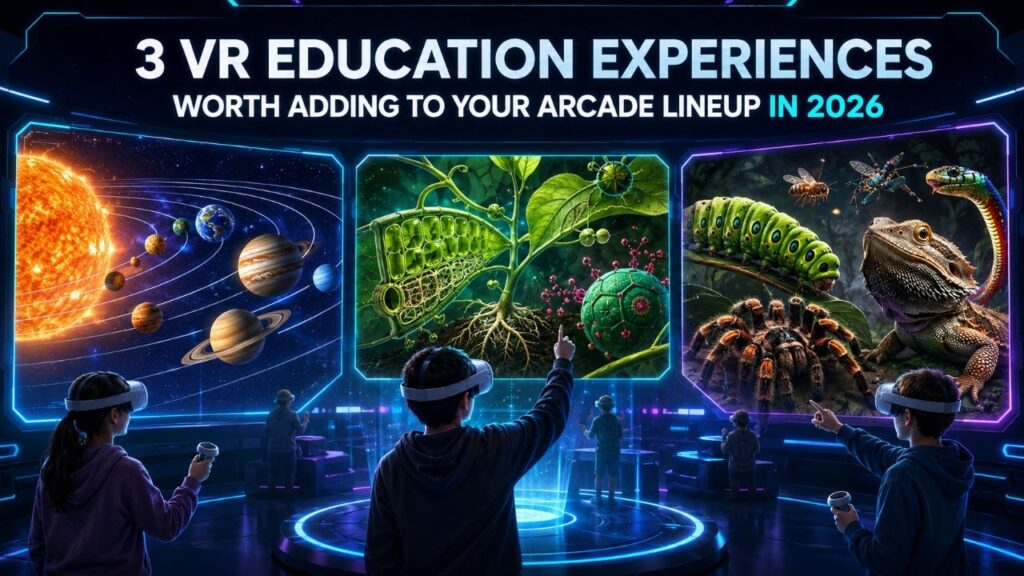
A VR attraction venue already owns the hard part. The fleet is bought, the booking system runs, and staff can start a session on their own. Maybe your weekday hours run lighter than your weekends. VR education content is one way to fill them, and it uses the setup you already have. The demand is there to meet. Curriculum VR runs in well over 200,000 schools now, and a 2025 Museums Association survey found 79 percent of the public interested in using digital tools to reach things they cannot otherwise see. The results back the interest up: Stanford research found students who learned in VR retained about 30 percent more than students taught the same material the usual way. What most schools, camps, and small museums do not want is to buy the gear, manage it, and train staff to run it. That is the exact part an operator has already solved. So the opportunity runs two ways. Package a school outing at your venue, or load a few headsets into a case and run a session in a classroom. Camp organizers and event planners will pay for a rainy-day activity with real substance. A museum or library can offer a pop-up VR station without owning the hardware. All three titles below run on the Pico, Quest, or Focus 3 headsets most fleets already carry. Each one anchors a different kind of booking. VictoryXR Science Curricula: Anatomy & Physiology – Body Awesome VictoryXR built the first VR science curriculum aligned to the Next Generation Science Standards. Body Awesome maps to NGSS standards HS-LS2-3 and HS-LS4-1, plus the matching Texas (TEKS) and Florida (CPALMS) standards. That alignment does the selling for you before a buyer asks. Inside the lesson, students pull organs out to full size and rotate them. Open the heart, kidney, or brain and you see how each structure drives its system. A nationally recognized science teacher narrates each organ as students double-tap to trigger it. Every organ carries two activity prompts that push past looking: predicting, sketching, comparing, answering. The lab manual ships with a glossary and pronunciation guide. The Teacher’s Edition includes 60 assessment questions with answers, so a teacher can run it graded rather than as a demo. Where it fits: Body Awesome is one lesson inside a catalog of 48 units and 240 VR experiences. Those span Earth and space science, engineering, life science, and physical science. That scale turns a one-off school visit into a repeat booking across subjects and terms. It runs on PCVR room-scale and standalone Quest. That suits a high school biology block, a homeschool co-op, or a university department testing a shared lab. Sell it with a standards checklist, and the catalog answers “what’s next” for you. View VictoryXR Science Curricula on SynthesisVR VR Plant Journey VR Plant Journey turns a biology lesson into a throwing and archery game. Players shrink inside a canola plant and move through three chapters: root, leaf, and seed. Each one is built on a real process. The leaf level has you throwing carbon dioxide and water to run photosynthesis. Down in the root, you assemble ammonium and nitrate, the nutrients the plant feeds on. The seed level asks you to hit oil bodies with a bow and arrow so they grow. Get the balance right and the plant develops. Get it wrong and it stalls. The content came out of a collaboration with plant researchers at the Leibniz Institute of Plant Genetics and Crop Plant Research, and the design has picked up nominations at the VR Awards, the Auggie Awards, Laval Virtual, and the VRnow Awards for education and training. Where it fits: the throwing and archery mechanics give this one more energy than a lab-style title. That matters with younger visitors, who lose interest fast in passive content. Its three short levels fit a walk-in group’s attention span. It slots into a summer camp afternoon, a library’s family hour, or a museum’s school-group rotation as easily as a classroom. It runs on PCVR room-scale and standalone Quest. Lead with this one when the group is mixed ages or the booking is more field-day than field trip. View VR Plant Journey on SynthesisVR Creepy Crawly Zoo 2.0 Creepy Crawly Zoo 2.0 shrinks players to about two inches tall and drops them inside a macro-scale insect and reptile exhibit. It is built on a real collection: creator Antonio Gustin shot it with an 8K macro VR camera alongside Dan Capps, whose private insect collection was once the largest in the world and appeared at Disney’s Epcot. The experience carries 100 display cases and more than 30 macro encounters, including scorpions, tarantulas, lizards, snakes, and a freshwater pond, with Capps appearing on video to guide guests through the specimens himself. Where it fits: this is the least game-like of the three, closer to a walkable exhibit than a title with a win state. Gustin describes it as a place to explore rather than a game, made to raise questions and hold attention. That reads as a natural fit for a science center, a nature center, or a school running a biology or ecology unit, and it gives a VR arcade something visually distinct to round out an education slot. It is standalone Quest only, so it drops straight into any venue already running a Quest fleet with nothing extra to buy. View Creepy Crawly Zoo 2.0 on SynthesisVR How Operators Turn This Into Bookings Adding the content is the easy half. The revenue comes from who you put in front of it. Package a school outing at your venue and sell it on the schedule that already suits you: a class-length 45 to 60 minute session, students rotating through the arena in small teams while the rest work with a teacher. Full-venue exclusivity is far easier to promise on a Wednesday afternoon than a Saturday night, and that midweek slot is the one you are trying to fill anyway. If the school cannot travel, bring
Wanadev Studio Experiences on SynthesisVR: a Complete Octopod VR Catalogue Spotlight
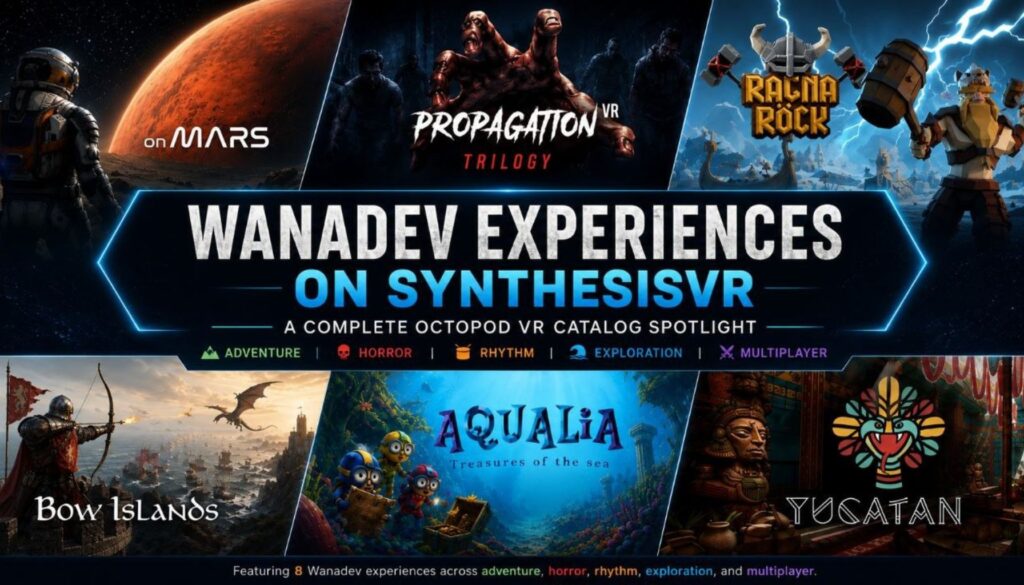
Octopod VR’s arcade catalog is migrating to SynthesisVR. Wanadev, the studio behind the games, announced the change directly: their flagship VR arcade experiences have joined the SynthesisVR ecosystem, which becomes the exclusive distribution platform for the titles going forward. Wanadev continues to build and support the games. What changes is where operators go to license and manage them. Ten titles are live on SynthesisVR today: Aqualia, Bow Islands, On Mars, Yucatan, the Propagation trilogy, Ragnarock, Propagation: Top Squad, Propagation: Top Survivors. All run on PCVR, built for room-scale and free-roam VR arcade spaces. Why Wanadev chose SynthesisVR Wanadev’s decision to move distribution to SynthesisVR came down to focus. Running the Octopod platform alongside game development and publishing was pulling resources away from the side of the business Wanadev wanted to grow, and moving distribution to a partner frees that time up for building and publishing games instead of maintaining a distribution platform. SynthesisVR’s feature set was close enough to what Octopod customers already used that the switch could happen without asking operators to learn an entirely new way of managing licenses, which is part of why Wanadev has called the transition seamless. For operators coming over from Octopod, the move also opens up more than the ten titles covered here. SynthesisVR’s catalog spans a broader range of studios and genres, so an Octopod customer moving over gains a wider selection to draw from, not just a new home for the games they already ran. And for venues thinking beyond PCVR, the same account handles standalone titles too, so a location built around Octopod’s PCVR catalog has a path to add standalone content later without bringing in a second platform to manage it. Switching from Octopod? The transition is already built. This matters differently depending on where an operator is starting from. If you’re currently licensing through Octopod VR The transition has been set up to run without interrupting service. Operators already running these titles do not need to pull them from rotation or wait for a hard cutover date. The practical next step is to contact SynthesisVR support through the contact page to get the catalog attached to an existing account, or set one up if the venue is new to the platform. You can also follow full migration guide here: Migrate from OctopodVR to SynthesisVR Bringing the licensing partnership to SynthesisVR also brings a pricing benefit for some locations, with select venues seeing a reduction in licensing costs as part of the move. If you’ve never licensed Octopod VR titles before For operators who evaluated these games in the past and never brought them into a venue, or who are only discovering the catalog now, the appeal is the same as it always was. The table above covers player count, format, and space for each title. Now let´s dive in each title a bit more. The Propagation trilogy Propagation is built as a three-part arc rather than three standalone titles, and operators get to decide whether to run it that way. Stage 1 drops one or two players into a supermarket overrun by a zombie swarm, using that contained setting to teach movement, aiming, and pacing before the difficulty ramps up. Stage 2 opens the format to four players and hands the group a sniper rifle, moving the fight into a bigger street-level battle where coordination between players starts to matter as much as aim. Stage 3 takes the survivors underground into a new set of monster encounters, closing the arc in a tighter, more claustrophobic space than the first two stages. All three run on PCVR, in free-roam or room scale depending on the space available, with footprints between 4x5m and 5x5m. The 18+ recommendation across the trilogy makes it a stronger fit for an evening booking than an afternoon one, and operators running it as a three-part session have a built-in reason to bring a group back for the next stage rather than treating each part as a one-off. Bow Islands Bow Islands puts two teams of up to three players on opposing ships, firing arrows at each other’s vessels and the dragons circling above. It runs on PCVR room scale in a standard box footprint, which keeps the setup consistent with whatever else is already running in that space. The format is the reason it earns a spot as a first-time title. A new player can understand “shoot the other team’s ship” in the time it takes to hand them a bow, and the same structure holds up for a group that already plays competitively and wants a tighter, faster match. That range, from a birthday party group picking up a headset for the first time to a league night rematch, makes it one of the easier titles to schedule without needing to know the group’s experience level in advance. On Mars On Mars is built for scale. At up to 12 players, it handles a corporate outing or a large friend group in a single session where most box-format titles in the catalog would need to split the group in two. The sci-fi exploration and escape format runs on PCVR room scale in a standard box, so it slots into the same physical footprint as smaller-capacity titles without extra setup. For weekday bookings especially, the capacity is the operational advantage. A single 12-player session covers ground that would otherwise take two or three back-to-back sessions with a smaller-format game, which matters more on a Tuesday afternoon corporate booking than it does on a weekend walk-in. Yucatan Yucatan runs in pairs, up to four pairs at once, through a Mayan exploration and cooperation format built around PCVR free-roam. The footprint scales with the venue: 4x5m per pair at the low end, up to 8x10m if the space and group size support it, which gives operators some room to fit it into venues that couldn’t take a fixed large-format free-roam title. That flexibility, combined with a cooperative structure rather than a competitive one, makes it a
Why Multiplayer VR Attractions Drive Repeat Visits and Higher Utilization
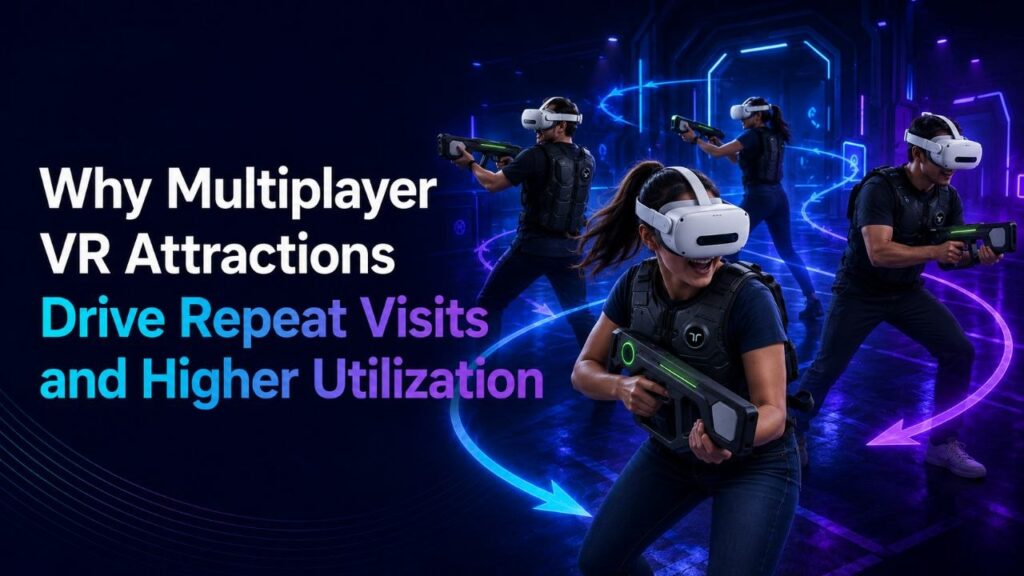
Some venues find their best-performing attraction is not the newest title on the floor. It is the multiplayer experience that the same group of friends books again three weeks later, then again after that. One operator running a six-headset free-roam arena noticed this directly: a yearSome venues find their best-performing attraction is not the newest title on the floor. It is the multiplayer experience that the same group of friends books again three weeks later, then again after that. One operator running a six-headset free-roam arena noticed this directly: a year-old multiplayer title outsold two new solo releases for three straight months, driven almost entirely by repeat group bookings. That pattern shows up across the LBE VR industry often enough to matter for how operators think about attraction mix. A solo VR experience can deliver a strong first visit. It rarely creates a second one, because the player has already seen what the headset shows them. A multiplayer experience changes shape every time a different group walks in. The teamwork shifts, the score resets, the in-jokes from last time carry over, and the session becomes a plan to repeat rather than a box to check. The simple equation still holds for VR arcades: more immersive experiences create higher customer satisfaction, and higher satisfaction creates stronger returning business. Multiplayer helps because it increases immersion through shared presence. Players do not only react to the virtual world. They react to each other inside it. Why solo VR struggles to generate repeat bookings A single-player VR attraction is usually built around a fixed narrative or a fixed challenge. Once a player finishes it, the core reason to return drops sharply. Operators running solo-heavy lineups often see strong opening weeks followed by a falloff in repeat traffic, because the content has less to offer a returning customer beyond a slightly faster completion time. Multiplayer content has a different ceiling. A four-player co-op title or a competitive free-roam shooter changes with every group composition. Two friends playing together create a different session than four coworkers on a team outing, and both create a different session from the same four coworkers coming back a month later with two new colleagues. The content stays the same. The experience does not. For first-time visitors, the headset itself often creates the initial “wow” moment. Returning customers need a different reason to feel that again. Multiplayer gives them that reason because the next session includes new players, new team dynamics, new competition, and a fresh chance to improve. Content rotation and replayability Replayability is not only a property of the game itself. It also depends on how often the venue rotates what is on offer. A venue with a static lineup of three multiplayer titles will eventually exhaust even its most social customers. A venue that rotates four or five multiplayer experiences through its schedule, swapping in new titles every few weeks while retiring others temporarily, gives returning groups a reason to book again even when the social dynamic alone would have been enough. This is where attraction mix becomes an operational decision rather than a content decision. A six-bay arena running one anchor multiplayer title alongside two rotating secondary titles can support a wider range of group sizes and repeat patterns than the same arena running six different solo experiences. The rotation does not need to be constant. A monthly refresh of one or two titles, timed against booking data, is often enough to keep returning groups engaged without requiring a full content overhaul. The strongest multiplayer titles for repeat visits usually share two traits: they are simple to start and they leave room for improvement. Players should understand what to do quickly, especially in a paid commercial session, but they should also feel they could perform better next time. That learning curve matters. A group that finishes a session saying, “we almost had it,” or “next time we beat that score,” already has a reason to return. Why social experiences generate stronger repeat traffic The social mechanism behind repeat visits is straightforward. A solo experience is something a person does. A multiplayer experience is something a group plans. Group plans get rebooked because the social commitment, not just the content, drives the decision to return. A birthday group, a corporate team, or a regular friend group treats a strong multiplayer session the way they would treat a favorite bowling night or trivia night: a recurring plan built around people, with the attraction as the setting rather than the sole draw. Competition strengthens that effect. If one team wins the first round and the other wins the second, the unfinished tiebreaker becomes part of the experience. Some groups extend the session immediately. Others leave with a reason to come back. Co-op formats can create the same effect when players fall just short of completing a mission or decide they want to bring a different group next time. This shows up directly in what operators ask for. Across requests we see from venues evaluating new content, “does it support multiplayer” is one of the most common requirements, often ranked above genre or theme. Operators are not asking for multiplayer because it is a trend. They are asking because they have already seen what happens to repeat bookings when a title only supports one player at a time. It also shows up in internal platform usage data across SynthesisVR and SpringboardVR. The titles with the highest total play time are overwhelmingly multiplayer experiences, not solo ones. That pattern holds across genres, from competitive shooters to cooperative survival games to multiplayer sports titles. Solo experiences still have a place in a lineup, especially for specific audiences or lower-capacity windows, but they rarely account for the bulk of usage once a venue has several multiplayer options in rotation. This is also why multiplayer formats tend to perform well across different group sizes. A 2-player co-op format and an 8-player competitive format can pull from the same content library but serve very different
Running 360 Video in a Commercial VR Venue
Most VR venue planning starts with the catalog: which games pull the best crowds, which titles support the most players, which escape rooms keep groups coming back. Game-led content carries the core of the business for VR arcades and LBVR locations. There are sessions, though, where a guided viewing experience fits the room better than a competitive multiplayer title. A school group on a tight schedule, a corporate booking that needs a consistent walkthrough, a trade show booth running the same content every fifteen minutes, a tourism partner showing off a destination: these all call for content that repeats cleanly, guides easily, and asks almost nothing of a first-time user. That is where 360 video earns a place in the attraction mix. Why 360 video still works in a venue 360 video suits sessions where the goal is controlled viewing rather than active play. It needs no complex controls, no deep onboarding, and no full game loop, which makes it a low-friction option for audiences who have never put on a headset. For school groups, corporate teams, museum guests, or booth visitors with five minutes to spare, a short immersive clip often lands better than a session that asks them to learn a game first. The commercial backdrop supports the format. Location-based VR sits inside a broader out-of-home immersive market that analysts expect to keep growing through the rest of the decade, even though their estimates of its size vary widely. For an operator, the practical read is steady demand for varied, low-friction immersive content that a venue can put in front of mixed audiences. What Deploy Reality Player is Deploy Reality Player is a commercial VR video player built by Deploy Reality, the parent company of SynthesisVR. It plays monoscopic, stereoscopic, and 360-degree video on PCVR room-scale rigs and on standalone headsets including Pico, Quest, and Focus 3 / Vision. The real value sits in the commercial layer around playback: one operator launching the same content across a bank of headsets, keeping viewers in sync, and running a session without handing a controller to every guest. Where it fits in a venue For VR arcade and LBVR operators, 360 video widens what the headset fleet can do between game sessions. It supports seasonal programming, short intro experiences (demo sessions) for first-timers, travel and destination content, and add-on viewings before or after a main booking. The operational payoff is utilization, since you get more reasons to keep headsets earning across the day rather than only during peak game slots. For training and education providers, the value sits in repeatability. A safety walkthrough, an equipment familiarization clip, or a guided site tour plays the same way for every participant, which is what institutional learning content needs. The format also holds up under study: a peer-reviewed experiment with primary school pupils found that 360-degree video field trips produced consistently higher content recall than standard video, with stronger engagement and a greater sense of immersion. Schools running virtual field trips and corporate teams running onboarding get a consistent experience without building a game around it. For events, trade shows, and brand activations, time is the constraint. Staff need content that starts fast, explains itself, and repeats all day. A 360 tour of a property, factory, or destination works even when a visitor only has a few minutes, and a booth can keep the queue moving without a technical operator minding each headset. Museums, tourism boards, and cultural venues use the same workflow to place guests inside locations that are otherwise hard, costly, or impossible to reach: heritage sites, protected nature, historical reconstructions, or remote destinations. The evidence here is encouraging. A study in the journal Sensors evaluated a VR experience that used 360-degree storytelling to take users through a submerged archaeological site, and recorded high levels of presence, immersion, and engagement using both participant questionnaires and EEG brain-activity readings. The operational side of playing 360 video commercially Playing a single 360 video on one headset is trivial, but running it across a venue is a different job. A staff member may need to launch the same clip on several headsets at once, start everyone together, sequence a playlist, and keep playback steady when venue Wi-Fi is unreliable. A consumer video app does none of this, while Deploy Reality Player runs every part of it from one control point. Session synchronization keeps a group watching the same frame at the same time, which matters when a guide is narrating or a class is meant to react together. Spectator view mirrors the headset feed onto a PC screen, so staff, parents, or waiting guests can follow along and a presenter can talk to what the group sees. Offline playback runs from locally stored files, so a busy session never depends on a live connection. Controller-free operation lets a guest get in and start viewing without a tutorial, and a centralized control panel runs play, pause, and seek across every active station from one place. Seeking through the timeline works while playback is paused, which keeps a guided session from drifting out of sync. Formats, platforms, and two limits to plan around The player handles monoscopic, stereoscopic, and 360-degree footage, with support for equirectangular 360, equirectangular 180, and 3:2 cubemap projections. It runs on PCVR room-scale setups through SteamVR and on standalone Pico, Quest, and Focus 3 / Vision headsets. The community page documents the full codec, container, and streaming reference, along with hardware notes and step-by-step setup. Two limits are worth knowing before you plan content. The player works only with your own VR videos, so you need the rights to anything you run through it. And it does not accept direct YouTube URLs; SynthesisVR includes YouTubeVR automation for Meta Quest headsets only, and any commercial use of YouTube content remains your responsibility to license with the rights holder. Licensing and setup Deploy Reality Player is available through the SynthesisVR content marketplace and runs on the free SynthesisVR Essential Access subscription, so an operator