
What Metrics Should VR Arcade Operators Track?
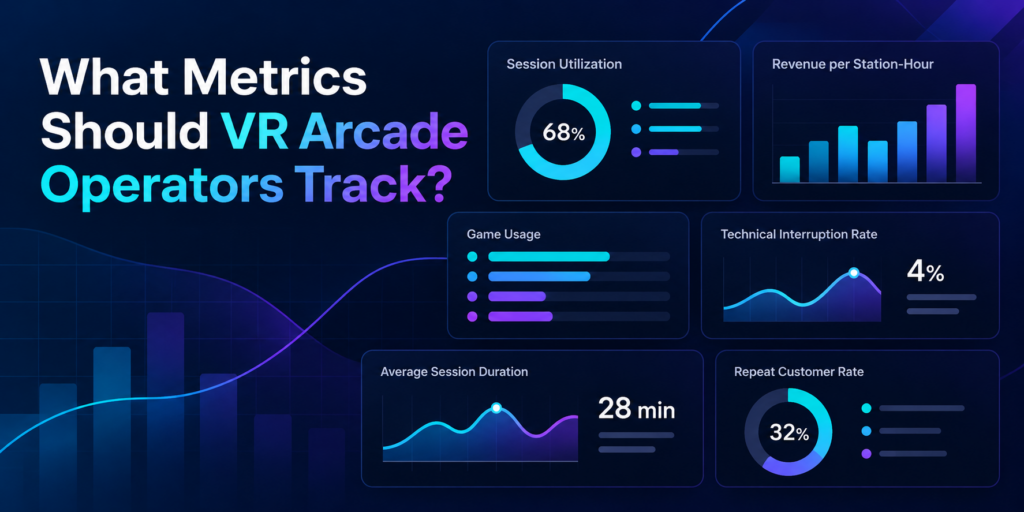
Running a profitable VR arcade requires more than knowing how many customers walked through the door. Two venues might serve the same number of players in a day yet achieve very different results. One could have consistently booked stations, smooth session transitions, and content that encourages repeat visits. The other might struggle with idle headsets, interrupted games, and licensing costs that are difficult to reconcile. Understanding these differences starts with tracking the right performance metrics. For VR arcade operators and family entertainment centers (FECs), a handful of key performance indicators (KPIs) can reveal how efficiently attractions are running, which games deliver value, and where operational improvements can increase revenue. Here are eight metrics worth monitoring and what each one can tell you about your business. 1. Session Utilization Rate: How Much of Your Available Capacity Is Being Used? Session utilization measures how much of your available operating capacity customers actually use. A VR arcade might have six stations available for eight hours a day, giving it 48 available station-hours. If customers occupy those stations for a combined 24 hours, the venue has a utilization rate of 50%. Session Utilization Rate = Occupied Station-Hours ÷ Available Station-Hours × 100 For example: This metric helps operators understand whether their existing hardware and floor space are generating enough activity. It also highlights patterns worth investigating. A venue might regularly reach full capacity on Saturday afternoons while leaving several stations unused on weekday evenings. Tracking utilization by day, time slot, and attraction type can help operators make decisions about staffing, scheduling, group packages, and marketing. What to do with this metric: Identify recurring low-utilization periods and test specific offers that encourage bookings during those hours. 2. Revenue per Available Station-Hour: What Is Your Capacity Actually Earning? A busy station doesn’t always translate into strong revenue. Some experiences generate more revenue per session but require longer playtime. Others have shorter sessions, allowing operators to serve more groups within the same period. Revenue per available station-hour helps operators compare earning efficiency. Revenue per Available Station-Hour = Station-Attributed Revenue ÷ Available Station-Hours Consider a venue with four stations operating eight hours a day. That represents 32 available station-hours. If those stations generate $640 in customer revenue, the venue earns $20 per available station-hour. The calculation becomes especially useful when comparing performance across different days or attraction types. For accurate comparisons, operators should consistently allocate revenue and capacity, particularly when selling multiplayer sessions, group packages, or combined attraction offers. Revenue per available station-hour is not a profit measurement. Licensing expenses, staff wages, rent, equipment costs, and other operating expenses still matter. What to do with this metric: Compare revenue efficiency across operating periods and use the findings to evaluate pricing, booking packages, and attraction scheduling. 3. Game Usage: Which Experiences Are Customers Actually Playing? A large VR content library gives operators flexibility, but every game needs to serve a purpose. Some titles attract first-time customers. Others encourage repeat sessions, support birthday parties, or work particularly well for groups. Tracking game usage helps operators distinguish between player interest and actual activity. Useful indicators include: These indicators can reveal patterns that are easy to overlook. For example, a highly requested multiplayer game might generate considerable initial interest but relatively few repeat sessions. Meanwhile, a familiar title with simple onboarding may remain popular with walk-in groups. Operators should also consider audience fit. An escape experience designed for cooperative groups serves a different purpose from a competitive arena game built around repeat matches. During SynthesisVR’s Arcades of the Roundtable discussions, operators highlighted the importance of understanding their game libraries, testing experiences, and responding to changing content preferences. Game usage data provides another perspective on those decisions. What to do with this metric: Review the content library periodically and compare usage with customer requests, technical reliability, and licensing costs before making changes. 4. Game Licensing Cost: How Much Does Each Experience Cost to Operate? Commercial VR licensing is an important part of understanding game performance. Depending on the title and licensing arrangement, operators may encounter prepaid credits, pay-per-minute (PPM) usage, or other commercial licensing models. One detail deserves particular attention: booked session duration and billable game runtime may differ. For example, a customer might book a 30-minute session, but a game process could remain active after the customer finishes playing. Under licensing arrangements where usage continues until the executable terminates, this can result in additional charges. SynthesisVR support inquiries have highlighted the importance of properly ending sessions and understanding how billable usage is recorded. Operators should review: A useful calculated indicator is: Licensing Cost per Paid Session = Total Applicable Licensing Charges ÷ Number of Paid Sessions Using That Content This provides a starting point for evaluating content costs, although it doesn’t account for all operating expenses or differences between licensing models. What to do with this metric: Reconcile licensing charges against recorded usage, investigate unusual activity, and ensure staff follow the correct session termination procedures. 5. Session Turnaround Time: How Quickly Can the Next Group Start? A 30-minute VR booking often requires more than 30 minutes of operational attention. Staff may need to help guests remove headsets, sanitize equipment, explain controls to the next group, configure the experience, and launch the next session. Session turnaround time measures the gap between one group’s session ending and the next group’s session beginning. Average Turnaround Time = Total Time Between Consecutive Sessions ÷ Number of Measured Transitions Consider two venues offering the same 30-minute experience. One consistently prepares the next group within five minutes. The other requires ten minutes. Over a busy afternoon, that difference can reduce the number of bookings a station can accommodate. However, turnaround time should be evaluated alongside guest comfort, equipment cleaning, and experience quality. The objective is a reliable and repeatable process. Operators can improve consistency by preparing equipment in advance, using standardized onboarding instructions, and reducing unnecessary manual steps between sessions. What to do with this metric: Measure actual transition times during busy periods and identify which preparation
3 Horror and Zombie VR Games for Your Halloween Lineup
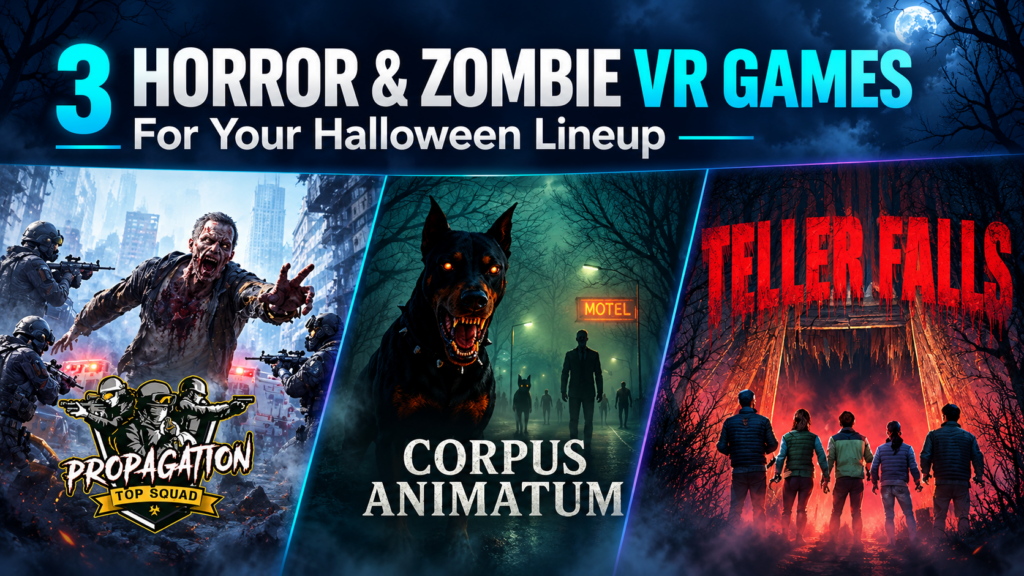
Customers asking for something scary give VR arcades a useful starting point for October content selection. The next question is which experience fits the group and the venue. At our September Arcades of the Roundtable call, operators requested more horror and zombie content. Propagation: Top Squad received praise, and Corpus Animatum came up as a title doing well at a participating venue. That feedback makes both worth revisiting as Halloween approaches. Below, we look at those two titles alongside Teller Falls, a psychological horror experience that adds a different kind of scare. Together, these horror VR games for arcades cover mission-based zombie combat, free-roam teamwork, and a journey through a dark abandoned mine. Propagation: Top Squad: Give the Group a Mission In Propagation: Top Squad, players become soldiers entering a city overrun by zombies. Their objective is to reach, restart, and defend military ARES devices before time runs out. The group moves between exploration and combat, with weapons available along the way. Different routes and two possible endings give returning players options to explore on another visit. For an operator, the mission gives staff a clear way to describe the session: reach the devices, activate them, and hold off the zombies together. That can help customers looking for cooperative action understand what they are choosing. The current SynthesisVR listing identifies Top Squad as PCVR room-scale. Test the movement, multiplayer startup, and voice communication on your stations before adding it to a Halloween offer. Corpus Animatum: Take the Zombie Fight Into the Arena Corpus Animatum sends players into an eerie town to track down the doctor responsible for a zombie outbreak. The team fights through undead hordes while working toward that shared objective. Its PCVR free-roam format supports one to six players in a 6 × 6 m arena, or one to eight in a 9 × 9 m space. That gives venues two listed configurations to consider against their available footprint and typical group sizes. Positive feedback from the Roundtable gives operators a reason to investigate it for their own lineup. A staff trial should establish how the game works with your hardware, how clearly new players understand the task, and how the difficulty feels for the audience you plan to attract. For customer-facing promotion, show the group experience in gameplay footage and explain the zombie theme clearly. Let customers see what they will be joining before they book. Teller Falls: Add Psychological Horror to the Selection Teller Falls follows hikers who lose their guide while exploring an abandoned mine. Armed with a flashlight, they search for a way out as shadowy figures and creatures stalk the group. The full experience lasts approximately 25–30 minutes and includes three scare themes: Spider, Shadow, and Flesh. Operators can select individual themes for shorter experiences of approximately 10–15 minutes. That flexibility needs to fit the venue’s session model. Several operators on the Roundtable said short games interrupted the flow of longer bookings. A shorter Teller Falls session may suit a clearly advertised Halloween slot; the full experience may fit better into a longer visit. Test both before deciding. Teller Falls runs on PCVR free-roam and lists support for one to six players in a 9.1 × 9.1 m space. Technical Specs at a Glance Game Listed platform Listed player capacity and space Session length Propagation: Top Squad PCVR room-scale Confirm for your setup Confirm during testing Corpus Animatum PCVR free-roam 1–6 in 6 × 6 m; 1–8 in 9 × 9 m Confirm during testing Teller Falls PCVR free-roam 1–6 in 9.1 × 9.1 m Full: 25–30 minutes; individual themes: 10–15 minutes Turn the Selection Into a Clear Halloween Offer Start with the hardware and space you already operate. Then decide whether your customers want a zombie combat mission or a more atmospheric horror experience, and make that distinction clear on your booking page. Run a staff session before public promotion. Check onboarding, multiplayer startup, session duration, and the time needed to prepare for the next group. Our guide to testing VR arcade games provides a practical starting point. Once you have chosen the content, use our Halloween VR arcade packages guide to shape the offer around group size, scare level, and total visit length. Explore the linked game listings, check the commercial licensing options for your venue, and test the experiences that fit your setup before putting them into your October rotation.
How Much Software Does a VR Arcade Actually Need?
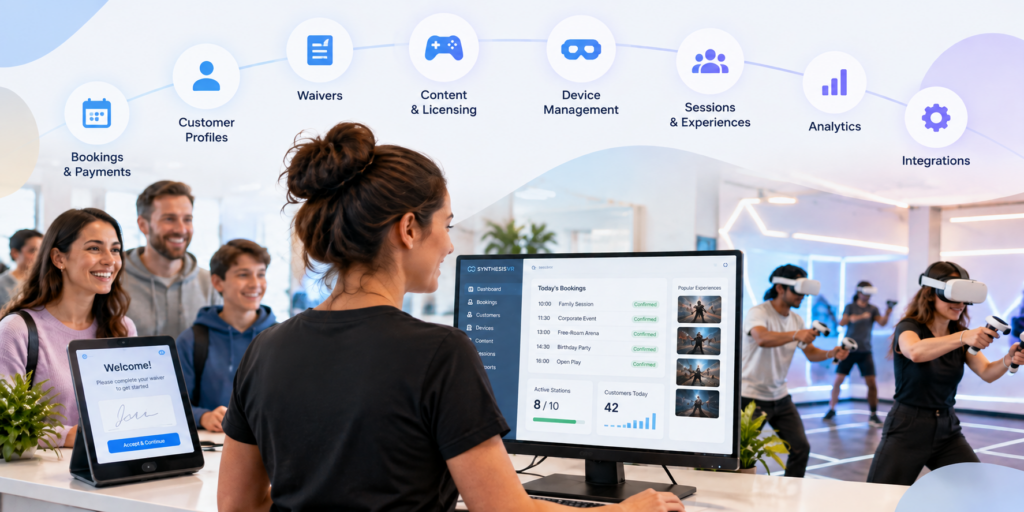
Running a VR arcade involves much more than launching games. Before a customer even puts on a headset, someone may need to manage the booking, check availability, collect payment, confirm a waiver and connect the visit to a customer profile. Once they arrive, staff still need to prepare stations, launch the right experiences, manage session time and keep track of commercially licensed content. After the session, there may be feedback to collect, customer history to maintain, memberships to manage and operational data to review. It is easy for each of those jobs to become a separate piece of software. But does a VR arcade actually need that many systems? For many venues, the answer is no. A dedicated VR arcade management platform can bring much of the customer journey and day-to-day operation into one environment, while still connecting to specialist tools when they are genuinely needed. That is the approach behind SynthesisVR. What does VR arcade management software actually manage? VR arcade management software connects the operational parts of running a commercial VR venue. With SynthesisVR, operators can manage VR devices, content, customers, reservations and commercial licensing within the same ecosystem. Depending on the setup and modules a venue chooses, the platform can also support online bookings and payments, waivers, memberships, gift vouchers, customer feedback, analytics and third-party integrations. That distinction matters. The objective is not to replace every piece of business software a venue could possibly use. An operator may still want dedicated accounting, payroll, advanced marketing automation or other specialist systems. The more useful question is how many separate systems staff need to move between simply to run a VR session and manage the customer around it. For many venues, that number can be considerably smaller than expected. Start before the customer reaches the venue A large part of venue management happens before someone walks through the door. With the SynthesisVR Booking Widget, customers can see available times and experiences, select session duration and station requirements, and create a reservation directly from a venue’s website. Operators can configure booking rules, available days and other conditions around how those reservations work. Online payment can also form part of that process. Operators can connect supported payment providers, require deposits, take payment during booking or allow customers to pay at the venue. The widget can also collect additional customer information and present booking confirmation requirements. A waiver can be incorporated into the booking process as well. For the operator, the important part is what happens behind the customer-facing page: the reservation is being created within the same operational environment used to manage the venue. Related resource: SynthesisVR Booking Widget Setup Customer information does not have to live in another system A booking is more useful when it is connected to a customer rather than existing as an isolated calendar entry. SynthesisVR’s customer management tools allow venues to maintain customer profiles and connect those profiles with operational information. Operators can view registered customers, reservation and session history, membership status, waiver status and account balances. Profiles can also contain additional information and internal notes. This becomes increasingly useful as a venue develops repeat customers. Instead of treating every visit as if the guest has never been there before, staff have a record connected to the same system being used to manage their sessions. This is not intended to replace every function of a specialist CRM. For venues that need broader email marketing or automation, SynthesisVR supports integrations with tools such as MailChimp and ActiveCampaign. The difference is that core customer information does not have to be separated from the VR operation itself. From reservation to VR session This is where a general booking system and software built specifically for location-based VR begin to differ. A standard reservation platform can tell staff that six people are arriving at 3:00 PM. A VR management system also has to deal with what happens next. Which stations will they use? Which experience are they playing? How long is the session? What content needs to be available? Is the customer’s waiver complete? What has been assigned to the reservation? SynthesisVR connects reservations with the operational side of the session, allowing staff to manage the customer and the VR experience from the same environment. For a quiet venue with only a few headsets, moving between systems may initially seem manageable. As bookings overlap, group sizes grow or a venue adds more stations and attraction types, those extra steps become much more noticeable. The goal of consolidation is not simply having fewer browser tabs open. It is reducing the number of manual handoffs required to get a customer from booking to play. Managing the headsets is part of managing the business VR hardware creates another layer that conventional booking software does not address. SynthesisVR provides centralized device and station management, giving operators control over the hardware used across the venue. It also offers the Smart In-Headset Game Launcher. Players can browse and switch between available games from inside the headset, with features including game categories, trailers, pause controls and a call-for-help option. That can change the role of venue staff. Instead of needing to manually intervene every time a customer wants to browse or change an experience, some of that interaction can happen inside the headset. Staff remain available when customers need help, but they do not necessarily need to perform every routine action for them. For a commercial venue, that distinction becomes increasingly important as the number of active stations grows. Content management and commercial licensing belong in the same conversation A VR arcade does not only need games. It needs the right to use those games commercially. Consumer VR licenses are generally intended for personal use rather than a business charging customers to play. Commercial venues therefore need content that is properly licensed for location-based entertainment. SynthesisVR combines content discovery and commercial licensing with the management platform. Operators can test, license, install and manage commercial VR content through the SynthesisVR ecosystem, with usage tracking built into the
How to Choose VR Arcade Games for Different Customer Groups

Learning how to choose VR arcade games involves more than finding titles that look impressive or fit a particular genre. A game also has to work with your hardware, available space, group size, session model, staff workflow, and the type of customers walking through the door. That distinction becomes especially important in a commercial VR venue. A game that works well for four experienced players may create unnecessary friction during a birthday party with ten first-time visitors. A title that fits a PCVR arcade may not run at all in a standalone Quest or PICO setup. Across SynthesisVR support conversations, operator inquiries, and content-testing feedback, one pattern appears repeatedly: the strongest content choices start with the venue and the audience, then move to the game. Start With Your Venue Before Looking at VR Games When operators ask the SynthesisVR team for content recommendations, the conversation usually starts with practical constraints. Before considering individual VR arcade games, operators should be able to answer a few basic questions: These questions narrow the available commercial VR content quickly. For example, support teams have encountered operators requesting PCVR-only titles for standalone PICO or Quest setups. In those cases, the content itself may be appropriate for the audience, but the venue architecture makes it unsuitable. The same applies to player capacity. An operator with eight guests cannot assume that selecting eight headsets will create one multiplayer session if the game has a four-player lobby limit. The venue may need to run two groups of four, which changes the booking flow considerably. What VR Games Work Well for Families and First-Time Players? Families introduce several variables at once. Players can have very different ages, gaming experience, confidence levels, and tolerance for VR movement. For this audience, operators frequently benefit from looking at: Support conversations repeatedly point to onboarding as a source of operational friction. Every extra explanation adds staff time, particularly when groups contain several first-time VR users. A game may look easy to an experienced player while still requiring several minutes of instruction for someone using a headset for the first time. SynthesisVR agents have recommended titles such as All-In-One Sports VR for casual and first-time audiences and The Smurfs: Blueberry Battle for younger, family-oriented groups. Walkabout Mini Golf VR has also appeared as an accessible social option. The lesson for operators is broader than the individual titles. For family traffic, accessibility becomes part of commercial performance. If staff repeatedly need to enter the play area, explain controls again, or help players who feel uncomfortable, that affects session timing and throughput. What Should Operators Look for in Birthday Party VR Games? Birthday parties create a different problem: keeping the group involved. Capacity matters much more when customers arrive as one social group. A game designed for four players can still be excellent content, but it may fit poorly with a venue package built around groups of ten or twelve unless the venue has an effective rotation model. When evaluating VR arcade games for birthday parties, consider: Operators have frequently raised the need for larger multiplayer capacity, although that need often appears in support conversations as a technical question about lobby size rather than specifically as a birthday-party issue. That distinction matters. A customer sees one birthday party. The operator sees player limits, session launches, headset availability, and staff coordination. Those operational details determine whether the package actually works. Competitive Groups Need More Than a Multiplayer Label Teenagers, experienced players, and social groups often respond well to competition, but “multiplayer” alone does not guarantee replayability. Operators can look for mechanics such as: For example, SynthesisVR agents have recommended Ragnaröck for competitive party groups. Cops vs Robbers has appeared in recommendations for fast-paced competitive team play. Competitive content can also support repeat visits when players have a reason to improve a score or challenge another group. That gives operators another question to ask when selecting content: Will customers feel that they have finished the experience, or will they want another attempt? Returning guests asking specifically to play the same title again is one of the strongest indicators that a game has moved beyond novelty and become part of the venue’s attraction mix. Cooperative Games Fit a Different Social Dynamic Some groups want competition. Others respond better to communication, problem-solving, and shared objectives. That makes cooperative VR especially relevant for group bookings where the social experience matters as much as individual performance. SynthesisVR agents have recommended titles such as B Block Breakout for cooperative team play and Escape Quest: Espionage Express for groups interested in puzzle and escape-room formats. The right choice depends on the audience. A group of experienced gamers may enjoy complex mechanics. A corporate group containing people who rarely play games may need a much lower learning curve. Corporate inquiries also tend to introduce operational needs around timing, private sessions, and easy group management. This means operators should evaluate the entire booking experience rather than focusing only on what happens inside the headset. Free-Roam Content Has Its Own Selection Criteria Free-roam VR adds physical space, network configuration, calibration, and multiplayer setup to the content decision. Operators need to confirm: SynthesisVR agents have recommended Arizona Sunshine Remake for multiplayer arcade and arena setups, while Mansion of Death has appeared in recommendations for four-player free-roam configurations. This is also an area where technical misunderstandings can quickly affect operations. Support conversations show operators sometimes blaming internet speed for multiplayer problems when the games communicate through the local network. Separate subnets, access-point isolation, or incorrect network configuration can prevent devices from seeing one another even when the venue has adequate internet bandwidth. Other titles require a dedicated game server. Installing the game only on the player stations may result in launch errors if the server component has not been configured. Those issues do not necessarily make the game unsuitable. They do mean that deployment requirements belong in the content-selection process. Four Common VR Arcade Game Selection Mistakes 1. Choosing content before checking platform compatibility A title available commercially
When VR Arcade Operators Become Game Developers: An Emerging LBE VR Trend
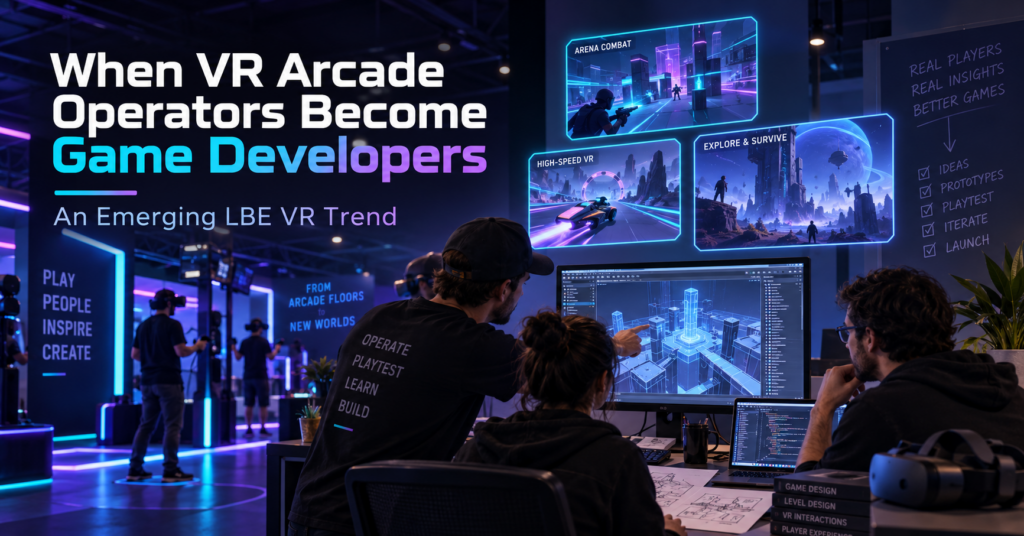
For years, one of the main content questions for a VR arcade operator was simple: What games can we license for our venue? Lately, we have seen a different question appear inside the SynthesisVR ecosystem. What if we build the experience we wish we had? Several games that have reached SynthesisVR have come from people who also operate VR venues. Their reasons differ. One operator wanted to replace an experience that customers kept asking for. Another started developing a game and asked us what tends to work in arcades before the project was ready for submission. Others have used problems they encounter during daily venue operations as the starting point for development. A handful of projects is not enough to measure an industry-wide trend. It is enough for us to recognize a recurring pattern through game submissions, testing, and conversations with operators. To understand why it is happening, it helps to look at how commercial VR content got here. Commercial VR started with games built for home players When the first wave of modern VR arcades opened around 2016, relatively little content had been created specifically for location-based entertainment. SynthesisVR grew out of that period. VR Territory opened in June 2016, and the original SynthesisVR tools developed around the practical problems of managing a VR arcade. By September 2017, SynthesisVR had introduced its commercial licensing platform to help connect developers and arcades and support different commercial licensing models. For early operators, getting legal access to commercially licensed VR content solved an important problem. Running that content in paid sessions exposed another one. A person playing at home can spend ten minutes learning controls, looking through menus, restarting a level, or working out what the game expects them to do. Their headset is still available afterward. A customer in a VR arcade may have booked 30 minutes. If five of those minutes disappear into explanations, menus, failed launches, or a tutorial that the player does not understand, the venue notices. So does the customer. Developers started adapting to those conditions. Then came arcade editions In 2017, Fallen Planet Studios released an arcade version of AFFECTED: The Manor after working with VR arcades. The studio redesigned parts of the experience for faster throughput, replay value, and a commercial setting. SUPERHOT VR: Arcade Edition took that thinking much further. The studio had received feedback from operators running the consumer version in commercial locations. The resulting Arcade Edition added faster tutorials, scoring, local leaderboards, spectator tools, level selection, an administrator panel, time-based play, and controls that allowed staff to help a player who became stuck. The gameplay remained recognizably SUPERHOT. The systems around it had to work differently because the environment was different. Arcades care about how quickly a first-time player starts playing. They care about session length, recovery when something goes wrong, replay value, and how often staff need to enter the headset or explain a menu. Over time, those considerations started appearing earlier in development. In some recent cases, the person thinking about those problems is also running a VR venue. When the operator is part of the development team There is no single route from arcade operator to VR content developer. Some operators have development skills on their own team. Others work with partners or contractors. Some begin with a game idea. Others start because something is missing from their current attraction mix. Their advantage is exposure. They already watch first-time customers use VR every week. ORBEAT started by asking what works in arcades ORBEAT gives us one of the clearest examples because the conversation with SynthesisVR started before the game was ready for submission. In February 2026, Seth from VR Adventures Zone contacted us while developing the project. He wanted to know what characteristics tend to determine whether a game performs well or struggles in commercial VR. He was already thinking about ease of use, replayability, and multiplayer, and the game was being tested inside their own venue. That led to months of discussion and testing. Multiplayer was originally planned for later in the development roadmap. SynthesisVR recommended moving it forward because groups of friends and family make up an important part of arcade traffic. Player rejoining also mattered. If one headset drops during a multiplayer session, getting that player back into the same group quickly can make the difference between a short interruption and a disrupted booking. Other issues only became obvious when people started using the builds. One version had controller compatibility problems with Vive and Index hardware. Another environment had been built at a scale that made parts of the gameplay awkward in a typical room-scale area. It was resized. Even the tutorial produced useful feedback. At one point, a player entered the game with a tutorial panel visible alongside a large “Hit Me” prompt. During testing, the obvious action drew attention first. The player started playing and barely registered that there were instructions to read. The onboarding changed. Later builds added command-line options for player name, difficulty, and map selection. SynthesisVR connected those settings to operator-side launch controls, reducing the amount of configuration a customer needed to do inside the game. ORBEAT eventually went live after several rounds of game testing, hardware checks, integration work, and launch automation. Explore ORBEAT on SynthesisVR Precise Force: Designing With the Arcade Floor in Mind Precise Force is another example of an operator moving from running VR experiences to developing one. The project comes from someone already familiar with commercial VR and the practical realities of putting players into a headset in a location-based environment. That background naturally influences the questions behind the experience. How does physical interaction work when different groups play throughout the day? How quickly can players understand what they need to do? Does the gameplay translate well from an interesting VR mechanic into something that works repeatedly in an LBE setting? Precise Force approaches those questions through multiplayer action and physical interaction. Rather than going deep into its development process, the more interesting point for
How Many Players Should a VR Attraction Support?
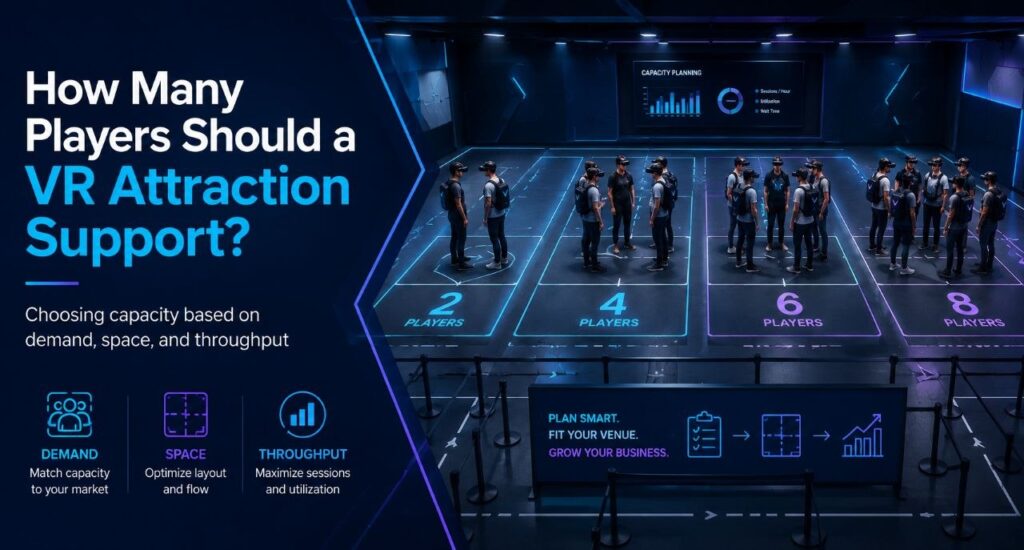
Often operators start this question backward. They decide they want to serve eight guests at once, then go looking for an eight-player attraction. But eight simultaneous guests can mean an eight-player arena, two four-player arenas, a six-player arena plus two room-scale stations, or eight independent room-scale units. Same peak capacity, four completely different businesses. Player count is what falls out at the end of a chain of choices that starts with your building and ends with your content. The decision chain Venue type sits inside this chain as context, not as the formula. A bowling center adding VR, a dedicated VR arcade, and an FEC building around group bookings all answer these questions differently, but none of them get to skip straight to “buy for six” or “buy for eight.” Start with the space you actually have Square footage sets the physical ceiling before anything else gets decided. It determines whether you’re looking at room-scale stations, one free-roam arena, several smaller arenas, or some mix of the two. A venue with 400 square feet to spare is choosing between formats before it ever gets to player count. This is also where the first real tradeoff shows up. The same footprint that holds one eight-player arena can often hold two four-player arenas instead, and those two setups behave nothing alike once you get past the headline number. Hardware, platform, and content: a triangle, not a checklist These three choices constrain each other, and there’s no clean order to work through them. Already own PICO headsets? That narrows content options before player count ever comes up. Chasing one specific title instead? PCVR might be the only place it runs, so hardware follows the content rather than the other way around. Running multiple locations changes the order again: many operators pick the management platform first, since one system across different hardware types matters more than any single game. Whichever one you decide first, it limits what the other two can be. Content needs specific hardware. Hardware needs a platform that can run it and report on it. The platform needs to support whatever mix of standalone, PCVR, wired, or streamed setups the content demands. What your audience actually needs from content This is usually the missing step in capacity planning, and it’s the one that should come before arena size gets decided. Birthdays, families with young kids, teenagers, enthusiasts, corporate groups, school trips, escape-room fans, and casual walk-ins all pull the content mix in different directions. A venue built around birthday packages needs different titles, and different group sizes, than one built around enthusiast repeat visits. Once you know who’s walking in, the content question gets specific. What do those guests want to play, and how many of them want to play it together? What that content requires Content is where the constraint actually bites. Free roam versus room scale, PCVR versus standalone, arena dimensions, and player count all come from the title itself, not from how many headsets you own. Most free-roam titles top out at four or six players in a single configuration. Buying eight headsets doesn’t change that. It just means eight headsets sitting on a shelf while the content that fits your audience runs four at a time. Take the two four-player arenas versus one eight-player arena question from the top of this piece. The two-arena setup gives an operator more compatible titles at that smaller player count, two bookings running at once, and better use of small-group demand on a normal Tuesday, while still hitting eight total players when both arenas are booked together on a Saturday. The eight-player arena gives up all of that flexibility for a configuration that only earns its keep when a full group of eight actually shows up. Neither is automatically the right call. It depends on what your audience actually books. Peak capacity and weekday utilization are different problems VR attraction planning works better when you separate peak demand from utilisation. This is the commercial core of the whole decision, and it’s easy to miss. Picture a Tuesday afternoon. A group of three arrives at a venue built as one eight-player arena. The operator can run that group at three of eight positions filled, or hold the session and wait for another group to fill the rest. Either way, most of that capacity sits idle for a slot that will never come close to selling out again before Friday. The same group at a venue built as two four-player arenas gets a session at three of four positions filled, close to full, while the second arena stays open for the next booking or for maintenance. Same total headset count as the eight-player venue. Very different Tuesday. A big configuration built for the weekend peak can leave a lot of equipment sitting unused Monday through Thursday. A modular setup, several smaller arenas or stations instead of one large one, can often handle the same peak while giving staff something sellable on a slow afternoon. Getting people through the building midweek is usually the harder problem than filling Saturday, and configuration is one of the few levers that actually moves it. The fleet model: capacity that changes shape A venue with a larger headset fleet doesn’t have to run the same configuration all week. The same hardware can be deployed differently depending on who’s booking: Capacity, in other words, doesn’t have to be fixed. It can flex by day and by booking type, which is a very different planning question than “large FEC equals eight to sixteen players.” This is also where a management platform earns its cost. Running PICO, Quest-compatible, and PCVR hardware side by side, and reconfiguring which content runs where as bookings change, needs one operational layer that can see and control all of it. SynthesisVR is built for exactly that: managing hardware, content, and session formats as one system instead of as separate silos an operator has to reconcile by hand. Configuring the venue around your content Once space,
What Makes a Good Multiplayer VR Experience for Out-of-Home Venues?
Six players can enter the same virtual environment and still have six disconnected experiences. One player understands the controls immediately. Two are waiting to join the correct session. Another misses the opening instructions. By the time the full group is ready, the most experienced player has already taken control of the game. Strong multiplayer VR prevents that separation. It gets the group into the experience quickly, makes each player relevant to the outcome, and gives everyone a clear reason to play again. For an out-of-home VR venue, the experience begins before the first objective appears. Headset assignment, player pairing, session launch, recovery, and reset all influence whether a multiplayer title works as a commercial attraction. Good multiplayer begins before gameplay Guests usually see a simple process: put on the headset and start playing. The operator may see a much longer sequence. Staff need to assign the correct devices, identify the players, create the session, connect every headset, confirm tracking, choose the game settings, and ensure that everyone reaches the same starting point. Each additional menu or confirmation adds time. A step that takes only 20 seconds on one headset can create several minutes of delay across a group of six or eight players. That makes time to action one of the most useful ways to evaluate multiplayer VR for a venue. It measures the interval between assigning the group’s headsets and the moment every player begins meaningful gameplay. A commercially strong experience keeps that interval short. Players join the correct session easily, staff can confirm that every device has connected, and the full group enters the game together. The process should remain consistent across different employees and successive bookings. A visually impressive title can still become a difficult venue product when staff spend too much of the session preparing it. Visual 1 placement: Time to Action Headsets assigned → Players paired → Session joined → Tracking confirmed → Game launched → First meaningful action Show common friction points below the flow: manual lobby codes, repeated headset checks, individual calibration, and delayed players. The group should enter as one unit Multiplayer sessions lose energy when players begin at different times. One person may reach the lobby immediately while another remains on a loading screen. A third player may enter the wrong room. Staff then move between headsets, repeat instructions, and delay everyone who connected correctly. A strong multiplayer workflow treats the group as one operational unit. Each headset should be easy to identify, every player should enter the correct session, and staff should see when the group is ready without checking each device individually. This becomes particularly important during birthday parties, corporate events, school visits, and back-to-back weekend bookings. One delayed player can affect the timing of the whole group and every booking that follows. A smooth launch creates confidence. Players begin together, understand that the experience has started, and focus on the activity rather than the equipment. Room-scale and free-roam require different standards Room-scale and free-roam VR can both support multiplayer, although they create different relationships between the players, the hardware, and the physical venue. Room-scale multiplayer In a room-scale setup, each player normally remains inside an individual station or defined play area. The players connect through a shared virtual session while avatars, voice, objectives, and scoring create the multiplayer experience. Room-scale VR also exists in consumer environments. For a commercial venue, its value often comes from flexibility. The same stations may support multiplayer games, solo content, escape experiences, and other attraction categories. That flexibility does not remove the need for a strong operational workflow. Staff still need to connect the correct stations, place every player in the same lobby, launch the session together, and recover an individual device when something goes wrong. The gameplay must also justify the additional coordination. Players should see, hear, help, challenge, or depend on one another. Several people playing alongside each other with separate objectives may share a server without creating a meaningful group experience. Free-roam multiplayer Free-roam changes the connection between the physical venue and the virtual environment. Players walk through the same real space while seeing a shared virtual world. Their physical position, direction, and movement become part of the group interaction. Commercial free-roam depends on dedicated floor space, mapped boundaries, coordinated hardware, safety procedures, and operator-managed sessions. These requirements make it specifically an out-of-home format. The shared arena can create strong social presence, but it also raises the operational standard. Player alignment, tracking, boundary setup, headset assignment, server connection, and session synchronization all need to work together. A configuration problem on one room-scale station may affect one player. In free-roam, one tracking or alignment issue can delay the entire arena. The strongest free-roam experiences reduce repeated setup and make the arena behave predictably between sessions. Staff should not need to recalibrate the space, rebuild the lobby, or guide each headset through a separate joining process for every group. Guests may never see the full configuration process. They still experience every delay it creates. Visual 2 placement: Room-Scale vs. Free-Roam A two-column visual showing: Room-scale: individual stations, shared virtual session, flexible content rotation, station-level recovery. Free-roam: shared physical arena, coordinated tracking and boundaries, spatial group interaction, group-level operational impact. Every player should affect the outcome Shared space alone does not create meaningful multiplayer. Research into collaborative VR describes co-presence, the feeling of being together with another person in the same virtual environment, as a central part of multi-user experience design. The quality of collaboration also changes according to the task, communication methods, and feedback available to players. The other players need to matter. One person may defend an area while another completes an objective. Teammates might revive one another, solve connected puzzles, share resources, or contribute individual results to a team score. The structure can remain simple. Players only need to understand how their actions affect the rest of the group. This matters because commercial venues regularly serve mixed-skill audiences. One booking may include experienced players, first-time headset users, children, parents,
Wanadev Studio Experiences on SynthesisVR: a Complete Octopod VR Catalogue Spotlight
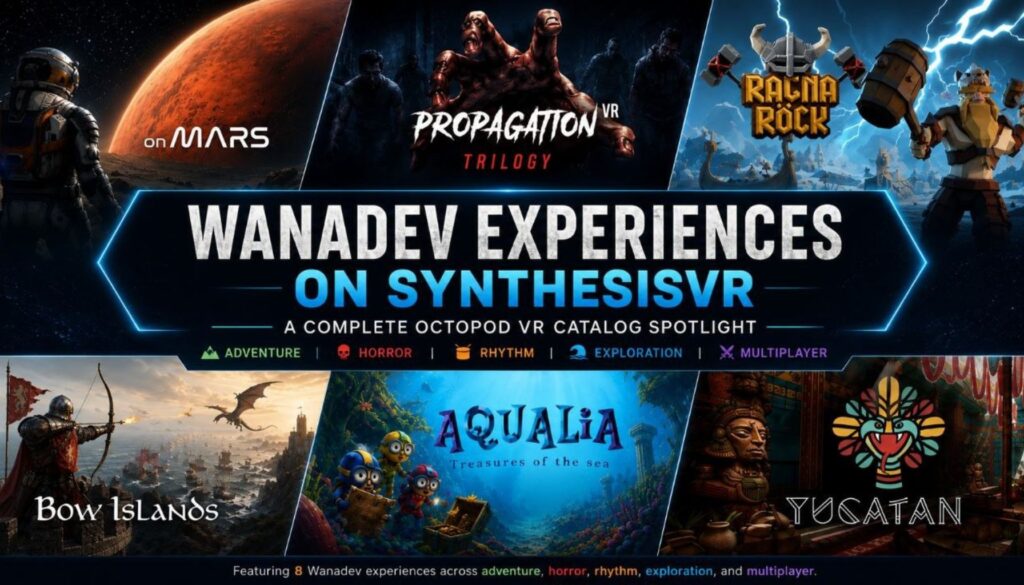
Octopod VR’s arcade catalog is migrating to SynthesisVR. Wanadev, the studio behind the games, announced the change directly: their flagship VR arcade experiences have joined the SynthesisVR ecosystem, which becomes the exclusive distribution platform for the titles going forward. Wanadev continues to build and support the games. What changes is where operators go to license and manage them. Ten titles are live on SynthesisVR today: Aqualia, Bow Islands, On Mars, Yucatan, the Propagation trilogy, Ragnarock, Propagation: Top Squad, Propagation: Top Survivors. All run on PCVR, built for room-scale and free-roam VR arcade spaces. Why Wanadev chose SynthesisVR Wanadev’s decision to move distribution to SynthesisVR came down to focus. Running the Octopod platform alongside game development and publishing was pulling resources away from the side of the business Wanadev wanted to grow, and moving distribution to a partner frees that time up for building and publishing games instead of maintaining a distribution platform. SynthesisVR’s feature set was close enough to what Octopod customers already used that the switch could happen without asking operators to learn an entirely new way of managing licenses, which is part of why Wanadev has called the transition seamless. For operators coming over from Octopod, the move also opens up more than the ten titles covered here. SynthesisVR’s catalog spans a broader range of studios and genres, so an Octopod customer moving over gains a wider selection to draw from, not just a new home for the games they already ran. And for venues thinking beyond PCVR, the same account handles standalone titles too, so a location built around Octopod’s PCVR catalog has a path to add standalone content later without bringing in a second platform to manage it. Switching from Octopod? The transition is already built. This matters differently depending on where an operator is starting from. If you’re currently licensing through Octopod VR The transition has been set up to run without interrupting service. Operators already running these titles do not need to pull them from rotation or wait for a hard cutover date. The practical next step is to contact SynthesisVR support through the contact page to get the catalog attached to an existing account, or set one up if the venue is new to the platform. You can also follow full migration guide here: Migrate from OctopodVR to SynthesisVR Bringing the licensing partnership to SynthesisVR also brings a pricing benefit for some locations, with select venues seeing a reduction in licensing costs as part of the move. If you’ve never licensed Octopod VR titles before For operators who evaluated these games in the past and never brought them into a venue, or who are only discovering the catalog now, the appeal is the same as it always was. The table above covers player count, format, and space for each title. Now let´s dive in each title a bit more. The Propagation trilogy Propagation is built as a three-part arc rather than three standalone titles, and operators get to decide whether to run it that way. Stage 1 drops one or two players into a supermarket overrun by a zombie swarm, using that contained setting to teach movement, aiming, and pacing before the difficulty ramps up. Stage 2 opens the format to four players and hands the group a sniper rifle, moving the fight into a bigger street-level battle where coordination between players starts to matter as much as aim. Stage 3 takes the survivors underground into a new set of monster encounters, closing the arc in a tighter, more claustrophobic space than the first two stages. All three run on PCVR, in free-roam or room scale depending on the space available, with footprints between 4x5m and 5x5m. The 18+ recommendation across the trilogy makes it a stronger fit for an evening booking than an afternoon one, and operators running it as a three-part session have a built-in reason to bring a group back for the next stage rather than treating each part as a one-off. Bow Islands Bow Islands puts two teams of up to three players on opposing ships, firing arrows at each other’s vessels and the dragons circling above. It runs on PCVR room scale in a standard box footprint, which keeps the setup consistent with whatever else is already running in that space. The format is the reason it earns a spot as a first-time title. A new player can understand “shoot the other team’s ship” in the time it takes to hand them a bow, and the same structure holds up for a group that already plays competitively and wants a tighter, faster match. That range, from a birthday party group picking up a headset for the first time to a league night rematch, makes it one of the easier titles to schedule without needing to know the group’s experience level in advance. On Mars On Mars is built for scale. At up to 12 players, it handles a corporate outing or a large friend group in a single session where most box-format titles in the catalog would need to split the group in two. The sci-fi exploration and escape format runs on PCVR room scale in a standard box, so it slots into the same physical footprint as smaller-capacity titles without extra setup. For weekday bookings especially, the capacity is the operational advantage. A single 12-player session covers ground that would otherwise take two or three back-to-back sessions with a smaller-format game, which matters more on a Tuesday afternoon corporate booking than it does on a weekend walk-in. Yucatan Yucatan runs in pairs, up to four pairs at once, through a Mayan exploration and cooperation format built around PCVR free-roam. The footprint scales with the venue: 4x5m per pair at the low end, up to 8x10m if the space and group size support it, which gives operators some room to fit it into venues that couldn’t take a fixed large-format free-roam title. That flexibility, combined with a cooperative structure rather than a competitive one, makes it a
Why Multiplayer VR Attractions Drive Repeat Visits and Higher Utilization
Some venues find their best-performing attraction is not the newest title on the floor. It is the multiplayer experience that the same group of friends books again three weeks later, then again after that. One operator running a six-headset free-roam arena noticed this directly: a yearSome venues find their best-performing attraction is not the newest title on the floor. It is the multiplayer experience that the same group of friends books again three weeks later, then again after that. One operator running a six-headset free-roam arena noticed this directly: a year-old multiplayer title outsold two new solo releases for three straight months, driven almost entirely by repeat group bookings. That pattern shows up across the LBE VR industry often enough to matter for how operators think about attraction mix. A solo VR experience can deliver a strong first visit. It rarely creates a second one, because the player has already seen what the headset shows them. A multiplayer experience changes shape every time a different group walks in. The teamwork shifts, the score resets, the in-jokes from last time carry over, and the session becomes a plan to repeat rather than a box to check. The simple equation still holds for VR arcades: more immersive experiences create higher customer satisfaction, and higher satisfaction creates stronger returning business. Multiplayer helps because it increases immersion through shared presence. Players do not only react to the virtual world. They react to each other inside it. Why solo VR struggles to generate repeat bookings A single-player VR attraction is usually built around a fixed narrative or a fixed challenge. Once a player finishes it, the core reason to return drops sharply. Operators running solo-heavy lineups often see strong opening weeks followed by a falloff in repeat traffic, because the content has less to offer a returning customer beyond a slightly faster completion time. Multiplayer content has a different ceiling. A four-player co-op title or a competitive free-roam shooter changes with every group composition. Two friends playing together create a different session than four coworkers on a team outing, and both create a different session from the same four coworkers coming back a month later with two new colleagues. The content stays the same. The experience does not. For first-time visitors, the headset itself often creates the initial “wow” moment. Returning customers need a different reason to feel that again. Multiplayer gives them that reason because the next session includes new players, new team dynamics, new competition, and a fresh chance to improve. Content rotation and replayability Replayability is not only a property of the game itself. It also depends on how often the venue rotates what is on offer. A venue with a static lineup of three multiplayer titles will eventually exhaust even its most social customers. A venue that rotates four or five multiplayer experiences through its schedule, swapping in new titles every few weeks while retiring others temporarily, gives returning groups a reason to book again even when the social dynamic alone would have been enough. This is where attraction mix becomes an operational decision rather than a content decision. A six-bay arena running one anchor multiplayer title alongside two rotating secondary titles can support a wider range of group sizes and repeat patterns than the same arena running six different solo experiences. The rotation does not need to be constant. A monthly refresh of one or two titles, timed against booking data, is often enough to keep returning groups engaged without requiring a full content overhaul. The strongest multiplayer titles for repeat visits usually share two traits: they are simple to start and they leave room for improvement. Players should understand what to do quickly, especially in a paid commercial session, but they should also feel they could perform better next time. That learning curve matters. A group that finishes a session saying, “we almost had it,” or “next time we beat that score,” already has a reason to return. Why social experiences generate stronger repeat traffic The social mechanism behind repeat visits is straightforward. A solo experience is something a person does. A multiplayer experience is something a group plans. Group plans get rebooked because the social commitment, not just the content, drives the decision to return. A birthday group, a corporate team, or a regular friend group treats a strong multiplayer session the way they would treat a favorite bowling night or trivia night: a recurring plan built around people, with the attraction as the setting rather than the sole draw. Competition strengthens that effect. If one team wins the first round and the other wins the second, the unfinished tiebreaker becomes part of the experience. Some groups extend the session immediately. Others leave with a reason to come back. Co-op formats can create the same effect when players fall just short of completing a mission or decide they want to bring a different group next time. This shows up directly in what operators ask for. Across requests we see from venues evaluating new content, “does it support multiplayer” is one of the most common requirements, often ranked above genre or theme. Operators are not asking for multiplayer because it is a trend. They are asking because they have already seen what happens to repeat bookings when a title only supports one player at a time. It also shows up in internal platform usage data across SynthesisVR and SpringboardVR. The titles with the highest total play time are overwhelmingly multiplayer experiences, not solo ones. That pattern holds across genres, from competitive shooters to cooperative survival games to multiplayer sports titles. Solo experiences still have a place in a lineup, especially for specific audiences or lower-capacity windows, but they rarely account for the bulk of usage once a venue has several multiplayer options in rotation. This is also why multiplayer formats tend to perform well across different group sizes. A 2-player co-op format and an 8-player competitive format can pull from the same content library but serve very different
PCVR vs Standalone VR for Commercial Venues
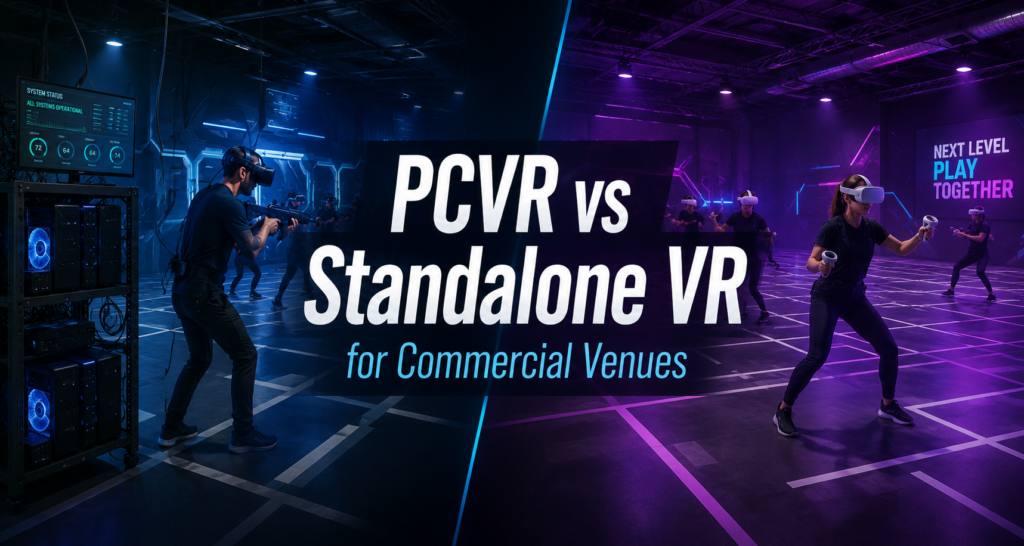
Choosing between PCVR and standalone VR used to be a tradeoff between quality and convenience. That tradeoff still exists, but it has changed shape, and most operators are no longer choosing one format from a blank slate. A large number of free-roam venues already run PCVR streamed wirelessly to the headset, and the real decision in front of them isn’t PCVR versus standalone. It’s whether adding standalone content alongside an existing PCVR setup makes sense, since the two can run side by side without requiring a venue to rebuild what it already has. Cables are no longer the dividing line PCVR headsets connect to an external computer that handles rendering, which still gives PCVR an edge in visual complexity and access to the broader Steam-based VR library. For years, that meant a physical tether, and tethers limited how freely a player could move, which made pure tethered PCVR a poor fit for arena-scale free-roam venues. That constraint has loosened. Wireless PCVR streaming, first popularized through headsets like the HTC Vive Focus 3 and now common on PICO devices, lets a PC render the game and stream it to the headset over the network instead of through a cable. A free-roam arena can run wireless PCVR streaming and get full, untethered movement while keeping PCVR’s rendering quality and library access. Plenty of arenas already operate exactly this way, and they run well. Standalone headsets take a different path to the same cable-free result. The headset renders the game itself, with no PC involved in the loop at all beyond whatever admin or server setup manages the fleet. The practical difference between standalone and wireless PCVR streaming isn’t cables anymore, since both can move freely around a free-roam space. It’s where the processing happens, and what that does to cost, hardware footprint, and content. What processing location actually changes The technical difference between the two formats comes down to what travels over the network. A standalone headset running free-roam renders the game locally on the device. The WiFi connection only carries session data: player positions, game state, and synchronization signals between headsets. Wireless PCVR streaming works the opposite way. A PC renders every frame and sends the full video stream to the headset over WiFi, which makes PCVR streaming considerably more bandwidth-intensive than standalone, even though both can run cable-free in the same arena. That bandwidth difference carries real infrastructure consequences. Wireless PCVR streaming still needs a capable gaming PC behind every station, or a shared rendering setup serving multiple headsets, plus the network capacity to carry that video traffic reliably, along with PC-side preparation: network configuration, and ongoing PC maintenance. Standalone needs none of that on the rendering side. The headset is the whole system for content, aside from the lighter admin infrastructure that coordinates the fleet and the session data passing between headsets. Setup reflects that same split. PCVR stations need a wired or properly configured wireless network connection and, for Steam-distributed titles, an individual Steam account per station, since Steam otherwise limits a licensed title to one machine at a time. Titles distributed through a dedicated content delivery network rather than Steam skip that requirement entirely, no Steam account needed at all, but you still need SteamVR running on all the PCs since SteamVR will be used to connect to the headsets wirelessly along with a program respective of the headset. For PICO it would be PICO BUSINESS STREAMING, for HTC FOCUS headsets you will use VIVE BUSINESS STREAMING etc. Standalone headsets need wireless debugging enabled and a shared network with the venue’s admin system, but carry no per-station account structure, since installation pushes directly to the headset. Neither path is harder than the other so much as different in where the complexity sits. PCVR, tethered or streamed, pushes more of it into PC, bandwidth, and account management per station. Standalone pushes more of it into device and connectivity management per headset. A venue running both ends up managing both kinds of complexity at once, which is one of the reasons centralized management tools matter more as a venue’s hardware mix grows rather than stays single-format. Content availability is the part hardware comparisons usually skip Most PCVR-versus-standalone comparisons stop at specs and never get into what an operator can actually deploy. This is the part that matters most for a venue planning content rotation, and it has changed faster than the hardware conversation has caught up with. A few things are true at the same time, and operators planning content strategy should hold all of them together: That last point matters for how operators should plan content rotation in practice. Checking format availability against current marketplace listings, rather than assuming based on a title’s reputation or its original platform, avoids building a rotation plan around a game that is not actually available in the format a venue runs. Licensing applies the same way to both Whichever format a venue runs, content needs commercial licensing rights, not consumer or personal-use licensing. This applies to PCVR and standalone titles equally, streamed or tethered. A venue running either format off a consumer content library carries legal and operational risk that has nothing to do with which headset is in the box, and everything to do with what rights came attached to the content itself. SynthesisVR’s content marketplace, the largest VR content marketplace for location-based entertainment, licenses titles across both PCVR and standalone through one system, with both formats installed and managed from the same Local Manager regardless of whether a station is a streaming PC setup or a standalone headset. That single management layer is part of why checking current availability by format is worth doing directly in the marketplace rather than relying on general reputation. Adding standalone to an existing PCVR venue Most operators evaluating standalone today are not starting from scratch. They are running a free-roam arena on wireless PCVR streaming already, and the real question is whether adding standalone headsets expands what the venue can offer without requiring