
When VR Arcade Operators Become Game Developers: An Emerging LBE VR Trend
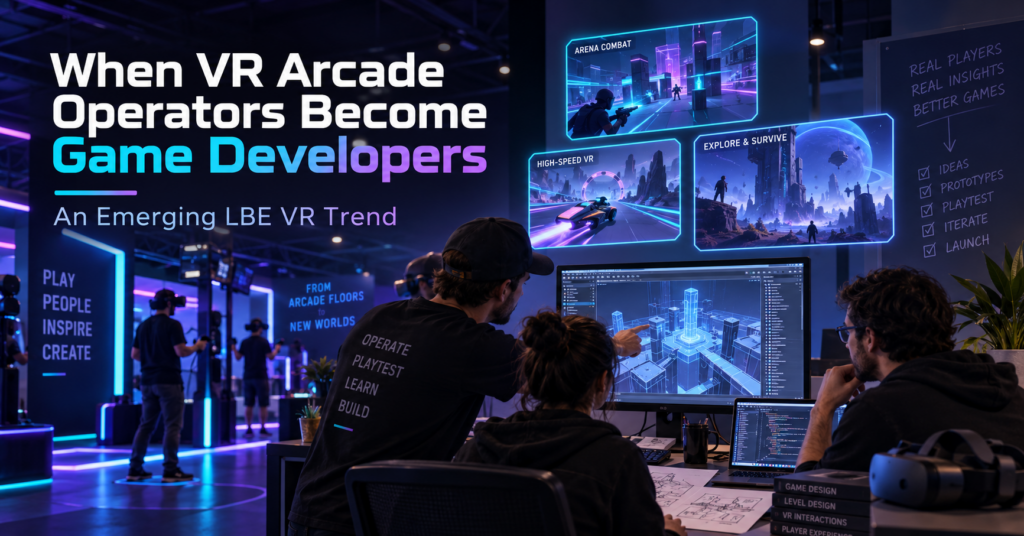
For years, one of the main content questions for a VR arcade operator was simple: What games can we license for our venue? Lately, we have seen a different question appear inside the SynthesisVR ecosystem. What if we build the experience we wish we had? Several games that have reached SynthesisVR have come from people who also operate VR venues. Their reasons differ. One operator wanted to replace an experience that customers kept asking for. Another started developing a game and asked us what tends to work in arcades before the project was ready for submission. Others have used problems they encounter during daily venue operations as the starting point for development. A handful of projects is not enough to measure an industry-wide trend. It is enough for us to recognize a recurring pattern through game submissions, testing, and conversations with operators. To understand why it is happening, it helps to look at how commercial VR content got here. Commercial VR started with games built for home players When the first wave of modern VR arcades opened around 2016, relatively little content had been created specifically for location-based entertainment. SynthesisVR grew out of that period. VR Territory opened in June 2016, and the original SynthesisVR tools developed around the practical problems of managing a VR arcade. By September 2017, SynthesisVR had introduced its commercial licensing platform to help connect developers and arcades and support different commercial licensing models. For early operators, getting legal access to commercially licensed VR content solved an important problem. Running that content in paid sessions exposed another one. A person playing at home can spend ten minutes learning controls, looking through menus, restarting a level, or working out what the game expects them to do. Their headset is still available afterward. A customer in a VR arcade may have booked 30 minutes. If five of those minutes disappear into explanations, menus, failed launches, or a tutorial that the player does not understand, the venue notices. So does the customer. Developers started adapting to those conditions. Then came arcade editions In 2017, Fallen Planet Studios released an arcade version of AFFECTED: The Manor after working with VR arcades. The studio redesigned parts of the experience for faster throughput, replay value, and a commercial setting. SUPERHOT VR: Arcade Edition took that thinking much further. The studio had received feedback from operators running the consumer version in commercial locations. The resulting Arcade Edition added faster tutorials, scoring, local leaderboards, spectator tools, level selection, an administrator panel, time-based play, and controls that allowed staff to help a player who became stuck. The gameplay remained recognizably SUPERHOT. The systems around it had to work differently because the environment was different. Arcades care about how quickly a first-time player starts playing. They care about session length, recovery when something goes wrong, replay value, and how often staff need to enter the headset or explain a menu. Over time, those considerations started appearing earlier in development. In some recent cases, the person thinking about those problems is also running a VR venue. When the operator is part of the development team There is no single route from arcade operator to VR content developer. Some operators have development skills on their own team. Others work with partners or contractors. Some begin with a game idea. Others start because something is missing from their current attraction mix. Their advantage is exposure. They already watch first-time customers use VR every week. ORBEAT started by asking what works in arcades ORBEAT gives us one of the clearest examples because the conversation with SynthesisVR started before the game was ready for submission. In February 2026, Seth from VR Adventures Zone contacted us while developing the project. He wanted to know what characteristics tend to determine whether a game performs well or struggles in commercial VR. He was already thinking about ease of use, replayability, and multiplayer, and the game was being tested inside their own venue. That led to months of discussion and testing. Multiplayer was originally planned for later in the development roadmap. SynthesisVR recommended moving it forward because groups of friends and family make up an important part of arcade traffic. Player rejoining also mattered. If one headset drops during a multiplayer session, getting that player back into the same group quickly can make the difference between a short interruption and a disrupted booking. Other issues only became obvious when people started using the builds. One version had controller compatibility problems with Vive and Index hardware. Another environment had been built at a scale that made parts of the gameplay awkward in a typical room-scale area. It was resized. Even the tutorial produced useful feedback. At one point, a player entered the game with a tutorial panel visible alongside a large “Hit Me” prompt. During testing, the obvious action drew attention first. The player started playing and barely registered that there were instructions to read. The onboarding changed. Later builds added command-line options for player name, difficulty, and map selection. SynthesisVR connected those settings to operator-side launch controls, reducing the amount of configuration a customer needed to do inside the game. ORBEAT eventually went live after several rounds of game testing, hardware checks, integration work, and launch automation. Explore ORBEAT on SynthesisVR Precise Force: Designing With the Arcade Floor in Mind Precise Force is another example of an operator moving from running VR experiences to developing one. The project comes from someone already familiar with commercial VR and the practical realities of putting players into a headset in a location-based environment. That background naturally influences the questions behind the experience. How does physical interaction work when different groups play throughout the day? How quickly can players understand what they need to do? Does the gameplay translate well from an interesting VR mechanic into something that works repeatedly in an LBE setting? Precise Force approaches those questions through multiplayer action and physical interaction. Rather than going deep into its development process, the more interesting point for
What Should Be Included in a New VR Venue Business Plan?
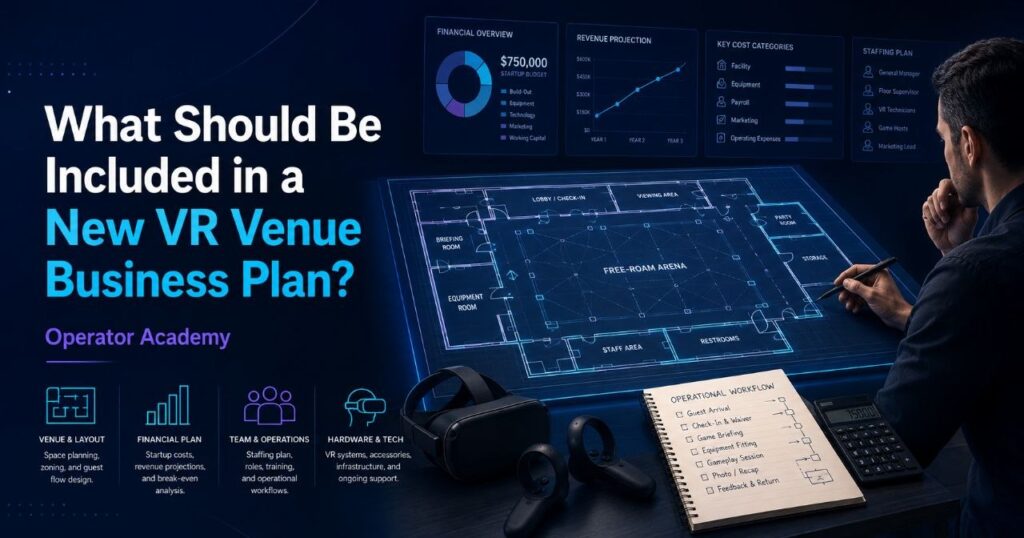
Opening a VR arcade or adding a commercial VR attraction to an existing entertainment venue starts with more than choosing headsets and finding a space. A useful VR arcade business plan should explain who the venue will serve, what those customers will book, how many sessions the operation can realistically deliver, what each session costs to run, and whether projected demand can support the investment. For a new VR venue, that means connecting traditional business planning with decisions that are specific to location-based VR: attraction format, playable space, headset capacity, commercial content licensing, VR management software, staffing, session turnaround, hardware maintenance, and content rotation. A plan that covers those areas gives an operator something more useful than a document for a lender or investor. It becomes the model against which the venue can test decisions before committing money. Start With the Type of VR Venue You Plan to Operate The term “VR arcade” covers several very different businesses. One operator may install six room-scale PCVR stations. Another may build a standalone free-roam arena for groups of six or eight. An existing family entertainment center might add VR alongside bowling, laser tag, or escape rooms. A larger location may combine several formats. Those models do not share the same requirements. A business plan should therefore define the attraction before estimating revenue: These choices affect almost every number that follows. An eight-headset venue, for example, could operate one eight-player attraction, two four-player experiences, or several smaller stations. Each configuration creates a different booking model, staffing requirement, throughput ceiling, and content library. The business plan should describe that operating model clearly enough that the financial assumptions can be traced back to something the venue can actually deliver. Define the Customers You Expect to Book “People interested in VR” is too broad to use as a target market. Most commercial entertainment purchases begin with an occasion. A parent may need an activity for a birthday. A group of friends may want something to do on Friday evening. A company may need a team-building activity. A teacher may be searching for an educational group visit. The market section of a VR venue business plan should identify the groups most likely to generate bookings in the local area and estimate how frequently those occasions occur. This can include families, birthday groups, tourists, students, schools, corporate teams, local social groups and repeat visitors. Competitor research should also extend beyond other VR venues. Customers may compare a VR booking with bowling, escape rooms, laser tag, cinema, trampoline parks, karting and other local entertainment. Understanding those alternatives helps answer two important questions: what customers already pay for entertainment in the area, and what reason will they have to choose your attraction? Build the Business Plan Around Sellable Capacity Headset count alone does not describe revenue capacity. A venue sells time inside an attraction. That makes the number of sessions a venue can deliver one of the most important assumptions in the business plan. A simple planning model is: Available sessions × average players per session × realistic utilization × average revenue per player The difficult part is making each assumption realistic. Suppose an arena can theoretically run eight sessions during its opening hours. That does not automatically mean the venue can sell eight sessions. The plan also needs to account for: Our free-roam operations series examined this directly in Week 9: Staff Training and the 15-Minute Cycle. In a venue running back-to-back group bookings, the reset window influences how many groups staff can serve in a day. A few extra minutes between every session can eventually remove an entire sellable time slot from the schedule. That is why throughput belongs in the business plan rather than appearing later as an operational problem. Separate Startup Investment From Ongoing Operating Costs New operators tend to notice the largest purchases first. Headsets, computers, networking equipment, furniture, leasehold improvements and arena construction are visible costs. They usually appear on the initial spreadsheet before the venue opens. The ongoing expenses deserve equal attention. A useful VR venue budget should separate capital expenditure, or CapEx, from operating expenditure, or OpEx. Typical startup costs can include: Ongoing costs may include rent, payroll, utilities, marketing, payment processing, maintenance, replacement equipment, commercial content licensing and VR management software. This distinction matters because the lowest initial equipment price does not always produce the lowest operating cost. In Week 4: The Math of a Successful Free Roam Arena, we looked at this through the CapEx versus OpEx lens. Hardware that requires frequent manual calibration, troubleshooting or device-by-device management creates labor costs that rarely appear on the original purchase order. A business plan should therefore estimate what the equipment costs to operate, not only what it costs to acquire. Budget for Commercial VR Hardware Hardware deserves its own section because a commercial VR headset has a very different job from a headset used at home. A venue may run the same devices for several sessions per day, across hundreds of guests, while staff need predictable tracking, charging, device control and fleet management. The plan should consider: For standalone free-roam deployments, PICO enterprise hardware has become one option widely used in location-based entertainment. Our free-roam series explored the reasons in Week 3: Why PICO Became the LBE Standard for Free Roam, including persistent mapping, device control, commercial deployment workflows and integration with centralized venue management. SynthesisVR also works with operators planning PICO deployments and can provide PICO enterprise hardware options alongside the platform setup. Operators preparing a new venue can contact the SynthesisVR team for a current hardware quote based on their required fleet size and deployment. That quote belongs in the business plan alongside the rest of the startup equipment budget. Include Commercial Content Licensing From the Beginning Content is another expense that operators sometimes underestimate because consumer VR has trained people to think in terms of buying a game once. Commercial use works differently. A consumer game purchase generally covers personal use. Running a VR title for paying customers
How VR Education Bundles Work for Arcades and Entertainment Venues
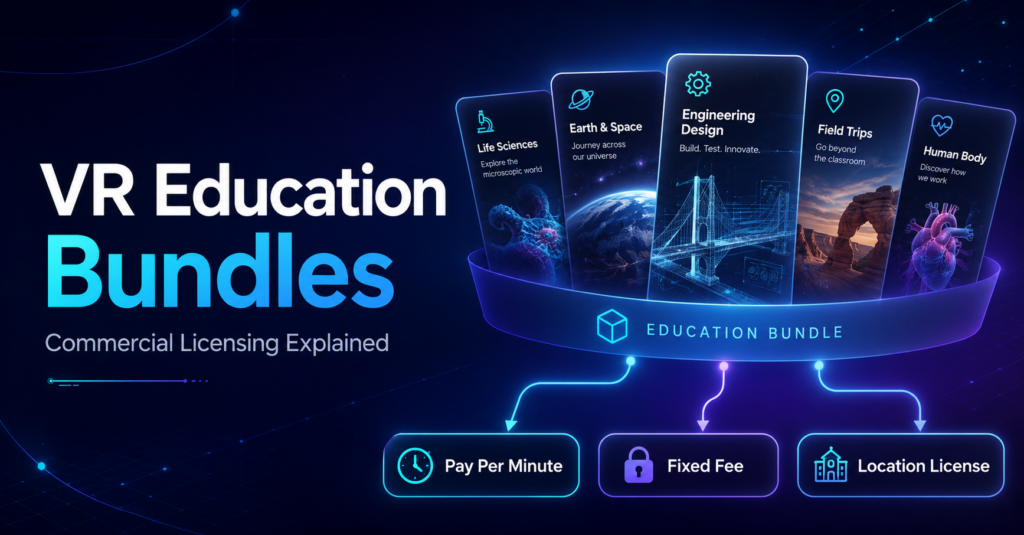
Adding educational VR to a commercial venue raises a practical question: do you license individual experiences as you need them, or choose a broader collection of educational content? Both approaches can make sense. The SynthesisVR marketplace includes individual educational experiences alongside commercial content bundles and curriculum packages. Operators can therefore choose licensing based on the type of program they want to offer, how many stations they need, and how regularly they expect to use the content. What is a VR content bundle? A commercial VR bundle groups related content into a licensing offer. The exact structure varies. Some bundles bring together games from the same developer. Others organize content around a particular use case, such as education. Licensing periods and billing models can also differ between packages. The SynthesisVR Commercial License Bundles marketplace currently includes developer collections such as the Resolution Games Bundle and Survios Bundle, alongside education-focused options including an Education Bundle, Middle School Curriculum, High School Curriculum, Dissection Curriculum, and VR Field Trips. That variety matters because an operator looking for entertainment content has a different objective from a venue building a program for school visits. Education bundles give operators another way to build a school offering Educational VR can involve much more content than a typical entertainment session. VictoryXR’s educational catalog, for example, includes science experiences covering subjects such as Earth and space science, engineering, life science, and physical science. An operator may only need one particular experience, or they may want a wider curriculum that can support several lessons, subjects, or repeat school visits. The SynthesisVR marketplace currently lists several education-focused packages for up to 25 stations, including: This gives venues a way to evaluate educational content at the program level instead of approaching every school visit as a completely separate content decision. Do you have to license the whole bundle? Individual titles can still have their own licensing options. For example, the VictoryXR experience Engineering Design: Delimiting – Wright and Ferris currently shows three licensing choices in the SynthesisVR marketplace: Pay Per Minute: 6¢ per minute. Fixed Fee: $5 per station every month. Location License: access to the Middle School Curriculum, listed for up to 25 stations. This is a useful example of how an operator can approach the same content in different ways. A venue that wants to test or occasionally use a particular experience may prefer usage-based licensing. A venue expecting regular use of one specific title can evaluate a fixed station license. An operator building a broader educational program can explore the curriculum-level option. The exact licensing choices depend on the individual content, so operators should check the options shown for the experience or bundle they plan to use. Fixed Station Fee vs. Fixed Location Fee Understanding the difference between these two licensing models helps when comparing individual titles with larger content packages. Fixed Station Fee With a Fixed Station Fee, operators pay a flat monthly fee for each VR station they license. Usage on that station does not change the fee during the licensing period. SynthesisVR describes this model as particularly useful for dedicated setups where hardware sees consistent use and operators want predictable licensing costs. For example, if an individual educational title costs $5 per station per month, an operator can choose how many stations they want to license for that title. Learn how Fixed Station Fee licensing works Fixed Location Fee A Fixed Location Fee uses one flat period rate for the venue, up to the maximum number of stations supported by the content. Instead of calculating the license separately for every station or tracking usage minute by minute, the operator pays the applicable location fee for the licensing period. SynthesisVR identifies this model as useful for multi-station locations that want predictable costs and unlimited access to the licensed content within the terms of that license. Learn how Fixed Location Fee licensing works Neither licensing model applies to every title. The available options depend on the content and publisher. Which licensing option makes sense for your venue? There is no single licensing structure that fits every VR attraction. The better question is how you expect the content to be used. Occasional or uncertain use: Pay Per Minute can reduce the commitment required to make a title available while you evaluate demand. Regular use of selected experiences: A Fixed Station Fee can give the venue a predictable monthly cost for the stations running those titles. A broader program across multiple stations: A location or curriculum-based option may make more sense when the venue wants access to a larger collection and expects to use it regularly. Educational programming makes this especially relevant. A school may visit for an engineering lesson one week and return for Earth science or life science later in the term. A broader curriculum gives the operator more material to build those programs around. The licensing decision should therefore start with the offering you want to build, rather than simply choosing the lowest individual content price. Bundles also extend beyond education The same idea applies to entertainment content. The SynthesisVR marketplace currently includes packages such as the Resolution Games Bundle and Survios Bundle, both listed with monthly fixed-fee licensing. Other bundles use different periods or licensing structures, including multi-month fixed plans and Pay Per Minute offers. For operators, the useful part of the Bundles section is the ability to explore content as a collection. A venue can compare a developer catalog, an educational curriculum, or another grouped content offer against licensing individual experiences separately. What to check before choosing a VR content bundle Before subscribing, look beyond the word “bundle.” These questions help determine whether licensing individual titles or selecting a wider bundle better matches the way the venue plans to use the content. Explore commercial VR bundles on SynthesisVR Education is one example of where bundled content can simplify the process of building a broader VR offering. Operators can also find entertainment, developer, free-roam, and other commercial licensing packages in the SynthesisVR marketplace. Because the content
What Is Arena-Scale VR?
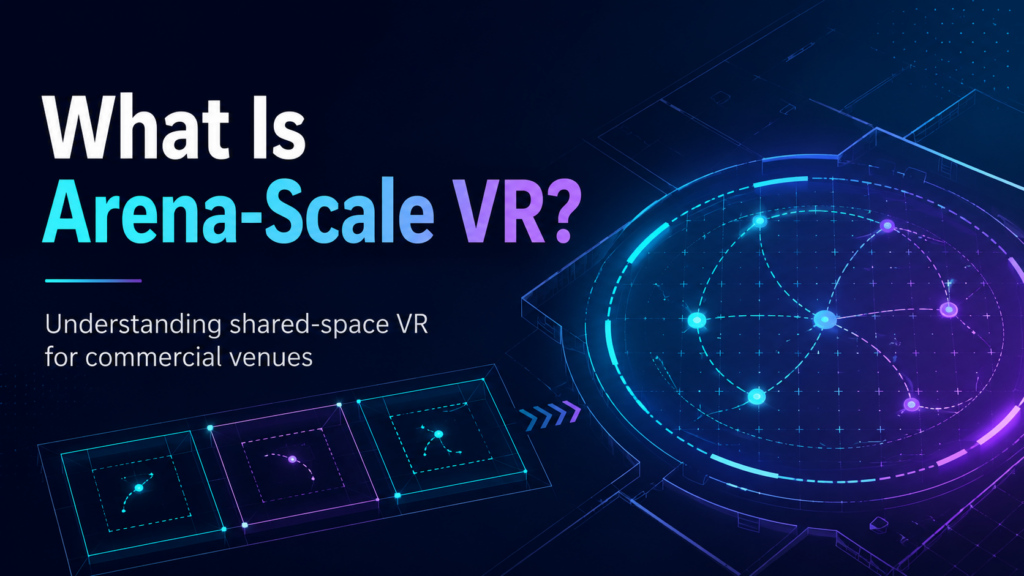
Arena-scale VR is a commercial virtual reality format where multiple players physically move through a shared tracked space while experiencing the same virtual environment. Players can walk, turn, communicate, and interact with each other without relying entirely on joystick movement to cross the virtual world. You may also see the format described as free-roam VR, arena VR, or free-roaming VR. These terms often overlap, and the industry does not use one fixed floor size to define when free-roam becomes “arena-scale.” For a venue operator, that distinction matters less than the actual configuration. The important questions are how much usable space the attraction needs, how many players it supports, which content can run in that footprint, and how efficiently staff can move one group out and the next group in. Is Arena-Scale VR the Same as Free-Roam VR? In practice, the terms frequently describe the same underlying concept: several players moving naturally inside one shared physical play area. There is still a useful distinction when planning a commercial venue. Free-roam VR describes the movement model. Players physically walk through a shared tracked space instead of remaining inside individual stations. Arena-scale VR often describes the attraction built around that movement model, particularly when the shared space supports larger groups or a larger physical footprint. There is no universal square-footage threshold where one suddenly becomes the other. That is why operators should look beyond the label. A six-player 20 × 20 ft arena and an eight-player 33 × 33 ft arena can both qualify as arena-scale VR, while creating very different requirements for floor space, content, staffing, and group bookings. For a deeper comparison of the movement formats, see Free-Roam VR vs Room£-Scale VR for Commercial Venues. Arena-Scale VR vs Room-Scale VR The biggest operational difference is how players use the physical space. With room-scale VR, four guests may play together while each remains inside a separate physical boundary. In an arena-scale experience, those same four players can occupy one shared 6 × 6 m (20 x 20 ft) area. Their real-world positions correspond with their positions inside the experience, so a teammate standing two meters away virtually should also be standing in the correct relative position physically. That changes more than the amount of floor space required. Tracking, player positioning, calibration, networking, session launches, and safety all become part of one coordinated attraction. How Much Space Does Arena-Scale VR Need? There is no single arena size that works for every commercial VR experience. A 6 × 6 m, or roughly 20 × 20 ft, play area has become a common starting point across the commercial free-roam catalog. Some experiences support smaller footprints, while others scale to 8 × 8 m, 10 × 10 m, or different rectangular configurations. The relationship between space and player capacity is especially important. Take After the Fall: Free-Roam as one current example. Its 6 × 6 m configuration supports up to four players. A 10 × 10 m configuration increases that capacity to eight. Other commercial titles use several layouts rather than only two fixed sizes. This means an operator choosing a footprint is also making a decision about which content configurations will remain available to the venue. A larger arena can unlock additional content and higher player capacities. It also consumes more revenue-producing floor space, and higher theoretical capacity only helps when customer demand can fill it. That is why the better planning question is rarely: “How large can we make the arena?” It is: “What combination of space, player count, content, and booking demand makes sense for this venue?” We break down the footprint question in more detail in How Much Space Do You Need for a Free-Roam VR Arena?. Bigger Does Not Automatically Mean Better Arena capacity looks attractive on a specification sheet. An eight-player attraction can accept a large birthday group, corporate team, or group of friends in one session. During a busy Saturday, that capacity may be useful. A normal weekday can tell a different story. If most bookings arrive as groups of two, three, or four, one large arena may leave a substantial part of its capacity unused. Two smaller attractions could give an operator more scheduling flexibility and allow two bookings to run at the same time. The reverse can also happen. A venue built around school groups, parties, corporate events, or other larger bookings may benefit significantly from keeping more players together in one attraction. This is why we recommend treating player count as the result of several planning decisions rather than the starting point. Space, audience, content, hardware, booking behavior, and session flow all affect the useful capacity of the attraction. How Many Players Should a VR Attraction Support? looks at that decision in more detail. What Makes Arena-Scale VR More Complex to Operate? The guest sees a headset, an open floor, and a virtual world. The operator has to make several systems work together before that guest walks onto the arena floor. 1. Shared-space tracking Every headset needs an accurate understanding of the physical play area. A tracking problem affecting one player can interrupt an experience for the whole group. Operators therefore need a stable environment, clearly defined boundaries, reliable mapping, and a repeatable calibration process. 2. Multiplayer synchronization Players need to enter the same experience together and remain synchronized throughout the session. This makes network reliability more important than it may be for independent room-scale stations. 3. Session launches Starting six or eight headsets individually adds staff actions to every booking. Those steps may seem minor during a quiet shift. Repeated across a full operating day, small delays can extend turnaround times and create queues during peak periods. 4. Reset and turnover The commercial session includes more than gameplay. Staff need time for onboarding, fitting equipment, launching the experience, ending the session, cleaning hardware, checking batteries, and preparing the next group. A 30-minute game therefore occupies more than 30 minutes of the venue’s operating schedule. 5. Content configuration Arena games have specific requirements for player
How Much Does It Cost to Start a VR Arcade? Build Your Own Startup Budget
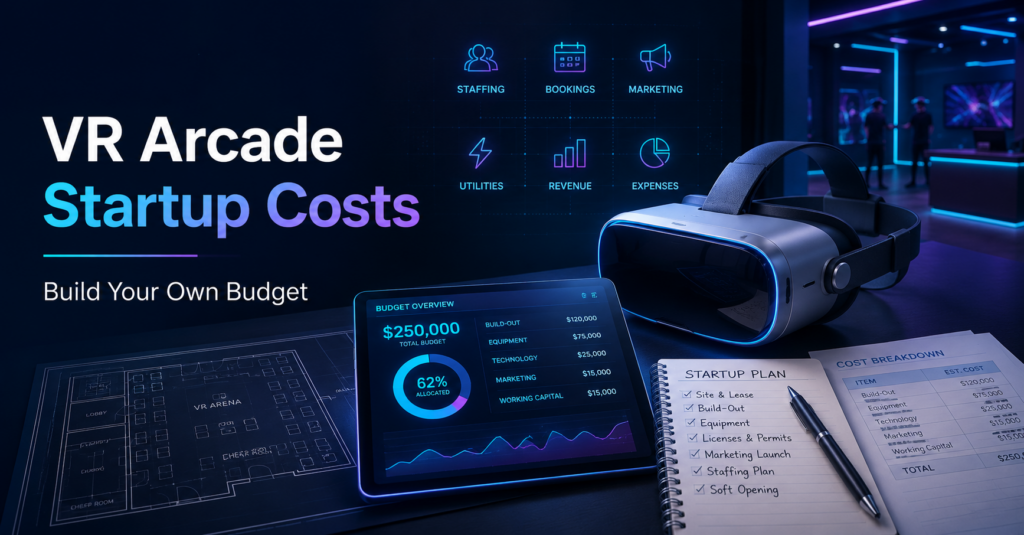
VR arcade startup costs can look completely different from one location to the next. Rent changes by city. Labor costs change by country. A four-headset standalone setup has a different cost structure from a PCVR arcade, a free-roam arena, or a family entertainment center adding VR to an existing attraction mix. That makes a single “average cost to open a VR arcade” difficult to use for serious planning. A better approach is to build the budget from your own market, venue, hardware, staffing, software, content, and revenue assumptions. We created a VR Arcade Startup Budget & Revenue Calculator to help you do exactly that. Use it alongside this guide to estimate your startup requirements, monthly operating costs, revenue potential, and break-even point. Start With the Local Market Before You Buy a Headset Hardware is one of the easier costs to identify. The local business case takes more work. Before choosing a venue or deciding how many stations to install, research what customers already pay for entertainment in your area. Look beyond other VR arcades. Your customers may also compare you with: Record the price, session length, group size, package structure, reviews, and target audience for each relevant attraction. Then ask a more useful question: What can your VR venue offer that the local market currently handles poorly? A university area may have demand for affordable multiplayer activities during weekday evenings. A family market may create more opportunity around birthdays and school breaks. An entertainment district may support longer social bookings, corporate groups, or competitive experiences. Your local demand should influence the venue before the equipment list does. Our guide to [VR arcade pricing, session prices, packages, and promotions] explains this process in more detail. 1. Calculate the Cost of the Venue For a new VR arcade, the premises usually create several expenses before the first customer arrives. Add the costs that apply to your location: An existing family entertainment center may already carry many of these costs. In that case, calculate the additional cost of adding VR rather than assigning the entire building expense to the attraction. A new standalone VR arcade needs to account for the full venue overhead. Keep the fit-out connected to the customer experience It is easy to spend heavily on futuristic décor before proving the business model. Customers still notice the basics first. Is the venue clean? Are staff helpful? Does the session start on time? Is the booking process clear? Does the group understand what to do? A simpler venue with excellent service, reliable operations, and the right experiences for its audience can build a stronger reputation than a more expensive space that struggles with those fundamentals. 2. Decide How Many Players You Actually Need to Serve Start with the booking model. A venue that expects groups of four has different hardware needs from an arena designed around eight-player birthday parties. A mixed venue may combine smaller room-scale stations with one larger multiplayer attraction. Work through this sequence: Space → audience → content → player capacity → hardware → booking model Our guide to [how many players a VR attraction should support] goes deeper into this decision. Once you know the sellable capacity, you can build the hardware budget. 3. Budget for More Hardware Than Your Sellable Capacity If you plan to sell six-player sessions, owning exactly six headsets creates a fragile operation. A damaged controller, charging issue, failed headset, or maintenance problem can immediately reduce the number of customers you can serve. Build spare capacity into the budget. For a standalone commercial setup, operators can evaluate devices such as the PICO 4 Ultra Enterprise. PICO positions the headset for enterprise use and supports tools designed for business and location-based entertainment deployments. Your hardware worksheet may include: Accessories can also support operational comfort. For example, BOBOVR offers optional battery straps compatible with the PICO 4 Ultra Enterprise. These add an external battery system that operators can swap while another battery charges. BOBOVR P4U Battery Strap They are optional. Include them only if they solve a real operating need in your setup. The same rule applies to every accessory: buy it because the venue needs it, rather than because it exists. 4. Include VR Management Software in the Monthly Model Running several headsets manually may appear manageable during a quiet test session. The workload changes when customers arrive together. Staff need to manage bookings, customers, sessions, content, station status, waivers, memberships, and different attraction formats while also taking care of the people standing in front of them. That is where a VR arcade management system becomes part of the operating model. SynthesisVR’s Ultimate plan currently combines tools including booking, online waivers, customer management, content control, memberships, discounts, gift vouchers, integrations, and station management. Rather than placing a fixed software price in a business plan that may become outdated, use the current SynthesisVR pricing page and calculate the cost for the number of stations you intend to operate. The important calculation is: Management platform cost per station × number of stations Software also affects the staffing model. Centralized station and session management can reduce repetitive manual work, giving staff more time to help customers. 5. Build Staffing Around the Work That Actually Happens Labor deserves more thought than simply entering an hourly wage. Calculate the fully loaded employment cost where possible, including employer costs that apply in your location. Then estimate: Opening hours per week × average staff required on shift × loaded hourly cost A small venue might test a model with one person during quieter periods and additional staff during evenings, weekends, or parties. A larger FEC, food-and-beverage operation, or high-throughput attraction may need considerably more. Ask what staff need to handle during the busiest hour: Automation can reduce repetitive work. It cannot replace hospitality. A technically impressive attraction with poor customer service creates a weak reason to return. 6. Plan for Commercial VR Content Licensing Commercial VR content also belongs in the operating budget. Consumer game purchases generally do not provide the
3 Cooperative PCVR Free-Roam Games for VR Arcades
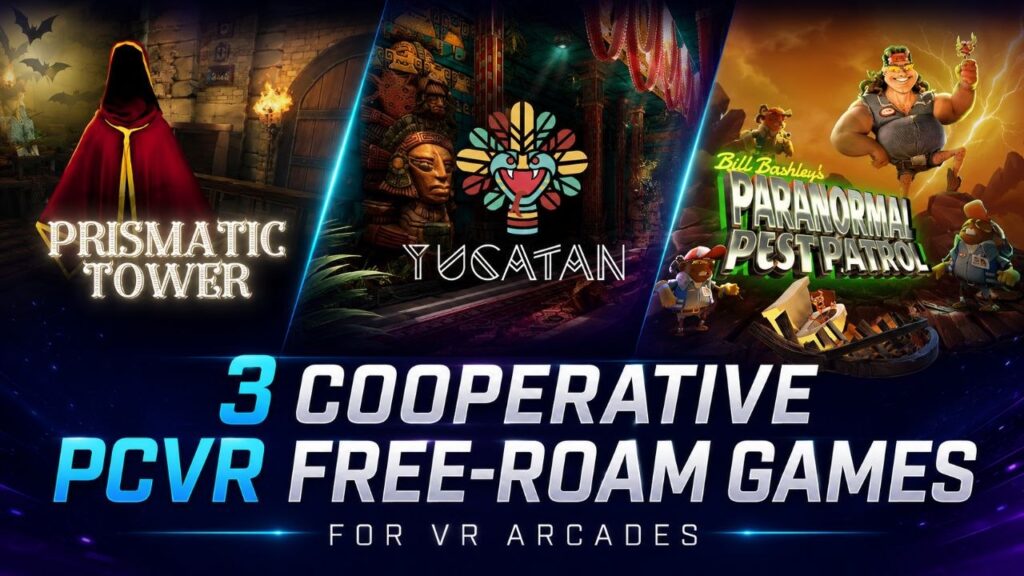
PCVR free-roam games do not have to follow the same formula. For VR arcades, free-roam can support fast group puzzles, longer communication-heavy challenges, or story-driven adventures where players depend on each other to progress. That range becomes useful when an operator wants to add variety without changing the underlying PCVR free-roam setup. For this week’s content spotlight, we picked three cooperative experiences from the SynthesisVR marketplace: Paranormal Pest Patrol, Prismatic Tower, and Yucatan. All three put teamwork at the center of the session, but they do it in very different ways. Three PCVR free-roam games at a glance Game Players Gameplay Starting play area Network status Paranormal Pest Patrol 2–8 7–15 min 5.2 × 5.2 m / 17 × 17 ft Network Veteran Prismatic Tower 2–4 45–55 min 4.6 × 4.6 m / 15.1 × 15.1 ft Network Debut Yucatan 1–8 40 min 4 × 5 m / 13.1 × 16.4 ft Network Veteran The specifications already hint at three different uses. Paranormal Pest Patrol can fit shorter group sessions and scale to eight players. Prismatic Tower gives smaller teams a longer puzzle experience. Yucatan combines a longer adventure with configurations that scale from one or two players to groups of eight. Paranormal Pest Patrol: short, social puzzle play for up to eight players Paranormal Pest Patrol sends players into a possessed home as a team of paranormal exterminators. The premise is deliberately light. Flying books, strange appliances, hidden demons and a loud self-proclaimed hero named Bill Bashley turn the experience into a comedy rather than a horror game. Underneath that humor sits an escape-room-style structure. Players need to observe the environment, find the paranormal pests and work through puzzles together. For a VR arcade, the session format is one of the more interesting parts. The marketplace lists gameplay at 7 to 15 minutes and supports several PCVR free-roam configurations: That creates options for venues running different arena sizes and booking formats. Paranormal Pest Patrol also includes a final score, so solving the experience does not have to end the replay conversation. A group can return and try to improve its previous result. The marketplace currently shows another useful signal: a five-star rating from 10 votes. The title also carries the Network Veteran designation, which identifies content from a studio with an established performance history across the DeployReality network. Operators can also find a Game Community directly from the listing. Technical support includes SynthesisVR Optimized multiplayer, Offline Multiplayer and a Standalone Game Server. Where it may fit: shorter family and friend-group sessions, larger bookings, puzzle fans, and venues looking for cooperative content outside the shooter category. Prismatic Tower: communication is the puzzle Prismatic Tower takes cooperation in a different direction. Two to four players enter a magical tower and move through a series of environmental puzzles. The important twist is that the group does not always have access to the same information. Players split between two rooms. One side may see the order of a sequence while the other side controls the objects. A clue discovered by one team may only become useful after they explain it to the players elsewhere. The game uses that idea throughout its puzzles. Players exchange items, decipher symbols, direct beams through prisms, mix ingredients and synchronize actions to move between floors. In other words, communication is not simply helpful. It is part of the game mechanic. Prismatic Tower supports 2–4 players in a 4.6 × 4.6 m / 15.1 × 15.1 ft PCVR free-roam area, with gameplay listed at 45 to 55 minutes. That puts it in a very different booking slot from Paranormal Pest Patrol. Rather than a short group challenge, Prismatic Tower can support a longer cooperative session for a smaller team. The title currently carries the Network Debut designation. This indicates that the publisher is still building its performance history across the DeployReality network. Its marketplace page also includes a Game Community, along with SynthesisVR Optimized multiplayer, Offline Multiplayer, a Standalone Game Server and an operator walkthrough. Where it may fit: smaller groups looking for a longer experience, escape-room audiences, corporate groups, and players who enjoy communication-heavy puzzles. Yucatan: cooperation on a larger adventure Yucatan moves further away from the traditional escape-room format. The experience sends players into a Mayan world built around an ancient prophecy, hidden gems and a final encounter with Quetzalcoatl. Instead of giving everyone one puzzle to solve at the same time, Yucatan can split a larger group into pairs. Each pair tackles challenges that use movement, dexterity, critical thinking and cooperation. The full group eventually comes back together for the final battle. That structure gives Yucatan an unusual way to handle larger bookings. The game supports: Gameplay runs for approximately 40 minutes. The pair-based format also means the experience can ask different things of different players. Quick reflexes may help in one challenge, while another rewards observation or problem-solving. That can work well for mixed groups where not everyone arrives with the same gaming or VR experience. Yucatan carries the Network Veteran designation and has a Game Community linked from its marketplace page. The listing also includes SynthesisVR Optimized multiplayer, Offline Multiplayer, a Standalone Game Server and an operator manual/walkthrough. Where it may fit: families, friend groups, larger bookings and guests looking for a story-driven cooperative adventure rather than a traditional shooter. The same free-roam format can serve very different bookings These three games share PCVR free-roam and cooperative multiplayer, but an operator would not necessarily sell them to the same customer in the same way. Paranormal Pest Patrol gives a group a quick challenge with comedy, puzzles and a score to chase. Prismatic Tower asks a smaller team to spend considerably longer communicating and working through connected puzzles. Yucatan stretches the cooperative format into a larger adventure that can accommodate up to eight players. That distinction becomes important when building a commercial VR content library. Player count alone does not tell you what role a game will play. Session length, arena size, audience, difficulty,
What Is the Difference Between VR Arcades, FECs, and Entertainment Centers?
A venue can call itself a VR arcade while running a free-roam arena, a party room, a full bar, and a birthday package that barely mentions headsets. Another venue can run twenty arcade machines and a snack counter and call itself an entertainment center. The name on the door tells you almost nothing. What matters is what the venue sells and how it builds the visit. A VR arcade earns most of its attraction revenue from VR sessions. An FEC spreads the visit across several attractions, events, food, and other revenue streams. For operators, the useful question isn’t which label fits. It’s what business model you’re actually running. A VR Arcade Runs on Session Revenue A VR arcade makes virtual reality the main reason to visit. The setup varies. One location runs six room-scale PCVR stations. Another runs a four-player free-roam arena. A larger arcade combines room-scale, free-roam, racing simulators, and several multiplayer formats. What connects them is the role VR plays in the business. The venue earns most of its attraction revenue by selling access to VR experiences. Staff spend their time managing headsets, launching sessions, onboarding players, maintaining equipment, selecting commercial content, and moving groups through available capacity. That makes a specific set of numbers matter: A six-headset arcade with one empty station loses sellable VR capacity. A free-roam venue that turns away six-player groups because its strongest experiences only support four faces a different capacity problem. Either way, VR sits at the center of the operating model. Related reading: How Do VR Arcades Actually Make Money? A Family Entertainment Center Sells the Whole Visit A family entertainment center, usually shortened to FEC, gives guests several activities in one location. The mix varies by venue: arcade and redemption games, bowling, laser tag, mini-golf, climbing, trampolines, indoor play, VR, party rooms, food and beverage. IAAPA treats family entertainment centers and location-based entertainment venues as major parts of the attractions industry, and its current FEC resources include immersive VR and interactive gaming within the attraction mix. That wider mix changes the business. A family arrives for a birthday party, spends time in the arcade, plays a VR attraction, orders food, and finishes with another activity. The operator has several chances to earn revenue during one visit, and more moving parts to coordinate: staffing, floor allocation, maintenance, food service, party schedules, attraction capacity, guest flow. VR has to work within that larger system, not run it. “Entertainment Center” Doesn’t Mean Much on Its Own People use the term for many location-based entertainment businesses, including FECs, arcades, immersive attractions, bowling venues, escape-room businesses, and mixed entertainment concepts. The name alone tells an operator very little. A business called an “entertainment center” might run twenty arcade machines and a snack counter. Another might cover several thousand square feet with bowling, VR, event rooms, food service, and multiple ticketed attractions. Look at attraction mix and revenue model before relying on the category name. VR Arcade vs FEC: Where the Business Models Split The clearest distinction shows up when you follow the customer journey and the money behind it. There’s no attraction count that automatically turns a VR arcade into an FEC. A venue can run several types of VR and stay a VR-first business. Room-scale PCVR, standalone free-roam, escape experiences, and racing can all serve different audiences while VR stays at the center of the visit. The shift happens when the wider venue starts carrying more of the customer experience and more of the revenue. The Sign Above the Door Can Stay the Same While the Business Changes Picture a venue that opens with eight room-scale VR stations. Customers book headset time, choose games, leave when the session ends. The operator adds a four-player free-roam arena. That changes the content mix and opens larger group bookings, though VR still drives the business. Then birthday demand grows. The venue adds a party room and builds two-hour group packages. Guests now spend part of the booking playing and part of it socializing. Food and drinks follow, because it works well while one group waits for the arena. The business still has “VR Arcade” on Google Maps. Operationally, it now behaves much more like a mixed entertainment venue. Each additional revenue line changes what the operator needs to optimize. Headset utilization still matters, but so do dwell time, package value, attraction flow, party capacity, and how much each group spends across the whole visit. Why VR Arcades Often Expand Their Attraction Mix A VR-only business has one clear advantage: focus. Staff learn one category deeply. Marketing stays clear. A small venue can concentrate its capital and floor space around a limited number of systems. That focus also creates a limit. A first-time customer can have a strong session and still ask a hard question three months later: what would I come back to do next? Content rotation solves part of that. Multiplayer formats, free-roam VR, VR escape rooms, competitive games, and different session lengths create variety without asking the operator to enter another attraction category. That’s why content strategy matters so much in a VR arcade. Some venues go further and add events, food, spectator areas, party space, or non-VR activities, because their customers are buying a wider occasion. The birthday parent wants a complete party. The corporate organizer wants a two-hour team event. A group of friends wants somewhere to spend the evening. At that point, selling headset minutes alone can undersell what the customer is actually buying. Related reading: How Often Should VR Arcades Rotate Their Content? Where VR Fits Inside an FEC The same VR attraction plays a different role once it enters an existing FEC. Take an FEC that already has bowling, redemption games, food, and birthday rooms. It doesn’t need VR to carry the venue. The attraction can instead give the business a premium multiplayer option, pull in older kids and adults, add another slot to party packages, or give repeat guests something new to book. That changes what the operator
How Often Should VR Arcades Rotate Their Content?
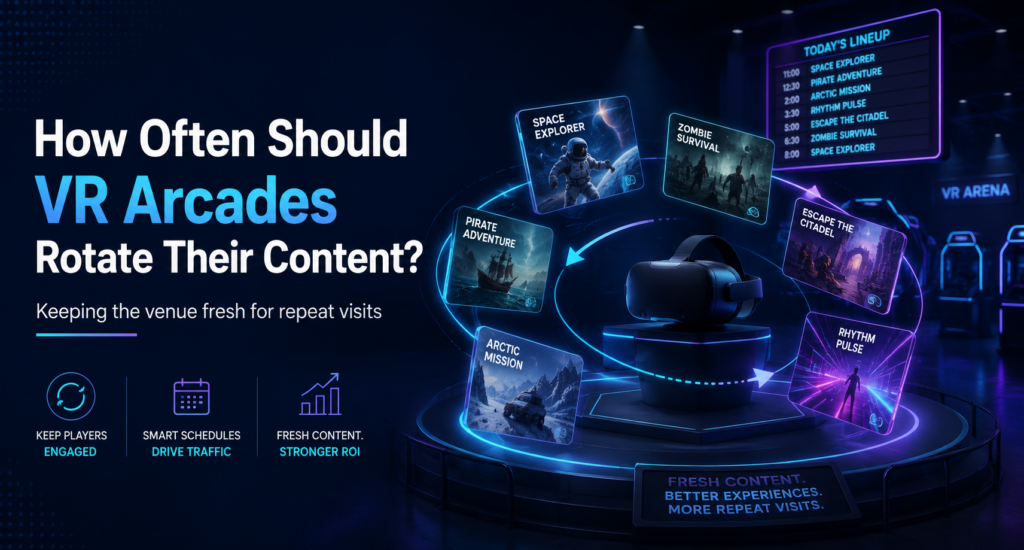
A VR arcade can have dozens of experiences available and still feel unchanged to a returning customer. That happens when the same few games stay at the front of the booking page, staff recommend the same titles, and regular guests see little reason to explore the rest of the library. VR arcade content rotation helps solve that problem. Rotation can create new reasons to visit, give regular customers something different to try, and give the venue fresh material to market. It can also help operators learn which experiences deserve a permanent place in the lineup. There is no universal rule that says a VR arcade should replace its games every 30, 60, or 90 days. A better rotation schedule follows customer behavior, venue type, seasonality, and the role each experience plays in the business. Entertainment venues have always relied on changing programming VR arcades are far from the only entertainment businesses that need to give customers reasons to return. A cinema keeps the same screens, seats, lobby, and projection equipment while its programming changes continuously. New films give previous customers another reason to visit the same building. Special screenings, themed programs, and events can create additional reasons to return between major releases. Arcades and family entertainment centers use a related model. The physical venue stays familiar, while operators change the attraction mix, promote different games, run competitions, and introduce new experiences over time. The wider attractions industry follows the same logic. IAAPA has highlighted how refreshed entertainment programming can support guest satisfaction, repeat visits, and spending. VR gives operators an especially flexible version of this model. The headset, PC, room-scale station, or free-roam arena can stay in place while the experience inside it changes. That makes content one of the most adjustable parts of a commercial VR attraction. Why newness matters for repeat business A great first visit does not automatically create a fifth visit. Customers eventually start asking what will be different next time. That question matters even more for local venues that depend on the same population throughout the year. Research into consumer variety-seeking behavior has examined how repeated consumption can reduce the appeal of choosing the same option again and increase interest in alternatives. That does not mean every guest wants a completely unfamiliar experience on every visit. Familiarity can be valuable, especially with competitive games, multiplayer favorites, and experiences where players improve over time. The opportunity comes from combining both. A customer might return to beat a previous score, introduce friends to a favorite multiplayer game, and then try one experience they have never played before. That mix gives the venue more ways to turn one successful visit into several. We explored the broader retention side of this in How VR Entertainment Venues Turn First-Time Visitors Into Repeat Customers. Content rotation becomes one of the tools operators can use once that return relationship starts. Content rotation also creates something new to market Operators sometimes treat content rotation as a library-management task. It also solves a marketing problem. A venue cannot tell the same local audience to “come try VR” indefinitely. Customers who already visited know what VR feels like. The next campaign needs a more specific reason to return. A newly featured cooperative adventure can become this month’s group recommendation. A competitive title can become the basis of a leaderboard challenge. A horror experience can lead a Halloween campaign. Family content can move forward during school breaks, while faster competitive experiences can support student or adult social promotions. One content change can give the venue material for its email list, social channels, website, in-venue screens, and staff recommendations. The experience itself does not even need to be new to the marketplace. A title that has spent a year inside a 30-game library may still be completely new to most customers. This gives operators an important distinction: you can rotate attention without constantly replacing inventory. Content rotation does not always mean buying new games Operators have several ways to make a VR lineup feel fresh. Featured-content rotation changes which existing games receive the most visibility. Staff can recommend a different experience, the website can feature it, and the venue can build a campaign around it. Event rotation changes how customers use familiar content. A leaderboard, tournament, weekly challenge, team night, or score target can renew an experience without changing the underlying game. VR arcade leaderboards are one example of turning existing content into a repeat challenge. Audience rotation changes which part of the library the venue promotes. Families, birthday groups, corporate teams, students, and experienced VR players rarely need the same recommendation. Seasonal rotation moves relevant experiences forward when customer interest changes. Horror can gain prominence before Halloween. Family and group content can take priority during school breaks. Competitive multiplayer can support weekday social offers when local traffic becomes more important. Library rotation involves the larger decision to add, remove, or replace titles. Operators usually need to do this less often than promotional rotation. Separating these types of rotation prevents a common mistake: assuming that keeping a venue fresh requires continuously licensing more content. How often should a VR arcade rotate content? A practical schedule can work across several timeframes. The monthly change does not need to involve a new commercial license. A venue may simply move an overlooked game into the featured position and support it with staff recommendations, short-form video, or a limited challenge. The quarterly review goes deeper. Operators can ask whether the library still covers enough genres, group sizes, skill levels, session lengths, and customer types. Player capacity matters here too. A strong four-player experience serves a different booking need from a six-player or eight-player attraction. How Many Players Should a VR Attraction Support? looks at that decision from the capacity and attraction-mix side. Let customer behavior trigger the bigger changes The calendar provides a useful review rhythm. Customer behavior should decide what actually changes. Start with how often guests select each experience. Then look at replay behavior. A title that attracts
How Many Players Should a VR Attraction Support?
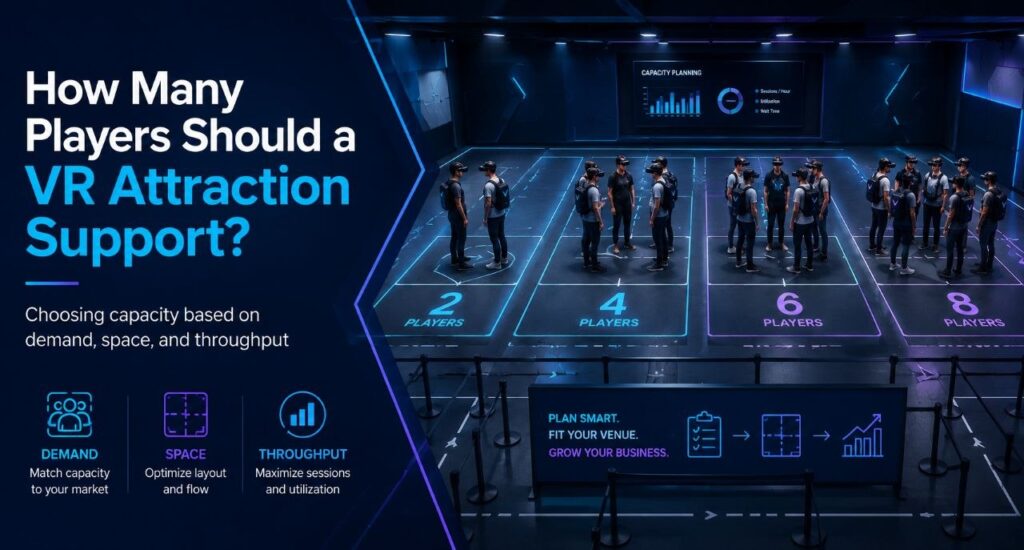
Often operators start this question backward. They decide they want to serve eight guests at once, then go looking for an eight-player attraction. But eight simultaneous guests can mean an eight-player arena, two four-player arenas, a six-player arena plus two room-scale stations, or eight independent room-scale units. Same peak capacity, four completely different businesses. Player count is what falls out at the end of a chain of choices that starts with your building and ends with your content. The decision chain Venue type sits inside this chain as context, not as the formula. A bowling center adding VR, a dedicated VR arcade, and an FEC building around group bookings all answer these questions differently, but none of them get to skip straight to “buy for six” or “buy for eight.” Start with the space you actually have Square footage sets the physical ceiling before anything else gets decided. It determines whether you’re looking at room-scale stations, one free-roam arena, several smaller arenas, or some mix of the two. A venue with 400 square feet to spare is choosing between formats before it ever gets to player count. This is also where the first real tradeoff shows up. The same footprint that holds one eight-player arena can often hold two four-player arenas instead, and those two setups behave nothing alike once you get past the headline number. Hardware, platform, and content: a triangle, not a checklist These three choices constrain each other, and there’s no clean order to work through them. Already own PICO headsets? That narrows content options before player count ever comes up. Chasing one specific title instead? PCVR might be the only place it runs, so hardware follows the content rather than the other way around. Running multiple locations changes the order again: many operators pick the management platform first, since one system across different hardware types matters more than any single game. Whichever one you decide first, it limits what the other two can be. Content needs specific hardware. Hardware needs a platform that can run it and report on it. The platform needs to support whatever mix of standalone, PCVR, wired, or streamed setups the content demands. What your audience actually needs from content This is usually the missing step in capacity planning, and it’s the one that should come before arena size gets decided. Birthdays, families with young kids, teenagers, enthusiasts, corporate groups, school trips, escape-room fans, and casual walk-ins all pull the content mix in different directions. A venue built around birthday packages needs different titles, and different group sizes, than one built around enthusiast repeat visits. Once you know who’s walking in, the content question gets specific. What do those guests want to play, and how many of them want to play it together? What that content requires Content is where the constraint actually bites. Free roam versus room scale, PCVR versus standalone, arena dimensions, and player count all come from the title itself, not from how many headsets you own. Most free-roam titles top out at four or six players in a single configuration. Buying eight headsets doesn’t change that. It just means eight headsets sitting on a shelf while the content that fits your audience runs four at a time. Take the two four-player arenas versus one eight-player arena question from the top of this piece. The two-arena setup gives an operator more compatible titles at that smaller player count, two bookings running at once, and better use of small-group demand on a normal Tuesday, while still hitting eight total players when both arenas are booked together on a Saturday. The eight-player arena gives up all of that flexibility for a configuration that only earns its keep when a full group of eight actually shows up. Neither is automatically the right call. It depends on what your audience actually books. Peak capacity and weekday utilization are different problems VR attraction planning works better when you separate peak demand from utilisation. This is the commercial core of the whole decision, and it’s easy to miss. Picture a Tuesday afternoon. A group of three arrives at a venue built as one eight-player arena. The operator can run that group at three of eight positions filled, or hold the session and wait for another group to fill the rest. Either way, most of that capacity sits idle for a slot that will never come close to selling out again before Friday. The same group at a venue built as two four-player arenas gets a session at three of four positions filled, close to full, while the second arena stays open for the next booking or for maintenance. Same total headset count as the eight-player venue. Very different Tuesday. A big configuration built for the weekend peak can leave a lot of equipment sitting unused Monday through Thursday. A modular setup, several smaller arenas or stations instead of one large one, can often handle the same peak while giving staff something sellable on a slow afternoon. Getting people through the building midweek is usually the harder problem than filling Saturday, and configuration is one of the few levers that actually moves it. The fleet model: capacity that changes shape A venue with a larger headset fleet doesn’t have to run the same configuration all week. The same hardware can be deployed differently depending on who’s booking: Capacity, in other words, doesn’t have to be fixed. It can flex by day and by booking type, which is a very different planning question than “large FEC equals eight to sixteen players.” This is also where a management platform earns its cost. Running PICO, Quest-compatible, and PCVR hardware side by side, and reconfiguring which content runs where as bookings change, needs one operational layer that can see and control all of it. SynthesisVR is built for exactly that: managing hardware, content, and session formats as one system instead of as separate silos an operator has to reconcile by hand. Configuring the venue around your content Once space,
VR Arcade Pricing: How to Set Session Prices, Packages, and Promotions
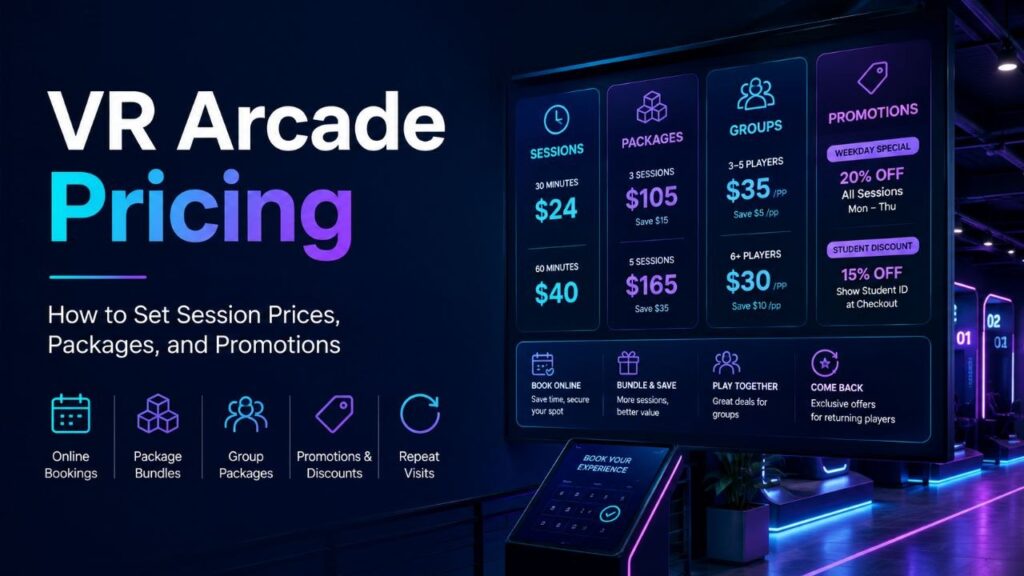
There is no universal number for VR arcade pricing. Two venues can run similar hardware and content, yet need different prices because they serve different customers, compete with different attractions, carry different costs, and sell different types of outings. A tourist-center arena, a suburban family entertainment center, and a university-town VR venue should not inherit the same rate card by default. A useful pricing process starts before the price itself. Define the local market, map the alternatives customers already buy, calculate the economic floor, decide what each package promises, and then test the result against real booking behavior. That approach draws on decades of retail, service, and pricing research rather than one current pricing formula. A practical VR arcade pricing framework The three questions work together. Cost-based pricing alone can ignore demand. Competitor matching can copy somebody else’s economics. Value language without a financial floor can create a popular offer that does not contribute enough to the venue. VR arcade pricing starts with the local market Wendell Smith’s 1956 work on market segmentation treated heterogeneous demand as a basic marketing reality: different groups can respond to different offers instead of behaving like one uniform market. For a physical venue, geography narrows that idea further. David Huff’s trade-area work defined the market around a geographically bounded pool of potential customers and the probability that they will choose a location. The U.S. Small Business Administration still advises small businesses to examine demand, market size, income, location, saturation, demographics, and what customers pay for alternatives. For a VR arcade, that means defining the realistic catchment area before copying a national or industry average. A venue near a tourist district may rely on one-time visitors with short decision windows. A suburban FEC may depend more on families, parties, schools, and repeat local groups. A university town can have strong evening demand but a lower willingness to pay for a premium single-player session. Research the customer’s real alternatives A venue that checks only other VR arcades sees too little of the market. Michael Porter’s competitive strategy work warned against viewing competition too narrowly. For an entertainment business, substitutes matter because customers usually begin with an occasion, budget, and group rather than a fixed commitment to VR. A family choosing a Saturday activity may compare VR with bowling, laser tag, a trampoline park, an escape room, karting, cinema, or another FEC. A company planning team building can compare the same VR venue with dinner, an escape room, a workshop, or a private event space. Research set Record Avoid Direct VR competitors Per-person price, duration, group size, private/shared format, packages, cancellation terms, memberships. Copying the headline price without understanding what the customer receives. Substitute entertainment Total group spend, time commitment, private access, food/party space, social proof, booking friction. Assuming VR competes only with VR. Local premium options What customers already pay for higher-end social experiences and events. Using household income alone as a willingness-to-pay measure. Low-cost alternatives Free or inexpensive activities that compete for the same time slot. Treating every lost booking as a pricing problem. Calculate the economic floor before testing value Pricing research has long treated price as a managerial decision with several inputs rather than a simple markup. Monroe and Della Bitta’s 1978 review examined the major pricing decisions managers face and the models used to support them. For a venue, the first financial check is straightforward: understand what each booking contributes after the costs that move with that sale, then test whether expected sales can cover fixed costs. SBA break-even guidance uses fixed costs, selling price, variable cost, and contribution margin for exactly this reason. A VR operator should include the costs that genuinely change with a session or package, then keep rent, salaried labor, insurance, depreciation, financing, and similar fixed costs visible in the wider model. Mixed attractions and packages often need separate calculations because a private arena booking does not behave like a single booth session. Related SynthesisVR reading: Free-Roam VR Arena Cost Analysis and How VR Arcades Actually Make Money Price the use case, not only the headset minutes B. Joseph Pine II and James H. Gilmore’s 1998 work on the experience economy argued that businesses can create economic value by staging an experience rather than competing only on the underlying good or service. Location-based entertainment fits that logic unusually well. A customer rarely wakes up wanting to buy 30 headset minutes. They may want a private activity for four friends, a birthday that is easy to host, a date-night plan, a school visit, or a team event that does not require the organizer to manage the details. Use case What the buyer may value Pricing structure to test Walk-in / first visit Low commitment, clarity, fast start. Per-person session or short introductory format. Friends / social group Playing together, simple group total, private access. Group bundle or private arena rate. Birthday Predictable total cost, host support, room time, smooth rotations. Named party package with clear inclusions. Corporate event Privacy, timing, invoicing, coordination, group confidence. Event package or private-hire rate. School / camp Per-head clarity, age fit, supervision, schedule control. Per-student or fixed group package. Related SynthesisVR reading: How to Market VR Arcade Birthday Parties for Summer Bookings Build packages when the customer is buying a bundle William Adams and Janet Yellen’s 1976 work formalized the economics of bundling. The research is technical, but the operator lesson is practical: a bundle can carry its own value and pricing logic instead of equaling the sum of every component sold separately. Four individual tickets and a private four-player arena package may use the same equipment, yet the second offer can include exclusivity, easier coordination, reserved time, a content choice, staff assistance, a score challenge, or another element that matters to the group. Birthday, school, and corporate packages deserve the same treatment. This also prevents a common pricing trap. If every package reduces to a minute-by-minute calculation, the operator invites customers to compare only time and price. Clear bundles create room to