
How VR Arcades Can Bring Customers Back With Simple Email Campaigns
Your next booking could come from someone who has already visited your arcade. When did you last email them? During a recent conversation with VR arcade operators, one venue owner raised a familiar issue. They had collected customer contact details over time but hadn’t done anything with that information. They knew they should be emailing their customers. They simply hadn’t started. This is an opportunity worth exploring. Every customer who has visited your VR arcade already knows where you are, what you offer, and what playing VR feels like. Yet without regular communication, they might never hear about your new games, weekday specials, birthday packages, or seasonal events. A simple email can give previous visitors a reason to return. And you don’t need a marketing department, expensive software, or a complicated campaign to get started. Why Email Marketing Still Matters for VR Arcades in 2026 Email remains a useful way for businesses to maintain relationships with existing customers. According to the Data & Marketing Association’s Email Benchmarking Report 2026, email performance remains strong, with improving deliverability, declining unsubscribe rates, and record click-through rates across the UK market. For VR arcade operators, the practical advantage is straightforward. Your customers don’t necessarily follow your social media accounts. They might miss an announcement about a new multiplayer game or a weekday promotion. But if they’ve agreed to receive your emails, you have a way to communicate directly with them. You can remind them about an experience they enjoyed, introduce something new, or invite them back with a specific offer. The most useful messages answer one question: Why should this customer visit again? 6 Simple Emails Every VR Arcade Can Send You don’t need to create a new promotion every week. Start with the experiences, offers, and events your venue already has. Here are six practical email campaigns worth trying. The goal is to make each email useful and easy to act on. A customer who visited for a multiplayer session might be interested in a new cooperative game. A parent who previously booked a birthday party may appreciate information about your current group packages. Even a short message can be effective when the offer matches the audience. 3 Ready-to-Use Email Templates for Your VR Arcade You can adapt these examples for your venue, replace the placeholders, and include a direct link to your booking page. Template 1: Thank Customers and Invite Them Back Template 2: Announce New Games Template 3: Fill Quieter Weekday Sessions What About Birthdays, Holidays, and Customers Who Haven’t Returned? Once you’ve sent your first few emails, you can expand into other occasions. Birthday invitations: If you’ve collected birthday information appropriately, remind eligible customers about group celebrations. Focus on what your package includes, the number of players, and how to book. Seasonal emails: Promote family entertainment during school breaks, Halloween experiences in October, or group activities during holiday periods. Returning customer emails: Reach out to customers who haven’t visited recently with a relevant game recommendation or invitation. If your records support it, start with customers whose last visit was approximately 60–90 days ago. You can also tailor messages to the type of experience customers previously enjoyed, provided you have reliable preference information and the appropriate permission to use it. These emails don’t need to be long. One clear offer and one booking link are often enough. How to Start Email Marketing for Your VR Arcade in 30 Minutes If you’ve never sent a marketing email to your customers, start small. Step 1: Check your existing customer contacts (5 minutes) Look at the contact information your venue already collects through bookings, customer registrations, or other systems. Identify which customers can legally receive marketing communications. Having an email address on file does not automatically mean you can use it for promotions. Step 2: Choose one reason to email (5 minutes) Perhaps you’ve added a game, have availability on Tuesday afternoons, or want to encourage first-time visitors to book again. Start with one clear message for one relevant audience. Step 3: Pick a simple email tool (10 minutes) If you’re contacting a small number of customers individually, your existing business email may be sufficient. For regular campaigns, a dedicated email marketing platform makes it easier to manage audiences, templates, unsubscribes, and performance. Tool Suitable for Gmail or Outlook Occasional individual communication Mailchimp Newsletters, promotions, and customer lists Brevo Email campaigns and automated workflows MailerLite Simple newsletters and email sequences ActiveCampaign Advanced customer segmentation and automation Use a dedicated marketing platform for bulk promotional emails rather than sending mass messages through an ordinary personal inbox. Step 4: Write and send your first campaign (10 minutes) Choose one of the templates above. Replace the placeholders, check that your booking link works, and send a test email to yourself. Make sure the message clearly identifies your business and includes the required unsubscribe option. You now have your first campaign ready. The next step is to check whether anyone booked because of it. How SynthesisVR Can Support Customer Email Marketing If your VR arcade uses SynthesisVR, you may already have access to useful customer information and integration options. Within the SynthesisVR Web Console, the Customers page allows operators to view registered customer accounts, including names, email addresses where supplied, registration dates, and membership information. Customer details may be collected through SynthesisVR online bookings or waiver forms, depending on your venue setup. This provides a starting point for reviewing your existing customer records and identifying where you may need to improve marketing consent collection. For venues ready to automate more of their communication, SynthesisVR also provides integrations with email marketing platforms. Mailchimp integration SynthesisVR’s Mailchimp integration can synchronize customer information, including new registrations and booking-related data, with Mailchimp audiences. This can reduce manual data entry and help operators maintain their email lists. Marketing permissions and audience settings still need to be configured correctly. ActiveCampaign integration For operators who want more advanced workflows, the ActiveCampaign integration supports customer data synchronization and personalized marketing automation. Depending on the information
What Metrics Should VR Arcade Operators Track?
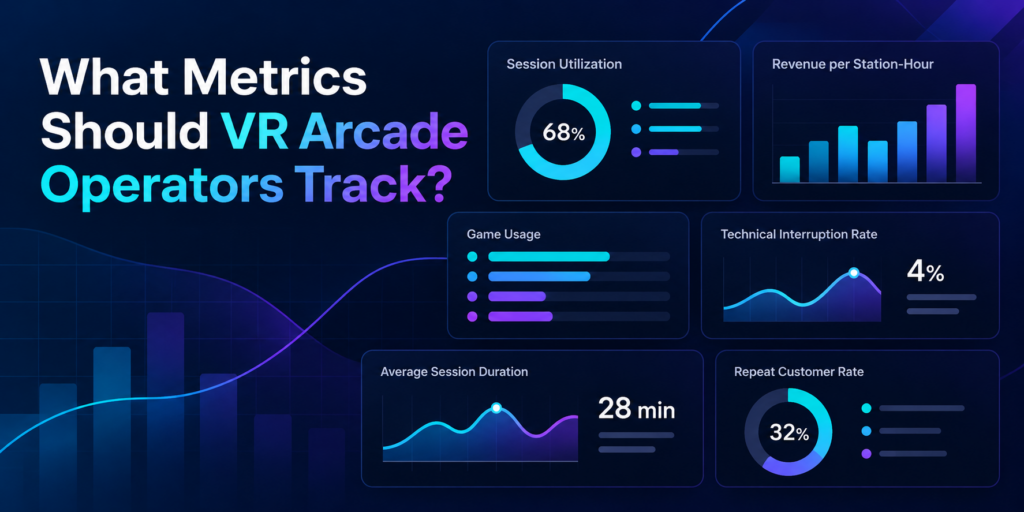
Running a profitable VR arcade requires more than knowing how many customers walked through the door. Two venues might serve the same number of players in a day yet achieve very different results. One could have consistently booked stations, smooth session transitions, and content that encourages repeat visits. The other might struggle with idle headsets, interrupted games, and licensing costs that are difficult to reconcile. Understanding these differences starts with tracking the right performance metrics. For VR arcade operators and family entertainment centers (FECs), a handful of key performance indicators (KPIs) can reveal how efficiently attractions are running, which games deliver value, and where operational improvements can increase revenue. Here are eight metrics worth monitoring and what each one can tell you about your business. 1. Session Utilization Rate: How Much of Your Available Capacity Is Being Used? Session utilization measures how much of your available operating capacity customers actually use. A VR arcade might have six stations available for eight hours a day, giving it 48 available station-hours. If customers occupy those stations for a combined 24 hours, the venue has a utilization rate of 50%. Session Utilization Rate = Occupied Station-Hours ÷ Available Station-Hours × 100 For example: This metric helps operators understand whether their existing hardware and floor space are generating enough activity. It also highlights patterns worth investigating. A venue might regularly reach full capacity on Saturday afternoons while leaving several stations unused on weekday evenings. Tracking utilization by day, time slot, and attraction type can help operators make decisions about staffing, scheduling, group packages, and marketing. What to do with this metric: Identify recurring low-utilization periods and test specific offers that encourage bookings during those hours. 2. Revenue per Available Station-Hour: What Is Your Capacity Actually Earning? A busy station doesn’t always translate into strong revenue. Some experiences generate more revenue per session but require longer playtime. Others have shorter sessions, allowing operators to serve more groups within the same period. Revenue per available station-hour helps operators compare earning efficiency. Revenue per Available Station-Hour = Station-Attributed Revenue ÷ Available Station-Hours Consider a venue with four stations operating eight hours a day. That represents 32 available station-hours. If those stations generate $640 in customer revenue, the venue earns $20 per available station-hour. The calculation becomes especially useful when comparing performance across different days or attraction types. For accurate comparisons, operators should consistently allocate revenue and capacity, particularly when selling multiplayer sessions, group packages, or combined attraction offers. Revenue per available station-hour is not a profit measurement. Licensing expenses, staff wages, rent, equipment costs, and other operating expenses still matter. What to do with this metric: Compare revenue efficiency across operating periods and use the findings to evaluate pricing, booking packages, and attraction scheduling. 3. Game Usage: Which Experiences Are Customers Actually Playing? A large VR content library gives operators flexibility, but every game needs to serve a purpose. Some titles attract first-time customers. Others encourage repeat sessions, support birthday parties, or work particularly well for groups. Tracking game usage helps operators distinguish between player interest and actual activity. Useful indicators include: These indicators can reveal patterns that are easy to overlook. For example, a highly requested multiplayer game might generate considerable initial interest but relatively few repeat sessions. Meanwhile, a familiar title with simple onboarding may remain popular with walk-in groups. Operators should also consider audience fit. An escape experience designed for cooperative groups serves a different purpose from a competitive arena game built around repeat matches. During SynthesisVR’s Arcades of the Roundtable discussions, operators highlighted the importance of understanding their game libraries, testing experiences, and responding to changing content preferences. Game usage data provides another perspective on those decisions. What to do with this metric: Review the content library periodically and compare usage with customer requests, technical reliability, and licensing costs before making changes. 4. Game Licensing Cost: How Much Does Each Experience Cost to Operate? Commercial VR licensing is an important part of understanding game performance. Depending on the title and licensing arrangement, operators may encounter prepaid credits, pay-per-minute (PPM) usage, or other commercial licensing models. One detail deserves particular attention: booked session duration and billable game runtime may differ. For example, a customer might book a 30-minute session, but a game process could remain active after the customer finishes playing. Under licensing arrangements where usage continues until the executable terminates, this can result in additional charges. SynthesisVR support inquiries have highlighted the importance of properly ending sessions and understanding how billable usage is recorded. Operators should review: A useful calculated indicator is: Licensing Cost per Paid Session = Total Applicable Licensing Charges ÷ Number of Paid Sessions Using That Content This provides a starting point for evaluating content costs, although it doesn’t account for all operating expenses or differences between licensing models. What to do with this metric: Reconcile licensing charges against recorded usage, investigate unusual activity, and ensure staff follow the correct session termination procedures. 5. Session Turnaround Time: How Quickly Can the Next Group Start? A 30-minute VR booking often requires more than 30 minutes of operational attention. Staff may need to help guests remove headsets, sanitize equipment, explain controls to the next group, configure the experience, and launch the next session. Session turnaround time measures the gap between one group’s session ending and the next group’s session beginning. Average Turnaround Time = Total Time Between Consecutive Sessions ÷ Number of Measured Transitions Consider two venues offering the same 30-minute experience. One consistently prepares the next group within five minutes. The other requires ten minutes. Over a busy afternoon, that difference can reduce the number of bookings a station can accommodate. However, turnaround time should be evaluated alongside guest comfort, equipment cleaning, and experience quality. The objective is a reliable and repeatable process. Operators can improve consistency by preparing equipment in advance, using standardized onboarding instructions, and reducing unnecessary manual steps between sessions. What to do with this metric: Measure actual transition times during busy periods and identify which preparation
How Much Guidance Should VR Arcade Staff Give Players?
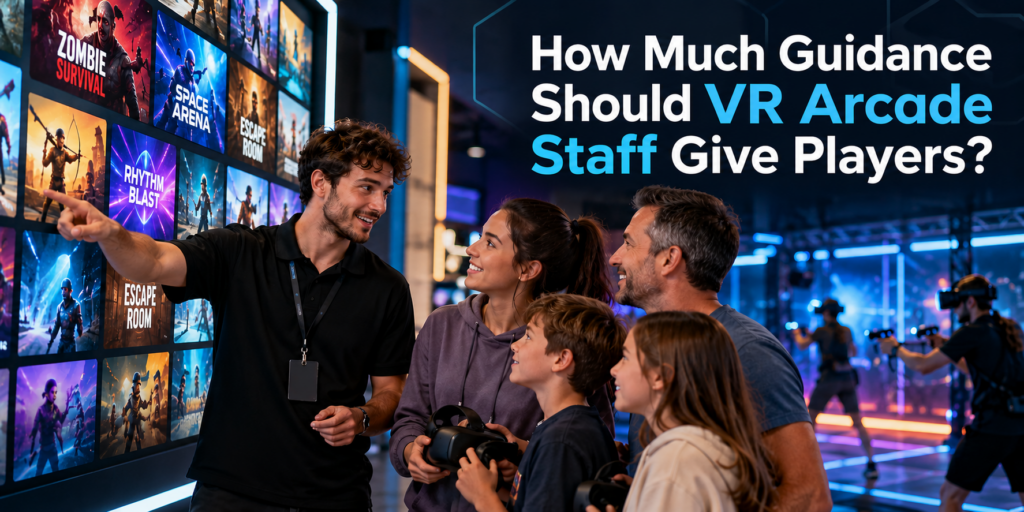
A strong VR content library gives customers choice, but choice alone does not guarantee a good experience. Staff still need to understand who an experience is for, how it starts, what players need to know before putting on the headset, and when they may need help. That makes staff guidance an important part of running a VR arcade, particularly for first-time visitors who have little idea what to choose or what to expect. Why VR Players Need More Guidance Than They May Realize Experienced VR players may arrive knowing exactly what they want. Many customers do not. A family with children, a birthday group, two adults trying VR for the first time and a group of experienced gamers can all walk into the same venue with very different expectations. Asking them to browse a large game library without guidance puts much of the decision on the customer. The goal is not to make the decision for the customer. It is to turn a potentially overwhelming library into a manageable set of experiences that fit the group. Staff Should Know the Content They Are Offering This was one of the interesting issues raised in our recent conversations with VR arcade operators. Adding an experience to the library and waiting to see whether customers play it provides limited information about whether the content itself is working. A game may receive little play because customers cannot tell what it is from the title or thumbnail. Staff may rarely recommend it. Players may start it without understanding the objective. A group may choose something poorly suited to its size or experience level. The operator can then conclude that customers simply do not like the game. That conclusion may be wrong. Before staff recommend an experience, they should ideally know: What is the experience about?Staff should be able to explain the basic premise in one or two sentences. Who is it suitable for?Consider age, VR experience, group size, physical intensity and genre. How does the experience begin?Some games are immediately intuitive. Others require players to understand controls, roles or objectives before the session starts. What commonly causes players difficulty?Knowing where people tend to get stuck allows staff to intervene quickly instead of leaving players frustrated. What hardware and play space does it require?A recommendation still has to work with the venue’s available setup. This is one reason properly testing VR arcade games before adding them to the active library matters. Staff who have actually played an experience can explain it much more naturally than staff working from a title and description alone. Guidance Starts Before the Headset Goes On Some of the most useful guidance happens before gameplay begins. A good introduction does not need to become a five-minute tutorial. In many cases, players only need a few pieces of information: What am I trying to do?Give the player the objective. What do I need to know to get started?Explain the essential controls or interaction. What should I expect?If players will move between stages, communicate with teammates, physically turn around or encounter something intense, tell them beforehand. This is especially important with first-time VR users. They are learning the game and learning how to interact in VR at the same time. Giving them the right information before the session can reduce confusion once the headset is on. During the Game, Help Without Taking Over There is another extreme operators should avoid: over-guiding. A puzzle is less satisfying if a staff member immediately gives away the solution. Exploration loses its appeal if someone constantly tells players where to go. Experienced players may want very little assistance. The best level of support therefore changes with the player and the experience. Staff should know when a player is discovering and when a player is simply stuck. Someone experimenting with different solutions may be enjoying the game exactly as intended. Someone repeating the same failed interaction for several minutes may need a small prompt. Start with the least intrusive intervention: Prompt → hint → explanation → direct assistance That preserves player agency while preventing frustration from consuming a large part of a paid session. Technical Problems Need Fast Intervention Gameplay guidance and technical support are different. If tracking fails, a controller disconnects, a headset loses connection or the game does not progress correctly, waiting for the player to solve the problem wastes session time. Staff need enough familiarity with both the content and the venue setup to recognize when the problem is technical. This becomes particularly important during busy periods. A problem that takes an experienced staff member 30 seconds to identify can consume several minutes when the person supervising the session does not know what normal gameplay should look like. Knowing the game is therefore part of troubleshooting it. Better Recommendations Can Improve Content Utilization Staff knowledge also affects which games get played. Imagine a venue has 40 experiences available, but employees confidently recommend only five because those are the games they know best. From the customer’s perspective, the venue effectively has a five-game library. The remaining content may be technically available, but it is doing little work for the business. Training staff across a carefully selected range of experiences can help venues make better use of the content they already license. It also gives operators better information when deciding what to keep, rotate or replace. Instead of asking only: “How often was this game launched?” operators can also ask: “Did we recommend it to the right customers?” That is a much more useful question when evaluating content performance. Build a Simple Content Knowledge System for Staff Staff do not need to memorize every detail of every game. A simple internal reference can make recommendations much easier. For each active experience, record: This also makes onboarding new employees easier. Rather than expecting them to learn an entire commercial VR library at once, operators can establish a core group of experiences every staff member should know well and expand from there. Let Your VR Management System Handle the
How Should VR Arcade Operators Test Games Before Offering Them to Customers?
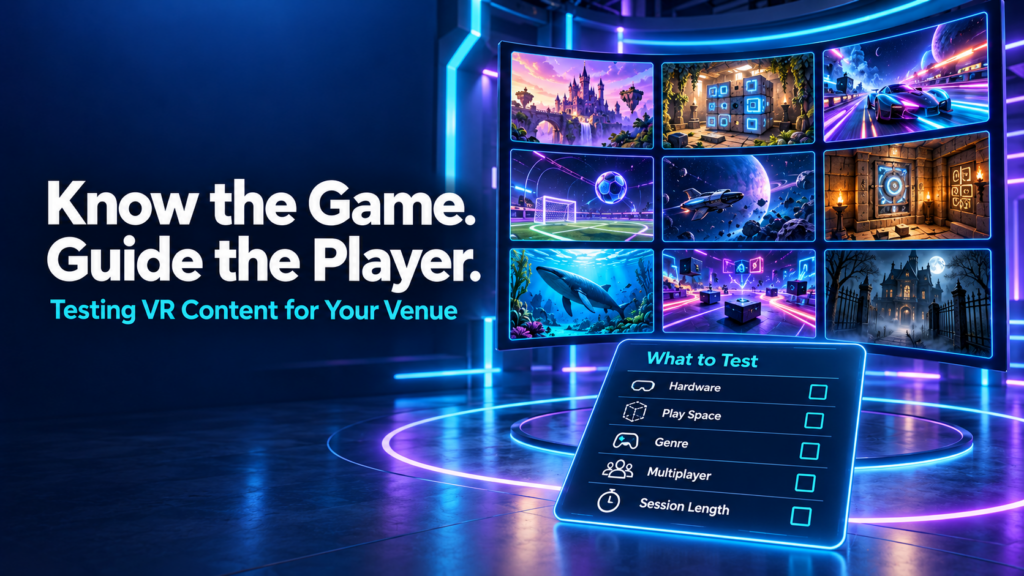
A new VR game appears in the library. The trailer looks promising, the hardware seems compatible, and a free trial makes it easy to give it a go. The venue adds it to the menu and waits to see whether customers choose it. When few people play, the decision can seem straightforward: this game does not work for our audience. But that conclusion leaves several questions unanswered. Did staff play it themselves? Could they explain what players would do? Did the right groups try it? Did those groups get into multiplayer smoothly and understand the objective? VR arcade operators should test games on their actual venue setup, learn the experience well enough to guide customers, and evaluate it with suitable player groups before deciding whether to keep it. A useful trial covers compatibility, launch procedures, gameplay, session fit, recovery, and customer response. Why knowing your VR content library matters During our September 29 Arcades of the Roundtable conversation, operators discussed how they discover content, why some trials do not lead to regular use, and what makes an experience practical to offer. Fast multiplayer startup, session length, customer guidance, and hardware compatibility all featured in the discussion. Several participants described actively recommending experiences based on customers’ interests. That approach depends on staff understanding the library beyond its titles and promotional images. A customer asking for an adventure might want a cooperative puzzle, a story-driven journey, or a physically active challenge. A group asking for something scary might enjoy suspense but dislike intense combat. Knowing the difference helps staff make a recommendation the group can trust. It also helps operators interpret feedback. A player who never understood the controls has experienced a different problem from someone who understood the game and disliked its mechanics. Both responses matter, but they require different decisions. Start with compatibility on your actual venue setup Before putting customers into a trial, check the title’s current commercial listing and setup documentation. Confirm the supported platform, headset, controllers, play-space requirements, player count, and network requirements. A game running on a standalone headset does not automatically support free-roam play. Multiplayer availability does not automatically mean offline or local-network multiplayer. Confirm the specific mode you intend to sell. Test the experience on the equipment and configuration customers will use. A successful launch on one headset tells you little about whether a full group can join and play together. Check commercial licensing availability and the conditions of the trial, too. Consumer availability alone does not establish that a title is ready for paid use in your venue. If a requirement is unclear, resolve it with the platform or developer before evaluating customer demand. Otherwise, an unsuitable configuration can become mistaken evidence that the content itself is poor. Play enough to understand what you are recommending Launching a game and trying its opening scene gives staff a limited view of the experience. For a finite story or escape game, someone on the team should work through the complete experience where practical. They need to understand progression, completion, common sticking points, and what happens at the end. Other team members can learn through supervised play and a shared guide. For an open-ended shooter, sports title, or replayable competition, test representative modes and complete rounds. Learn how scoring, difficulty, replay, and restarting work. Staff should be able to answer a customer’s basic questions: What will we do? Are we playing together or against each other? How demanding is it? Can beginners join? Does everyone need to understand written or spoken instructions? Follow the title’s documented eligibility and safety requirements when assessing audience fit. Then consider practical factors such as language, comfort with movement, puzzle complexity, and the amount of guidance a group may need. This knowledge makes the game easier to explain and helps staff recognise when customers are confused. Rehearse the multiplayer launch and recovery process An experience can be enjoyable once it starts and still create problems during a busy shift. Run through the full sequence from prepared equipment to a group playing together. Identify who creates the session, how others join, which settings need to match, and whether staff must complete any steps inside individual headsets. Repeat that process with another staff member following your instructions. If they need the original tester beside them throughout, the launch procedure needs more work. Also practise the recovery options documented for the title. Find out what happens when a player disconnects, a controller loses connection, or a session needs restarting. Can someone rejoin? Does progress remain? Which problems require support? Keep a short record of the steps staff can safely take and when they should escalate. Avoid experimenting with unfamiliar settings while a paying group waits. In the Roundtable discussion, operators highlighted the importance of getting customers into multiplayer without lengthy technical struggles. Testing the launch sequence gives teams a chance to find those difficulties before they affect a booking. Check how the game fits the session you sell Game duration and booked session duration are different measurements. Your booking may need to accommodate fitting equipment, a briefing, joining multiplayer, gameplay, and whatever transition your venue includes. Measure those stages during testing rather than relying solely on a listed playtime. Some Roundtable participants offering hour-long sessions described difficulties fitting short experiences into their existing flow. That is useful evidence about their operating models, rather than a reason to reject every short game. A shorter title might work as a complete attraction, a replayable competition, or one part of a multi-experience package. Consider whether the transition into the next activity is practical and whether customers understand what they are buying. Lobbies deserve attention as well. Participants described interactive waiting spaces that let players socialise or explore while the group gets ready. During your own test, check what early arrivals can do, how staff move everyone into the game, and whether the waiting environment suits the group. The question is whether your venue can deliver a coherent visit using the experience. Give customers enough guidance to
How Much Software Does a VR Arcade Actually Need?
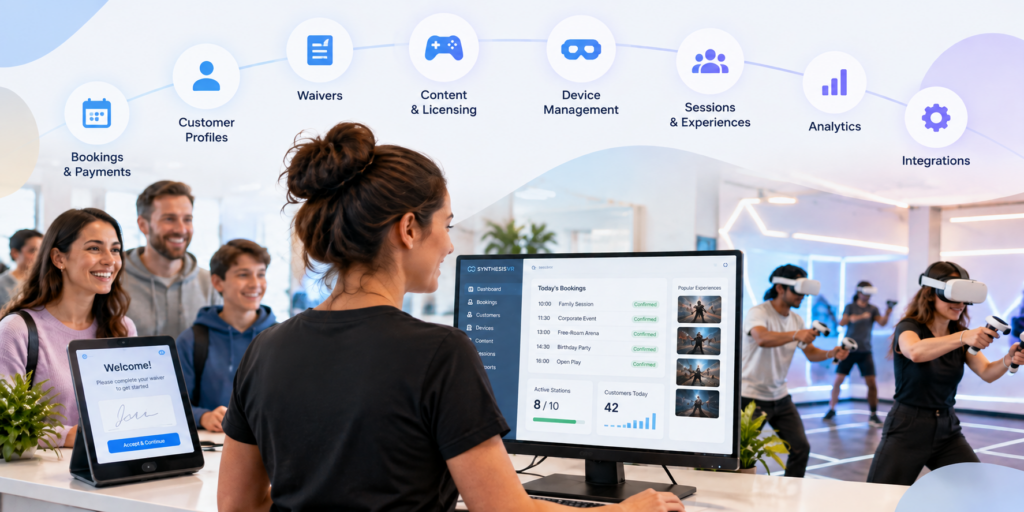
Running a VR arcade involves much more than launching games. Before a customer even puts on a headset, someone may need to manage the booking, check availability, collect payment, confirm a waiver and connect the visit to a customer profile. Once they arrive, staff still need to prepare stations, launch the right experiences, manage session time and keep track of commercially licensed content. After the session, there may be feedback to collect, customer history to maintain, memberships to manage and operational data to review. It is easy for each of those jobs to become a separate piece of software. But does a VR arcade actually need that many systems? For many venues, the answer is no. A dedicated VR arcade management platform can bring much of the customer journey and day-to-day operation into one environment, while still connecting to specialist tools when they are genuinely needed. That is the approach behind SynthesisVR. What does VR arcade management software actually manage? VR arcade management software connects the operational parts of running a commercial VR venue. With SynthesisVR, operators can manage VR devices, content, customers, reservations and commercial licensing within the same ecosystem. Depending on the setup and modules a venue chooses, the platform can also support online bookings and payments, waivers, memberships, gift vouchers, customer feedback, analytics and third-party integrations. That distinction matters. The objective is not to replace every piece of business software a venue could possibly use. An operator may still want dedicated accounting, payroll, advanced marketing automation or other specialist systems. The more useful question is how many separate systems staff need to move between simply to run a VR session and manage the customer around it. For many venues, that number can be considerably smaller than expected. Start before the customer reaches the venue A large part of venue management happens before someone walks through the door. With the SynthesisVR Booking Widget, customers can see available times and experiences, select session duration and station requirements, and create a reservation directly from a venue’s website. Operators can configure booking rules, available days and other conditions around how those reservations work. Online payment can also form part of that process. Operators can connect supported payment providers, require deposits, take payment during booking or allow customers to pay at the venue. The widget can also collect additional customer information and present booking confirmation requirements. A waiver can be incorporated into the booking process as well. For the operator, the important part is what happens behind the customer-facing page: the reservation is being created within the same operational environment used to manage the venue. Related resource: SynthesisVR Booking Widget Setup Customer information does not have to live in another system A booking is more useful when it is connected to a customer rather than existing as an isolated calendar entry. SynthesisVR’s customer management tools allow venues to maintain customer profiles and connect those profiles with operational information. Operators can view registered customers, reservation and session history, membership status, waiver status and account balances. Profiles can also contain additional information and internal notes. This becomes increasingly useful as a venue develops repeat customers. Instead of treating every visit as if the guest has never been there before, staff have a record connected to the same system being used to manage their sessions. This is not intended to replace every function of a specialist CRM. For venues that need broader email marketing or automation, SynthesisVR supports integrations with tools such as MailChimp and ActiveCampaign. The difference is that core customer information does not have to be separated from the VR operation itself. From reservation to VR session This is where a general booking system and software built specifically for location-based VR begin to differ. A standard reservation platform can tell staff that six people are arriving at 3:00 PM. A VR management system also has to deal with what happens next. Which stations will they use? Which experience are they playing? How long is the session? What content needs to be available? Is the customer’s waiver complete? What has been assigned to the reservation? SynthesisVR connects reservations with the operational side of the session, allowing staff to manage the customer and the VR experience from the same environment. For a quiet venue with only a few headsets, moving between systems may initially seem manageable. As bookings overlap, group sizes grow or a venue adds more stations and attraction types, those extra steps become much more noticeable. The goal of consolidation is not simply having fewer browser tabs open. It is reducing the number of manual handoffs required to get a customer from booking to play. Managing the headsets is part of managing the business VR hardware creates another layer that conventional booking software does not address. SynthesisVR provides centralized device and station management, giving operators control over the hardware used across the venue. It also offers the Smart In-Headset Game Launcher. Players can browse and switch between available games from inside the headset, with features including game categories, trailers, pause controls and a call-for-help option. That can change the role of venue staff. Instead of needing to manually intervene every time a customer wants to browse or change an experience, some of that interaction can happen inside the headset. Staff remain available when customers need help, but they do not necessarily need to perform every routine action for them. For a commercial venue, that distinction becomes increasingly important as the number of active stations grows. Content management and commercial licensing belong in the same conversation A VR arcade does not only need games. It needs the right to use those games commercially. Consumer VR licenses are generally intended for personal use rather than a business charging customers to play. Commercial venues therefore need content that is properly licensed for location-based entertainment. SynthesisVR combines content discovery and commercial licensing with the management platform. Operators can test, license, install and manage commercial VR content through the SynthesisVR ecosystem, with usage tracking built into the
How Long Should a VR Arcade Session Be?
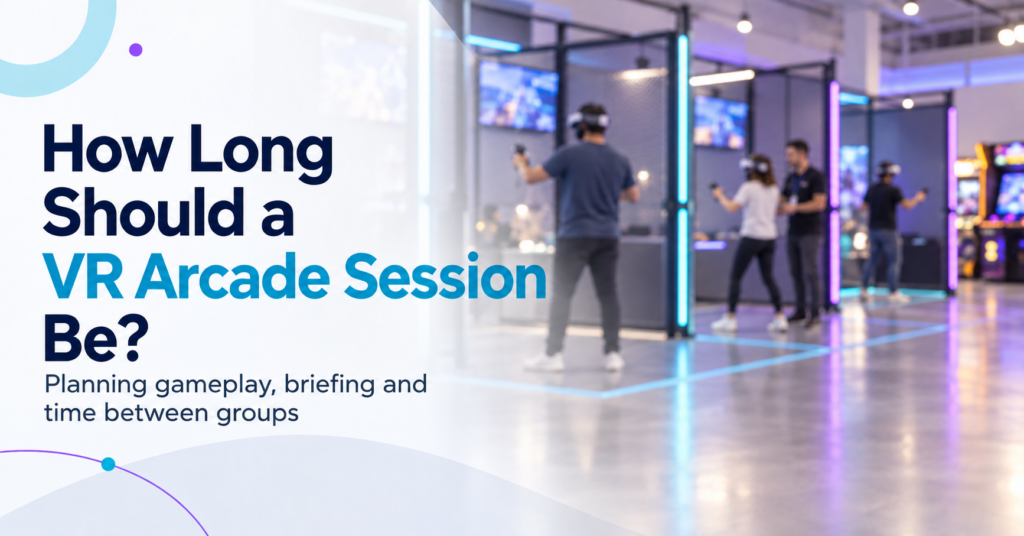
There is no standard VR arcade session length. Commercial VR experiences currently range from a few minutes for fast competitive rounds to 30 or 45 minutes for free-roam missions and narrative experiences. Some venues then add another 10 to 15 minutes for briefing, headset fitting, and preparation. For an operator, the useful question is therefore: How much gameplay creates a satisfying experience while still fitting the attraction, audience, booking schedule, and operating model? The answer starts by separating three different clocks that often get grouped together as “session length.” Gameplay Time, Booking Time, and Operating Time Are Different A customer might book 30 minutes of VR, but the attraction can occupy venue capacity for much longer. Consider the full cycle: Briefing and fitting → Launch → Gameplay → Exit → Reset If guests play for 30 minutes, need 10 minutes for preparation, and staff need another 5 minutes before the next group, the attraction occupies a 45-minute operating block. That distinction matters because the game duration does not determine how many sessions a venue can actually run. The previous SynthesisVR guide on VR attraction performance looked at this from the measurement side. A nominal 30-minute attraction can become a 40-minute or 45-minute cycle once onboarding, launch, and reset enter the calculation. For session planning, operators should define three times clearly: Time What it measures Gameplay time Minutes the customer actively spends inside the experience Guest booking time The time the customer should allow for the booked activity Operating cycle Time from preparing one group until the attraction is ready for the next Commercial VR Already Uses Very Different Session Lengths Current commercial VR formats show why one universal session duration would make little sense. Some HOLOGATE arena titles support playtimes as short as 3, 5, 8, or 10 minutes. SynthesisVR marketplace title Critical Mass lists an approximate session duration of 10 to 15 minutes. Teller Falls can run individual themes in roughly 10 to 15 minutes or its complete experience in 25 to 30 minutes. At the other end, Zero Latency offers formats built around 15- and 30-minute sessions and currently offers some experiences in 30- and 45-minute versions. VR escape venues commonly advertise around 40 to 45 minutes of actual play, with preparation extending the complete visit toward an hour. The range reflects different products. A five-minute competitive match can produce a complete result, a winner, and an immediate rematch. A 30-minute cooperative mission needs enough time for the group to progress through the experience. An escape-style attraction needs time for exploration, puzzles, and narrative development. The operator should start with what the experience needs to feel complete, then build the commercial session around it. Match Session Length to the Experience Structure Session duration works best when it follows the natural rhythm of the content. Fast competitive games often lend themselves to shorter rounds because the outcome arrives quickly. Scores, wins, losses, and leaderboards create natural stopping points. Customers can play again without repeating a long introduction. Cooperative shooters and free-roam missions usually need more time to establish the objective, let the team settle into its roles, and give players a meaningful progression. Narrative and escape experiences generally need longer uninterrupted periods because their value comes partly from completing a story or solving a sequence of challenges. That does not mean every competitive game should run for ten minutes or every escape game should run for 45. The current commercial market already contains plenty of exceptions. A better operator question is: At what point does this specific experience feel finished rather than cut short? That becomes the starting duration to test. Shorter Sessions Do Not Automatically Mean Better Throughput Short sessions create more theoretical booking slots, but every session carries some fixed operational time. Imagine two formats. Format A 15 minutes gameplay10 minutes briefing and fitting5 minutes reset 30-minute total cycle Format B 30 minutes gameplay10 minutes briefing and fitting5 minutes reset 45-minute total cycle Format A can theoretically complete two cycles per hour. Format B completes around 1.3. But look at the same example from the customer’s side. In Format A, only 50% of the attraction cycle is gameplay. In Format B, gameplay accounts for roughly 67% of the cycle. That gives operators a useful planning calculation: Playable-Time Ratio Gameplay time ÷ full operating cycle × 100 This is not an established industry KPI. It is a simple planning measure that helps show how much of each operating block goes toward the experience customers actually came to play. The highest ratio does not automatically produce the best business model either. A short competitive attraction can work extremely well when customers replay it, groups move through quickly, or the format supports walk-ins. A longer session may suit private bookings or premium experiences. The calculation simply exposes the tradeoff. Longer Sessions Have Their Own Limits Adding more gameplay time can increase perceived value, but only while the experience continues to hold the player’s attention and comfort. VR research does not support one universal maximum session duration. Exposure time interacts with content, locomotion, software design, and individual susceptibility. Research into cybersickness has found substantial variation between users and between different types of VR content. For an arcade operator, that makes observation more useful than adopting a generic rule. Watch when customers naturally want to stop. Track early exits. Listen for complaints about fatigue or discomfort. Compare first-time visitors with experienced players. An intense free-movement shooter and a calm exploration experience can place very different demands on players over the same 30 minutes. Group Size Changes the Session Before Gameplay Even Begins Session length should also be tested with the group size the venue actually expects to serve. Preparing two experienced players can take very little time. Preparing six or eight first-time visitors may involve headset assignment, fitting, player identification, explanation, calibration, multiplayer connection, and questions from several people at once. The SynthesisVR multiplayer guide makes this operational difference clear: even a small repeated step can become several minutes of preparation
How Do You Measure VR Attraction Performance?
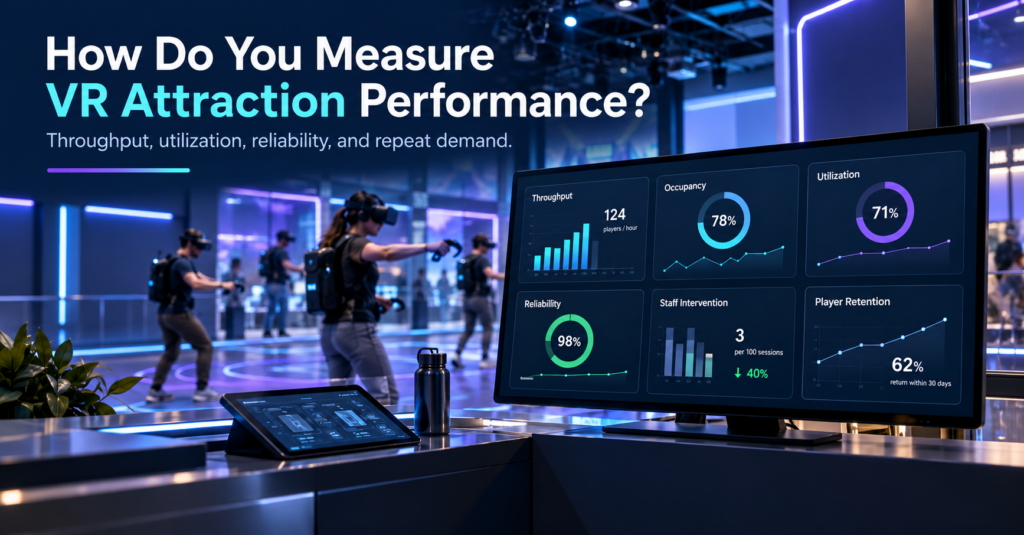
A VR attraction can stay busy and still leave capacity on the table. Two experiences might generate a similar number of bookings over a weekend, yet perform very differently once you look beyond sales. One may start reliably, fill most available player positions, move groups through on schedule, and need little staff attention. The other may lose time through slow launches, partial groups, resets, troubleshooting, or interrupted sessions. For a commercial VR venue, that difference matters. Measuring VR attraction performance means looking at how effectively an attraction turns available time, space, hardware, staff attention, and customer demand into completed guest experiences. Revenue still matters, but it makes much more sense when viewed alongside occupancy, throughput, reliability, operational friction, and repeat demand. A useful way to think about the attraction is as a sequence: Demand → Occupancy → Throughput → Friction → Reliability → Labor → Retention Once those pieces are measured together, the numbers begin to explain why an attraction performs the way it does. Maximum Capacity Is Only the Starting Point Maximum player count tells you how many people an attraction can support under the right conditions. It says much less about how that attraction actually operates during a normal week. Take an eight-player free-roam experience. One venue may regularly fill seven or eight positions, while another mostly runs groups of four or five. Both technically operate an eight-player attraction, but their utilization looks very different. A simple occupancy calculation gives that distinction some structure: Average occupancy = players served ÷ available player slots If an eight-player attraction runs 100 sessions, it offers 800 possible player positions. Serving 520 guests across those sessions gives an average occupancy of 65%. That number helps when comparing attractions with different group sizes, but it still leaves out one important factor: time. An attraction can fill well and still process groups slowly. Related reading: How Many Players Should a VR Attraction Support? Measure Completed Players, Not Just Sessions Launched For many VR venues, practical throughput is more useful than maximum capacity. The calculation is straightforward: Practical throughput = completed players ÷ operating hours The important word here is completed. A free-roam attraction may theoretically support eight players every 30 minutes, which suggests a capacity of 16 players per hour. In a live venue, those 30 minutes sit inside a larger operating cycle. Guests need to arrive, understand the experience, receive their headsets, enter the session, play, exit, and make room for the next group. A five-minute delay before launch and another five minutes during reset turns a 30-minute experience into a 40-minute operating block. Over a full day, the gap between theoretical throughput and actual throughput can become significant. This is particularly visible during birthday parties, school visits, corporate groups, and busy weekend periods because one late session can begin pushing the rest of the schedule behind it. The useful question is therefore less about how long the game lasts and more about how long the attraction occupies venue capacity from one group to the next. A venue that wants to understand that cycle can break it into onboarding, launch, gameplay, reset, and recovery time. Those measurements quickly show where minutes begin to disappear. Where Do the Lost Minutes Go? Commercial VR attractions depend on more than the game itself. A session may involve standalone or PCVR headsets, local networking, tracking, commercial licensing, multiplayer synchronization, venue infrastructure, operator settings, and staff workflows. That means a delay can originate at several points in the session. A headset may require attention before launch. A multiplayer group may need to reconnect. Staff may need to correct a session configuration, restart an experience, confirm a tracking state, or recover a device before the next booking. On their own, these events may seem small. The operational effect becomes clearer when they are measured in the context of the group. Instead of simply recording that an issue occurred, record how much time it consumed, how many players it affected, whether the session finished, and whether staff had to intervene. That turns technical events into usable business information. Player-Minutes Lost Gives Downtime More Context One useful way to measure disruption in multiplayer VR is through player-minutes lost. The formula is: Player-minutes lost = disruption time × affected players Suppose one headset needs six minutes of attention. One player loses six minutes. An eight-player arena experiencing a six-minute group-wide delay loses 48 player-minutes. The clock shows the same six-minute interruption in both situations. The commercial effect is very different. This matters because attraction problems do not all have the same scope. Some affect one headset. Others affect part of a multiplayer group. A network, server, tracking, or shared-session issue may hold up the entire attraction. Looking at player-minutes lost gives operators a more realistic way to compare those incidents. Measure the Blast Radius, Not Just the Number of Incidents A simple incident count can be misleading. Ten small interventions affecting one headset are not necessarily more damaging than two interruptions that stop an entire free-roam session during peak hours. For that reason, it helps to classify problems according to their operational scope: one device, several players, or the whole attraction. This is where the idea of a blast radius becomes useful. It describes how far the consequences of an issue spread through the booked session. A single tracking prompt might delay one player briefly. A multiplayer state problem could hold up several people. A network or server-level problem may stop the entire experience until staff resolve it. From an operator’s perspective, those are different levels of risk even if each event appears as a single support case. What Recent Operator Support Conversations Show Support conversations offer an interesting view into attraction performance because they reveal where operators spend time while setting up, maintaining, and running commercial VR. For this article, we reviewed a sample of recent SynthesisVR operator support threads and grouped them by the type of operational question involved. These figures describe the reviewed support sample only. They are
Is Your VR Venue Ready to Add Another Attraction?
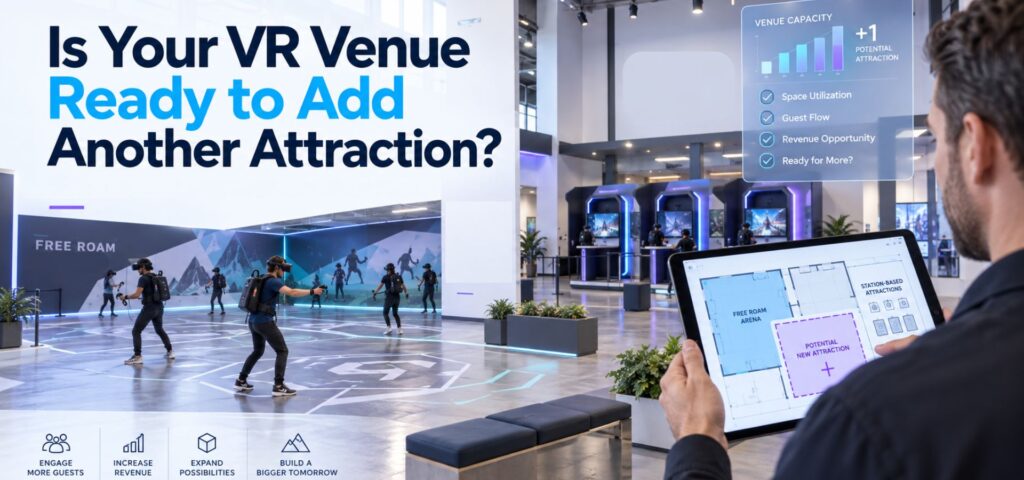
Adding another attraction can feel like the obvious next step when a VR venue starts getting busier. Perhaps weekend slots are filling consistently. Birthday groups are getting larger. Customers are asking for more variety. There may be unused floor space that could support another free-roam arena, a few standalone stations, or a different type of multiplayer experience. The question is whether the venue actually needs more capacity yet. Adding hardware increases the number of experiences a venue can sell, but it also adds another schedule, another set of devices, more content decisions, additional staff responsibilities, and another attraction that needs to earn its place on the floor. Before expanding, operators should look at what their current setup is already telling them. Start With the Capacity You Already Have A busy Saturday does not necessarily mean an attraction has reached its capacity. Look at utilization across the full week. An eight-player arena that regularly fills during birthday bookings may still spend large parts of weekday afternoons unused. A venue with several room-scale stations may appear busy because customers arrive continuously, while individual stations remain empty between bookings. That distinction matters because expansion solves a capacity problem. It does much less for a demand problem. Our guide to How Many Players Should a VR Attraction Support? looks at this from the booking-model side. Eight simultaneous players can mean one eight-player arena, two four-player experiences, or several smaller attractions. The useful capacity depends on the way customers actually book. Identify the Booking the Current Venue Cannot Serve The strongest reason to add another attraction is usually a specific booking opportunity. For example, a four-player setup may work well for walk-ins but become difficult when birthday groups regularly arrive with eight or twelve guests. A free-roam arena may handle large social groups well while leaving couples and smaller groups with limited options. The gap could also be demographic. A venue with mostly competitive shooters might receive regular family traffic without enough suitable content. Another location may serve casual players well but lack an attraction strong enough for repeat visits from experienced groups. Before expanding, define the gap clearly: Which customer or booking type could we serve better if this attraction existed? That question is more useful than asking whether a new attraction looks impressive. We recently explored the same principle from the content side in How to Choose VR Arcade Games for Different Customer Groups. Hardware, space, group size, staff workflow, and audience fit all affect whether an experience works commercially. Check Whether More Capacity Creates More Throughput The theoretical capacity of an attraction and the number of sessions staff can actually deliver are rarely identical. Suppose a venue adds a second multiplayer attraction. That may allow two groups to play at once. It may also mean staff now need to: If the existing team already struggles during back-to-back bookings, another attraction can increase pressure without creating the expected number of additional sellable sessions. This is why throughput belongs in the expansion calculation. The VR Arcade Business Plan guide uses a simple starting model: available sessions × average players per session × realistic utilization × average revenue per player The important word is realistic. Session capacity has to account for onboarding, resets, maintenance, delays, and staff workload rather than relying on the maximum number printed on the attraction specification. Watch What Happens During Your Busiest Hour Peak periods often reveal more than weekly revenue totals. Observe one genuinely busy hour at the venue. Where does the line form? Is staff waiting for headsets to become available? Are customers waiting for a play space, or are they waiting for an employee to launch the experience? Does one attraction finish while another group is still being prepared? Are staff moving between several systems to check bookings, launch content, or resolve device problems? These observations help distinguish between a physical capacity constraint and an operational constraint. That matters because adding another attraction only directly fixes the first one. The wider attractions industry sees the same issue. IAAPA’s recent guidance for FEC operators describes how multiple attractions, staff roles, and guest touchpoints can allow small operational problems to compound quickly. That is useful context for VR venues because expansion usually increases coordination before it increases complexity anywhere else. Make Sure the New Attraction Adds Something to the Mix Another attraction should have a role. It might increase capacity for large parties. It might create a lower-cost option for couples and small groups. It could introduce cooperative content alongside an existing competitive offer. It may give families something accessible while older visitors use a more intense free-roam experience. Or it could make an underused part of the building commercially productive. The risk is adding an attraction that competes with the venue’s existing offer for the same customers. If two attractions target the same audience, group size, price range, and occasion, operators may simply divide existing demand between them. A useful attraction mix gives customers different reasons to book. Our article on VR arcade content rotation makes a related point: customer behavior should drive changes to the lineup. Operators can look at selection frequency, repeat requests, operational friction, and audience gaps before deciding what belongs in the mix. Calculate the Full Cost of the Expansion The hardware purchase is only one part of the decision. Depending on the attraction, expansion can introduce costs for: It can also introduce a less visible cost: floor space. A large attraction needs to earn enough to justify the area it occupies. That is particularly important when comparing free-roam with smaller station-based formats. Our guide to free-roam VR arena space requirements explains why footprint, hardware, and available content should be evaluated together rather than treating square footage as a standalone requirement. Operators building the financial model can also use our VR Arcade Startup Budget and Revenue guide. Although it was designed around new venues, the same logic applies to expansion: build the investment around your own capacity, labor, hardware, software, content, and revenue assumptions
When VR Arcade Operators Become Game Developers: An Emerging LBE VR Trend
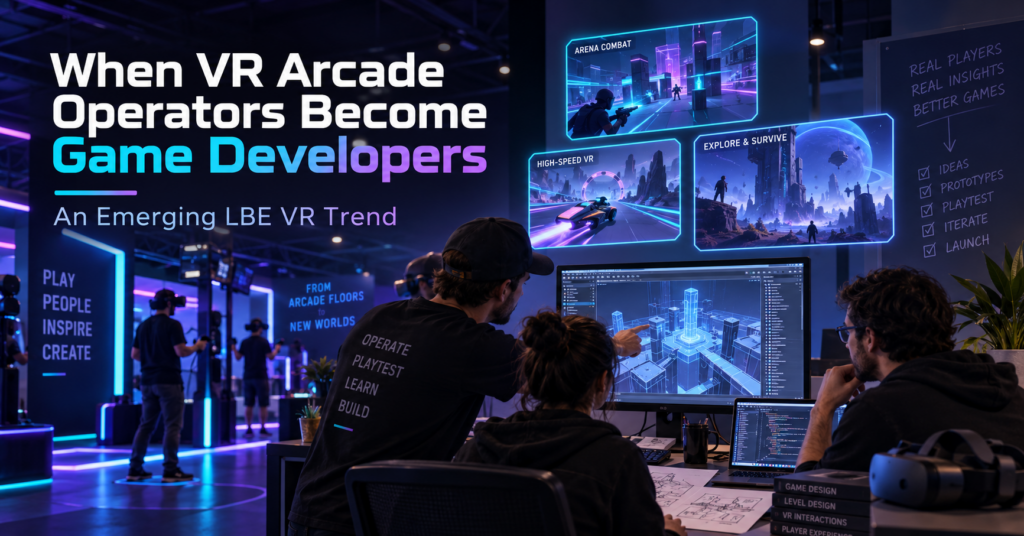
For years, one of the main content questions for a VR arcade operator was simple: What games can we license for our venue? Lately, we have seen a different question appear inside the SynthesisVR ecosystem. What if we build the experience we wish we had? Several games that have reached SynthesisVR have come from people who also operate VR venues. Their reasons differ. One operator wanted to replace an experience that customers kept asking for. Another started developing a game and asked us what tends to work in arcades before the project was ready for submission. Others have used problems they encounter during daily venue operations as the starting point for development. A handful of projects is not enough to measure an industry-wide trend. It is enough for us to recognize a recurring pattern through game submissions, testing, and conversations with operators. To understand why it is happening, it helps to look at how commercial VR content got here. Commercial VR started with games built for home players When the first wave of modern VR arcades opened around 2016, relatively little content had been created specifically for location-based entertainment. SynthesisVR grew out of that period. VR Territory opened in June 2016, and the original SynthesisVR tools developed around the practical problems of managing a VR arcade. By September 2017, SynthesisVR had introduced its commercial licensing platform to help connect developers and arcades and support different commercial licensing models. For early operators, getting legal access to commercially licensed VR content solved an important problem. Running that content in paid sessions exposed another one. A person playing at home can spend ten minutes learning controls, looking through menus, restarting a level, or working out what the game expects them to do. Their headset is still available afterward. A customer in a VR arcade may have booked 30 minutes. If five of those minutes disappear into explanations, menus, failed launches, or a tutorial that the player does not understand, the venue notices. So does the customer. Developers started adapting to those conditions. Then came arcade editions In 2017, Fallen Planet Studios released an arcade version of AFFECTED: The Manor after working with VR arcades. The studio redesigned parts of the experience for faster throughput, replay value, and a commercial setting. SUPERHOT VR: Arcade Edition took that thinking much further. The studio had received feedback from operators running the consumer version in commercial locations. The resulting Arcade Edition added faster tutorials, scoring, local leaderboards, spectator tools, level selection, an administrator panel, time-based play, and controls that allowed staff to help a player who became stuck. The gameplay remained recognizably SUPERHOT. The systems around it had to work differently because the environment was different. Arcades care about how quickly a first-time player starts playing. They care about session length, recovery when something goes wrong, replay value, and how often staff need to enter the headset or explain a menu. Over time, those considerations started appearing earlier in development. In some recent cases, the person thinking about those problems is also running a VR venue. When the operator is part of the development team There is no single route from arcade operator to VR content developer. Some operators have development skills on their own team. Others work with partners or contractors. Some begin with a game idea. Others start because something is missing from their current attraction mix. Their advantage is exposure. They already watch first-time customers use VR every week. ORBEAT started by asking what works in arcades ORBEAT gives us one of the clearest examples because the conversation with SynthesisVR started before the game was ready for submission. In February 2026, Seth from VR Adventures Zone contacted us while developing the project. He wanted to know what characteristics tend to determine whether a game performs well or struggles in commercial VR. He was already thinking about ease of use, replayability, and multiplayer, and the game was being tested inside their own venue. That led to months of discussion and testing. Multiplayer was originally planned for later in the development roadmap. SynthesisVR recommended moving it forward because groups of friends and family make up an important part of arcade traffic. Player rejoining also mattered. If one headset drops during a multiplayer session, getting that player back into the same group quickly can make the difference between a short interruption and a disrupted booking. Other issues only became obvious when people started using the builds. One version had controller compatibility problems with Vive and Index hardware. Another environment had been built at a scale that made parts of the gameplay awkward in a typical room-scale area. It was resized. Even the tutorial produced useful feedback. At one point, a player entered the game with a tutorial panel visible alongside a large “Hit Me” prompt. During testing, the obvious action drew attention first. The player started playing and barely registered that there were instructions to read. The onboarding changed. Later builds added command-line options for player name, difficulty, and map selection. SynthesisVR connected those settings to operator-side launch controls, reducing the amount of configuration a customer needed to do inside the game. ORBEAT eventually went live after several rounds of game testing, hardware checks, integration work, and launch automation. Explore ORBEAT on SynthesisVR Precise Force: Designing With the Arcade Floor in Mind Precise Force is another example of an operator moving from running VR experiences to developing one. The project comes from someone already familiar with commercial VR and the practical realities of putting players into a headset in a location-based environment. That background naturally influences the questions behind the experience. How does physical interaction work when different groups play throughout the day? How quickly can players understand what they need to do? Does the gameplay translate well from an interesting VR mechanic into something that works repeatedly in an LBE setting? Precise Force approaches those questions through multiplayer action and physical interaction. Rather than going deep into its development process, the more interesting point for
What Should Be Included in a New VR Venue Business Plan?
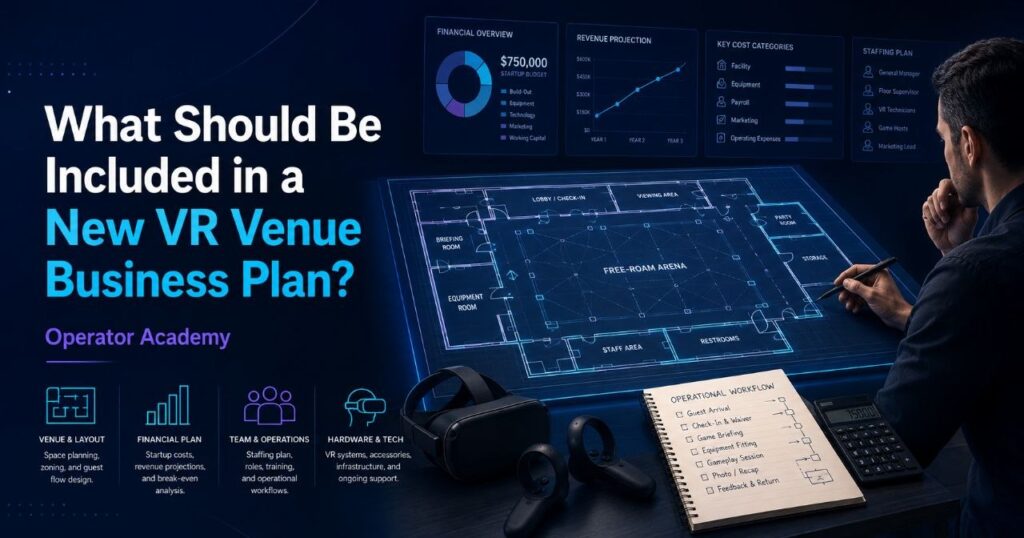
Opening a VR arcade or adding a commercial VR attraction to an existing entertainment venue starts with more than choosing headsets and finding a space. A useful VR arcade business plan should explain who the venue will serve, what those customers will book, how many sessions the operation can realistically deliver, what each session costs to run, and whether projected demand can support the investment. For a new VR venue, that means connecting traditional business planning with decisions that are specific to location-based VR: attraction format, playable space, headset capacity, commercial content licensing, VR management software, staffing, session turnaround, hardware maintenance, and content rotation. A plan that covers those areas gives an operator something more useful than a document for a lender or investor. It becomes the model against which the venue can test decisions before committing money. Start With the Type of VR Venue You Plan to Operate The term “VR arcade” covers several very different businesses. One operator may install six room-scale PCVR stations. Another may build a standalone free-roam arena for groups of six or eight. An existing family entertainment center might add VR alongside bowling, laser tag, or escape rooms. A larger location may combine several formats. Those models do not share the same requirements. A business plan should therefore define the attraction before estimating revenue: These choices affect almost every number that follows. An eight-headset venue, for example, could operate one eight-player attraction, two four-player experiences, or several smaller stations. Each configuration creates a different booking model, staffing requirement, throughput ceiling, and content library. The business plan should describe that operating model clearly enough that the financial assumptions can be traced back to something the venue can actually deliver. Define the Customers You Expect to Book “People interested in VR” is too broad to use as a target market. Most commercial entertainment purchases begin with an occasion. A parent may need an activity for a birthday. A group of friends may want something to do on Friday evening. A company may need a team-building activity. A teacher may be searching for an educational group visit. The market section of a VR venue business plan should identify the groups most likely to generate bookings in the local area and estimate how frequently those occasions occur. This can include families, birthday groups, tourists, students, schools, corporate teams, local social groups and repeat visitors. Competitor research should also extend beyond other VR venues. Customers may compare a VR booking with bowling, escape rooms, laser tag, cinema, trampoline parks, karting and other local entertainment. Understanding those alternatives helps answer two important questions: what customers already pay for entertainment in the area, and what reason will they have to choose your attraction? Build the Business Plan Around Sellable Capacity Headset count alone does not describe revenue capacity. A venue sells time inside an attraction. That makes the number of sessions a venue can deliver one of the most important assumptions in the business plan. A simple planning model is: Available sessions × average players per session × realistic utilization × average revenue per player The difficult part is making each assumption realistic. Suppose an arena can theoretically run eight sessions during its opening hours. That does not automatically mean the venue can sell eight sessions. The plan also needs to account for: Our free-roam operations series examined this directly in Week 9: Staff Training and the 15-Minute Cycle. In a venue running back-to-back group bookings, the reset window influences how many groups staff can serve in a day. A few extra minutes between every session can eventually remove an entire sellable time slot from the schedule. That is why throughput belongs in the business plan rather than appearing later as an operational problem. Separate Startup Investment From Ongoing Operating Costs New operators tend to notice the largest purchases first. Headsets, computers, networking equipment, furniture, leasehold improvements and arena construction are visible costs. They usually appear on the initial spreadsheet before the venue opens. The ongoing expenses deserve equal attention. A useful VR venue budget should separate capital expenditure, or CapEx, from operating expenditure, or OpEx. Typical startup costs can include: Ongoing costs may include rent, payroll, utilities, marketing, payment processing, maintenance, replacement equipment, commercial content licensing and VR management software. This distinction matters because the lowest initial equipment price does not always produce the lowest operating cost. In Week 4: The Math of a Successful Free Roam Arena, we looked at this through the CapEx versus OpEx lens. Hardware that requires frequent manual calibration, troubleshooting or device-by-device management creates labor costs that rarely appear on the original purchase order. A business plan should therefore estimate what the equipment costs to operate, not only what it costs to acquire. Budget for Commercial VR Hardware Hardware deserves its own section because a commercial VR headset has a very different job from a headset used at home. A venue may run the same devices for several sessions per day, across hundreds of guests, while staff need predictable tracking, charging, device control and fleet management. The plan should consider: For standalone free-roam deployments, PICO enterprise hardware has become one option widely used in location-based entertainment. Our free-roam series explored the reasons in Week 3: Why PICO Became the LBE Standard for Free Roam, including persistent mapping, device control, commercial deployment workflows and integration with centralized venue management. SynthesisVR also works with operators planning PICO deployments and can provide PICO enterprise hardware options alongside the platform setup. Operators preparing a new venue can contact the SynthesisVR team for a current hardware quote based on their required fleet size and deployment. That quote belongs in the business plan alongside the rest of the startup equipment budget. Include Commercial Content Licensing From the Beginning Content is another expense that operators sometimes underestimate because consumer VR has trained people to think in terms of buying a game once. Commercial use works differently. A consumer game purchase generally covers personal use. Running a VR title for paying customers