
Part of the series: From First Headset to Fully Operational VR Arena
Week 5 covered the physical layer of a free roam arena: walls, floor plans, and why access point placement should follow player movement rather than cable runs. Week 6 goes deeper into the network itself. Not the theory of WiFi, but the specific failure patterns that appear in live LBE VR operations and why operators so often misdiagnose them before finding the real fix.
The network is invisible until it breaks. When it does, what operators usually see is a tracking complaint.
Why Networking Failures Feel Like Tracking Issues
A player reports that their headset lost position mid-session. The instinct is to check the headset: boundaries, calibration, firmware. In many cases, the headset is fine. The network dropped a packet at the wrong moment, session state fell out of sync between players, or latency spiked past the point where the experience could recover cleanly.
The result looks identical to a tracking failure. The cause is completely different. And the fix lives in the network configuration, not the headset settings.
This misdiagnosis pattern drives some of the most consistent wasted troubleshooting time across free roam LBE VR operations. The good news is that networking rarely needs constant attention once it is configured correctly. Operators who invest the time upfront to set up their network properly, right band, right access point placement, right roaming configuration, tend to stop thinking about it. The issues that surface for everyone else simply do not appear.
Without that foundation in place, operators fix the wrong thing first. Every time.
What a Standalone Headset Actually Needs from a Network
Before getting into configuration specifics, it helps to be precise about what the network carries.
A standalone headset running a free roam VR experience (like the PICO 4 Ultra Enterprise) processes and renders the game locally on the device. WiFi does not carry video frames, it carries multiplayer session data: player positions, game state, synchronisation signals between headsets, and platform management traffic from your VR arcade management system. Real-time multiplayer systems typically exchange small packets containing positional and state updates rather than media streams, which keeps bandwidth requirements relatively low but makes latency and reliability critical to maintaining a synchronized experience across players.
This differs fundamentally from PCVR streaming, where every rendered frame travels over WiFi from a PC to the headset. PCVR is bandwidth-intensive. Standalone free roam is latency-sensitive. The network does not need to move large amounts of data, it needs to move small amounts of data reliably, fast, and without interruption.
That distinction changes how operators should think about everything from hardware selection to configuration priorities. A network built around raw throughput handles PCVR well. A network built around low jitter and stable roaming handles standalone free roam well. In a venue running both, the configuration needs to serve both simultaneously.
WiFi 6E vs WiFi 7 in Player-Dense Environments
Week 5 recommended the 6 GHz band for free roam headset networks. The question for operators making a hardware purchase right now is which generation of that technology to invest in.
WiFi 6E introduced the 6 GHz band to commercial WiFi, expanding available spectrum and reducing interference from legacy devices, and it remains the current standard across most LBE VR deployments. It delivers clean spectrum, wide channels, and strong performance in environments where the 5 GHz band suffers from congestion. (2.4 GHz, now primarily used for IoT devices like smart lights and thermostats, is no longer a realistic headset band in most venues.)
WiFi 7 builds on that foundation with a capability called Multi-Link Operation (MLO), which allows devices to connect across multiple frequency bands simultaneously rather than committing to one, improving reliability and lowering latency in high-density wireless environments. For free roam VR specifically, MLO improves reliability and reduces latency because the headset maintains connections on more than one band at once, if one path degrades, the other compensates without the headset noticing. WiFi 7 also targets lower latency by design, making it well suited to the real-time demands of multiplayer free roam sessions.
The PICO 4 Ultra Enterprise supports WiFi 7 natively, which makes it the current best match for WiFi 7 infrastructure in a free roam LBE VR environment.
One important physical consideration applies to both generations: 6 GHz signals do not penetrate walls well. Higher-frequency wireless bands experience greater attenuation when passing through building materials, which means signal strength drops more quickly through walls or structural obstacles compared with lower-frequency bands. Their effective range drops significantly through solid obstacles. In a single open play space with clear line of sight between access points and headsets, 6 GHz performs excellently. The moment walls or structural elements break that path, signal quality drops. This is one more reason why an open, unobstructed arena floor is an infrastructure decision, not just a layout preference.
The practical guidance: Operators building new infrastructure today should target WiFi 6E as the baseline and WiFi 7 where budget allows, particularly for venues running PICO 4 Ultra Enterprise headsets. Operators on existing WiFi 5 or early WiFi 6 infrastructure running standalone headsets may find their current setup adequate for session coordination traffic, but will hit limitations as headset counts grow or PCVR streaming enters the mix.
Band Steering, Congestion, and Roaming Clients
These three issues cause more live session problems in free roam VR arcades than any other network factor, and none of them appear on a speed test.
Band steering directs client devices toward a preferred frequency band. In a well-configured arena network, access points steer headsets onto 6 GHz and keep guest devices and staff phones on 5 GHz. When band steering is off or misconfigured, headsets end up on a congested channel that also carries every customer’s phone traffic. Separating headset traffic onto its own VLAN removes most of that risk.
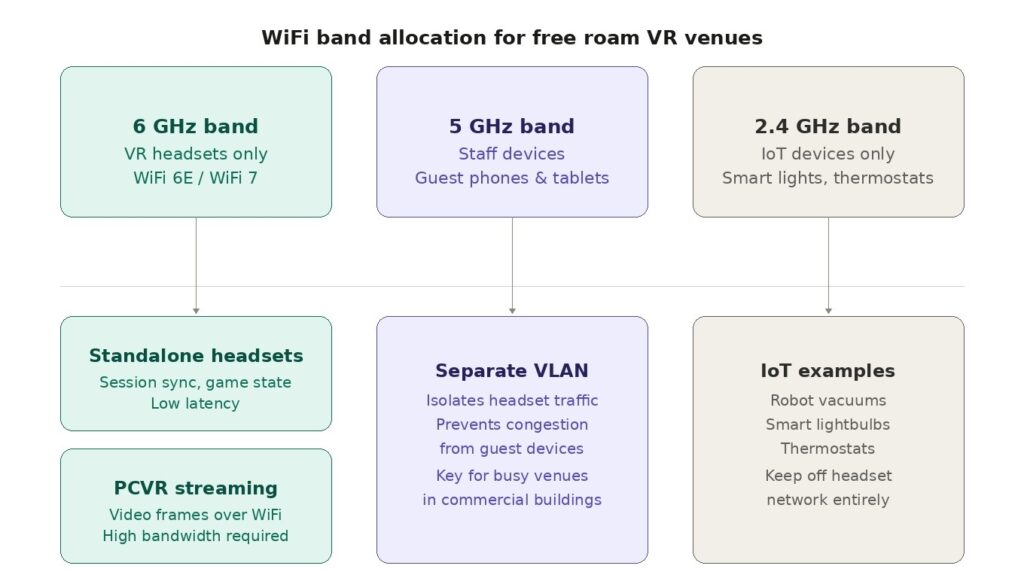
Congestion in a free roam context rarely comes from headsets alone. The session data each standalone headset generates is relatively light. What creates problems is channel interference, adjacent networks bleeding into the same spectrum, too many devices sharing a single access point, or poorly separated traffic competing on the same band. In dense commercial environments like shopping centres or entertainment complexes, neighbouring WiFi networks can interfere significantly. A proper channel plan using non-overlapping channels on 6 GHz, combined with network isolation, handles most of this.
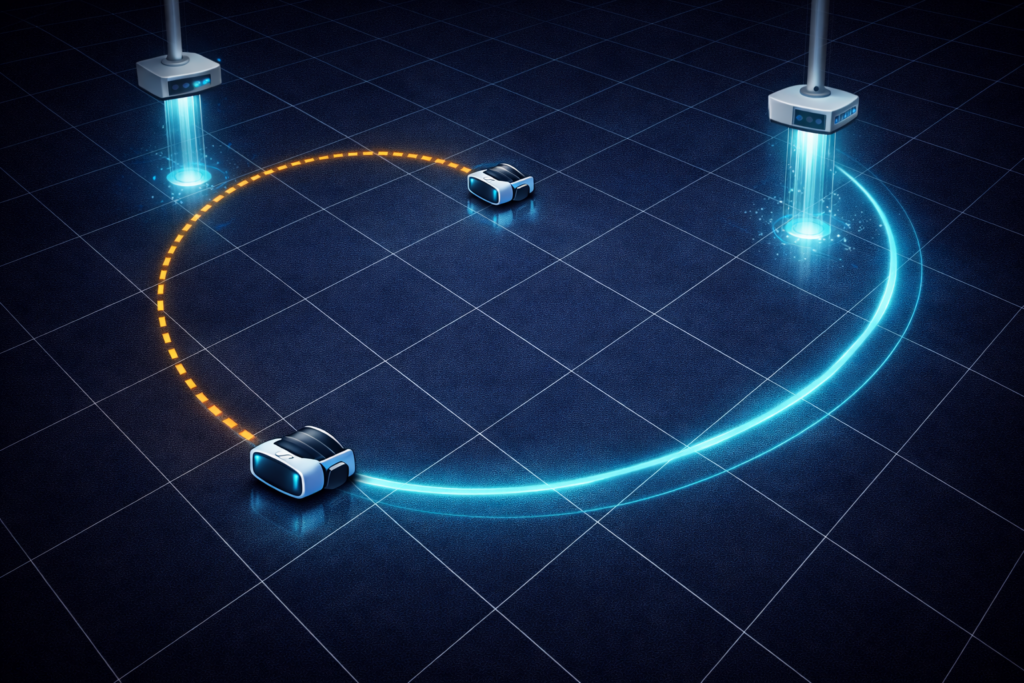
Roaming clients, sometimes called sticky clients, represent one of the most underdiagnosed problems in multi-access-point free roam arenas. A headset connects to an access point at the start of a session. As the player moves across the arena, signal quality to that original access point drops. A properly configured network hands the headset off to the nearest access point automatically. A poorly configured network holds the original connection until it degrades severely, forcing a disruptive reconnect mid-session, which shows up as a freeze, a position jump, or a player suddenly out of sync with th-e rest of the group.
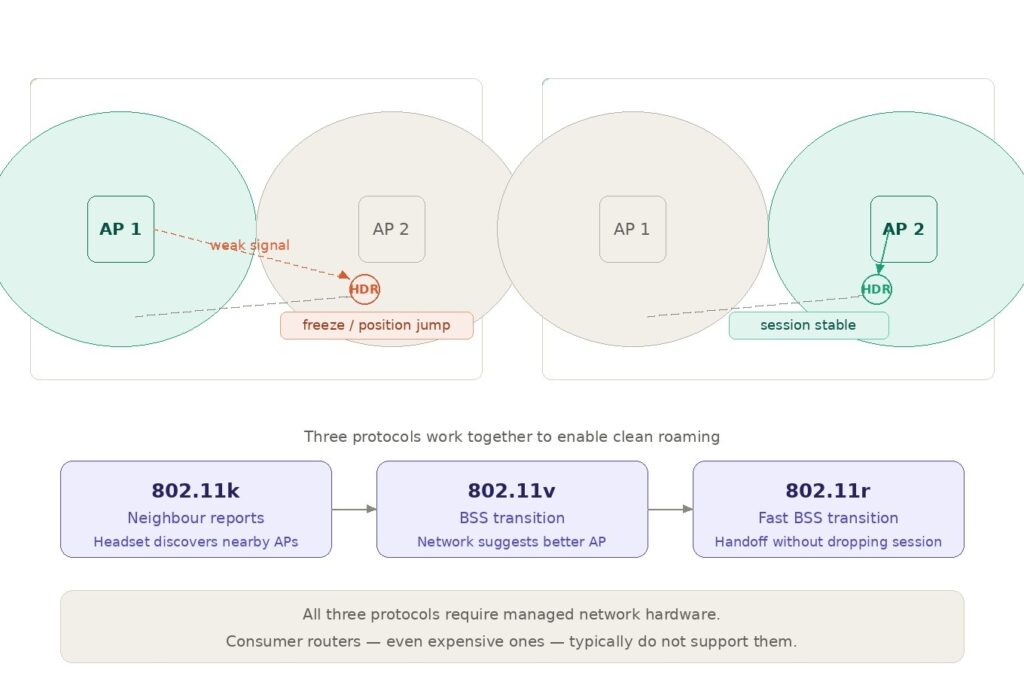
Three network protocols work together to solve this: 802.11k helps devices discover nearby access points, 802.11v enables the network to suggest better connections, and 802.11r enables fast handoff between access points without dropping the session. Managed network hardware supports all three. Consumer routers, even expensive ones, typically do not.
This is the clearest technical reason why consumer-grade networking hardware does not suit a professional free roam VR arcade, regardless of how capable it looks on a spec sheet.
Why Static Network Planning Fails a Dynamic Play Space
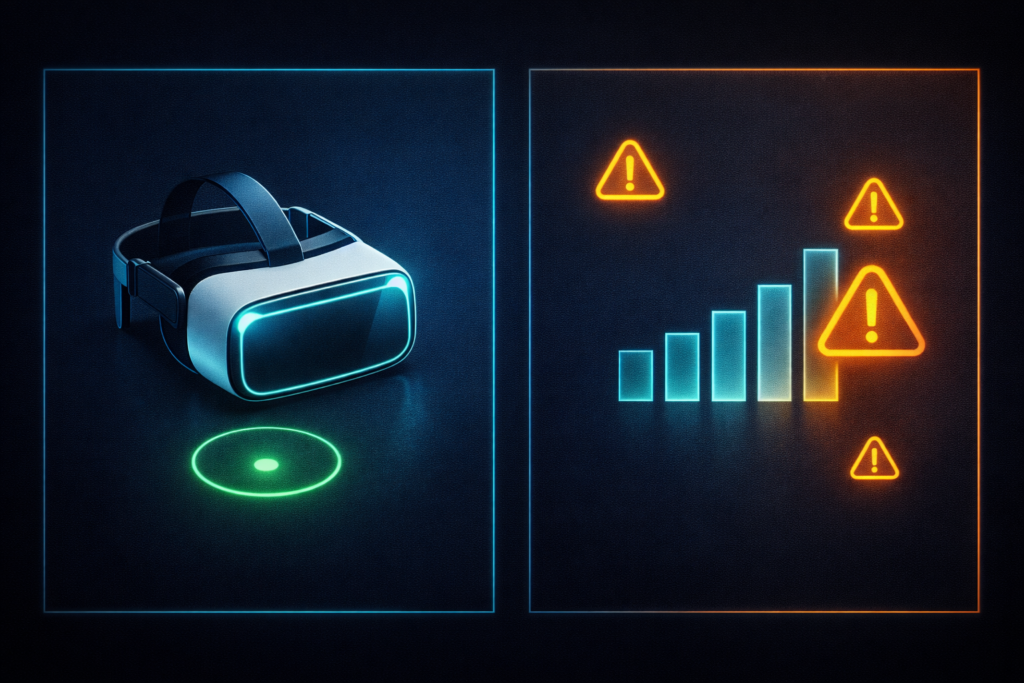
Most operators create their network plan once, during buildout and operators never revisit them. The channel plan that worked at launch with four headsets starts struggling at eight. The access point covering the original arena boundary no longer covers the expanded one. The guest WiFi that operators separated during setup ends up back on the headset band after a router firmware update changes default settings.
Static network planning assumes the environment stays constant. Free roam LBE VR operations do not.
Player density changes. Content updates change how headsets use the network. Neighbouring businesses open and add their own WiFi networks that interfere with yours. Headset counts grow. New titles introduce PCVR streaming alongside standalone sessions. Every one of these shifts what the network needs to deliver.
Operators who revisit their network configuration when they add headsets, change content types, or expand their space catch problems before guests experience them. Operators who treat the network as a fixed installation tend to discover problems during peak sessions, when fixing them is hardest.
The underlying issue is visibility. What does the network look like right now, during a live session? Which access point does each headset connect to? What is the current latency per device? Is any headset on the wrong band? Without answers to these questions in real time, network management is reactive by default.
Most of the configuration work that makes a free roam network reliable, access point placement, channel planning, VLAN setup, roaming thresholds, happens on-site and offline. It requires someone physically in the space with the right tools to measure signal coverage, test roaming behaviour, and validate the setup under real session conditions. This is not work that a platform or a remote support team can perform on an operator’s behalf. Venues that invest in an experienced network professional to design and configure their infrastructure from the start avoid most of the failure patterns this article describes. It is a one-time cost that pays for itself quickly against the ongoing cost of misdiagnosed session failures and reactive troubleshooting.
The Network as an Operational System
Hardware, space design, and networking all follow the same pattern across this series: decisions made during setup carry operational consequences that compound daily, and the hardest consequences to trace produce the most support time.
A network that operators can see, per device, per session, in real time, turns a reactive troubleshooting process into a proactive one. When latency on one headset climbs before a session starts, an operator with visibility catches it. Without visibility, the guest catches it mid-experience.
SynthesisVR gives operators a live view of their headset fleet during sessions, connection status, device health, and session activity across every station in the venue. Paired with a properly configured managed network, that visibility closes the gap between what the infrastructure does and what the operator knows about it at the moment.
Professional free roam VR operations treat networking as something to observe and manage continuously. Not something to configure once and hope holds.
Coming Up in Week 6.5
This article focused on understanding why networks fail and how those failures show up in real-world free roam environments. The next part goes deeper into implementation. We’ll break down what a properly optimized network setup actually looks like in practice, including PCVR streaming bandwidth requirements, how many access points you realistically need for an 8-player arena, and how standalone setups differ from PCVR at the network level. We’ll also cover LAN vs WiFi best practices, how to choose the right routers and switches, and when enterprise-grade hardware becomes necessary rather than optional. The goal is simple: move from diagnosing problems to building a network that avoids them entirely. Contact us to schedule a demo call at your convenience.
If you found this article helpful, we invite you to explore the rest of the series.
Week 1: Free Roaming with PICO
Week 2: The Consumer Trap: When Wrong Assumptions Costs Money!
Week 3: Why PICO Became the LBE Standard for Free Roam
Week 4: The Math of a Successful Free Roam Arena
Week 5: Designing a Free Roam Space That Actually Works
Week 6: Networking: The Invisible Backbone of Free Roam
Week 6.5: Networking for VR Venues: What You Need to Know Before You Build
Week 7: Mapping and Calibration: Ending the Drift Problem
Week 8: Launching Games Without Breaking the Flow