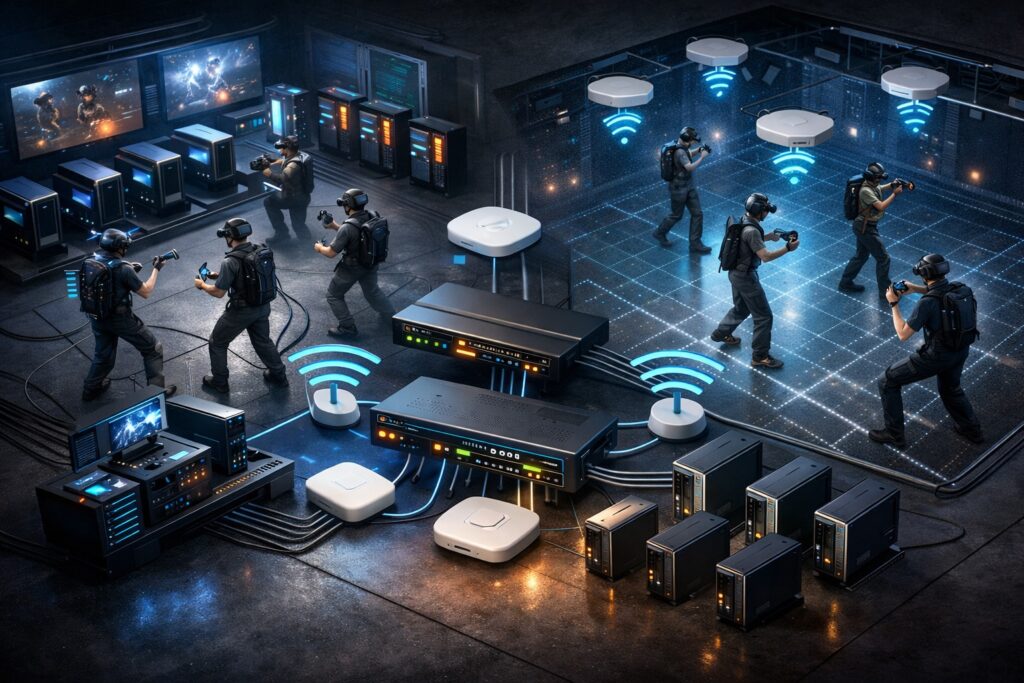
Week 6 covered why network failures in free roam VR are almost always misdiagnosed, operators blame tracking or headsets when the real cause is a packet dropped at the wrong moment, a headset stuck to a distant access point, or a guest phone competing for the same spectrum as a live PCVR stream. This article is the practical follow-up: not the theory of why networks fail, but what a network built for real VR operations actually looks like and the decisions that determine whether it holds under load.
PCVR and Standalone Are Not the Same Network Problem
The most important thing to understand before specifying any hardware is that PCVR wireless streaming and standalone free roam place fundamentally different demands on your network. Treating them the same way is one of the most consistent setup mistakes in LBE VR.
| Factor | PCVR (Wireless Streaming) | Standalone |
| What WiFi carries | Full rendered video frames | Session sync and game state only |
| Bandwidth demand | 100–700+ Mbps per headset | Very low |
| Primary network concern | Throughput and low latency | Latency, jitter, roaming |
| Headsets per AP (practical) | 2–3 maximum | Higher — but stability still critical |
| PC connection | Wired Ethernet — non-negotiable | Not applicable |
In a PCVR setup, every rendered frame travels from the PC to the headset over WiFi in real time. This makes the connection extremely bandwidth-intensive and latency-sensitive simultaneously. The PC itself must be connected via wired Ethernet: this is non-negotiable. Any wireless hop on the PC side compounds the problem in ways that cannot be fixed downstream.
Standalone headsets render locally. WiFi carries session coordination data, small packets, not video streams. The bandwidth requirement is a fraction of PCVR, but the network still needs to be low-jitter and roaming-stable. Packet loss causes player desync. Poor roaming causes mid-session freezes. In a hybrid venue running both formats, the PCVR load sets the floor for access point count and channel planning.
LAN First, WiFi Second
Most operators think about networking in terms of WiFi. The wired backbone: the cables, switch, and router connecting everything together, receives far less attention, and in PCVR environments especially, it is where the most consequential decisions get made.
Every PC running PCVR content must connect to the switch via Cat 6 or Cat 6A Ethernet. The switch distributes wired connections to gaming PCs and powers ceiling-mounted access points via PoE (Power over Ethernet) through a single cable run. For PCVR-heavy deployments, multi-Gigabit switch ports and corresponding network cards in the PCs are increasingly important, a standard Gigabit connection has limited headroom when PCVR streams push toward 500–700 Mbps per headset.
Think of LAN as the highway. WiFi is the on-ramp. If the highway is congested or slow, the speed of the on-ramp does not matter.
The Four Decisions That Determine Network Quality
1. Traffic Separation (VLANs)
Headset traffic, staff systems, and guest WiFi must operate on separate network segments. A guest streaming video should never compete for the same resources as a live PCVR session. VLAN separation is the mechanism that prevents this, and it requires a managed switch and router, not consumer hardware.
2. Band and Channel Configuration
Headsets should operate on the 6 GHz band (WiFi 6E minimum, WiFi 7 preferred for PICO 4 Ultra Enterprise). The 2.4 GHz band should be disabled entirely on the headset network. Channels should be manually assigned, auto channel selection between access points creates interference that is difficult to diagnose.
3. Roaming Configuration
Three protocols: 802.11k, 802.11v, and 802.11r, must be enabled across all access points. Without them, headsets hold connections to whichever access point they first connected to, regardless of where the player moves. The result shows up as lag spikes and position jumps mid-session, symptoms that will be reported as tracking problems.
4. Access Point Count and Placement
More access points at lower transmit power consistently outperforms fewer access points running at high power. High power causes sticky client behaviour. For PCVR, a practical ceiling of 2 to 3 headsets per access point means a 10-headset wireless PCVR venue needs 4 to 5 correctly placed APs. Standalone venues can support more headsets per AP, but placement based on actual player movement patterns, not cable convenience, still determines session consistency.
What Consumer Hardware Cannot Do
Consumer routers and mesh WiFi systems, including high-end gaming models, lack the VLAN management, roaming protocol configuration, and per-client control that multi-headset VR operations require. They may appear stable in single-headset testing and fail under peak session load. The apparent hardware saving on day one creates operational costs that consistently exceed the price difference over time.
Enterprise or business-grade managed access points, a managed PoE switch, and a business-grade router are the baseline for any venue running more than four or five headsets. This does not mean the most expensive option, it means hardware that supports the configuration depth a commercial VR operation actually needs.
The Case for a Networking Professional
Knowing what a correctly configured VR network looks like and being able to achieve it in a specific physical space are two different problems. The configuration work, access point placement based on actual signal measurements, channel planning that accounts for neighbouring networks, roaming threshold tuning, VLAN architecture, requires someone physically in the space with the right tools.
Venues that invest in a qualified networking professional at the outset avoid the majority of the failure patterns described in Week 6. It is a one-time cost. The return is measured in sessions that run without the network-sourced disruptions that erode guest experience and drive up staff workload.
| Want the full implementation guide?The complete Week 6.5 article covers every layer of the network in detail: wired backbone design, VLAN architecture, AP count by setup type, the full PCVR streaming chain, hardware selection criteria, and a checklist of the most common configuration mistakes. It is a practical implementation reference built for operators who are setting up or upgrading a free roam venue.Reach out to us at info@synthesisvr.com and we will send it directly to your inbox. |
SynthesisVR is trusted by 600+ locations worldwide. Built by operators, for operators. synthesisvr.com
If you found this article helpful, we invite you to explore the rest of the series.
Week 1: Free Roaming with PICO
Week 2: The Consumer Trap: When Wrong Assumptions Costs Money!
Week 3: Why PICO Became the LBE Standard for Free Roam
Week 4: The Math of a Successful Free Roam Arena
Week 5: Designing a Free Roam Space That Actually Works
Week 6: Networking: The Invisible Backbone of Free Roam
Week 6.5: Networking for VR Venues: What You Need to Know Before You Build
Week 7: Mapping and Calibration: Ending the Drift Problem
Week 8: Launching Games Without Breaking the Flow